Vermont Small Business Accounting Package
What this form package covers
The Vermont Small Business Accounting Package is a comprehensive collection of essential legal forms designed to help small businesses effectively manage their financial records. This package stands out by providing a variety of accounting forms that can be customized according to the specific needs of your business, ensuring you have the right tools to maintain accurate financial documentation. By purchasing this package, you can save up to 50 percent compared to buying each form separately.
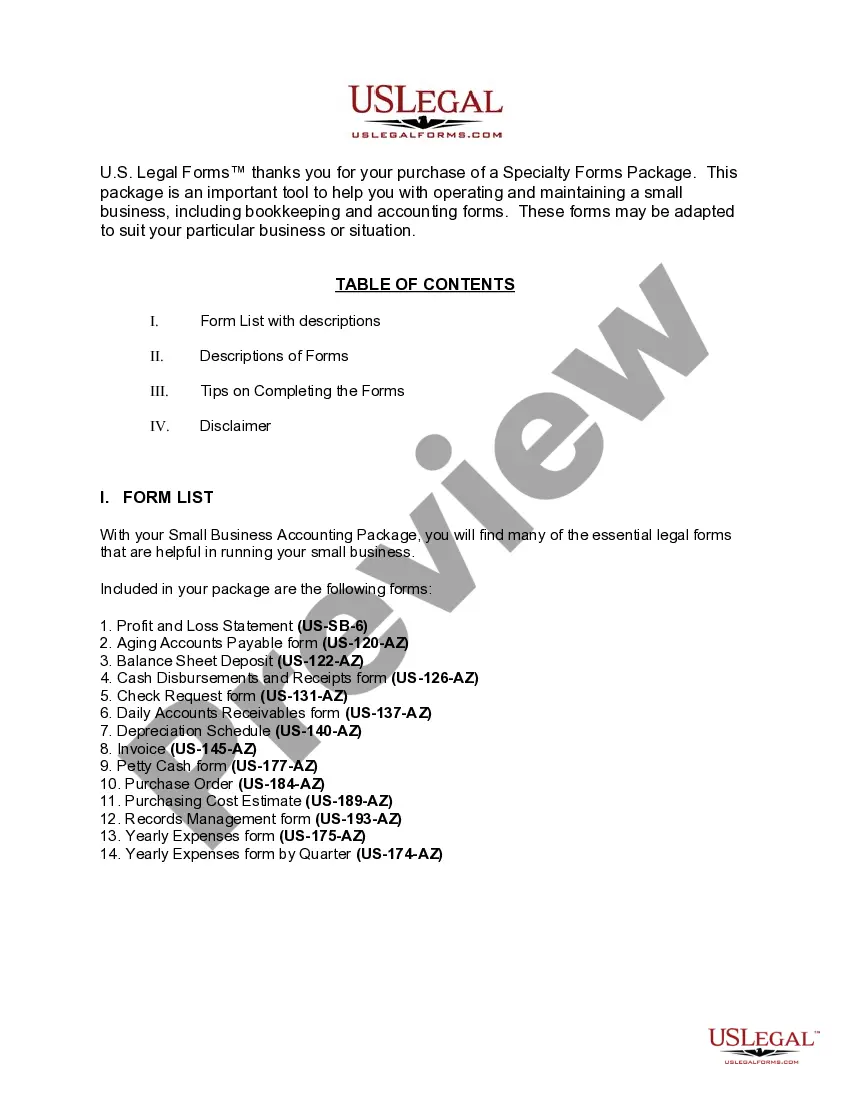
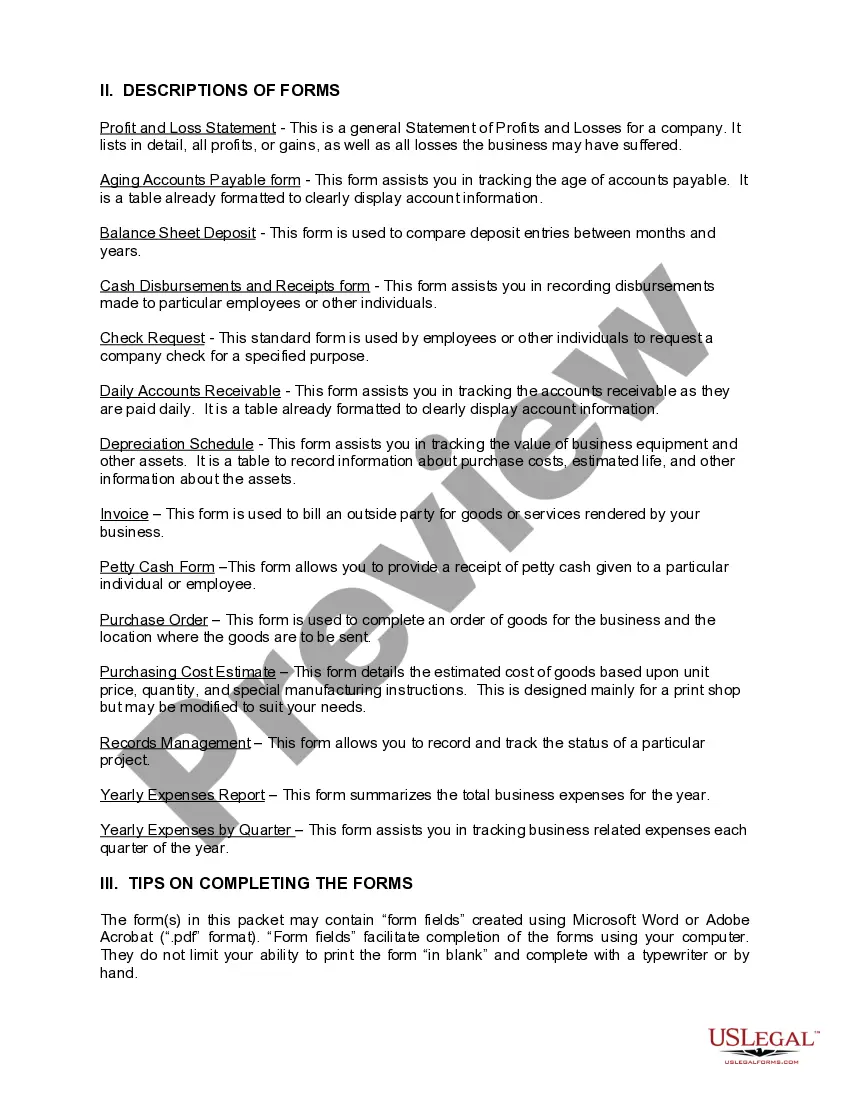
Forms you’ll find in this package
- Aging Accounts Payable
- Balance Sheet Deposits
- Cash Disbursements and Receipts
- Check Request
- Daily Accounts Receivable
- Depreciation Schedule
- Job Invoice - Short
- Yearly Expenses by Quarter
- Yearly Expenses
- Petty Cash Form
- Purchasing Cost Estimate
- Records Management
- Profit and Loss Statement
- Purchase Order for Invoice

Common use cases
Small businesses typically require organized financial records for various purposes, including tax reporting, budgeting, and financial analysis. Use this package when you need:
- To track income and expenses accurately.
- To manage accounts payable and receivable.
- To prepare financial statements like profit and loss reports or balance sheets.
- To document daily cash disbursements and receipts.
- To evaluate business expenses on a yearly or quarterly basis.
Who should use this form package
- Small business owners managing their own financial records.
- Entrepreneurs starting a new business and needing accounting documentation.
- Bookkeepers or accountants who work with small business clients.
- Any individual who wishes to maintain organized financial records for their business.
Instructions for completing these forms
- Review the included forms to understand what each one is used for.
- Identify the financial data required for each form, such as income, expenses, and asset details.
- Fill out the forms using a computer or pen, ensuring all necessary information is included.
- Double-check the forms for accuracy and completeness before saving or printing.
- Keep the completed forms organized in your business records for easy access and reference.
Notarization requirements for forms in this package
Notarization is generally not required for forms in this package. However, specific circumstances or local laws may require it. You can complete notarization remotely through US Legal Forms, powered by Notarize, with 24/7 availability.
Get your form ready online
Our built-in tools help you complete, sign, share, and store your documents in one place.
Make edits, fill in missing information, and update formatting in US Legal Forms—just like you would in MS Word.
Download a copy, print it, send it by email, or mail it via USPS—whatever works best for your next step.
Sign and collect signatures with our SignNow integration. Send to multiple recipients, set reminders, and more. Go Premium to unlock E-Sign.
If this form requires notarization, complete it online through a secure video call—no need to meet a notary in person or wait for an appointment.
We protect your documents and personal data by following strict security and privacy standards.

Make edits, fill in missing information, and update formatting in US Legal Forms—just like you would in MS Word.

Download a copy, print it, send it by email, or mail it via USPS—whatever works best for your next step.

Sign and collect signatures with our SignNow integration. Send to multiple recipients, set reminders, and more. Go Premium to unlock E-Sign.

If this form requires notarization, complete it online through a secure video call—no need to meet a notary in person or wait for an appointment.

We protect your documents and personal data by following strict security and privacy standards.
Avoid these common issues
- Leaving blanks in important fields, which can lead to incomplete financial records.
- Failing to update forms regularly with the latest financial information.
- Using outdated forms which may not comply with current legal standards.
- Not keeping backup copies of completed forms for future reference.
Benefits of completing this package online
- Convenience of downloading forms anytime, from anywhere.
- Editable forms that allow you to customize fields directly on your computer.
- Access to professionally drafted documents by licensed attorneys.
- Immediate availability, eliminating the wait for physical copies.
- Cost savings compared to purchasing individual forms separately.
Legal use & context
- Forms in this package are designed to assist in properly documenting business finances.
- Accurate completion of these forms supports compliance with state tax regulations.
- Using these forms can enhance the overall organization and professionalism of business accounting practices.
Main things to remember
- The Vermont Small Business Accounting Package is essential for managing small business finances effectively.
- The forms included can be easily customized for various business scenarios.
- Completing these forms accurately can improve financial tracking and compliance.
- The package provides a cost-effective solution, saving up to fifty percent over purchasing forms individually.
Looking for another form?



Form popularity
FAQ
SlickPie. SlickPie is an online accounting software program that is tailored for smaller businesses. QuickBooks Online. A product of Intuit, QuickBooks has long been heralded as the go-to accounting software for small businesses. Sage 50. Kashoo. Xero.
Intuit's QuickBooks Online has been the most common accounting software used by small businesses and their bookkeeping and tax professionals. The software is cloud-based and can be accessed through a web browser or through the mobile app.
Business Bank Reconciliations. Credit Card Management. Accounts Receivable. Accounts Payable. Sales Tax. Payroll.
Wave. A top free accounting software to consider from the start of your search is Wave accounting software. ZipBooks. Akaunting. SlickPie. GnuCash. CloudBooks. Zoho Invoice. NCH Express Accounts.
The typical accounting fees for small business fall between $1,000 to $5,000, according to the poll. If you're a new business owner, don't forget to factor accounting costs into your budget. If you're a veteran owner, it might be time to re-evaluate accounting costs.
QuickBooks Online: Overall Best Small Business Accounting Software. FreshBooks: Best Customer Support. Zoho Books: Most Bang For Your Buck. QuickBooks Self-Employed: Best Freelance Accounting Software. ZipBooks: Easiest Accounting Software.
Pay Close Attention to Receivables. Keep a Pulse on Your Cash Flow. Log Expense Receipts. Record Cash Expenses. Know the Difference Between Invoices and Receipts. Keep Personal vs. Hire a Professional to Handle Your Taxes. Maintain Clear Communication with Your Accountant.
Best accounting software: Xero. Best eCommerce software: Shopify. Best project management software: Trello. Best time tracking software: Toggl. Best online payment software: PayPal. Best email marketing software: MailChimp. Best collaboration tools: Slack. Best document management software: G-Suite.
The Verdict. QuickBooks Online from Intuit is our choice as the best business accounting software for small businesses because of its affordable pricing and array of features that make managing accounts and sending invoices easy.