Purchase Invoice
About this form
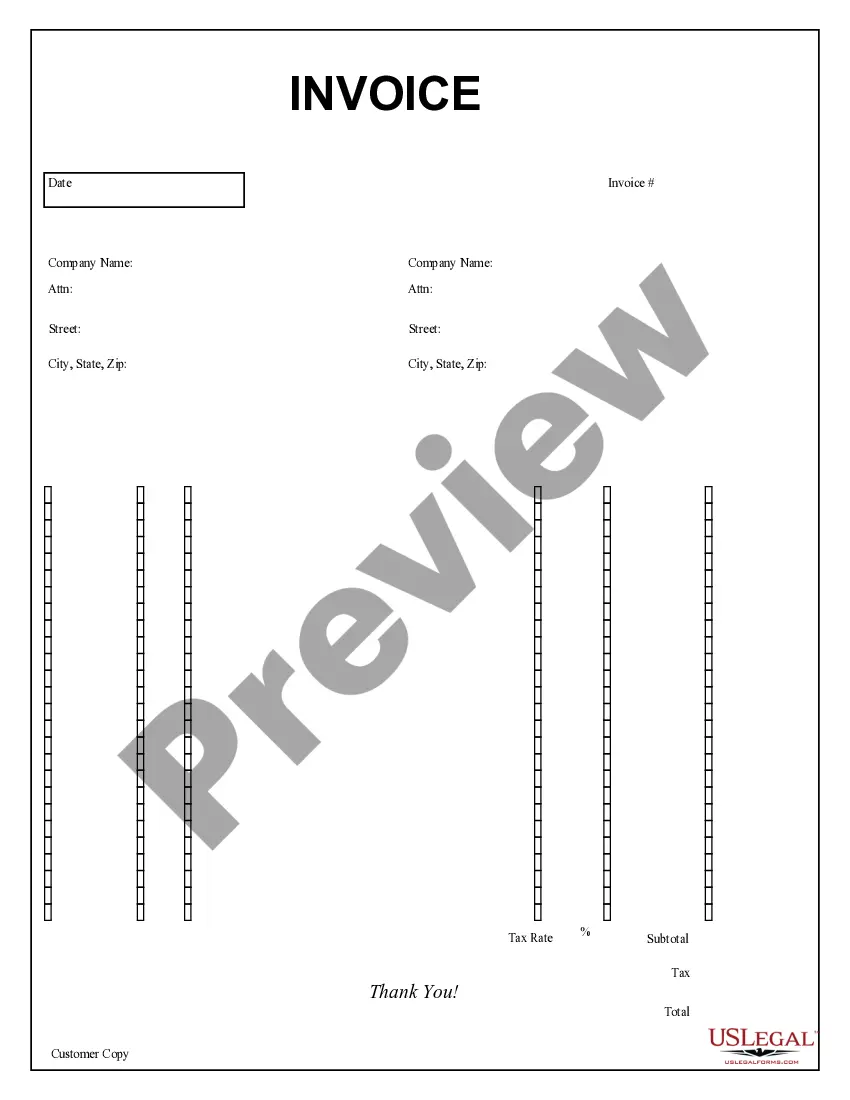
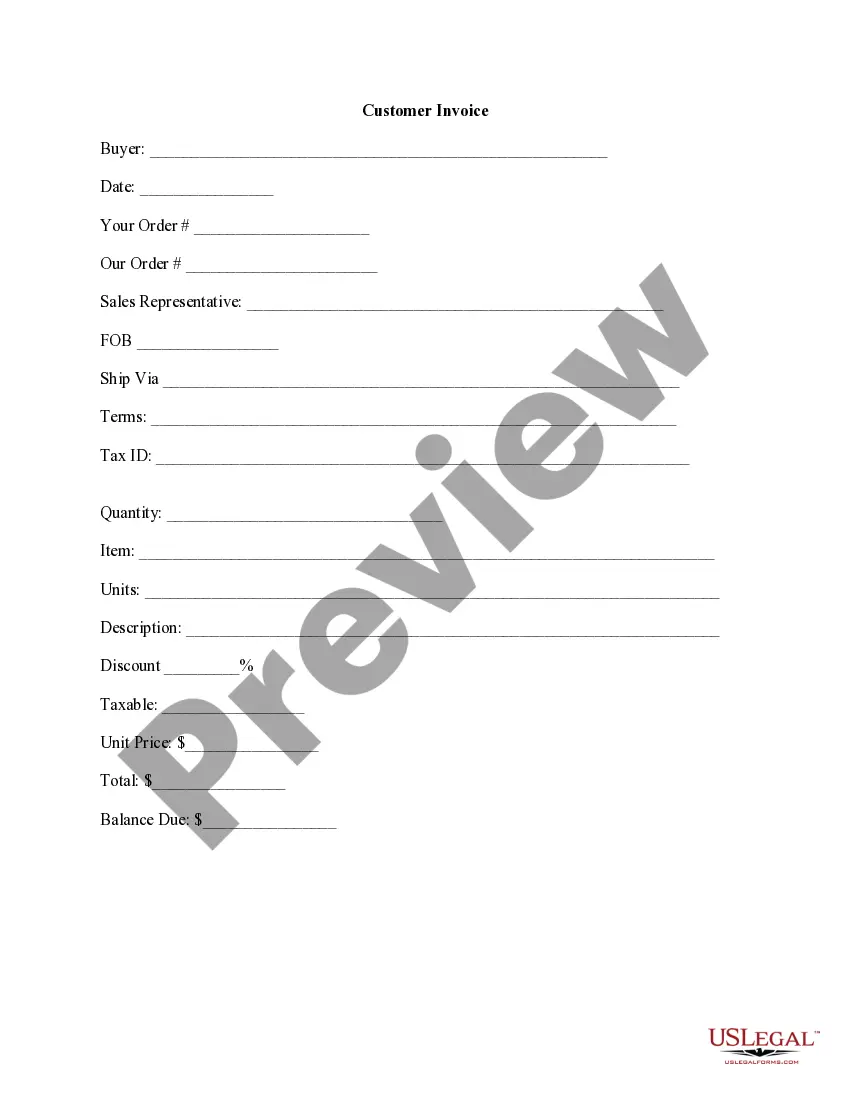
The Purchase Invoice is a legal document used by businesses to record the sale of goods or services. This form serves as an official request for payment, detailing what was sold, the amount due, and payment terms. It differs from other billing documents by providing a clear itemization of purchased items along with specific details about both the buyer and seller, minimizing confusion over transactions.
Form components explained
- Sold To and Bill To information: Includes company name, contact person, address, and shipping details.
- Order reference numbers: Specifies the order received and the corresponding reference for tracking.
- Shipping details: Information including ship date and shipping method.
- Itemization of products: Lists items sold, their quantity, description, unit price, and total amount.
- Tax calculations: Includes applicable tax rates, subtotal, and total invoice amount.
- Customer copy: A section often included for the buyer to retain as a record.




When to use this form
This Purchase Invoice should be used when a business sells goods or services to another entity. It is essential when a seller wants to formally communicate the details of a transaction to the buyer, particularly for recordkeeping and payment tracking. This form is also useful for accounting and tax purposes to validate the sale and document any sales tax charged.
Who needs this form
- Small business owners issuing invoices to clients.
- Freelancers providing detailed billing for services rendered.
- Corporations needing to maintain accurate sales records for compliance.
- Sellers of goods who need to request payment in a formal manner.
Steps to complete this form
- Identify the parties: Fill out the "Sold To" and "Bill To" sections with the correct company names and addresses.
- Specify your order details: Include relevant order numbers for both parties to track the invoice.
- Detail the items: List each item sold with a description, quantity, unit price, and total amount.
- Calculate totals: Add up the subtotal, apply tax rates, and provide a total amount due.
- Include terms: Specify the payment terms and any conditions for the order completion.
Notarization requirements for this form
This form usually doesn’t need to be notarized. However, local laws or specific transactions may require it. Our online notarization service, powered by Notarize, lets you complete it remotely through a secure video session, available 24/7.
Get your form ready online
Our built-in tools help you complete, sign, share, and store your documents in one place.
Make edits, fill in missing information, and update formatting in US Legal Forms—just like you would in MS Word.
Download a copy, print it, send it by email, or mail it via USPS—whatever works best for your next step.
Sign and collect signatures with our SignNow integration. Send to multiple recipients, set reminders, and more. Go Premium to unlock E-Sign.
If this form requires notarization, complete it online through a secure video call—no need to meet a notary in person or wait for an appointment.
We protect your documents and personal data by following strict security and privacy standards.

Make edits, fill in missing information, and update formatting in US Legal Forms—just like you would in MS Word.

Download a copy, print it, send it by email, or mail it via USPS—whatever works best for your next step.

Sign and collect signatures with our SignNow integration. Send to multiple recipients, set reminders, and more. Go Premium to unlock E-Sign.

If this form requires notarization, complete it online through a secure video call—no need to meet a notary in person or wait for an appointment.

We protect your documents and personal data by following strict security and privacy standards.
Typical mistakes to avoid
- Omitting key information such as buyer address or order reference.
- Incorrectly calculating tax or total amounts.
- Failing to provide payment terms leading to confusion on due dates.
- Using the wrong format or failing to complete all sections, which can invalidate the invoice.
Advantages of online completion
- Convenience of immediate access and download from any device.
- Editability allows for quick updates and accurate information before sending.
- Reliability, as forms are designed by licensed attorneys to ensure compliance with legal standards.
Summary of main points
- The Purchase Invoice is essential for documenting business transactions.
- It includes detailed sections for all necessary information about the sale.
- Using this form helps maintain clear communication and record-keeping.
- Be mindful of common mistakes to ensure accurate invoicing.
Looking for another form?



Form popularity
FAQ
A Purchase Invoice is a bill you receive from your Suppliers against which you need to make the payment. Purchase Invoice is the exact opposite of your Sales Invoice.Making a Purchase Invoice is very similar to making a Purchase Order.
A PO is generated when the customer places the order, while an invoice is generated after the order is complete. A PO details the contract of the sale, while an invoice confirms the sale. Buyers use POs to track accounts payable and sellers use invoices to track accounts receivable (in their accounting records).
The purchase order is a document generated by the buyer and serves the purpose of ordering goods from the supplier. The invoice, on the other hand, is generated by the supplier and shows how much the buyer needs to pay for goods bought from the supplier.
Related. A purchase order is a legally binding document between a supplier and a buyer. It details the items the buyer agrees to purchase at a certain price point. It also outlines the delivery date and terms of payment for the buyer.
What is a Non-PO Invoice? Non-PO invoices do not have a purchase order associated and are the result of spend outside a regulated procurement process. This type of invoice is often called expense invoice and is used for various indirect purchases.
Purchase invoice vs sale invoice Though they are the same, each invoice is used differently.A purchase invoice is different. It is given at the end of a transaction as a confirmation of some goods that have been bought. While a sales invoice is used to record how much money was paid and/or to show an outstanding debt.
Choose the. In the Vendor field, enter the name of an existing vendor. In the Vendor field, enter the name of the new vendor. In the dialog box about registering the new vendor, choose the Yes button.
The creation of a purchase order is the first step in a business transaction, it is issued by the buyer and authorizes a seller to provide a product or service at a specified price. The invoice is a bill issued by the seller when that product has been delivered or the service has been completed.
What is an invoice? Invoices are used in conjunction with purchase orders to indicate how much money the buyer owes to the seller. Invoices are also commonly referred to as bills, statements, or sales invoices.