Employee Cell Phone Usage Policy
What is this form?
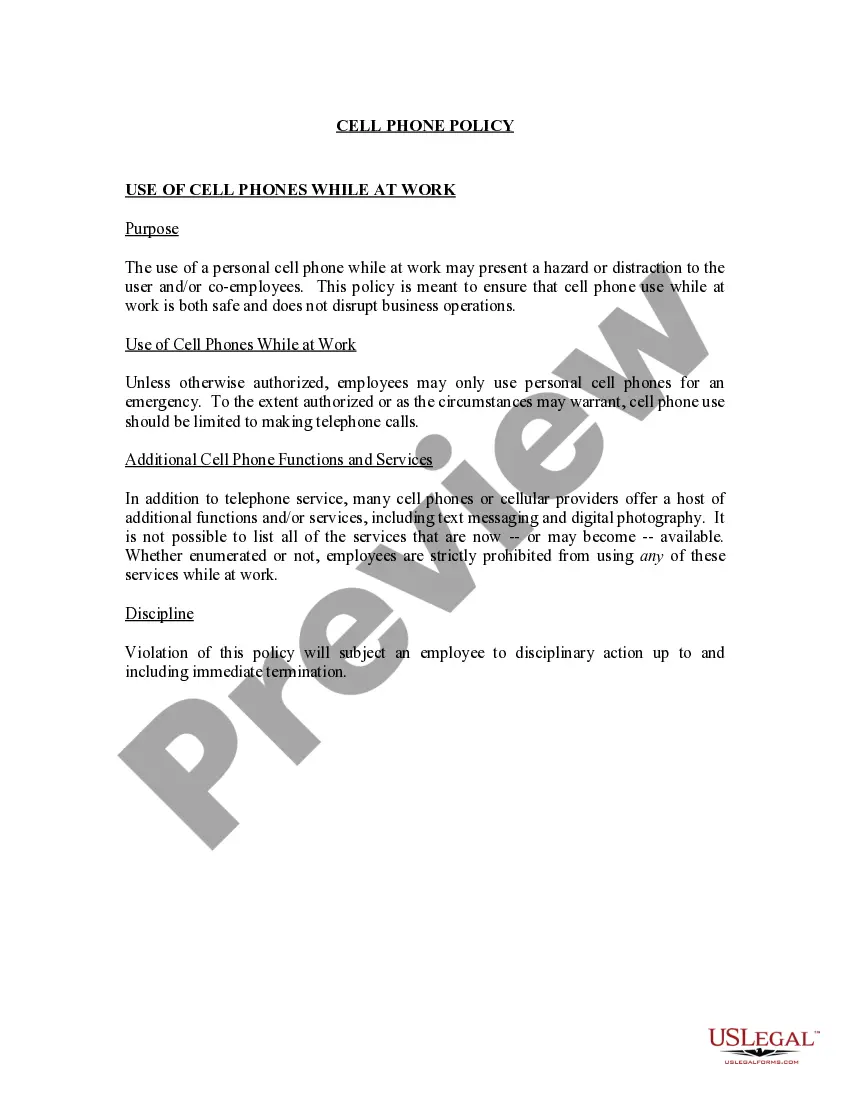
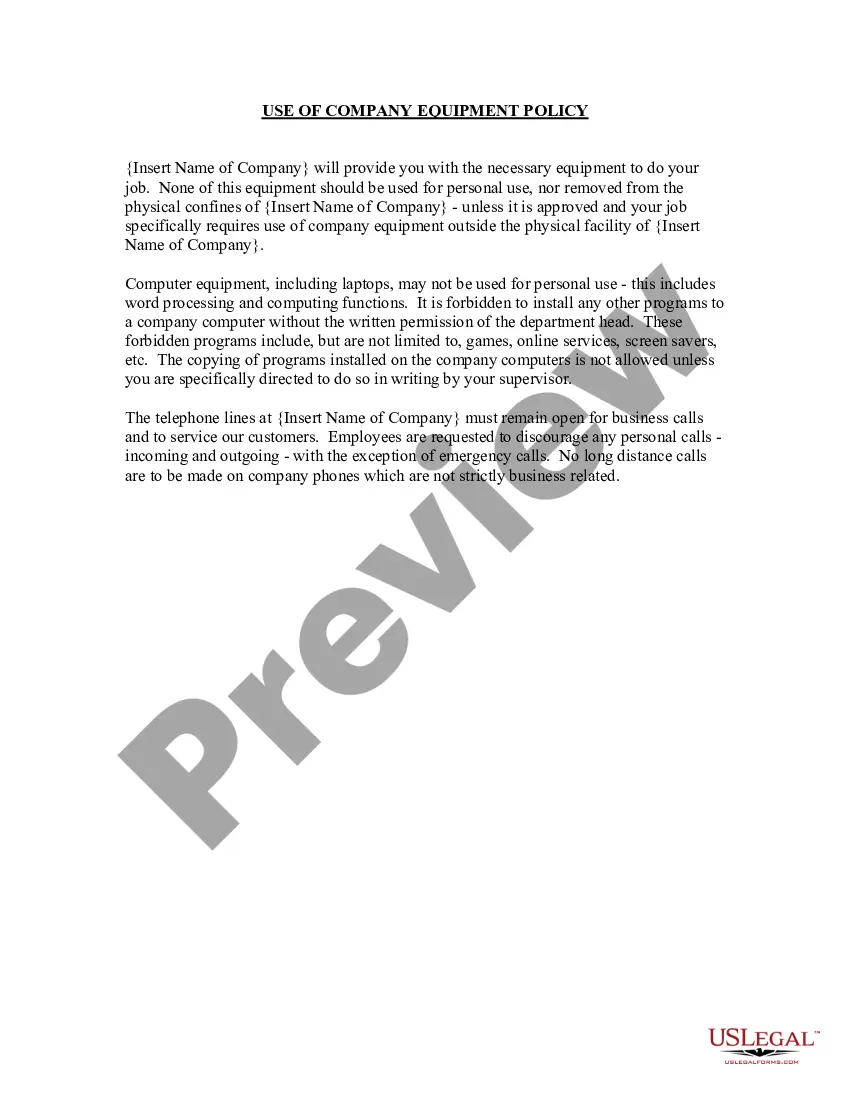
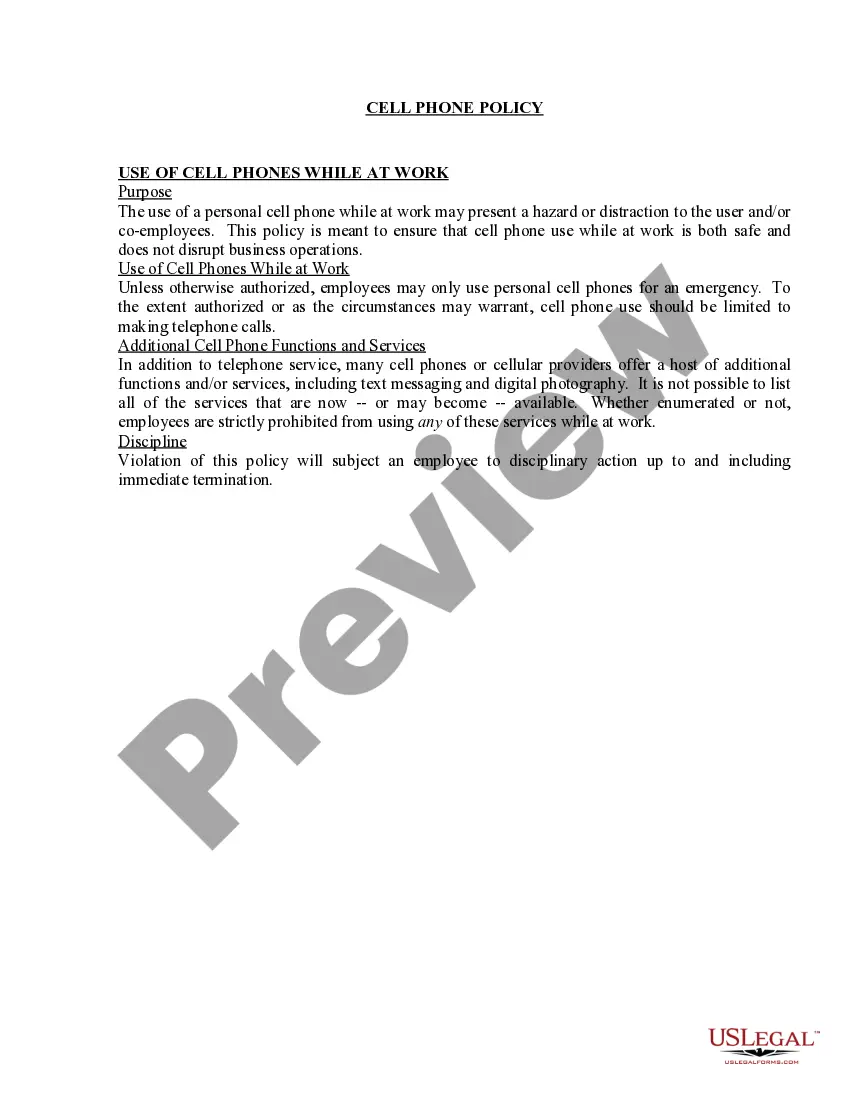
The Employee Cell Phone Usage Policy is an important legal document that sets guidelines for personal cell phone usage at work. Its purpose is to promote a safe and distraction-free work environment, ensuring that employees use their phones responsibly while on the job. Unlike other workplace policies, this specific form addresses the nuances of cell phone use, covering various functionalities beyond just making calls, such as texting and photography, which can disrupt operations.
Main sections of this form
- Purpose: Outlines the need for safe cell phone use to prevent hazards and distractions.
- Use of cell phones: Restricts usage to emergencies unless authorized.
- Prohibited services: Lists additional phone functions that are not allowed during work hours.
- Discipline: Details potential consequences for policy violations, including termination.

When to use this document
This policy form should be used in any workplace where employees are allowed to use personal cell phones. It is particularly important when you want to minimize distractions, ensure safety, and create clear expectations on conduct regarding cell phone use. This could be in various sectors, including offices, retail spaces, and service industries.
Who should use this form
This form is suitable for:
- Employers looking to establish a clear cell phone policy within their organization.
- HR managers needing to ensure compliance with workplace regulations.
- Business owners aiming to protect company operations and employee productivity.
Instructions for completing this form
- Identify the specific policies you wish to enforce regarding cell phone usage.
- Specify who is authorized to use personal cell phones and under what circumstances.
- Clearly outline the prohibited services and any exceptions to the rule.
- Establish the disciplinary actions for violations of the policy.
- Distribute the finalized policy to all employees and obtain their acknowledgment.
Does this document require notarization?
In most cases, this form does not require notarization. However, some jurisdictions or signing circumstances might. US Legal Forms offers online notarization powered by Notarize, accessible 24/7 for a quick, remote process.
Get your form ready online
Our built-in tools help you complete, sign, share, and store your documents in one place.
Make edits, fill in missing information, and update formatting in US Legal Forms—just like you would in MS Word.
Download a copy, print it, send it by email, or mail it via USPS—whatever works best for your next step.
Sign and collect signatures with our SignNow integration. Send to multiple recipients, set reminders, and more. Go Premium to unlock E-Sign.
If this form requires notarization, complete it online through a secure video call—no need to meet a notary in person or wait for an appointment.
We protect your documents and personal data by following strict security and privacy standards.

Make edits, fill in missing information, and update formatting in US Legal Forms—just like you would in MS Word.

Download a copy, print it, send it by email, or mail it via USPS—whatever works best for your next step.

Sign and collect signatures with our SignNow integration. Send to multiple recipients, set reminders, and more. Go Premium to unlock E-Sign.

If this form requires notarization, complete it online through a secure video call—no need to meet a notary in person or wait for an appointment.

We protect your documents and personal data by following strict security and privacy standards.
Mistakes to watch out for
- Not clearly defining what constitutes an emergency call.
- Failing to communicate the policy to employees effectively.
- Omitting potential disciplinary actions for violations.
Benefits of completing this form online
- Easy access and instant download for immediate use.
- Editable template allows for customization to fit specific workplace needs.
- Reliable resources provided by licensed attorneys ensure compliance with legal standards.
Legal use & context
- This form serves to protect the productivity and safety of the workplace by clearly defining cell phone usage standards.
- Policies must comply with state and federal employment laws regarding privacy and workplace behavior.
- Having a documented policy helps mitigate potential disputes regarding employee conduct.
Key takeaways
- The Employee Cell Phone Usage Policy is essential for maintaining workplace productivity.
- This form helps clarify expectations regarding cell phone use, thereby minimizing distractions.
- Clear communication and enforcement of this policy are vital to ensure compliance and workforce safety.
Looking for another form?
Form popularity
FAQ
An employer can prohibit you from using a cell phone on company time, but can't temporarily or permanently seize/confiscate an employee's personal property.Your employer can require that you leave your cellphone in your car or leave it with them during the day.
You have no recourse, because you are at-will, They could have fired you for any reason, or for no reason. They could have fired you for using your cell phone even if you hadn't signed the document describing their cell-phone policy...
Ask Politely She might ask why, so kindly state that it affects your ability to concentrate and interferes with your productivity level. Without a company policy restricting cell phone use, you're best hope is that she considers your needs and stops using her phone for personal calls.
Establish guidelines and policies. Spell out whether phones should be turned off during meetings or set on vibrate while people are on the clock, or whether there's a limit on the number of calls an employee can make or take during the workday. Set consequences for violations.
In the US, the answer is yes. If you are taking personal calls during work hours and you have been warned or are knowingly violating a company policy, yes, you can be fired.You can't be working if you're in your phone.
Put Your Phone Away. Turn Off Your Ringer. Use Your Cell Phone for Important Calls Only. Let Voicemail Pick Up Your Calls. Find a Private Place to Make Cell Phone Calls. Don't Bring Your Cell Phone Into the Restroom.
Answer. Yes, you can stop an employee from using their mobile during working hours.In some cases using a mobile phone can be breaching health and safety if the employee is using this while operating machinery or while driving a company vehicle.