Direct Deposit Form for Unemployment
What this document covers
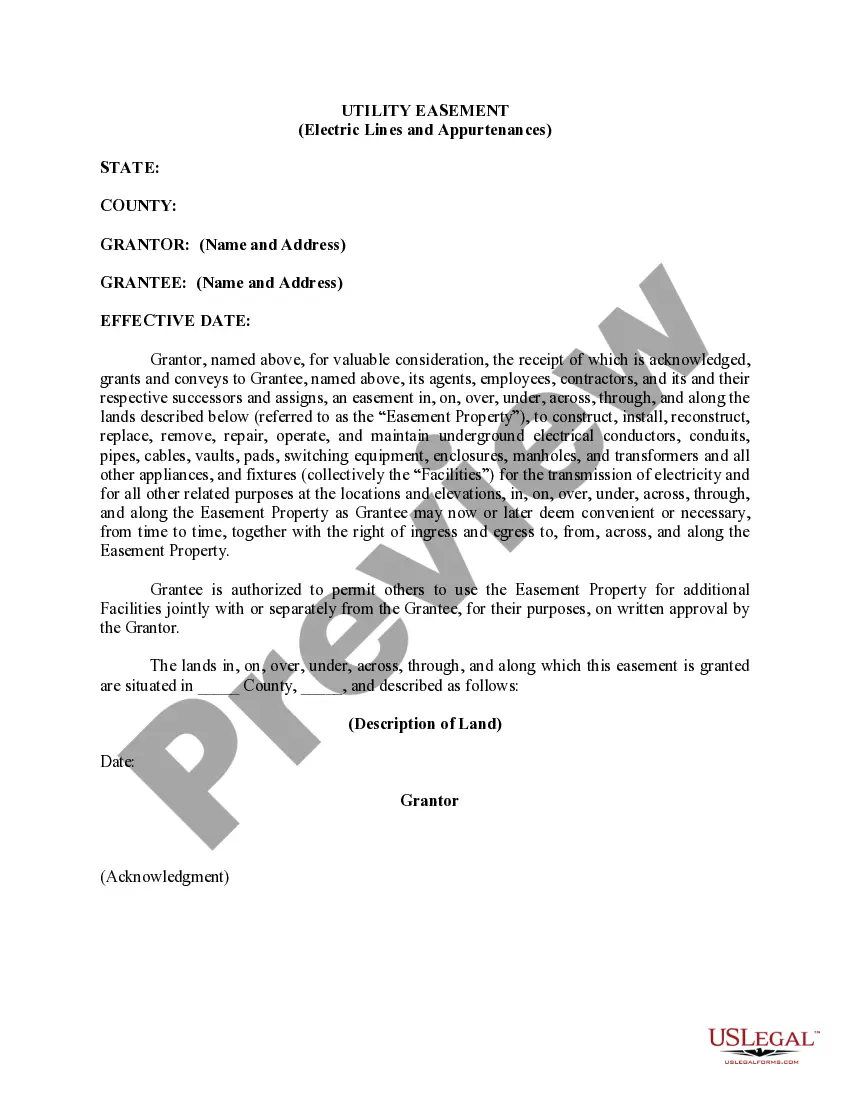
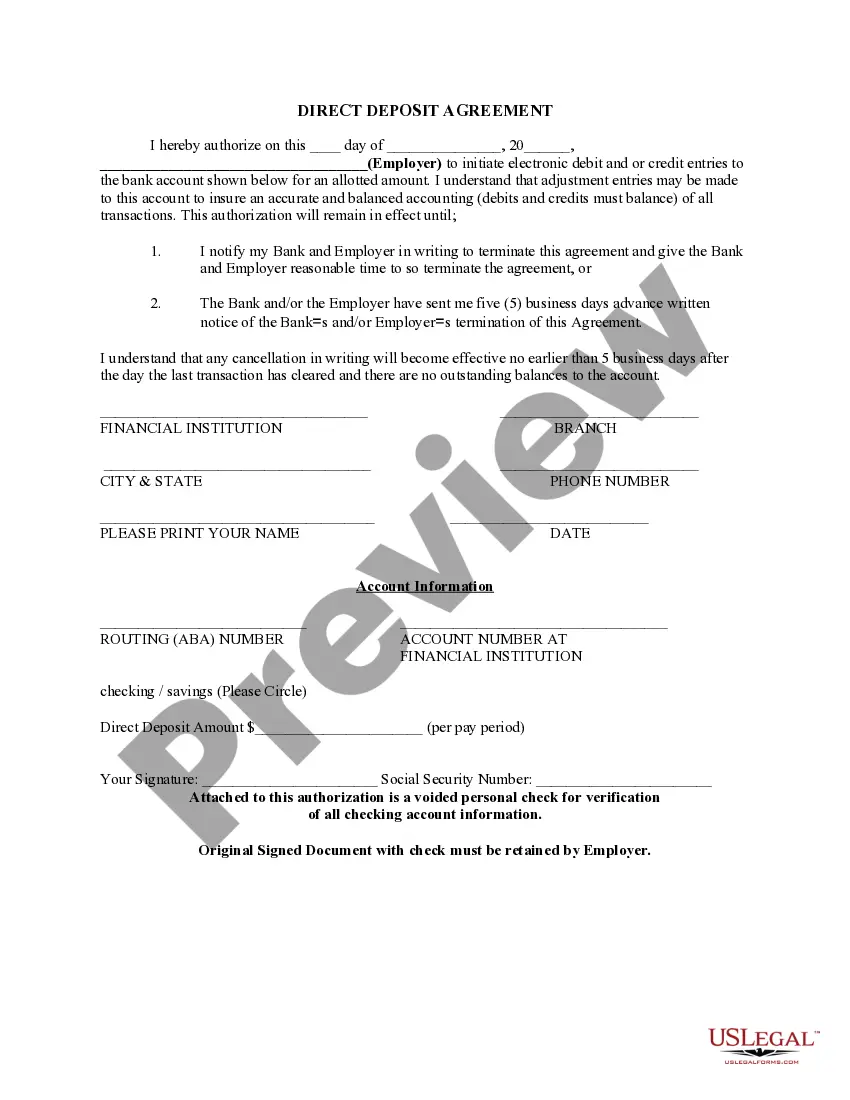
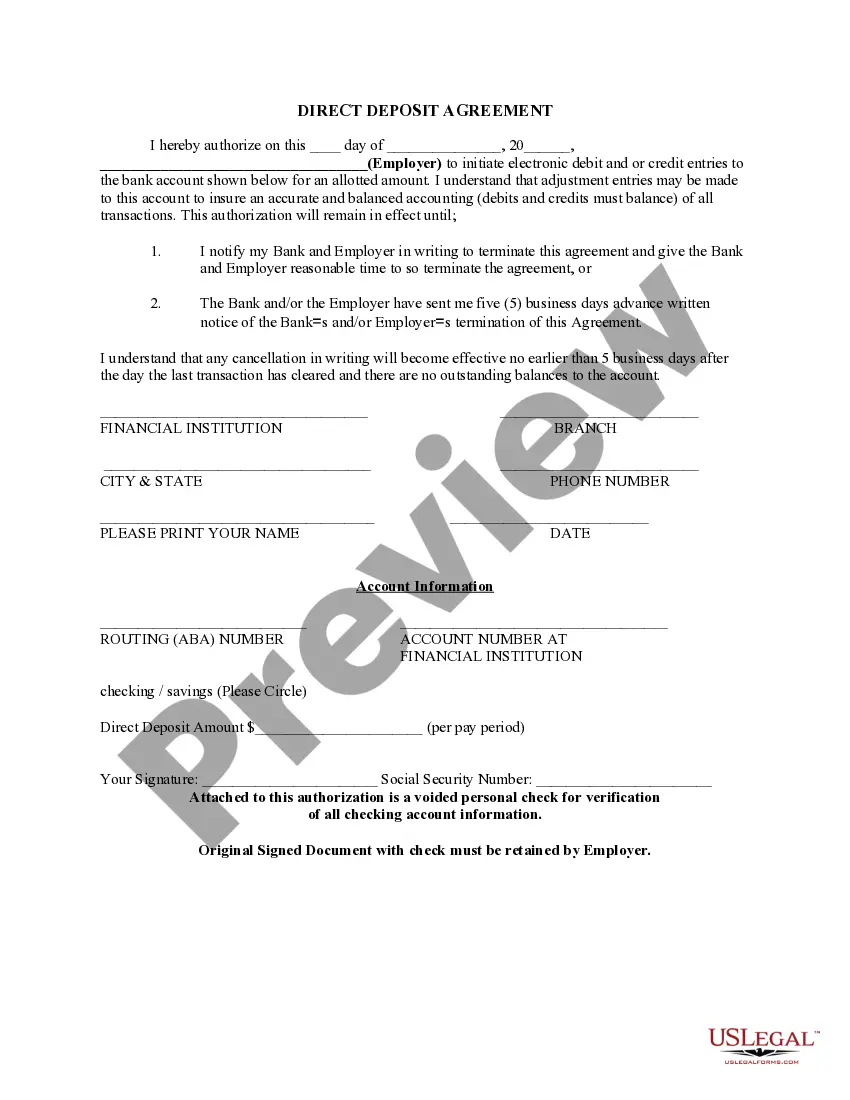
The Direct Deposit Form for Unemployment is a legal document that allows individuals to authorize their employer or a government agency to electronically deposit their unemployment benefits directly into their bank accounts. This form simplifies the payment process and ensures that funds are available in the account immediately without the need to handle checks. It is crucial for beneficiaries to understand its purpose to avoid delays in receiving their benefits.
Main sections of this form
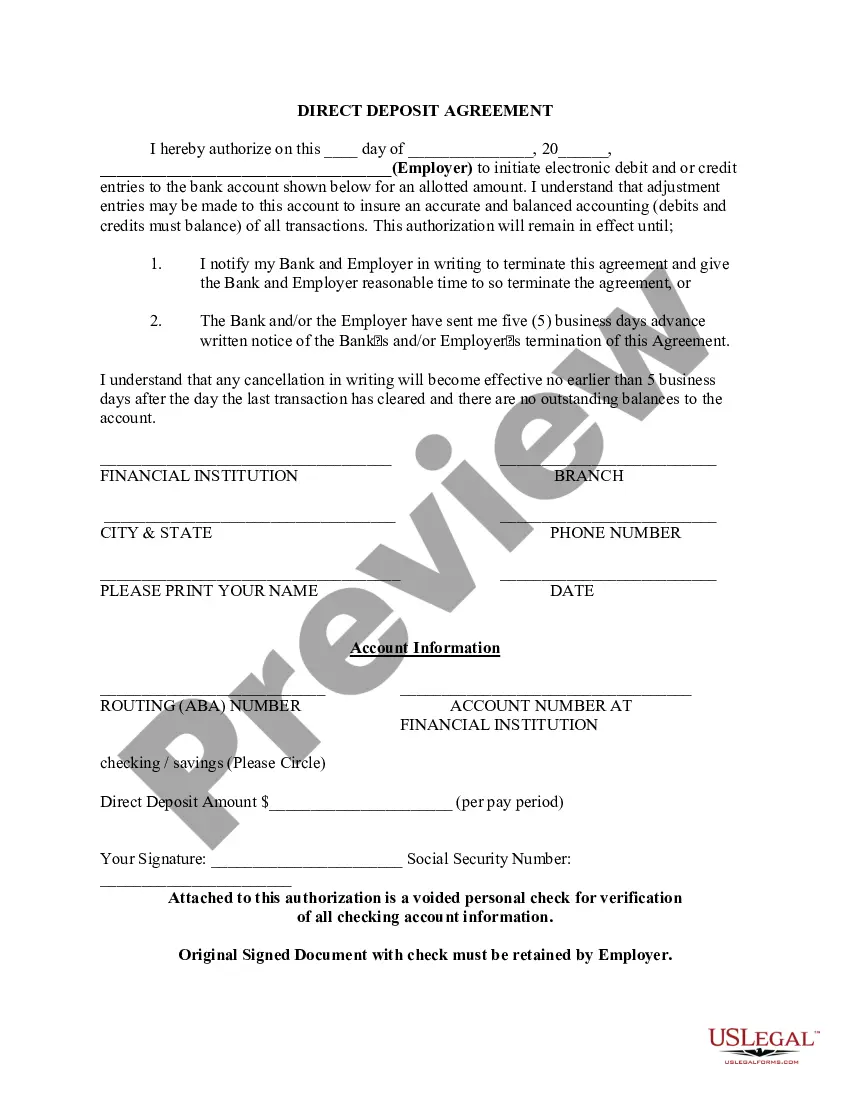
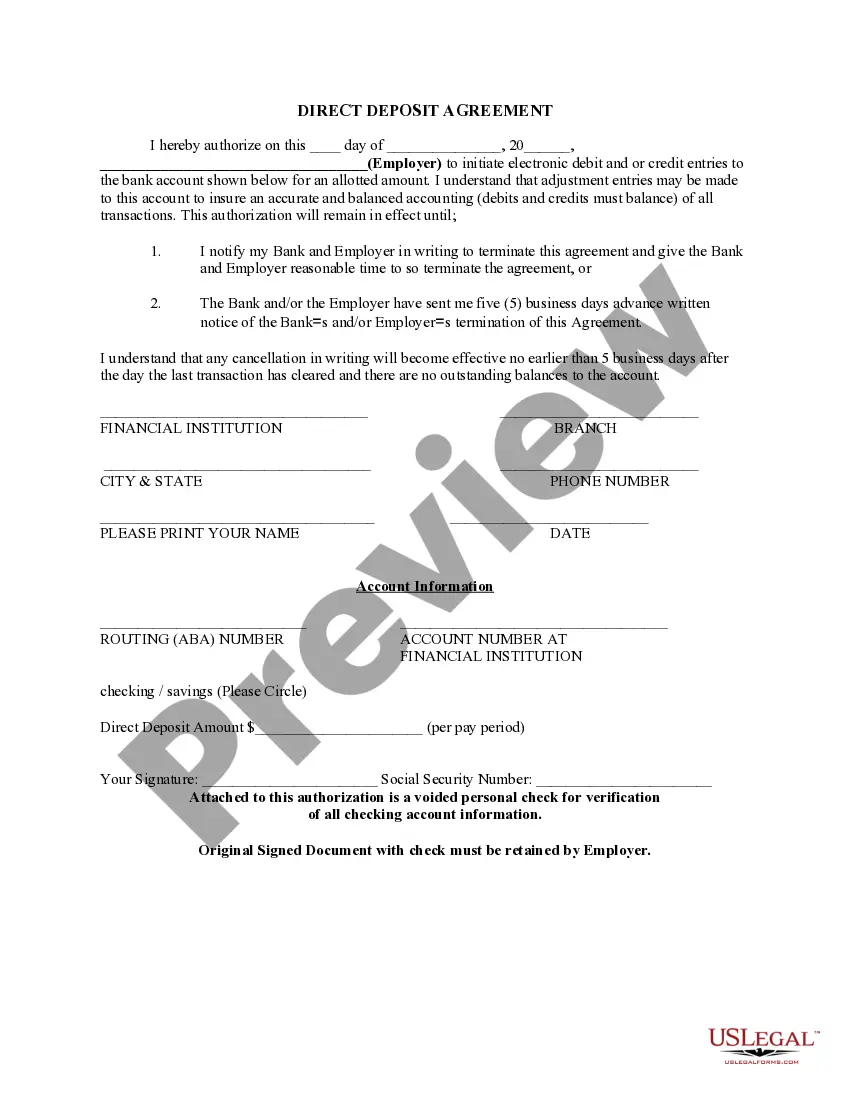
- Authorization section: Confirms the userâs consent for direct deposit to a specified bank account.
- Bank details: Provides space for entering bank account and routing numbers.
- Deposit amount: Allows specification of the amount to be deposited per pay period.
- Signature line: Requires the recipientâs signature to validate the authorization.
- Contact information: Collects details about the financial institution and the account holder.


When this form is needed
This form should be used when an individual is about to receive unemployment benefits and prefers to have those funds deposited directly into their bank account. It is particularly useful for ensuring timely access to benefits, avoiding issues with lost or delayed checks, and managing finances more efficiently.
Who can use this document
- Individuals applying for or receiving unemployment benefits.
- Employees set to receive wages through direct deposit instead of checks.
- Recipients of government benefits, such as Social Security, utilizing electronic payments.
How to complete this form
- Identify the date on which you are completing the form.
- Fill in the name of the employer or organization responsible for your unemployment benefits.
- Provide your bank account details, including routing and account numbers.
- Specify the amount you wish to have deposited per pay period.
- Sign the form to authorize the transactions, and include your Social Security number.
- Attach a voided check for verification of your banking information.
Does this document require notarization?
This form does not typically require notarization unless specified by local law. However, it is important to retain the original signed document with the employer for record-keeping purposes.
Get your form ready online
Our built-in tools help you complete, sign, share, and store your documents in one place.
Make edits, fill in missing information, and update formatting in US Legal Forms—just like you would in MS Word.
Download a copy, print it, send it by email, or mail it via USPS—whatever works best for your next step.
Sign and collect signatures with our SignNow integration. Send to multiple recipients, set reminders, and more. Go Premium to unlock E-Sign.
If this form requires notarization, complete it online through a secure video call—no need to meet a notary in person or wait for an appointment.
We protect your documents and personal data by following strict security and privacy standards.

Make edits, fill in missing information, and update formatting in US Legal Forms—just like you would in MS Word.

Download a copy, print it, send it by email, or mail it via USPS—whatever works best for your next step.

Sign and collect signatures with our SignNow integration. Send to multiple recipients, set reminders, and more. Go Premium to unlock E-Sign.

If this form requires notarization, complete it online through a secure video call—no need to meet a notary in person or wait for an appointment.

We protect your documents and personal data by following strict security and privacy standards.
Common mistakes
- Failing to provide accurate bank account information, which can delay payments.
- Not signing the form, resulting in invalid authorization.
- Leaving the deposit amount blank, leading to confusion about how much will be deposited.
- Using incorrect or outdated routing numbers, which can cause transaction failures.
Benefits of using this form online
- Convenience: Complete and submit from anywhere without the need for physical paperwork.
- Editability: Easily make necessary changes before finalizing the document.
- Instant access: Download and print your form immediately after completion.
- Reliable: Forms are drafted with legal expertise, ensuring compliance with applicable laws.
Summary of main points
- The Direct Deposit Form for Unemployment allows for electronic deposit of funds into a bank account.
- Accurate completion of the form is essential to ensure timely benefits.
- Common errors can lead to delays, so double-check all entered information.
- Using this form online provides added benefits like convenience and editability.
Looking for another form?
Form popularity
FAQ
Unemployment can be distributed via a direct deposit using a routing and account number (like the one Cash App provides), a prepaid debit card (these can be linked to Cash App), or by check. For more information about how your state makes unemployment benefit payments, visit the Unemployment Benefits Finder.
Select the account you want to deposit your payroll to from the dropdown, then click on View and Print and your customized form will be presented to you.Simply print, sign and submit a copy to your employer's payroll department and your part is complete!
Get a direct deposit form from your employer Ask for a written or online direct deposit form. If that isn't available, ask your bank or credit union for one. We've included a list of forms from top banks, including the Capital One and Bank of America direct deposit forms.
If you find yourself running out of deposit slips for your troop, you can print your own. It is not necessary to get special paper to print the deposit slips on, but the tellers do appreciate it if you cut them out.
Log in to your account and choose "Update Direct Deposit" from the "Manage My Claim" section of the dashboard. We cannot update this information over the phone. Payments will continue to your existing account until the change is made. Account changes may take up to four weeks to process.
Get a direct deposit form from your employer Ask for a written or online direct deposit form. If that isn't available, ask your bank or credit union for one. We've included a list of forms from top banks, including the Capital One and Bank of America direct deposit forms.
If you don't have paper checks, you can still enjoy the benefits of direct deposit. You can get a voided check by going to your bank and asking a teller to print one. There may be a fee for this service. Ask your bank if they have instructions on how to set up direct deposit.
Or you can download a blank Direct Deposit Information Form (PDF) and fill in the information yourself. For accounts with checks, a diagram on the form shows you where you can find the information you'll need.