Direct Deposit Form for Social Security
About this form
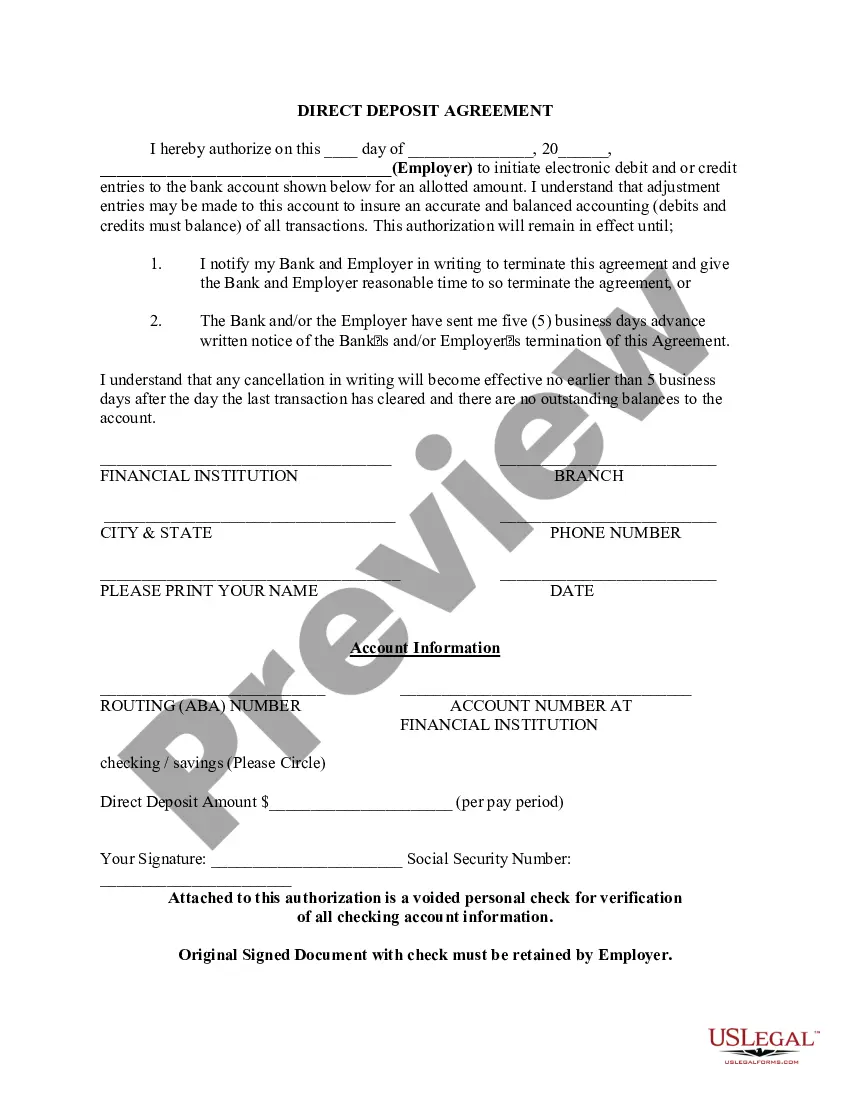
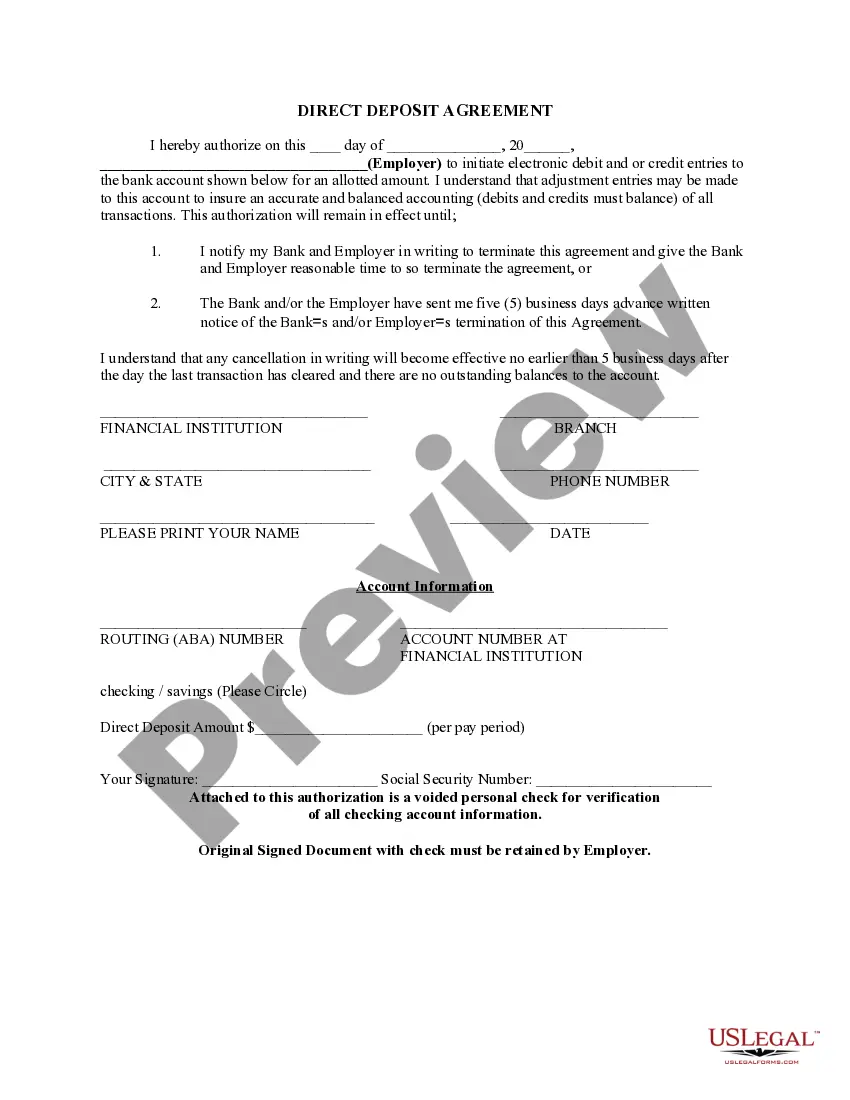
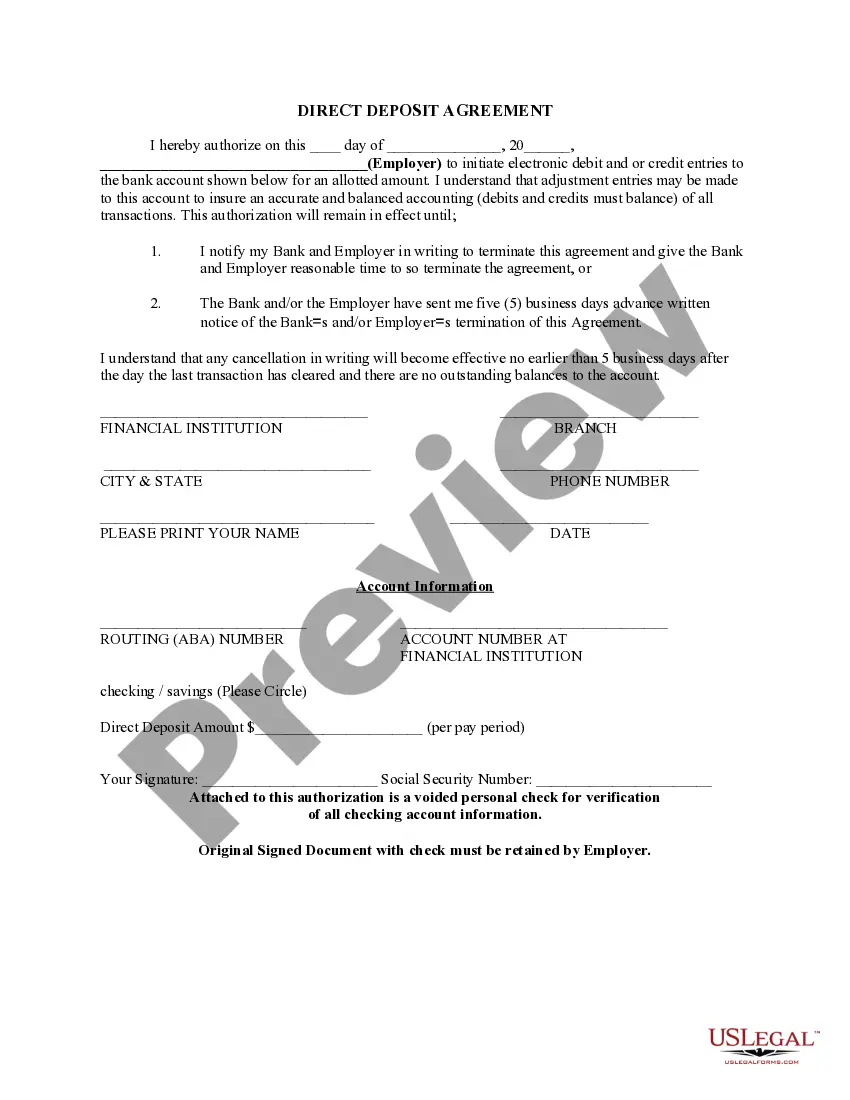
The Direct Deposit Form for Social Security is a document that authorizes the electronic transfer of Social Security payments directly into your bank account. This streamlined process ensures timely access to your benefits while reducing the need for paper checks. Unlike other payment methods, direct deposit is safe, reliable, and often quicker, making it an essential tool for those receiving recurring benefits from the government.
Key parts of this document
- Authorization date and signature: Confirm the initiation of direct deposit.
- Employer information: Details of the employer initiating the deposit.
- Bank details: Includes the financial institution, routing number, and account number.
- Deposit amount: Specifies how much will be deposited each pay period.
- Cancellation notice: Outlines the procedure for terminating the agreement.
- Verification documentation: Requires a voided check for account confirmation.


When to use this document
This form should be used whenever you need to set up or modify the direct deposit of your Social Security benefits. It is particularly useful for individuals who are starting to receive Social Security payments, are changing bank accounts, or wish to ensure that their payments are deposited electronically for convenience and security.
Who this form is for
- Individuals receiving Social Security benefits.
- Caregivers or advocates managing benefits for others.
- Anyone changing their banking information for direct deposits.
- Employers or financial institutions processing Social Security payments.
How to complete this form
- Identify the date of authorization and enter it at the top of the form.
- Fill in the name of the employer and include their details in the employer section.
- Provide your bank's information, including the routing number and account number.
- Specify the direct deposit amount that should be deposited into your account each period.
- Sign the form to authorize the direct deposit agreement.
- Attach a voided check to verify your bank account information.
Notarization requirements for this form
This form does not typically require notarization unless specified by local law. Make sure to check if any special conditions apply based on your location.
Get your form ready online
Our built-in tools help you complete, sign, share, and store your documents in one place.
Make edits, fill in missing information, and update formatting in US Legal Forms—just like you would in MS Word.
Download a copy, print it, send it by email, or mail it via USPS—whatever works best for your next step.
Sign and collect signatures with our SignNow integration. Send to multiple recipients, set reminders, and more. Go Premium to unlock E-Sign.
If this form requires notarization, complete it online through a secure video call—no need to meet a notary in person or wait for an appointment.
We protect your documents and personal data by following strict security and privacy standards.

Make edits, fill in missing information, and update formatting in US Legal Forms—just like you would in MS Word.

Download a copy, print it, send it by email, or mail it via USPS—whatever works best for your next step.

Sign and collect signatures with our SignNow integration. Send to multiple recipients, set reminders, and more. Go Premium to unlock E-Sign.

If this form requires notarization, complete it online through a secure video call—no need to meet a notary in person or wait for an appointment.

We protect your documents and personal data by following strict security and privacy standards.
Common mistakes to avoid
- Not including a voided check for verification.
- Providing incorrect bank account or routing numbers.
- Forgetting to sign the authorization section.
- Leaving the deposit amount blank or incorrect.
- Not notifying the bank or employer when changing accounts.
Advantages of online completion
- Convenience: Easily fill out and submit from your computer or mobile device.
- Time-saving: Quick processing of your direct deposit setup without the need for in-person visits.
- Editable: Make changes easily if you need to update your information.
- Reliable: Direct deposit ensures secure and timely payment delivery.
Looking for another form?

Form popularity
FAQ
It can take 30 to 60 days for direct deposit changes to take effect, regardless of the method you use to make those changes. If you've opened a new bank account, don't close your old one until you're certain your Social Security benefits are being deposited into your new account.
Log in to your account. Sign in and Select the blue Benefits & Payment Details link on the right side of the screen. Scroll down and select the Update Direct Deposit button, and choose if you are the owner or co-owner of the bank account. Enter your bank account information and select Next.
There is a form online they can use to change the direct deposit account to which their Social Security benefits go. (SSI payments cannot be handled online.) They can download and print the form to sign up or change the bank where Social Security checks are deposited. Look for http://www.ssa.gov/deposit/1199a.pdf .
Quick It's easy to receive your benefit by Direct Deposit. You can sign up online at Go Direct®, by calling 1-800-333-1795, in person at your bank, savings and loan or credit union, or calling Social Security. Then, just relax. Your benefit will go automatically into your account every month.
Social Security recipients and other Americans who do not normally file a tax return can expect their stimulus payments to be processed this weekend, the Treasury Department announced Tuesday. Many of the payments will be sent electronically and will be in bank accounts by April 7.