California Weekly Time Sheet
Overview of this form
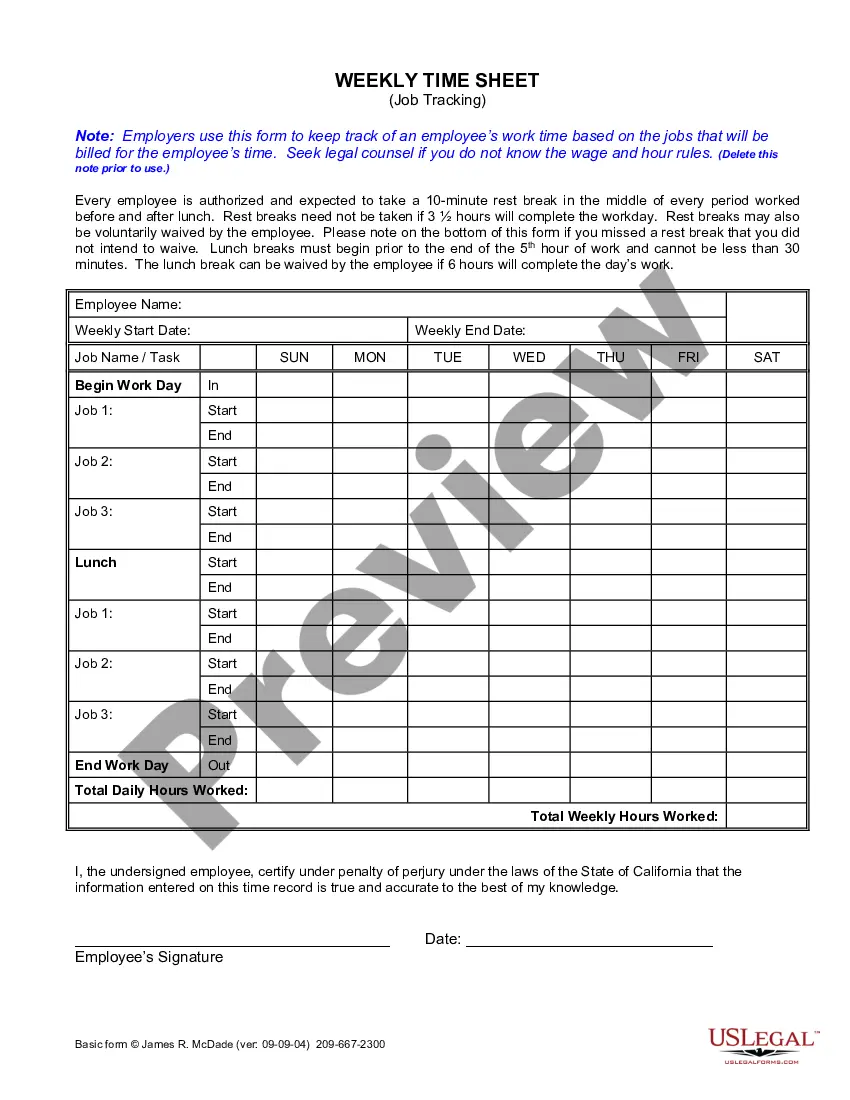
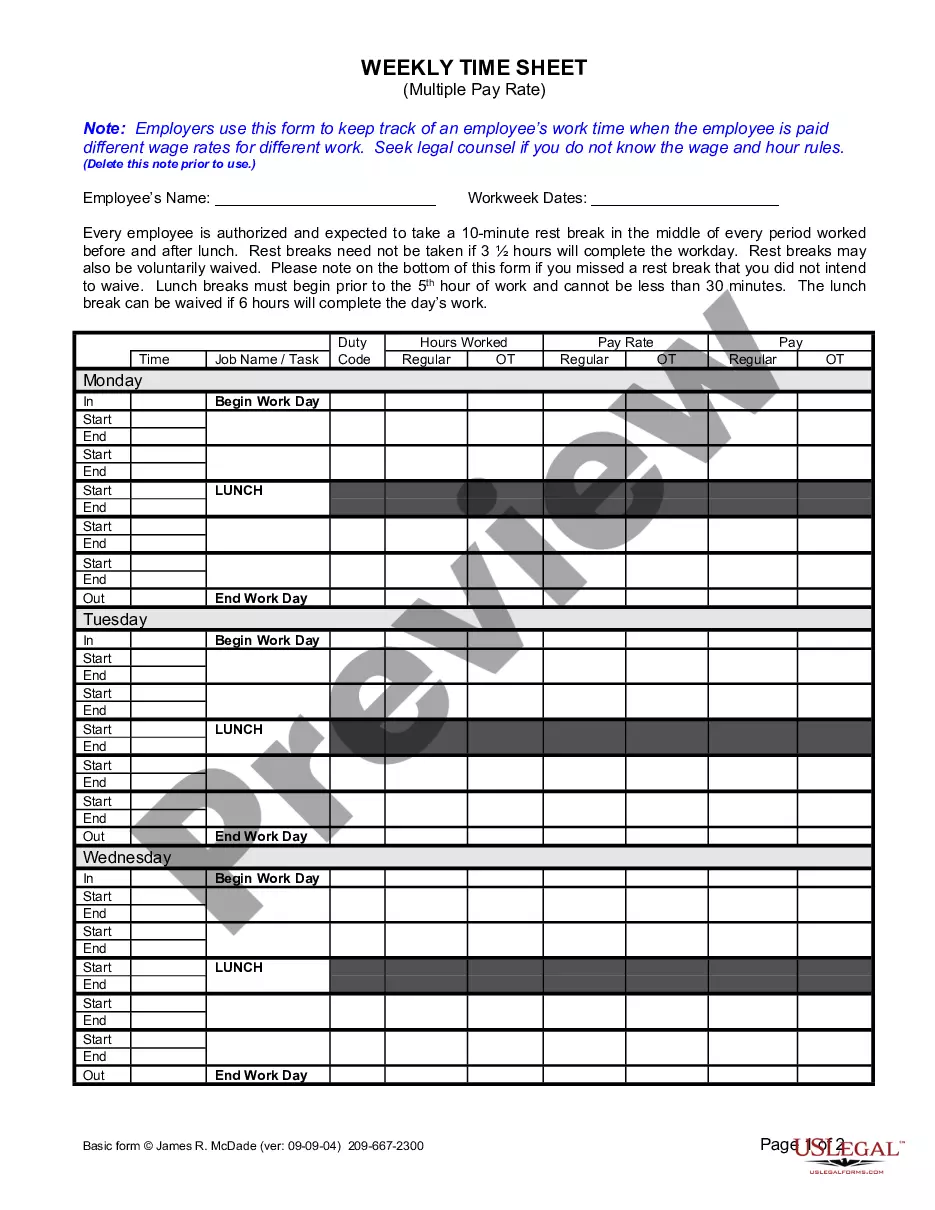
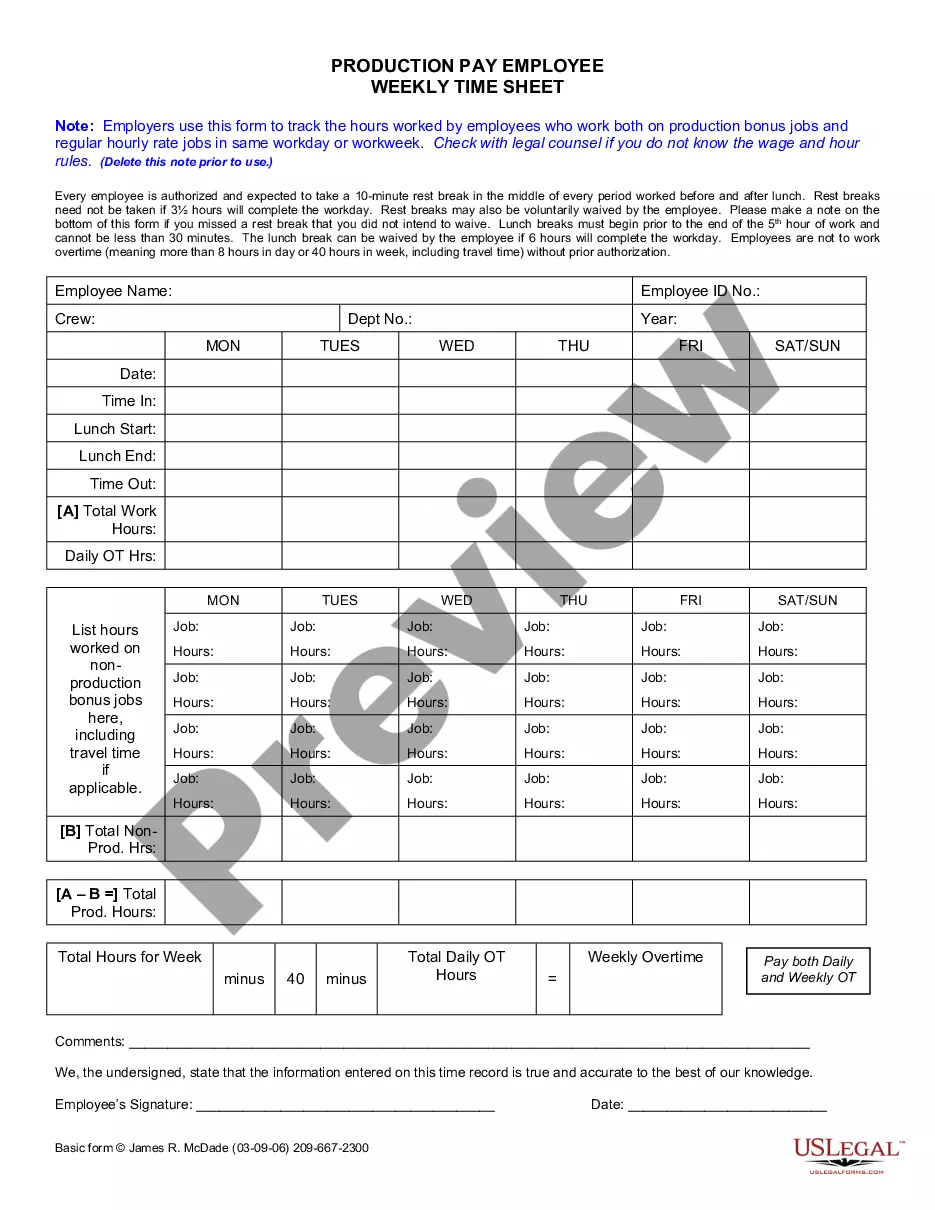
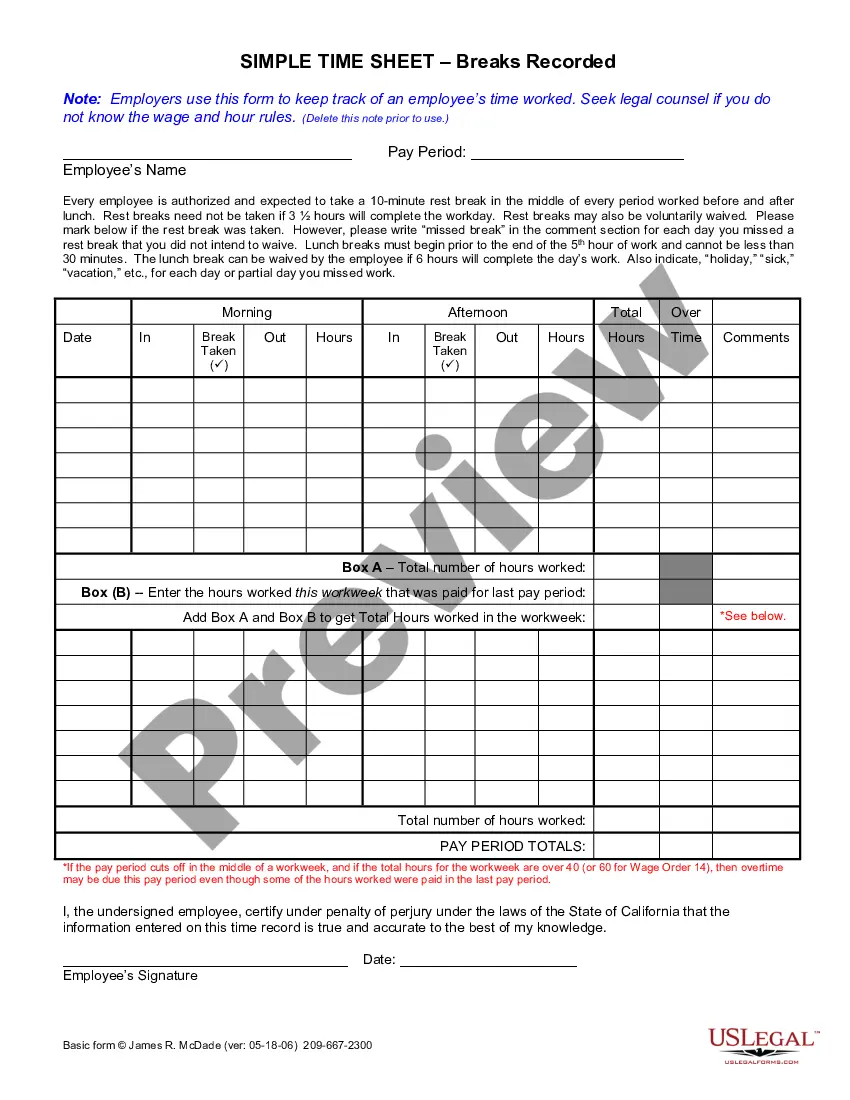
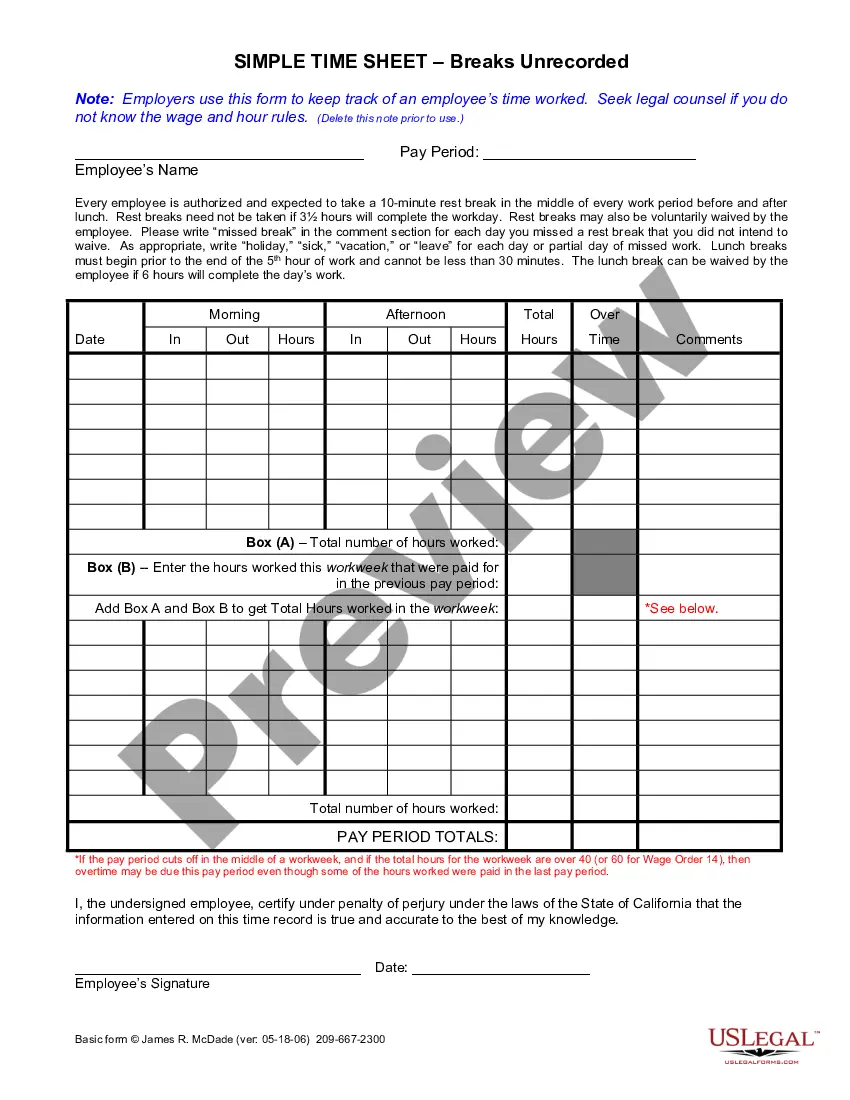
The Weekly Time Sheet is a legal document used by employers to track an employee's work hours. This form is essential for accurately billing job-related time and is distinct from other time-tracking tools by focusing specifically on individual job tasks and the associated work duration. Properly maintaining this record helps businesses comply with wage and hour laws.
Form components explained
- Employee information section including name and signature.
- Weekly start and end date fields to specify the pay period.
- Job tracking area for recording daily work hours for multiple tasks.
- Break and lunch tracking to document compliance with labor laws.
- Certification clause for employee verification of time accuracy.

When to use this form
This form should be used when an employer needs to record and verify the hours worked by an employee for billing purposes. It is particularly useful for businesses with employees performing multiple tasks or jobs throughout the week, ensuring accurate payment based on actual hours worked.
Who needs this form
- Employers needing a consistent method to track employee work hours.
- Human resources professionals responsible for payroll management.
- Contractors or subcontractors employing hourly workers across various job sites.
- Employees who need a transparent record of their work hours for payroll accuracy.
Completing this form step by step
- Fill in the employee's name along with the start and end dates for the week.
- Record the job name or task under which hours are worked.
- Document daily work hours, including start and end times for each job.
- Indicate breaks taken, including lunch, and note if any were waived.
- The employee must sign and date the form to certify its accuracy.
Does this document require notarization?
This form does not typically require notarization unless specified by local law. It is important to check the regulations applicable to your specific jurisdiction.
Get your form ready online
Our built-in tools help you complete, sign, share, and store your documents in one place.
Make edits, fill in missing information, and update formatting in US Legal Forms—just like you would in MS Word.
Download a copy, print it, send it by email, or mail it via USPS—whatever works best for your next step.
Sign and collect signatures with our SignNow integration. Send to multiple recipients, set reminders, and more. Go Premium to unlock E-Sign.
If this form requires notarization, complete it online through a secure video call—no need to meet a notary in person or wait for an appointment.
We protect your documents and personal data by following strict security and privacy standards.

Make edits, fill in missing information, and update formatting in US Legal Forms—just like you would in MS Word.

Download a copy, print it, send it by email, or mail it via USPS—whatever works best for your next step.

Sign and collect signatures with our SignNow integration. Send to multiple recipients, set reminders, and more. Go Premium to unlock E-Sign.

If this form requires notarization, complete it online through a secure video call—no need to meet a notary in person or wait for an appointment.

We protect your documents and personal data by following strict security and privacy standards.
Avoid these common issues
- Failing to include signature and date from the employee.
- Not tracking all job tasks separately leading to confusion in billing.
- Neglecting to document breaks accurately, which can violate labor laws.
Why complete this form online
- Easy access and download for immediate use.
- Editable fields allow for quick adjustments when necessary.
- Reliable templates drafted by licensed attorneys ensure legal compliance.
Legal use & context
- This form serves as a reliable document for employers to establish proof of hours worked.
- It aids in compliance with labor regulations, reducing the risk of legal disputes.
- Accurate record-keeping supports calculations for payroll and helps employees verify their work hours.
What to keep in mind
- The Weekly Time Sheet is crucial for accurate employee time tracking.
- Employers must follow state-specific labor laws regarding breaks and timekeeping.
- Correct completion of this form helps prevent legal issues related to wage violations.
Looking for another form?




Form popularity
FAQ
To fill in your timesheet hours, enter the total hours worked for each task under the corresponding day on the California Weekly Time Sheet. It’s essential to keep your records accurate to ensure proper payment and tracking. Utilizing uslegalforms can help streamline this process by providing you with ready-made templates for easy time tracking.
Filling out a weekly timesheet is straightforward. Begin with your name and the week’s dates, then break down your hours worked each day on the California Weekly Time Sheet. Remember to include all tasks and total your hours at the end of the week to facilitate easy submission and review.
When documenting time like 7 hours and 45 minutes on a timesheet, you can represent this in decimal format as 7.75 hours. Use the California Weekly Time Sheet to enter this value in the appropriate column. Consistently using this method can simplify your time tracking process and ensure clarity.
To fill out a weekly time sheet, begin by entering the start and end dates for the week. Then, record your daily hours alongside each task or project in the California Weekly Time Sheet format. Be thorough and ensure accuracy when logging your time, as this will support payroll processing and help you monitor your workload.
Filling out a time log involves recording your work activities as they occur. Use the California Weekly Time Sheet to document the start and end times of each task. This method helps you create a comprehensive record of how you spend your time, allowing you to evaluate your efficiency and areas for improvement.
To fill out a time management sheet, start by entering the date and your name at the top. Next, list out your tasks alongside the time you spent on each. Make sure to accurately track your hours using the California Weekly Time Sheet format. This will help you manage your time effectively and track your productivity.
You can submit your IHSS timesheet for California when your work period ends, adhering to your local county deadlines. It's crucial to submit it accurately and on time to avoid interruptions in your payment. Utilizing platforms like USLegalForms can guide you in properly completing and submitting your IHSS timesheet.
In California, the timesheet law requires that employers provide a systematic way for workers to report their hours. A California Weekly Time Sheet is essential for documenting your work and ensuring compliance with labor laws. Knowing and understanding these laws will help protect your rights and streamline your payment process.
For In-Home Supportive Services (IHSS), you can submit your California Weekly Time Sheet after completing your work hours for the week. It’s important to check specific deadlines for your county, as they may vary. Proper management of your timesheets ensures that you receive your payment without delays.
When you submit your California Weekly Time Sheet early, it generally gets processed sooner, which can be beneficial for receiving timely payments. However, ensure that you still meet all the required information before submission, as incomplete sheets can lead to delays. Using a reliable platform like USLegalForms can help you correctly complete your timesheet, even if you submit it ahead of schedule.