Daily Mileage Report
Overview of this form
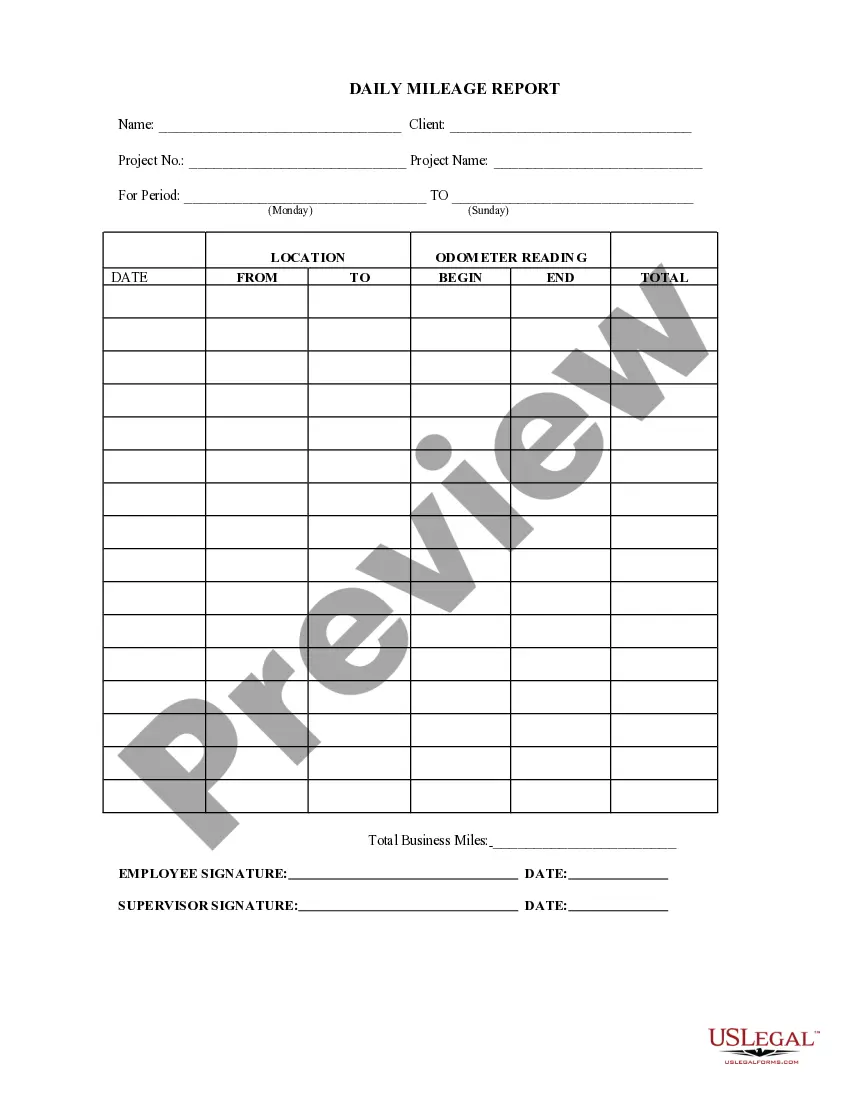
The Daily Mileage Report is a document used to track and record the mileage for specific projects over a defined period. This form is essential for professionals who need to document travel for business purposes, allowing for accurate reporting and potential reimbursement. Unlike general mileage reports, this form is specifically structured for project-related travel documentation.
Key components of this form
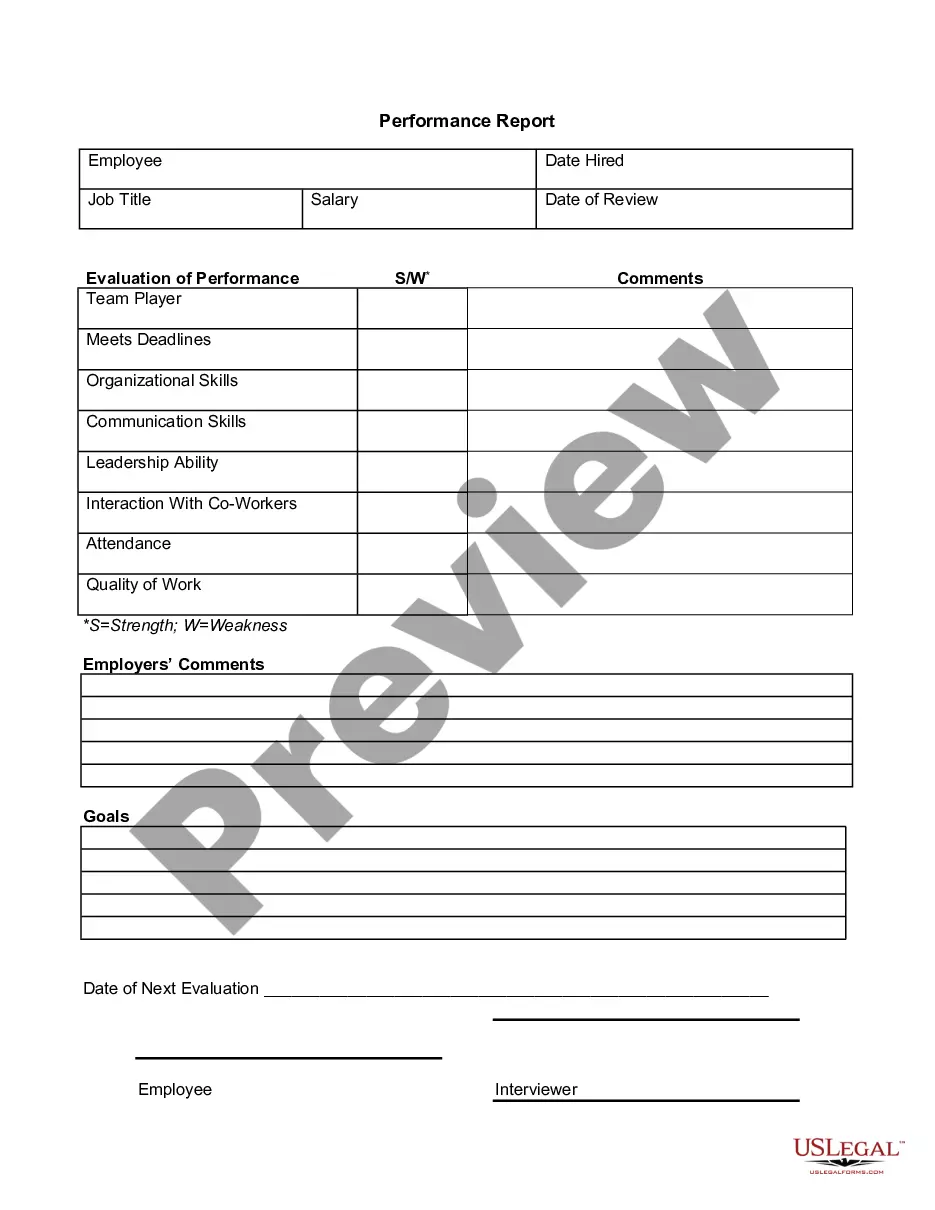
- Name and Client fields to identify the person and organization involved.
- Project No. and Project Name to specify the project related to the mileage.
- For Period section to indicate the start and end date of travel.
- Location and Odometer Reading sections to record specific travel details.
- Total Business Miles calculated for reporting purposes.
- Signature fields for both the employee and supervisor to validate the report.


Common use cases
This form should be used whenever an employee travels for business purposes related to a specific project and needs to report their mileage. It is typically used at the end of each work week or project phase to provide a comprehensive summary of all business-related travel. This ensures accurate tracking for expense reports or reimbursement processes.
Who should use this form
- Employees who need to document mileage for project-related travel.
- Supervisors requiring an overview of travel for budgeting or reimbursement purposes.
- Contractors and freelancers who work on specific projects and need to report their mileage for compensation.
How to prepare this document
- Fill in your name and the client's information at the top of the form.
- Enter the project number and name to identify the associated project.
- Specify the travel period by entering the start and end dates.
- Document each leg of your trips by entering the location, date, and odometer readings for both the start and end of the trip.
- Calculate and fill in the total business miles for reporting.
- Sign and date the report in the employee and supervisor signature sections for validation.
Notarization requirements for this form
This form usually doesn’t need to be notarized. However, local laws or specific transactions may require it. Our online notarization service, powered by Notarize, lets you complete it remotely through a secure video session, available 24/7.
Get your form ready online
Our built-in tools help you complete, sign, share, and store your documents in one place.
Make edits, fill in missing information, and update formatting in US Legal Forms—just like you would in MS Word.
Download a copy, print it, send it by email, or mail it via USPS—whatever works best for your next step.
Sign and collect signatures with our SignNow integration. Send to multiple recipients, set reminders, and more. Go Premium to unlock E-Sign.
If this form requires notarization, complete it online through a secure video call—no need to meet a notary in person or wait for an appointment.
We protect your documents and personal data by following strict security and privacy standards.

Make edits, fill in missing information, and update formatting in US Legal Forms—just like you would in MS Word.

Download a copy, print it, send it by email, or mail it via USPS—whatever works best for your next step.

Sign and collect signatures with our SignNow integration. Send to multiple recipients, set reminders, and more. Go Premium to unlock E-Sign.

If this form requires notarization, complete it online through a secure video call—no need to meet a notary in person or wait for an appointment.

We protect your documents and personal data by following strict security and privacy standards.
Common mistakes
- Failing to accurately record odometer readings, which can lead to incorrect mileage claims.
- Omitting the dates for trips, making it difficult to verify the travel period.
- Not obtaining supervisor signatures, which may invalidate the report.
Benefits of completing this form online
- Immediate access to the form for quick reporting of mileage.
- Easy customization and editing to fit specific project needs.
- Secure storage of forms and data for future reference.
Legal use & context
- This form provides a legal record of business mileage for potential reimbursement and tax deductions.
- Completing this form accurately can support claims in the event of a dispute regarding travel expenses.
- Failure to complete the form correctly can lead to inaccurate reimbursements or compliance issues with company policies.
Summary of main points
- The Daily Mileage Report is essential for documenting business-related travel accurately.
- Inclusion of all necessary information ensures compliance and facilitates reimbursement processes.
- It is important to review the form for accuracy before submission to avoid common mistakes.
Definitions you should know
- Odometer reading: The mileage recorded on a vehicle's odometer at the beginning and end of a trip.
- Total business miles: The cumulative distance traveled for work purposes during the reporting period.
- Signature: A person's name written in their own hand, serving as a confirmation of the information provided.
Looking for another form?

Form popularity
FAQ
Beginning January 1, 2020, the standard mileage rates for the use of a car (van, pickup or panel truck) will be: 57.5 cents per mile for business miles driven, down from 58 cents in 2019. 17 cents per mile driven for medical or moving purposes, down from 20 cents in 2019.
You can claim mileage on your tax return if you kept diligent track of your drives throughout the year. In 2019, you can write off 58 cents for every business mile. You have two options for deducting your vehicle expenses: the standard mileage rate or the actual expense method.
If you use your car only for your job or business, you may deduct all of the miles driven or actual vehicle expenses. But if you also use the car for other purposes, you can only deduct the portion used for business purposes. Normal commuting from your home to your regular workplace and back is not deductible.
If you're claiming actual expenses, things like gas, oil, repairs, insurance, registration fees, lease payments, depreciation, bridge and tunnel tolls, and parking can all be written off." Just make sure to keep a detailed log and all receipts, he advises, or keep track of your yearly mileage and then deduct the
Standard Mileage methodActual Expenses might produce a larger tax deduction one year, and the Standard Mileage might produce a larger deduction the next. If you want to use the standard mileage rate method, you must do so in the first year you use your car for business.
The standard mileage rate is 56 cents per mile. To find your reimbursement, you multiply the number of miles by the rate: miles rate, or 175 miles $0.56 = $98. B: You drive the company's vehicle for business, and you pay the costs of operating it (gas, oil, maintenance, etc.).
Mileage Rate Calculator Multiply the number of miles you drove by your company's approved mileage reimbursement rate. For example, if you drove 1,000 miles for work and the reimbursement rate is 54.5 cents per mile, you would multiply 1,000 by . 545 which equals $545.
If you're claiming actual expenses, things like gas, oil, repairs, insurance, registration fees, lease payments, depreciation, bridge and tunnel tolls, and parking can all be written off." Just make sure to keep a detailed log and all receipts, he advises, or keep track of your yearly mileage and then deduct the
IRS announced that Beginning on January 1, 2020, the standard mileage rates for the use of a car (also vans, pickups or panel trucks) would be: 57.5 cents per mile driven for business use, 17 cents per mile driven for medical or moving purposes, 14 cents per mile driven in service of charitable organizations.