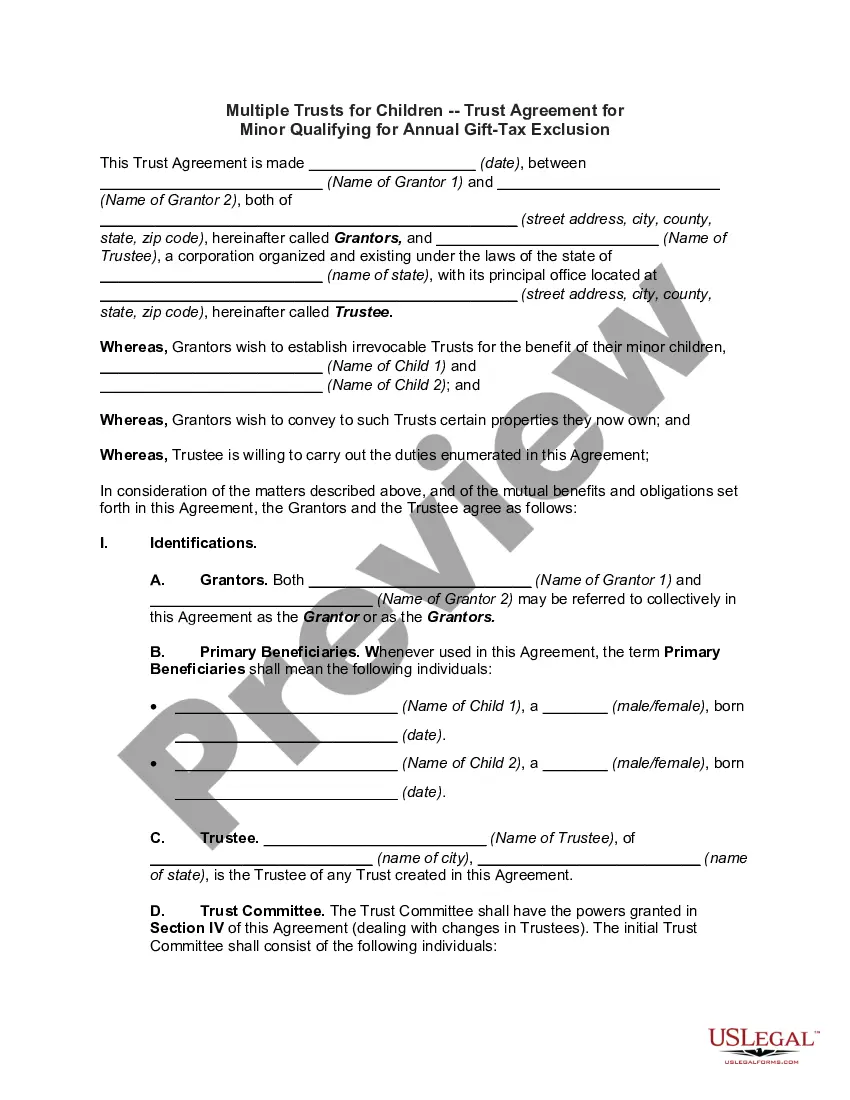
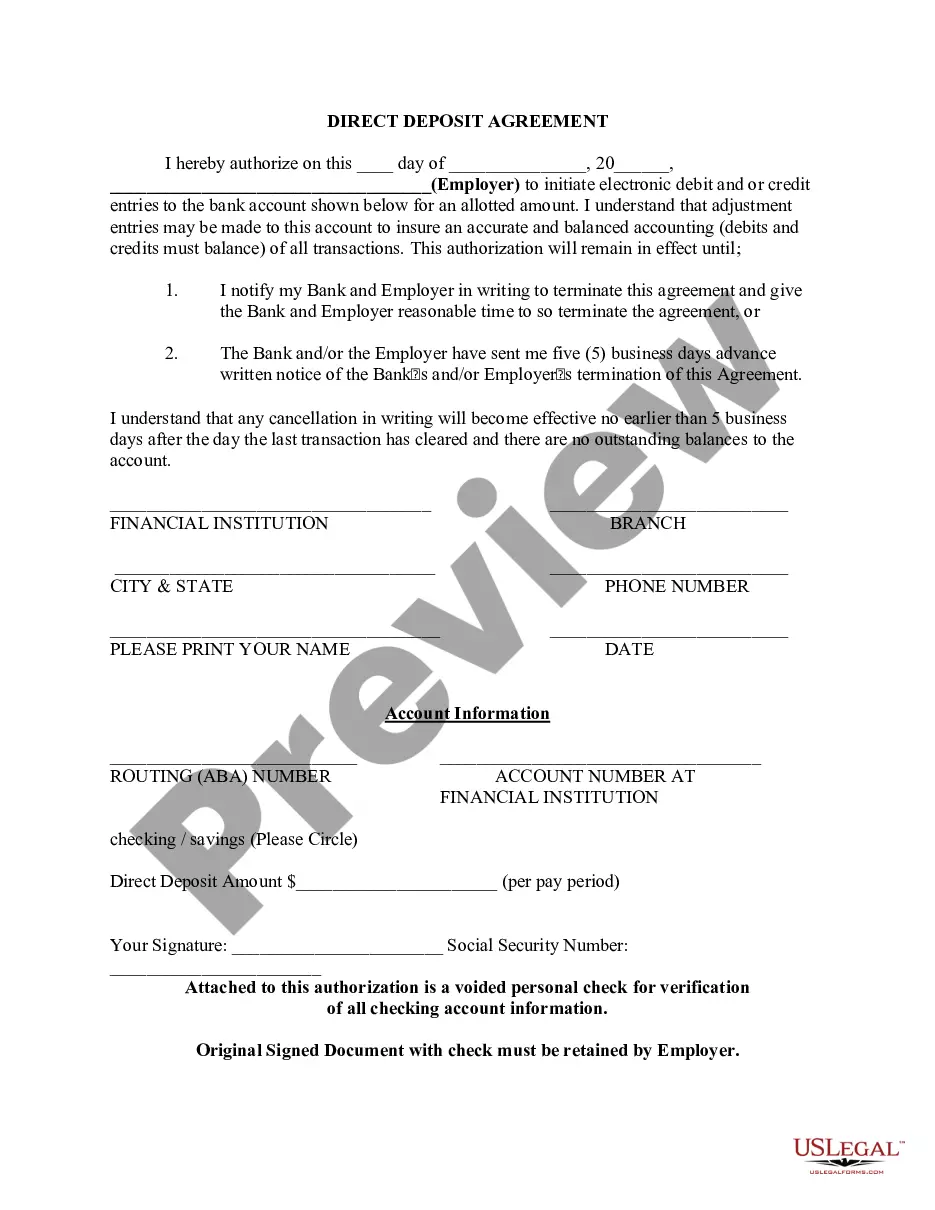
South Carolina Direct Deposit Form for Chase
Description
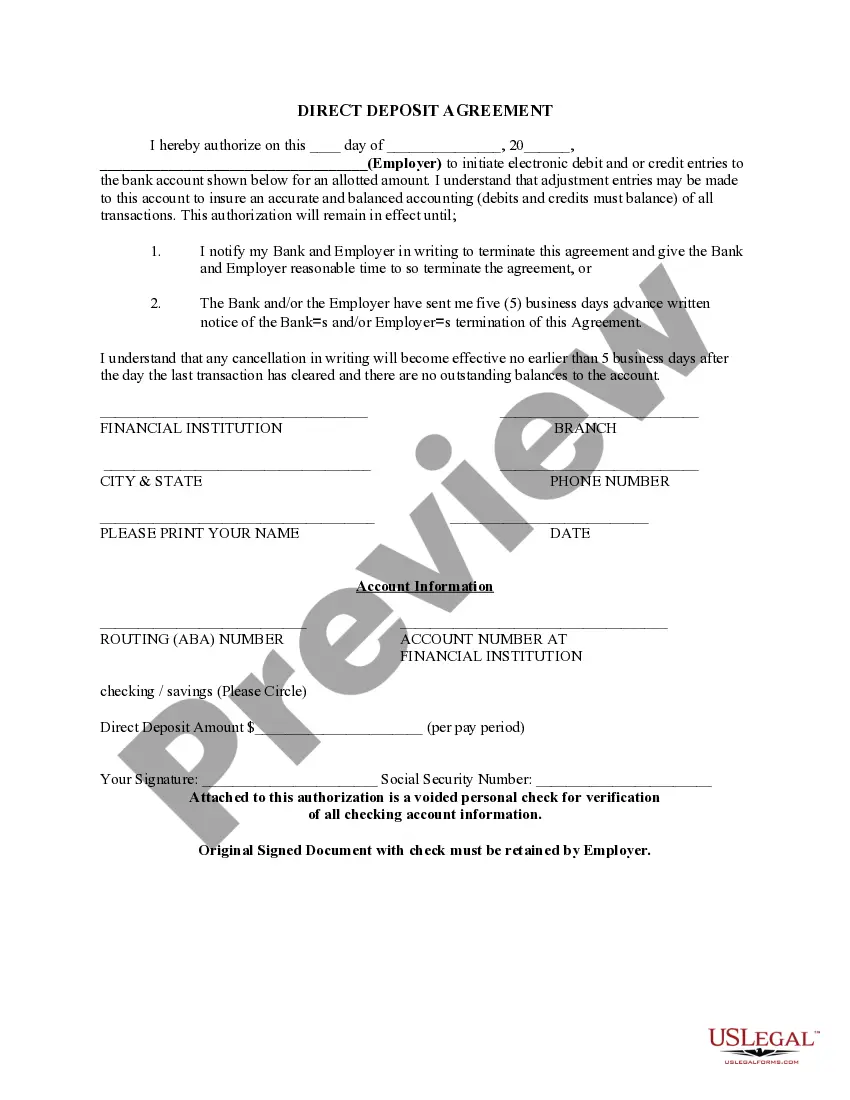
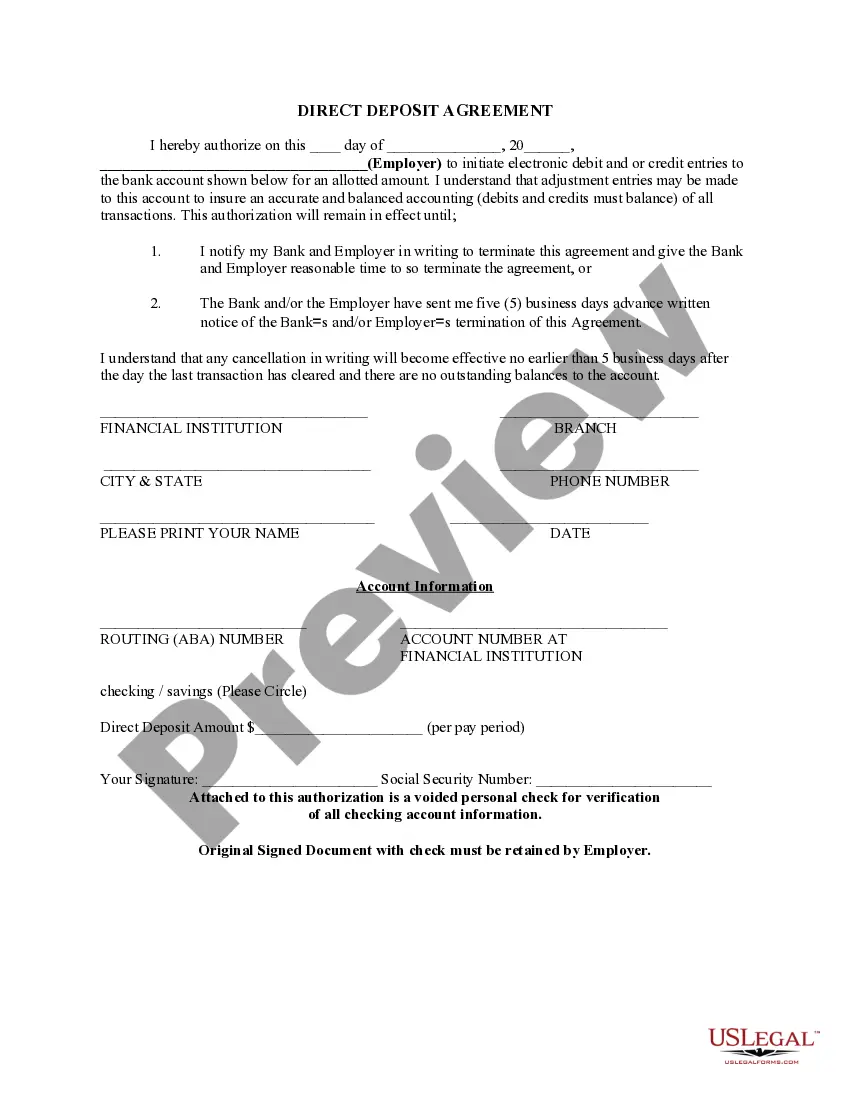


Get your form ready online
Our built-in tools help you complete, sign, share, and store your documents in one place.
Make edits, fill in missing information, and update formatting in US Legal Forms—just like you would in MS Word.
Download a copy, print it, send it by email, or mail it via USPS—whatever works best for your next step.
Sign and collect signatures with our SignNow integration. Send to multiple recipients, set reminders, and more. Go Premium to unlock E-Sign.
If this form requires notarization, complete it online through a secure video call—no need to meet a notary in person or wait for an appointment.
We protect your documents and personal data by following strict security and privacy standards.

Make edits, fill in missing information, and update formatting in US Legal Forms—just like you would in MS Word.

Download a copy, print it, send it by email, or mail it via USPS—whatever works best for your next step.

Sign and collect signatures with our SignNow integration. Send to multiple recipients, set reminders, and more. Go Premium to unlock E-Sign.

If this form requires notarization, complete it online through a secure video call—no need to meet a notary in person or wait for an appointment.

We protect your documents and personal data by following strict security and privacy standards.
Looking for another form?




How to fill out Direct Deposit Form For Chase?
You can spend hours online trying to find the official document template that meets the state and federal requirements you need.
US Legal Forms provides a vast array of legal forms that are examined by experts.
You can download or print the South Carolina Direct Deposit Form for Chase from this service.
If available, use the Preview button to review the document template simultaneously. To acquire another version of your form, utilize the Search field to find the template that suits your requirements and needs. Once you have found the template you wish to use, click Purchase now to proceed. Select the pricing plan you desire, enter your details, and create an account on US Legal Forms. Complete the transaction. You can use your credit card or PayPal account to buy the legal form. Choose the file format of your document and download it to your device. Make modifications to your document if necessary. You can fill out, alter, sign, and print the South Carolina Direct Deposit Form for Chase. Obtain and print numerous document templates using the US Legal Forms website, which boasts the largest collection of legal forms. Utilize professional and state-specific templates to address your business or personal needs.
- If you have a US Legal Forms account, you can sign in and click on the Get button.
- After that, you can fill out, modify, print, or sign the South Carolina Direct Deposit Form for Chase.
- Every legal document template you acquire is yours permanently.
- To obtain another copy of the obtained form, visit the My documents section and click on the appropriate button.
- If you are visiting the US Legal Forms website for the first time, follow the simple steps below.
- First, ensure that you have chosen the correct document template for your region/city of interest.
- Read the form description to confirm you have selected the right form.
Form popularity
FAQ
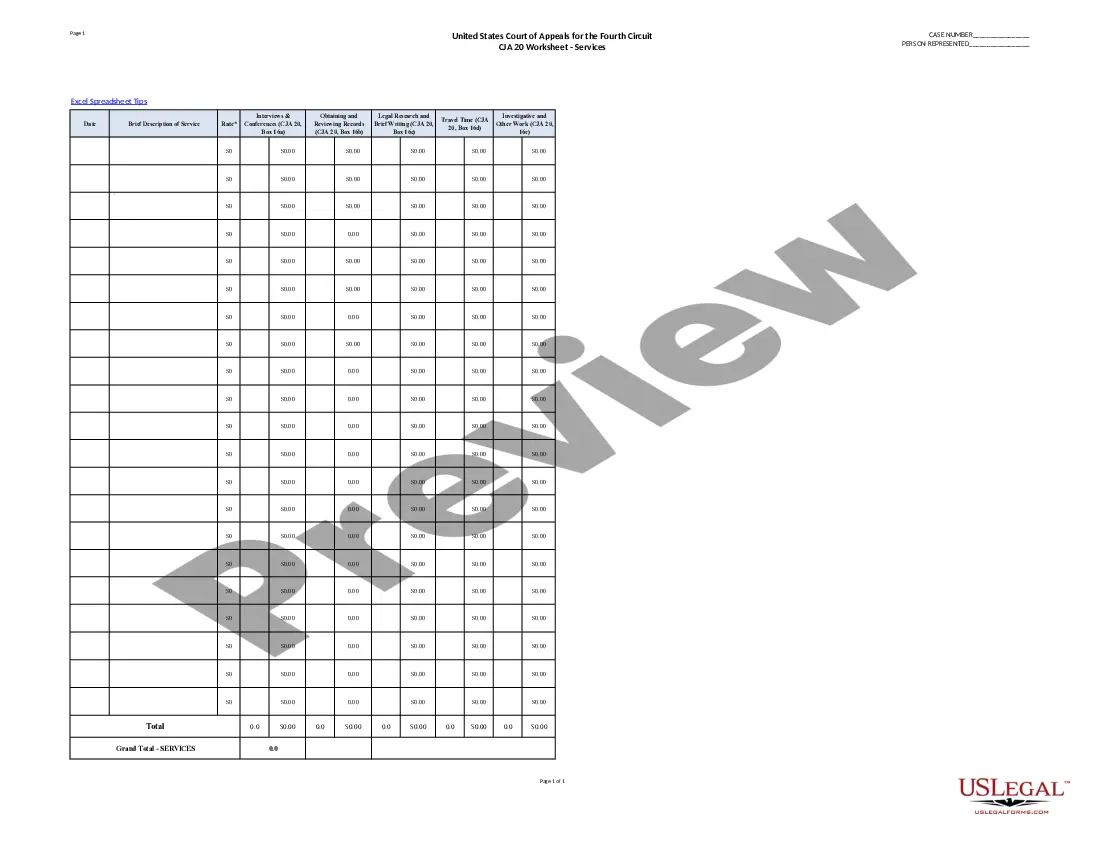
Filling out the Chase direct deposit form involves providing your personal information, bank account number, and the correct routing number. You can easily find the South Carolina Direct Deposit Form for Chase on the Uslegalforms platform, which provides a user-friendly experience. Once you complete the form, submit it to your employer or the designated entity to set up your direct deposit.
Yes, the Chase routing number can vary by state. Each state may have its own unique routing number based on the location of the bank branch. For the South Carolina Direct Deposit Form for Chase, it is important to use the correct routing number assigned to your account to ensure that your funds are deposited correctly.
To properly fill out the South Carolina Direct Deposit Form for Chase, start by entering your personal information, including your name, address, and Social Security number. Then, provide your bank account details, including the account number and the Chase routing number specific to your location. Be sure to double-check your entries for accuracy to avoid any delays in processing your direct deposit.
Obtaining a direct deposit form from Chase is straightforward. You can visit your local Chase branch to request the South Carolina Direct Deposit Form for Chase, or you can download the form directly from Chase’s website. Additionally, if you use the US Legal Forms platform, you can find pre-filled templates that simplify the process of gathering the necessary information. Make sure to complete the form accurately for a smooth direct deposit setup.
To set up a direct deposit with Chase, you will need specific information to complete the South Carolina Direct Deposit Form for Chase. This information includes your bank account number, routing number, and details about the entity making the deposit, such as your employer's name and address. Ensure that the information you provide is accurate to prevent any delays in processing your direct deposit. You can find this information on your checks or through your Chase online banking account.
JPMorgan Chase Bank, National Association 4,907 domestic locations: 49 states and 0 territories.
Whereas an ACH payment can be either a credit (adding money) or debit (withdrawing money), direct deposit is always an ACH credit payment. This means that in a direct deposit, money is credited?or ?pushed??into an account via ACH.
Do I use my ACH number for direct deposit? Yes, you need to provide your employer with your ACH number as well as your bank account number to set up direct deposit.
An ACH transfer is completed through a clearing house and can be used to process direct payments or direct deposits. Wire transfers allow for the direct movement of money from one bank account to another, typically for a fee.
Get your personalized pre-filled direct deposit form Sign in to chase.com or the Chase Mobile® app. Choose the checking account you want to receive your direct deposit. Navigate to 'Account services' by scrolling up in the mobile app or in the drop down menu on chase.com. Click or tap on 'Set up direct deposit form'