License to Use Online Forum Content
About this form
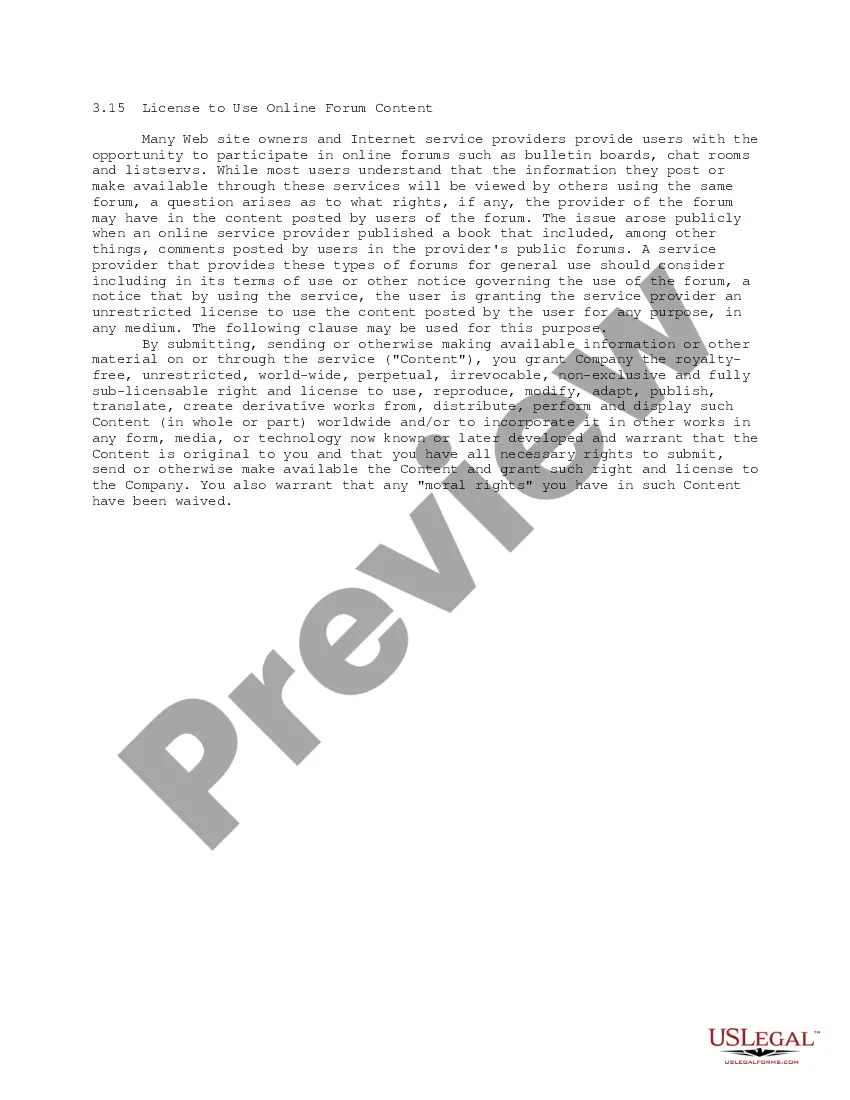
The License to Use Online Forum Content is a legal document that grants an online forum provider the rights to use content posted by users in any medium and for any purpose. This form ensures that users understand they are allowing the forum provider to use their contributions without restriction. It differs from similar agreements in that it encompasses all types of content, granting extensive rights to the provider, making it crucial for businesses operating online forums.
Key parts of this document
- Clause allowing the provider to use, reproduce, and distribute user content.
- Warranties by the user regarding the originality of the content.
- Terms relating to the global and perpetual nature of the license granted.
- Assurances of waiver of moral rights by the user.
- Specific language that outlines how the content may be utilized by the provider.
When to use this document
This form should be used when an online forum provider wants to ensure they have the right to use participant-generated content for various purposes, such as marketing, publishing, or incorporating it into other platforms. It's essential before launching a forum or when revising terms of service that affect user content rights.
Intended users of this form
This form is intended for:
- Online forum providers, including websites and application developers.
- Businesses that rely on user-generated content for their services.
- Content creators looking for a clear understanding of usage rights from users.
- Legal teams working on drafting terms of service agreements.
Instructions for completing this form
- Identify the online forum provider and the users contributing content.
- Include the specific rights granted to the provider concerning user content.
- Specify any warranties or assurances from the user regarding their content.
- Include wording that clarifies the scope of the license, ensuring it is comprehensive.
- Have all parties involved review and sign the agreement to formalize consent.
Does this document require notarization?
Notarization is not commonly needed for this form. However, certain documents or local rules may make it necessary. Our notarization service, powered by Notarize, allows you to finalize it securely online anytime, day or night.
Get your form ready online
Our built-in tools help you complete, sign, share, and store your documents in one place.
Make edits, fill in missing information, and update formatting in US Legal Forms—just like you would in MS Word.
Download a copy, print it, send it by email, or mail it via USPS—whatever works best for your next step.
Sign and collect signatures with our SignNow integration. Send to multiple recipients, set reminders, and more. Go Premium to unlock E-Sign.
If this form requires notarization, complete it online through a secure video call—no need to meet a notary in person or wait for an appointment.
We protect your documents and personal data by following strict security and privacy standards.

Make edits, fill in missing information, and update formatting in US Legal Forms—just like you would in MS Word.

Download a copy, print it, send it by email, or mail it via USPS—whatever works best for your next step.

Sign and collect signatures with our SignNow integration. Send to multiple recipients, set reminders, and more. Go Premium to unlock E-Sign.

If this form requires notarization, complete it online through a secure video call—no need to meet a notary in person or wait for an appointment.

We protect your documents and personal data by following strict security and privacy standards.
Avoid these common issues
- Failing to clearly define the scope of the license leading to misunderstandings.
- Omitting important clauses regarding user warranties and rights.
- Not ensuring users are adequately informed of their rights upon registration.
Advantages of online completion
- Convenience of downloading and customizing the form to fit specific needs.
- Access to templates drafted by licensed attorneys ensures legal compliance.
- Ability to edit the document easily before distribution to users.
Legal use & context
- This license ensures the forum provider has legal rights to use content without infringing copyright laws.
- The form helps establish clarity on ownership and usage rights, protecting both users and providers.
- It is enforceable as long as the terms are clearly communicated and accepted by users.
Summary of main points
- The form grants the provider an unrestricted license to user-generated content.
- Users warrant originality and ownership of the content they post.
- This form is essential for online forums to protect their interests and establish clear usage rights.
Looking for another form?
Form popularity
FAQ
What is a Discussion Post? Do your homework. Read prompts carefully. Wake up your classmates with a strong argument or perspective. Be relevant. Bring something unique to the post. Prepare your response in a text editor (like Word) before you post.
Choose the right web hosting plan. If you're ready to get started and create a forum on your website, then one of your first steps is to evaluate if your web hosting provider is up for the job. Choose the right web forum software. Create your forum.
Get to know the forum culture, then match it. Search online before you ask the online forum. Answer questions and respond to threads. Make your questions easy to read. Respond to users who answer your questions, and give updates. Start threads that create opportunities for sharing.
Your posts in the discussion area should exhibit careful thought and logical reasoning and provide evidence for your position. Each post should be at least one well-developed paragraph (approximately 4-6 sentences or more, unless otherwise indicated). Use correct spelling, punctuation, and grammar.
On the main Discussion Board page, on the Action Bar, click Create Forum. On the Create Forum page, type a Name. Users click this name to access the forum. Optionally, type instructions or a description in the Description text box. Under Forum Availability, select the Yes option. Select Forum Settings. Click Submit.
The Online Discussion Forum is an electronic network facilitating active communication and interaction among all students enrolled in the same course.The Online Discussion Forum ensures that learning and interaction do not end when the class does.
Validate the post by sharing your experience and stating how it relates to the course material or to the initial post. Agree or disagree with the post and explain why you agree or disagree. Expand on your classmate's post to demonstrate that you understand the topic.
Enter your website name. Select a unique name for your forum website that can help your business stand out. Add preferred features to your website. Build a great forum website without any coding. Launch your website. Test your forum website and launch it.
Pick a location to host your forum. Choose a software to create your forum website. Organize your forum's structure. Design your forum's theme. Create user rules for your forum website. Start conversations with interesting discussion topics. Publish your forum on your website. Advertise to your audience.