Uploading documents
US Legal Forms isn’t just for finding ready-to-use templates - it also allows you to upload your own legal documents for editing, signing, notarizing, or sending. With the document uploader feature, users can conveniently manage their own documents directly from their account.
Why Use the Document Uploader?
The uploader gives you the ability to add documents that don’t exist in the US Legal Forms library. You can upload files from different sources, including:
- Your device
- Google Drive
- Dropbox
- OneDrive
- Box
This flexibility makes it easy to work with your own legal or personal paperwork alongside US Legal Forms templates in one place.
Your Trusted Source for Legal Templates
Where to Access the Upload Feature
The Upload option is easily accessible from multiple locations within your account:
-
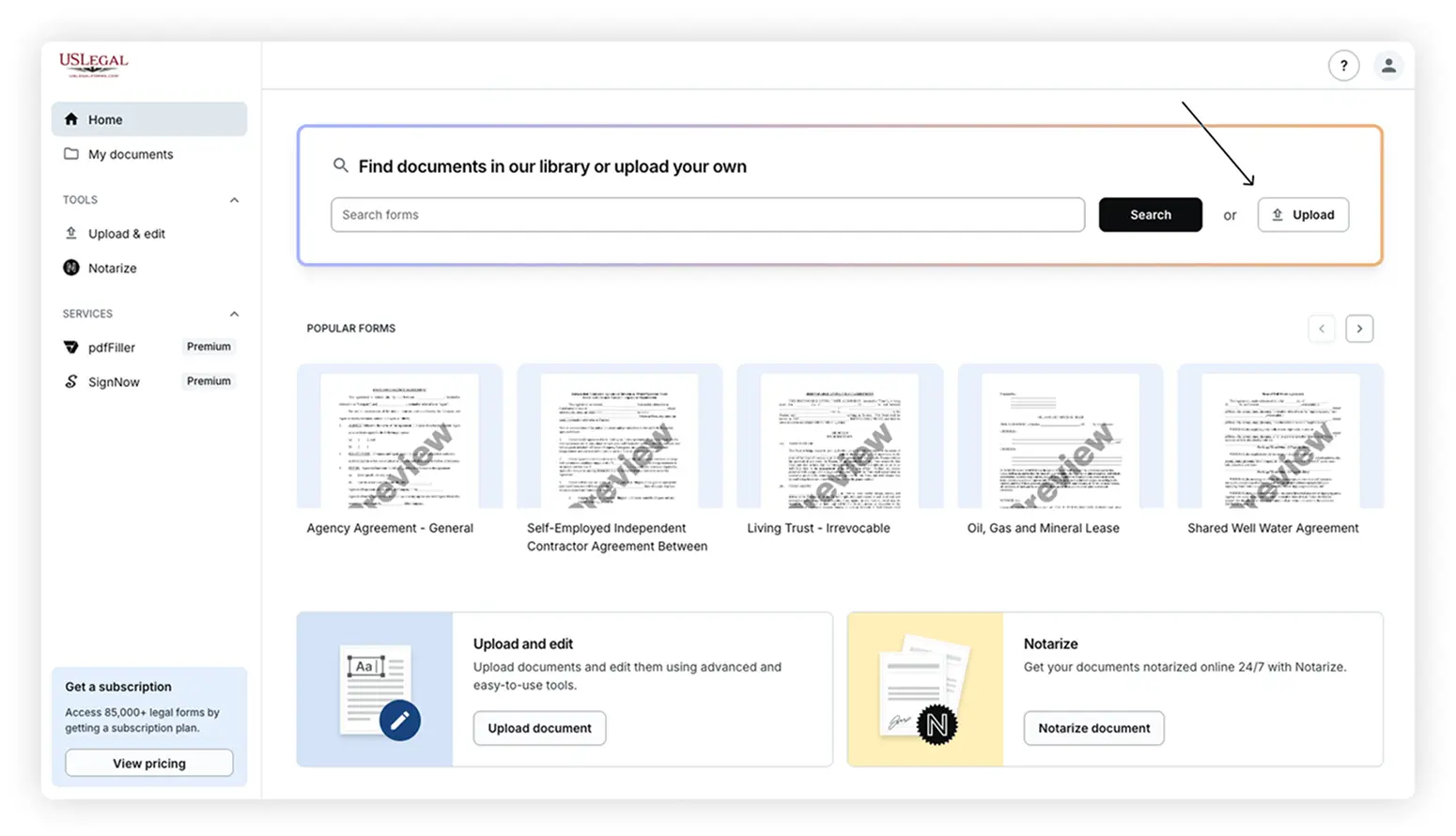
Home section – directly near the search bar
-
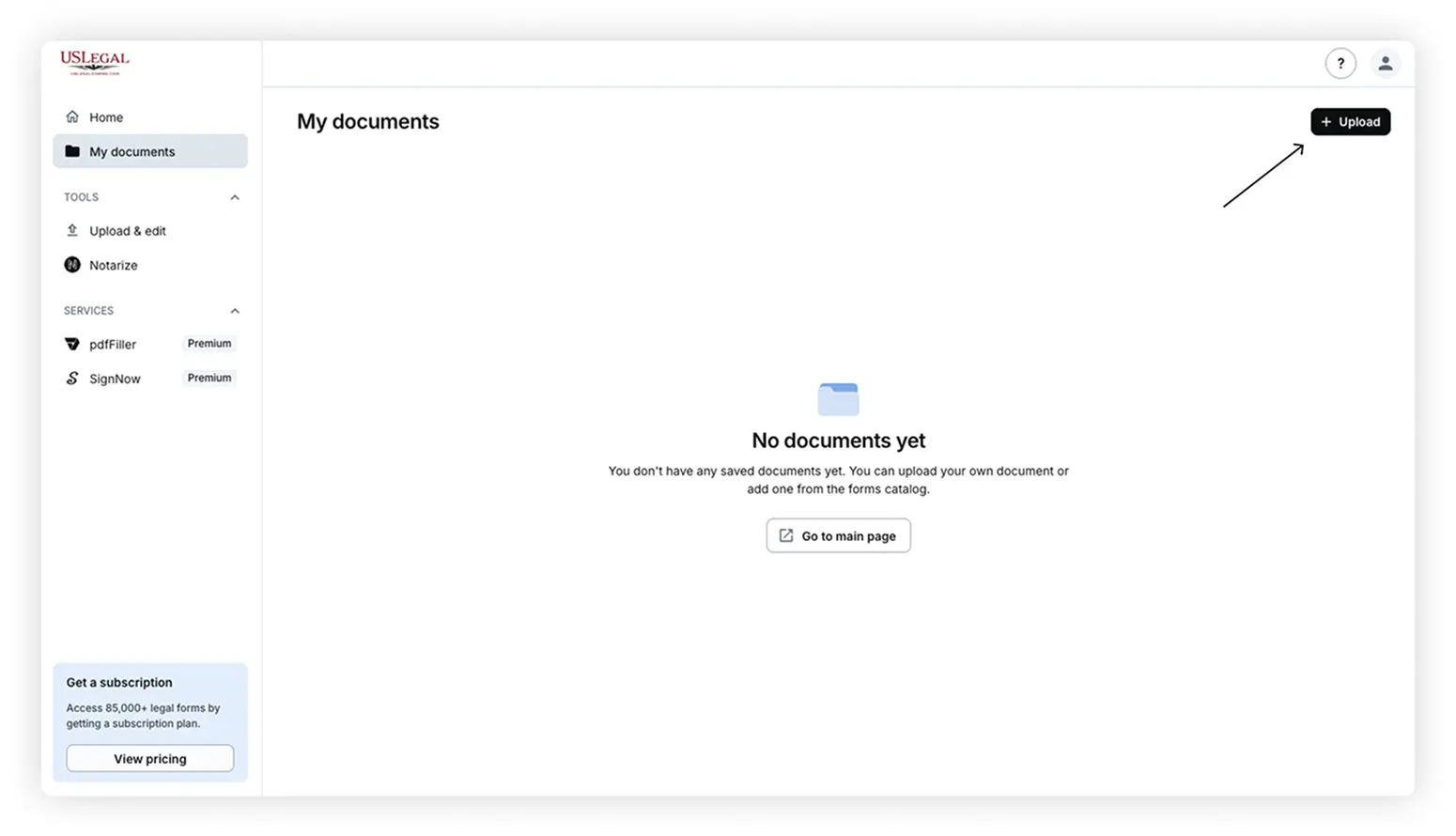
My Documents section – top-right corner
-
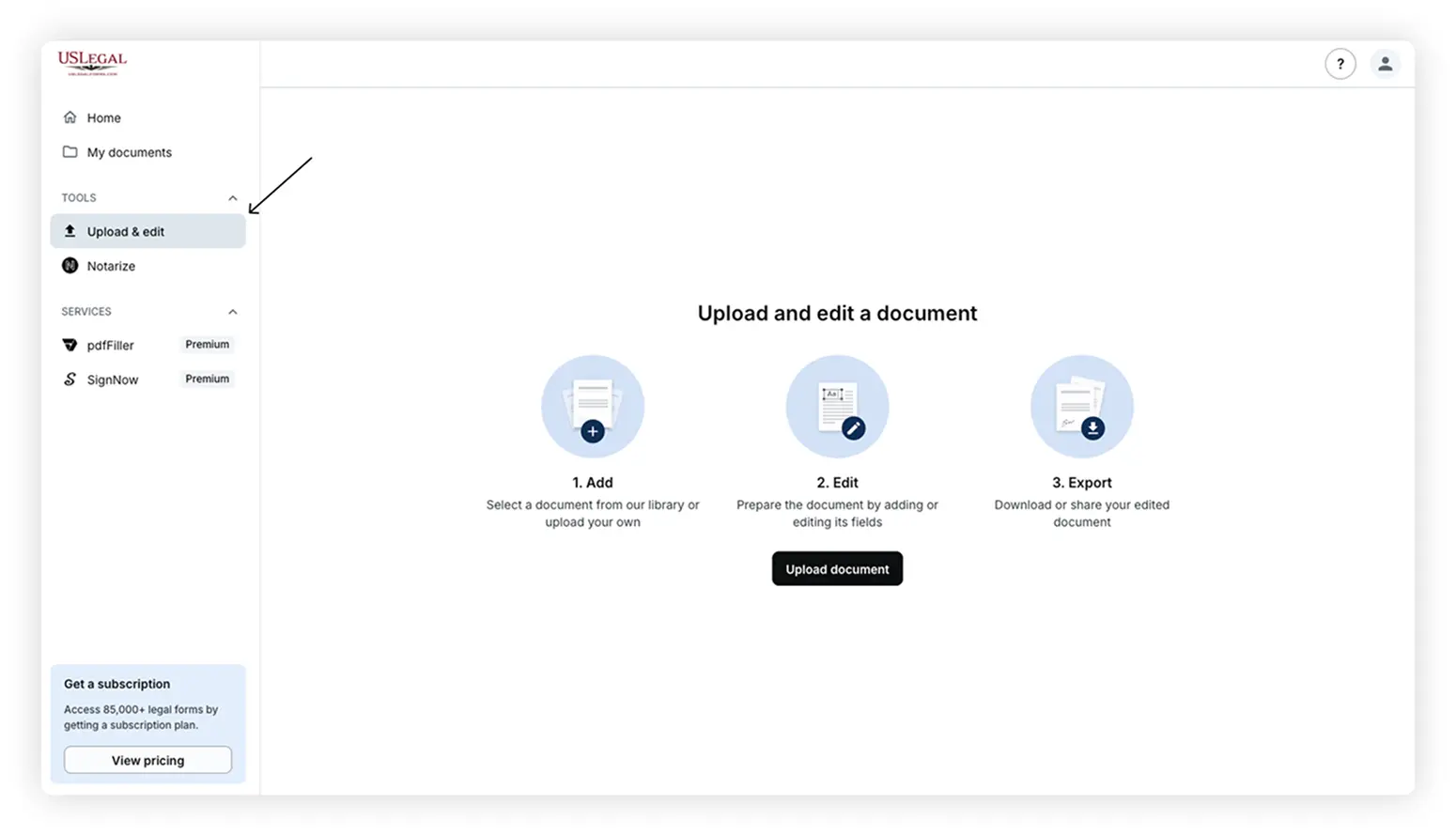
Tools section – under the Upload & Edit tab
These access points are designed for quick navigation, allowing you to upload from wherever you’re working within the platform.
How to Upload a Document
To upload a document to your US Legal Forms account:
- Log in to your account at uslegalforms.com.
- Go to the My Account portal.
- Locate the Upload button in any of the supported sections (Home, My Documents, or Tools).
- Select your preferred upload method and choose the document from your device.
Supported file formats include PDF, DOC, DOCX, and RTF. Once uploaded, your document will be available in your account for further use.
What You Can Do with Uploaded Documents
After uploading, you can:
- Edit the document using US Legal Forms’ online editor
- Print directly from the platform
- Notarize online using the Notarize integration
- Email or mail via USPS to up to 5 recipients
- Organize your documents – rename files, or delete them securely. Deleted files are permanently removed, ensuring that no one can access them.
These tools are available within your document view or under My Documents in your account.
FAQ
Where can I find the document uploader?
You’ll see it in three main places of the My Account portal: near the search bar on the Home section, in the My Documents section (top right), and in the Tools section under “Upload & Edit.”
What file types are supported?
You can upload .pdf, .doc, .docx, and .rtf files. These formats are compatible with the editing and processing tools available in your account.
Can I edit my uploaded documents?
Yes. Once uploaded, documents can be edited using the platform’s online editor.
Do I need a subscription to upload?
No subscription is required to upload a document.
Can I notarize documents I upload?
Yes, uploaded documents can be notarized online using the integrated Notarize feature - available to all users. No subscription is required to notarize your uploaded documents.
Can I send uploaded documents via email or USPS?
Absolutely. You can send documents to up to five recipients via email or request USPS mailing directly from your account.
Is there a limit to how many documents I can upload?
There’s no strict upload limit, but large file sizes may affect performance. Keeping files under 25MB is recommended for best results.
Your Trusted Source for Legal Templates