Editing documents
US Legal Forms allows you to quickly and easily edit your documents online - no additional software required. Whether you're using a template from the library or working with your own uploaded document, our editing tool is designed to be intuitive and efficient.
How to Edit Your Forms
There are two primary ways to access the editor:
- From the Form Page
- Use the search bar or browse forms by categories to find the form you need.
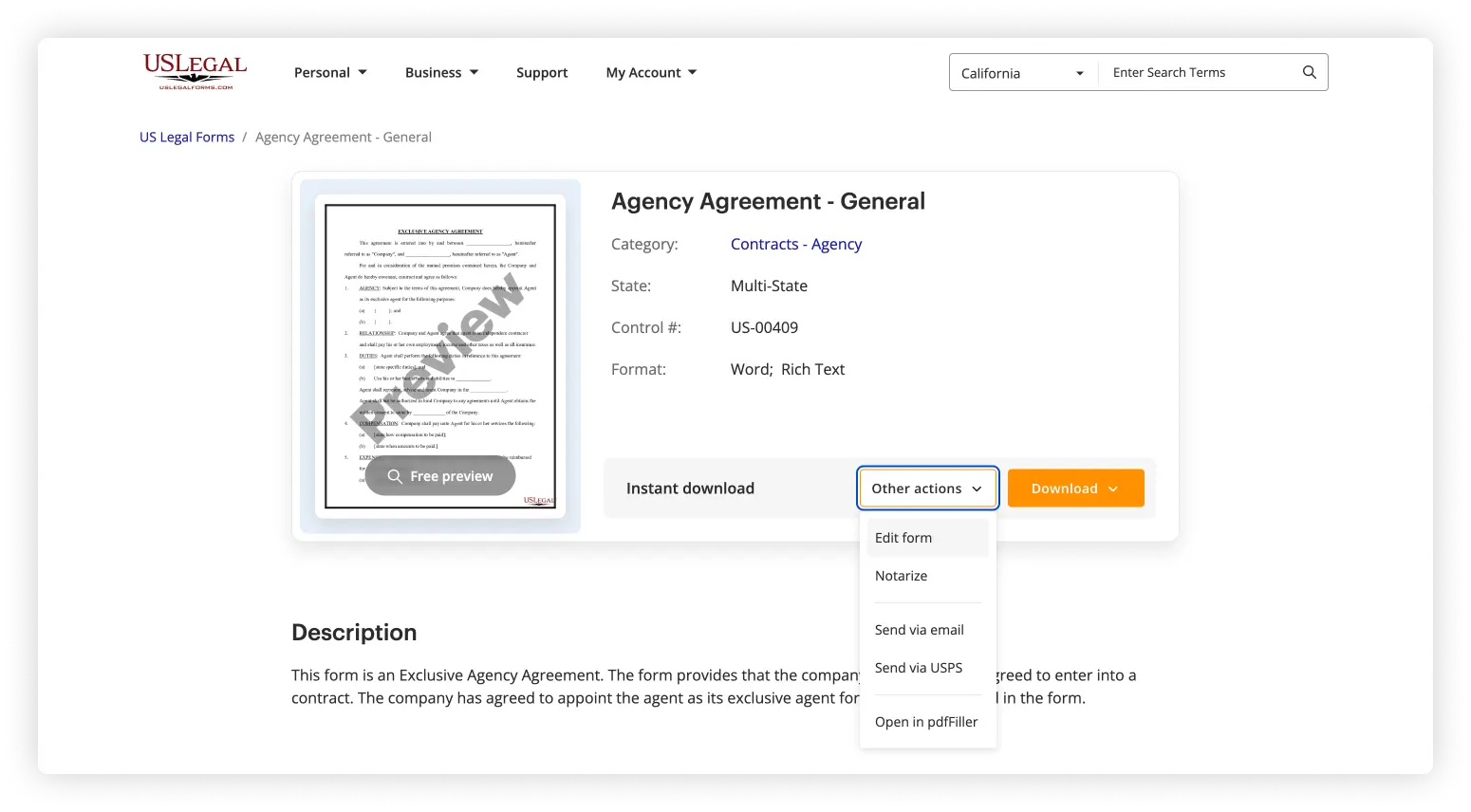
- On the form page, you’ll see two main buttons: Download and Other actions.
- Click Other actions and then select Edit to open the form in the online editor.
- From the My Documents Section of Your Account
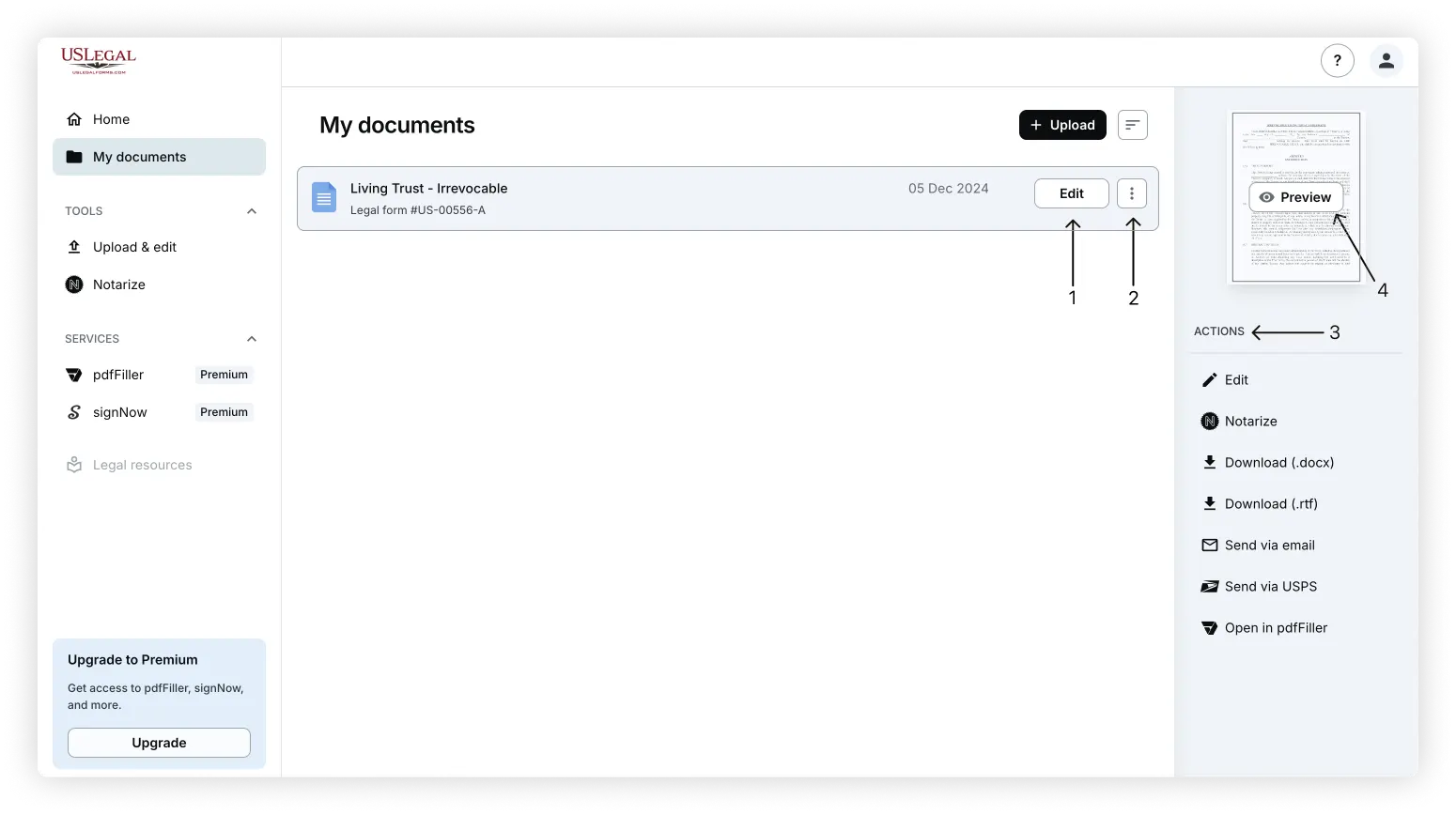
- Log in to your account and go to the My Documents section.
- To edit a form:
- Click the Edit button directly on the document thumbnail, or
- Click the three dots button (⋮) and choose Edit from the dropdown menu.
Your Trusted Source for Legal Templates
Editing and Export Options
US Legal Forms supports multiple file types and export options:
DOC/DOCX/RTF:
These formats open in a Word-compatible editor, allowing for straightforward text and formatting edits.
PDF:
This file type can be edited directly in the online PDF editor.
When you are done working with your document in the editor, you have several options to save or export:
- Save progress without finishing
- Click the arrow button in the top-left corner (next to the document title) to exit and save changes.
- Or click Save and Close in the top-right corner.
- Export or send your document
- Use the dropdown menu next to the Save and close button to access options: Download, Send via Email, or Send via USPS (paid).
- Use the Download icon (next to Save and close) to instantly download your form.
- Use the Print icon (next to Save and close) to print directly.
FAQ
On the form page, click Other actions and select Edit to open it in the editor.
Yes. Go to the My Documents section of your account. You can:
- Click the Edit button directly on the document card in your document list, or
- Click the Edit button in the right-side action menu, which also contains all export options for the document.
You can edit PDF and DOC/DOCX files. RTF files are also supported via Word-like editors.
Not directly. If you downloaded a ZIP file (form package), upload the individual files to My Documents for editing.
You can download, print, email, send via USPS (paid service), or notarize online (paid service).
No special software is needed. Editing is built into US Legal Forms. DOC/DOCX files open in a Word-like editor; PDF forms are editable via an integrated PDF editor.
At this time, editing is only available via desktop. You can view and download forms using the mobile app, but editing must be done through a web browser on a desktop or laptop.