Personnel File Access Log
About this form
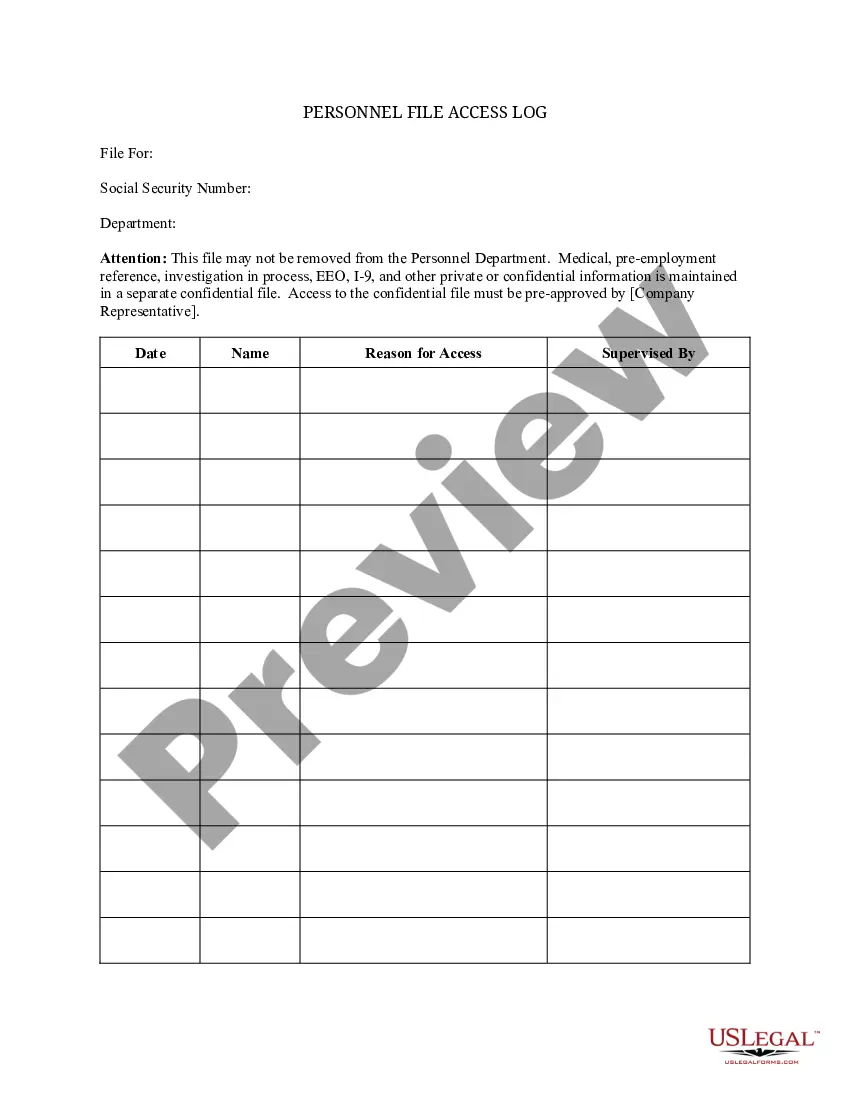
The Personnel File Access Log is a crucial document used by organizations to document and track the instances when employees view their personnel files. This form serves as an official record that captures the details surrounding each access event, including the reason for the inspection and the supervising personnel. Unlike other access logs, this form specifically focuses on personnel file interactions, ensuring compliance and accountability within the organization.
Main sections of this form
- Date of access
- Employee's name
- Reason for accessing the personnel file
- Name of the supervisor present during access



When to use this form
This form should be used whenever an employee intends to review their personal personnel files. Such situations might arise during performance evaluations, requests for promotion, or when discussing employment history and credentials. By using the Personnel File Access Log, organizations can ensure that all file views are properly recorded, which protects both the employer and employee interests.
Who can use this document
- Human Resources professionals managing personnel records
- Supervisors overseeing employee access to personal files
- Employees wishing to view their personnel files
How to complete this form
- Identify the date of the access event.
- Enter the employee's full name and department.
- Specify the reason for accessing the personnel file.
- Record the supervisor's name who supervised the inspection.
- Ensure all parties involved sign the log to acknowledge the access.
Notarization requirements for this form
Notarization is generally not required for this form. However, certain states or situations might demand it. You can complete notarization online through US Legal Forms, powered by Notarize, using a verified video call available anytime.
Get your form ready online
Our built-in tools help you complete, sign, share, and store your documents in one place.
Make edits, fill in missing information, and update formatting in US Legal Forms—just like you would in MS Word.
Download a copy, print it, send it by email, or mail it via USPS—whatever works best for your next step.
Sign and collect signatures with our SignNow integration. Send to multiple recipients, set reminders, and more. Go Premium to unlock E-Sign.
If this form requires notarization, complete it online through a secure video call—no need to meet a notary in person or wait for an appointment.
We protect your documents and personal data by following strict security and privacy standards.

Make edits, fill in missing information, and update formatting in US Legal Forms—just like you would in MS Word.

Download a copy, print it, send it by email, or mail it via USPS—whatever works best for your next step.

Sign and collect signatures with our SignNow integration. Send to multiple recipients, set reminders, and more. Go Premium to unlock E-Sign.

If this form requires notarization, complete it online through a secure video call—no need to meet a notary in person or wait for an appointment.

We protect your documents and personal data by following strict security and privacy standards.
Common mistakes to avoid
- Failing to record the date of access accurately.
- Not specifying a clear reason for the access.
- Omitting the supervisor's name.
- Neglecting to have signatures from both the employee and supervisor.
Benefits of completing this form online
- Convenient access from any device, allowing for quick entries.
- Editability ensures that corrections can be made as needed.
- Secure online storage provides reliable protection for sensitive information.
Legal use & context
- Used to ensure compliance with employment laws regarding personnel file access.
- Documents the legitimate reasons for file access, providing transparency.
- Aids in resolving any disputes concerning personnel files.
Summary of main points
- The Personnel File Access Log is essential for tracking employee file access.
- Accurate and complete entries protect both the employer and employee rights.
- This form is suitable for use in multiple states, adhering to relevant laws.
Looking for another form?
Form popularity
FAQ
Job application, CV and cover letter.Education and past employment info.Role description.Job offer letter and employment contract.Emergency contact information.Training records.Payroll and benefits information (but not bank details)Performance appraisal forms.What should be in an employee file? citrusHR\ncitrushr.com > blog > hr-management > what-should-be-in-employee-file