Employment Form
Understanding this form
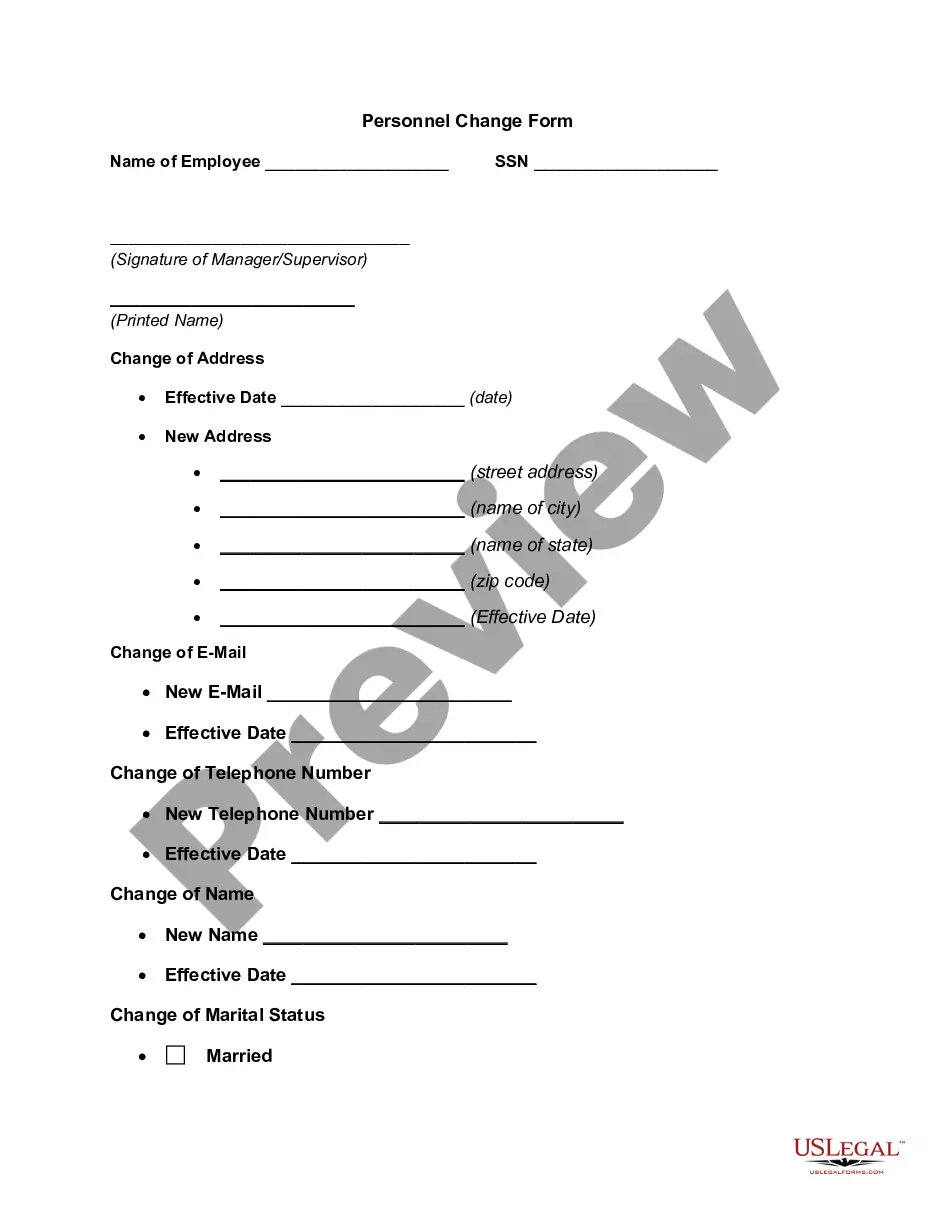
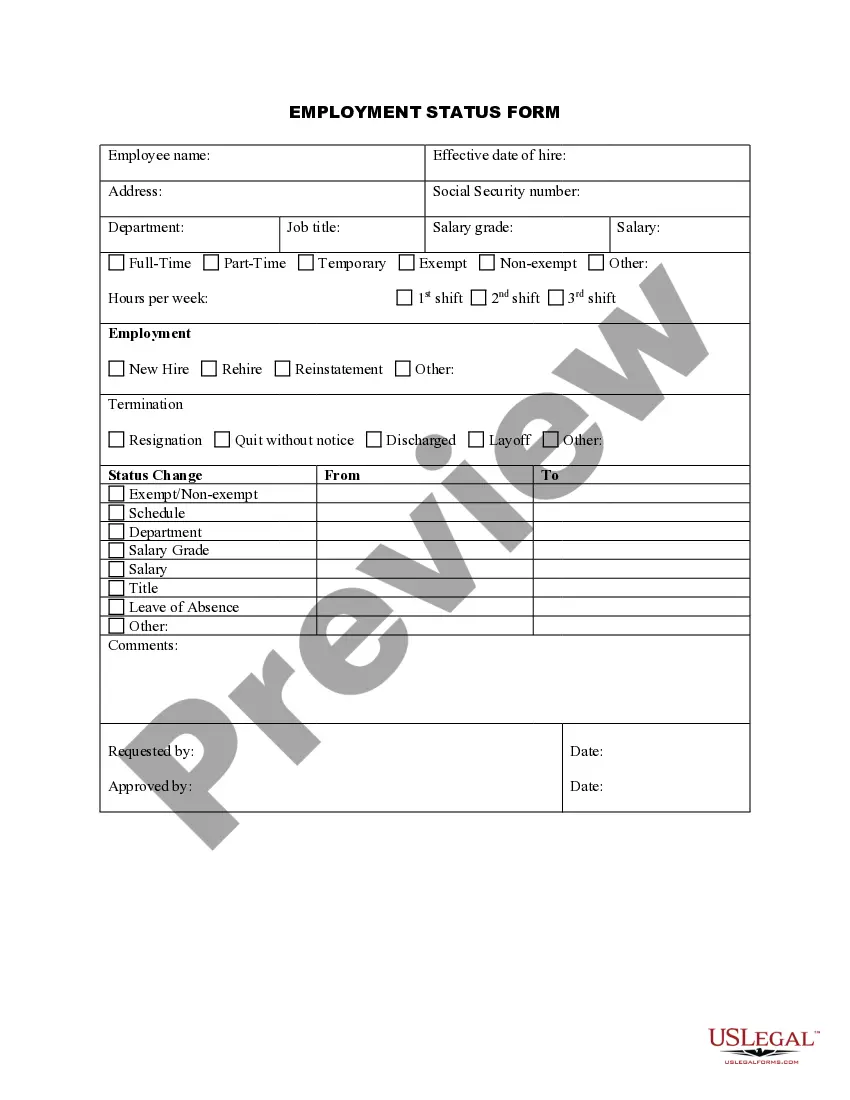
The Employment Form is a vital document used by supervisors to gather necessary employment information from employees. This form helps streamline the hiring process and ensures that all required information is collected in a systematic way, differentiating it from other general applications or resumes that may not cover all necessary details.
Key parts of this document
- Employee's personal information, including name, contact details, and address.
- Job title and department to clarify the employee's role.
- Employment history, detailing previous jobs and relevant experience.
- Education background to assess qualifications.
- Emergency contact information for safety and communication purposes.



Common use cases
This form should be used during the onboarding process of new employees. It is essential when hiring new staff, allowing employers to collect important employment-related information efficiently and in compliance with legal requirements.
Who can use this document
Employers and supervisors should use this form, particularly those in human resources or hiring positions. It is designed for use in various business types, from small companies to large organizations.
Steps to complete this form
- Gather the employee's personal details, such as name and address.
- Indicate the job title and department relevant to the position being filled.
- Collect the employee's employment history, focusing on relevant job experience.
- Document the educational background and qualifications of the employee.
- Fill out the emergency contact information for safety protocols.
Does this form need to be notarized?
This form does not typically require notarization unless specified by local law. However, ensure that all signatures are collected properly to meet legal standards for employment documentation.
Get your form ready online
Our built-in tools help you complete, sign, share, and store your documents in one place.
Make edits, fill in missing information, and update formatting in US Legal Forms—just like you would in MS Word.
Download a copy, print it, send it by email, or mail it via USPS—whatever works best for your next step.
Sign and collect signatures with our SignNow integration. Send to multiple recipients, set reminders, and more. Go Premium to unlock E-Sign.
If this form requires notarization, complete it online through a secure video call—no need to meet a notary in person or wait for an appointment.
We protect your documents and personal data by following strict security and privacy standards.

Make edits, fill in missing information, and update formatting in US Legal Forms—just like you would in MS Word.

Download a copy, print it, send it by email, or mail it via USPS—whatever works best for your next step.

Sign and collect signatures with our SignNow integration. Send to multiple recipients, set reminders, and more. Go Premium to unlock E-Sign.

If this form requires notarization, complete it online through a secure video call—no need to meet a notary in person or wait for an appointment.

We protect your documents and personal data by following strict security and privacy standards.
Mistakes to watch out for
- Failing to collect complete personal details, such as emergency contacts.
- Inaccurately recording employment history or education, leading to verification issues.
- Neglecting to update or review the form for any required changes after a hiring decision.
Why complete this form online
- Convenient download and storage options for easy access.
- Editable format to customize for specific company needs.
- Reliability of having documents prepared by licensed attorneys.
Legal use & context
- This form helps ensure compliance with federal and state employment laws.
- It is essential for maintaining accurate employee records for payroll and tax purposes.
- This form can serve as a legal record in case of disputes regarding employment data.
What to keep in mind
- The Employment Form is essential for collecting employee data.
- It should be used by supervisors and HR personnel during onboarding and updates.
- Filing this form helps ensure legal compliance and accurate records.
Looking for another form?
Form popularity
FAQ
Keep it short. You don't want your application form to be multiple pages this will make many applicants lose interest halfway through. Go through the application yourself. Provide options. Ask original questions. Guide applicants through the process.
The current I-9 form can be found on the official USCIS website, here.
U.S. Citizenship and Immigration Services (USCIS) publishes a paper I-9 Form and an electronic, fillable I-9 Form. The new version of the paper form has no changes from the prior version. The form is used to verify the identity and employment authorization of individuals hired for employment in the United States.
An employee information form contains key information on employees that is used to keep a record of who worked for the company, their duration of employment, and in what role. It can also be used as an emergency contact information form in the event of any serious workplace injury.
I-9 Employment Eligibility Verification form. State Tax Withholding form. Direct Deposit form. E-Verify system: This is not a form, but a way to verify employee eligibility in the U.S.
Full name. Contact information including email and phone. Address. Date of birth. Job title. Department and supervisor. Office contact information. Start date and salary.
On Jan. 31, 2020, USCIS published the Form I-9 Federal Register notice announcing a new version of Form I-9, Employment Eligibility Verification, that the Office of Management and Budget approved on Oct. 21, 2019.
Type "Employment Application" in the "Templates on Office Online" box and click the "Search" button. Select "Employment Application 2-pp Online Form" in the "Search Results" list. Click the "Download" button, and an application will open as a new Word document.
The new edition of the Form I-9 is dated 10/21/2019 but will not become mandatory until May 1.