Personnel Change Form
Overview of this form
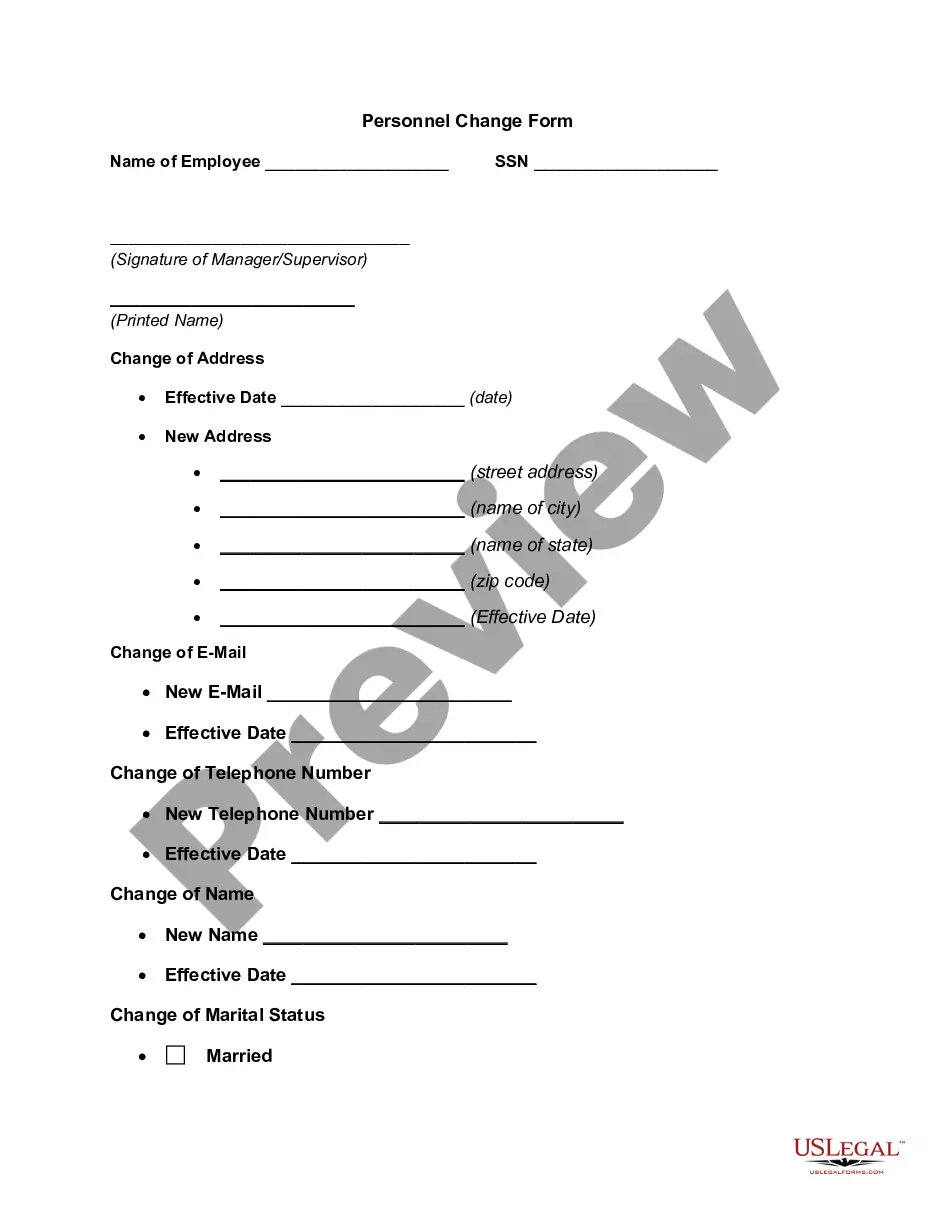
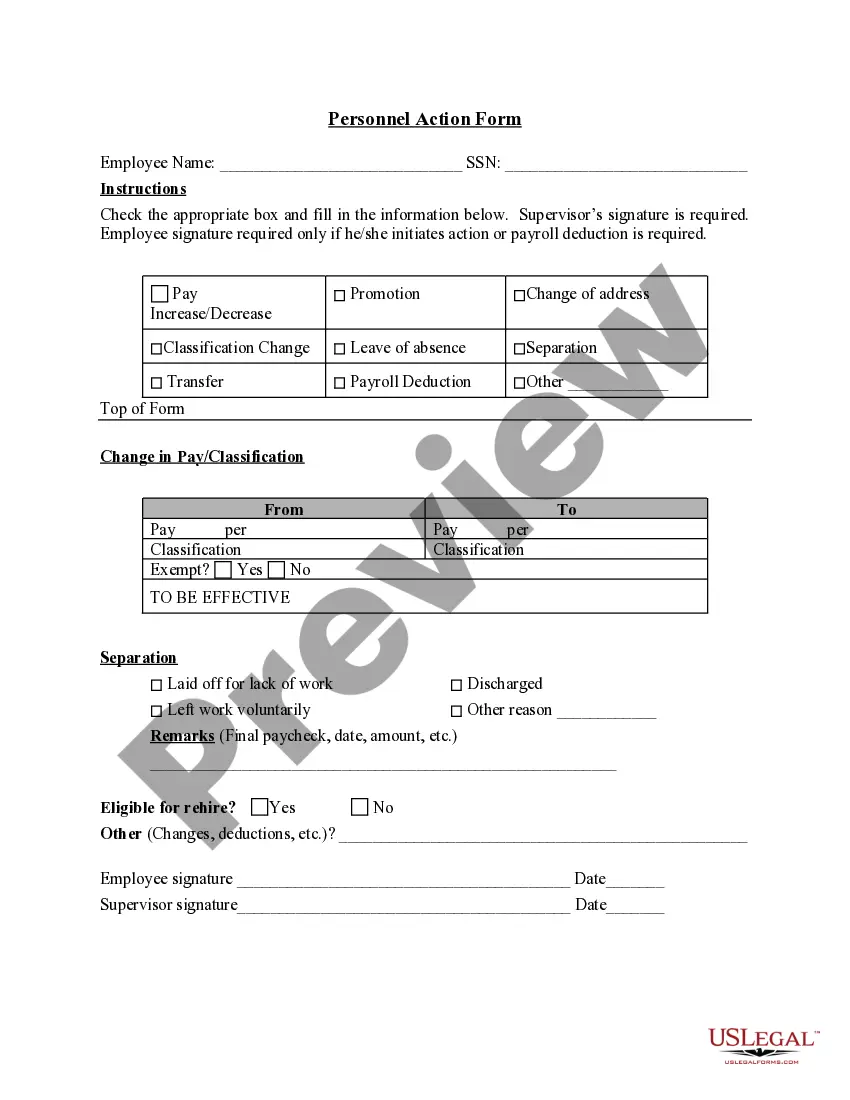
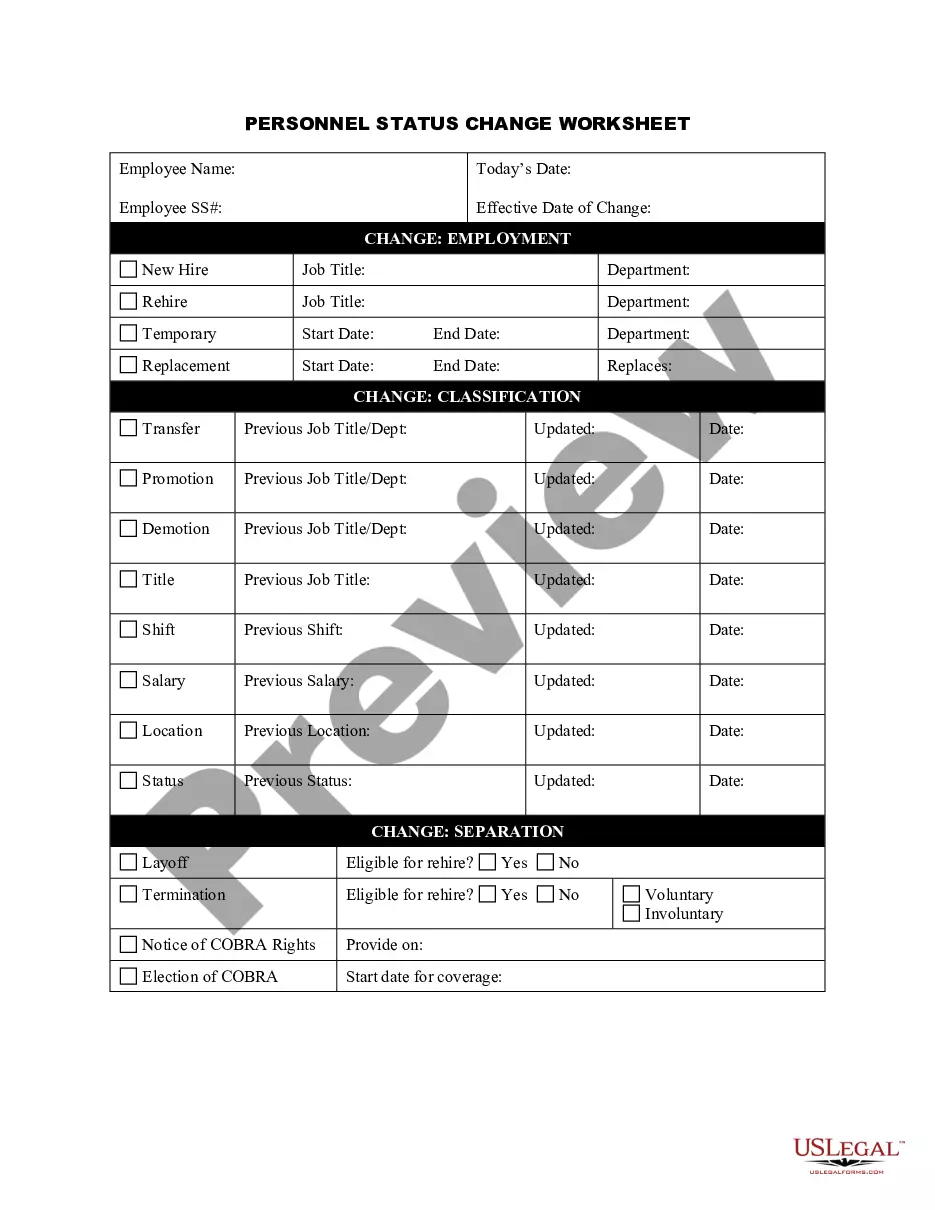
The Personnel Change Form is a legal document used to accurately record and process changes in an employee's status within an organization. This form addresses various employment changes, including promotions, terminations, changes of address, marital status updates, and alterations in pay rates. Unlike similar forms that might focus solely on termination or hiring, this form captures a broader range of personnel modifications, making it essential for maintaining accurate employee records.
Key parts of this document
- Name of employee and Social Security Number field
- Changes of address and effective dates
- New email and telephone number sections
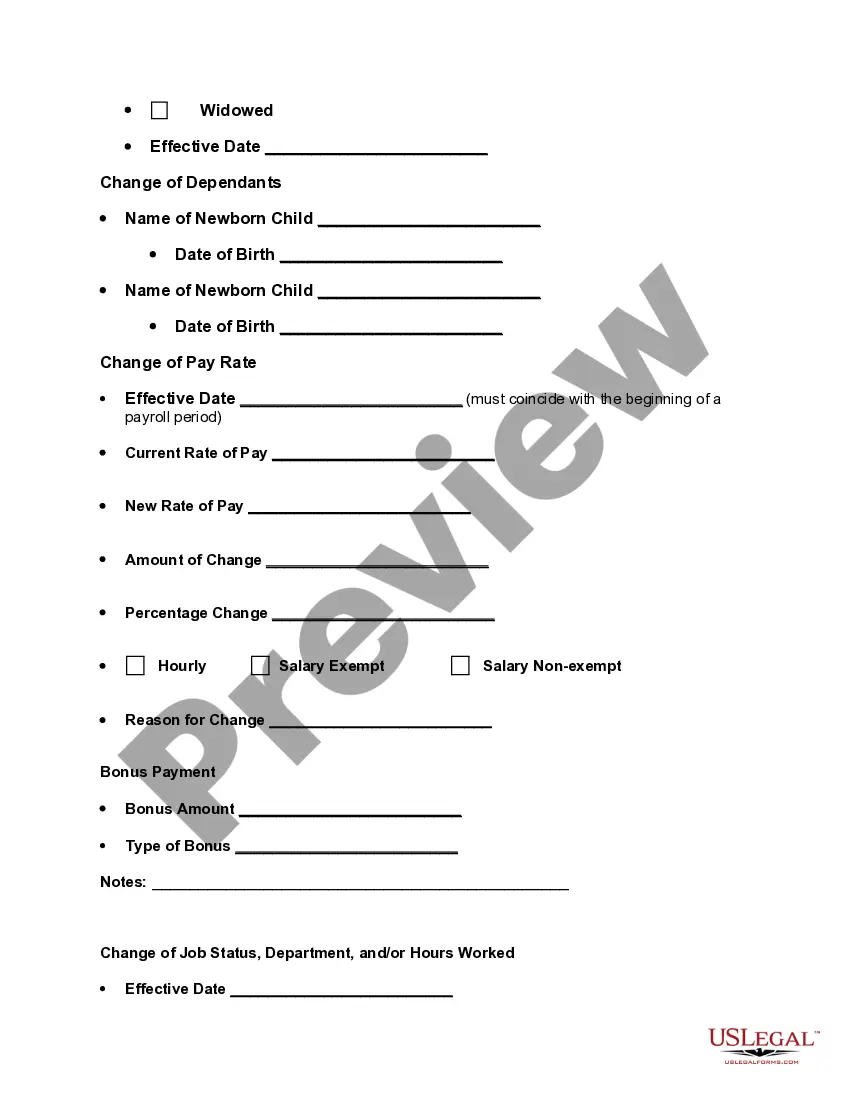
- Change of name and marital status options
- Details on changes in pay rate, including percentage change and reason
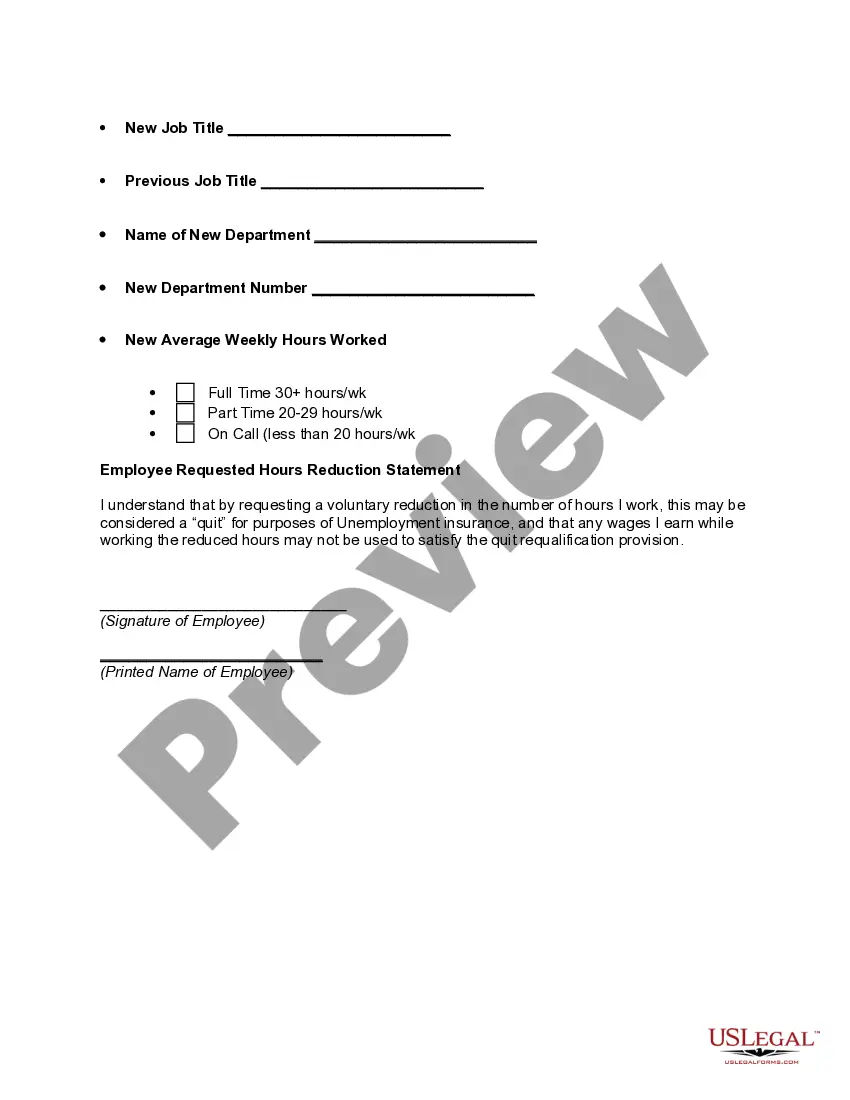
- Job status changes, new job titles, and departmental shifts


Situations where this form applies
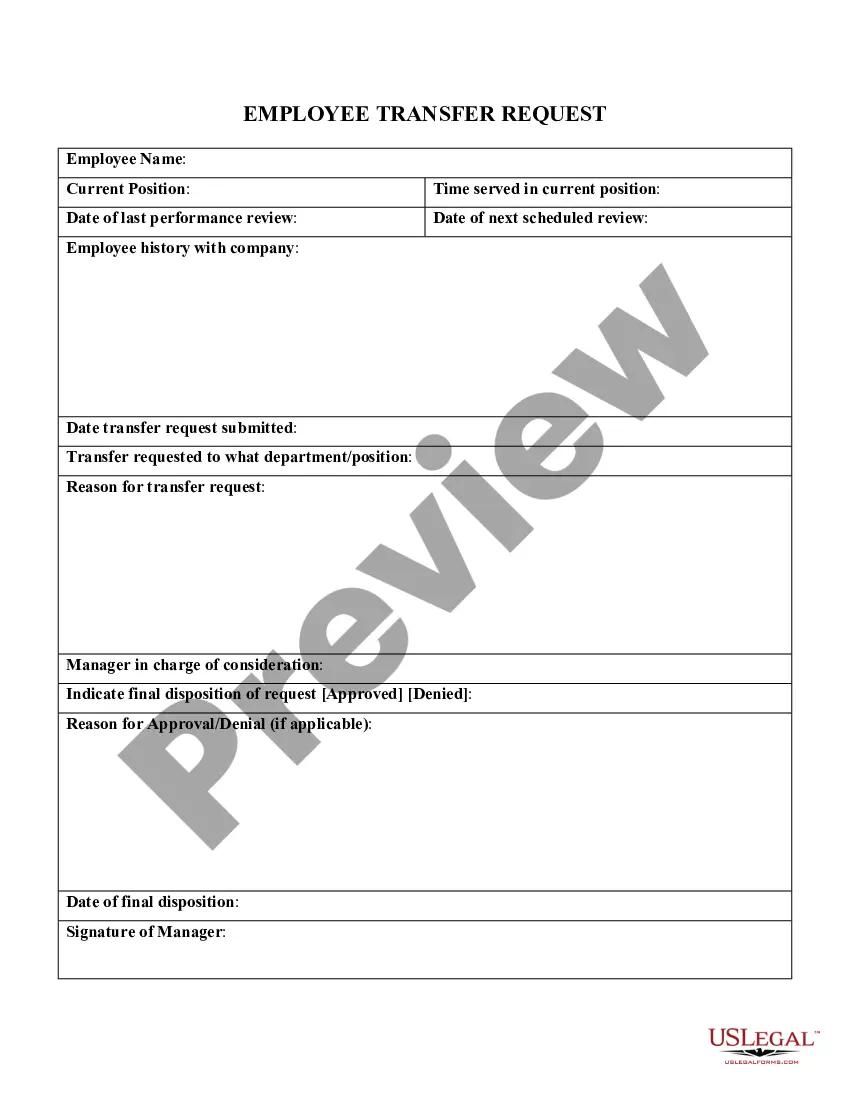
This form should be used when there are significant changes to an employee's status within a company. Scenarios for its use include when an employee is promoted, transferred, or terminated. It is also essential when an employee updates their contact information, marital status, or requests changes to their pay rate. This form helps ensure that all personnel changes are documented accurately for future reference and compliance with HR policies.
Who needs this form
- Human resources professionals managing employee records
- Managers or supervisors responsible for employee status changes
- Employees who need to formally request record updates
- Payroll departments requiring documentation for pay adjustments
Instructions for completing this form
- Enter the employee's name and Social Security Number at the top of the form.
- Identify the type of change being made (e.g., address, job status, etc.) and fill in the corresponding sections.
- Specify effective dates for each change to ensure clarity on when each update takes effect.
- Gather signatures from both the manager/supervisor and the employee where applicable.
- Submit the completed form to the appropriate department or personnel for processing.
Is notarization required?
This form does not typically require notarization unless specified by local law. Always check your stateâs regulations to confirm whether notarization is necessary for your records.
Get your form ready online
Our built-in tools help you complete, sign, share, and store your documents in one place.
Make edits, fill in missing information, and update formatting in US Legal Forms—just like you would in MS Word.
Download a copy, print it, send it by email, or mail it via USPS—whatever works best for your next step.
Sign and collect signatures with our SignNow integration. Send to multiple recipients, set reminders, and more. Go Premium to unlock E-Sign.
If this form requires notarization, complete it online through a secure video call—no need to meet a notary in person or wait for an appointment.
We protect your documents and personal data by following strict security and privacy standards.

Make edits, fill in missing information, and update formatting in US Legal Forms—just like you would in MS Word.

Download a copy, print it, send it by email, or mail it via USPS—whatever works best for your next step.

Sign and collect signatures with our SignNow integration. Send to multiple recipients, set reminders, and more. Go Premium to unlock E-Sign.

If this form requires notarization, complete it online through a secure video call—no need to meet a notary in person or wait for an appointment.

We protect your documents and personal data by following strict security and privacy standards.
Avoid these common issues
- Failure to capture all required fields, such as effective dates or employee signatures.
- Leaving sections blank or incomplete, leading to delays in processing.
- Not specifying the reason for pay rate changes when applicable.
Why complete this form online
- Easy download and immediate access to the form template.
- Editable fields allow for quick adjustments as needed.
- Access to legal advice for completing the form correctly.
Looking for another form?

Form popularity
FAQ
Personnel Change Form (PCF)
2 Answers. A basic difference is that personnel refers to many people and employee refers to one individual. Oftentimes, in a company, there will be a "personnel department" that handles employment, benefits, hiring, and other tasks related to the employees of the company.
First of all, Really Understand the Change. Process and Reflect. Think from your team's perspective. Phase in big changes. Communicate the change clearly. Discuss as a team. Discuss one-on-one. Offer support throughout the transition (and ongoing).
Change management is the process of helping individuals and your organization transition from the current state to the desired state. It involves tools, skills, and best practices in areas that include: Executive leadership and support.Addressing factors that will create resistance to change.
For benefit purposes, a change in employment status means moving from one benefit eligibility category to another. This usually involves a change from ineligibility to eligibility or vice versa, part-time to full-time employment (20 29 hours per week to 30 hours per week) or from SHRA to EHRA status.
PCN Penicillin. PCN Pavement Classification Number. PCN Percutaneous Nephrostomy. PCN Primary Care Nurse. PCN primary care nursing.
Personnel changes include hiring and firing as well as promotions, organizational changes, voluntary quits, mass layoffs and acquisitions. Handling these situations can be challenging for small business owners without an HR department.
PCN (Parent-country nationals) are employees whose nationality is the same as that of the firm headquarters for example, a German employee of a German company who is working at a Chinese subsidiary.
Implementation of a new technology. Mergers & acquisitions. Change in leadership. Change in organizational culture. Times of a crisis.