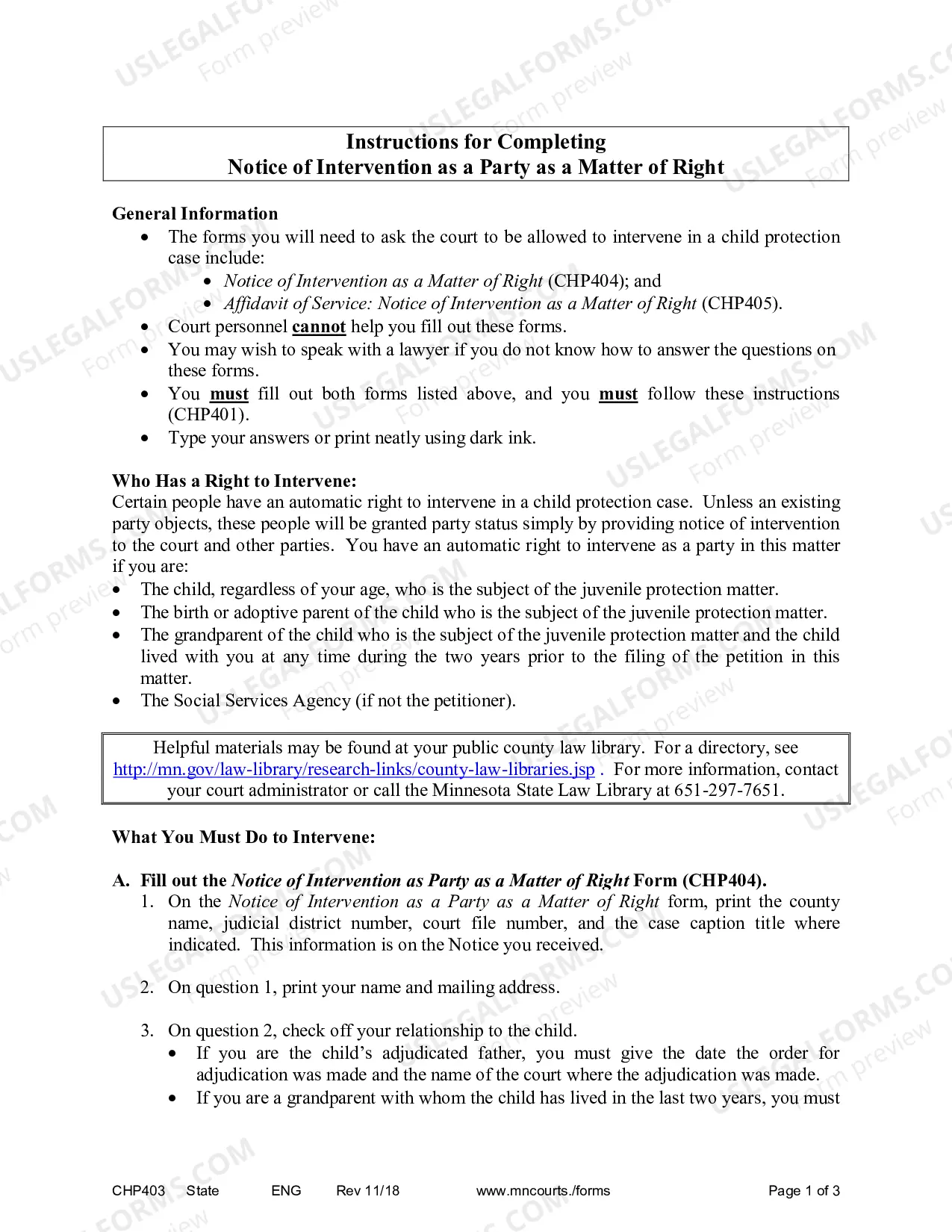
Personnel Status Change Worksheet
About this form
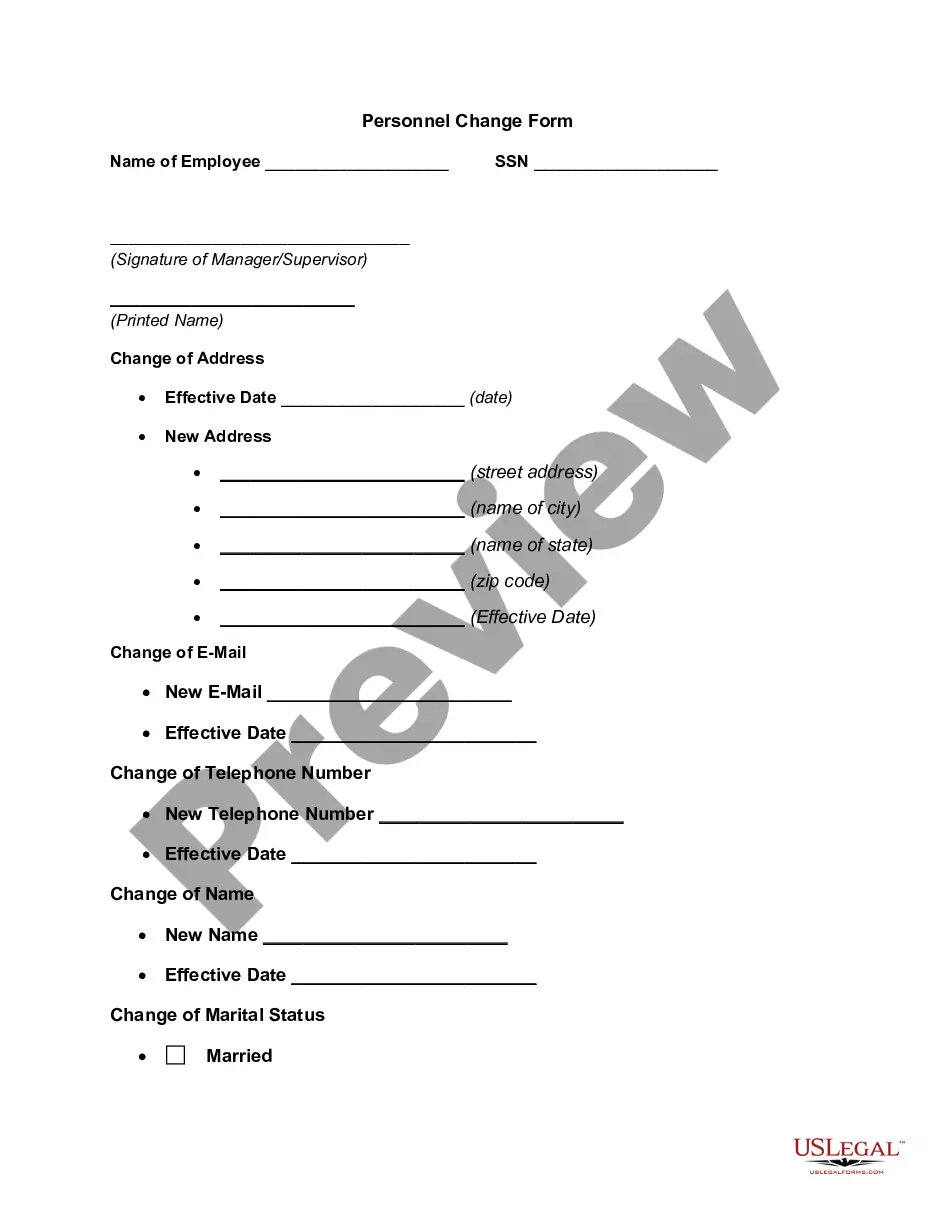
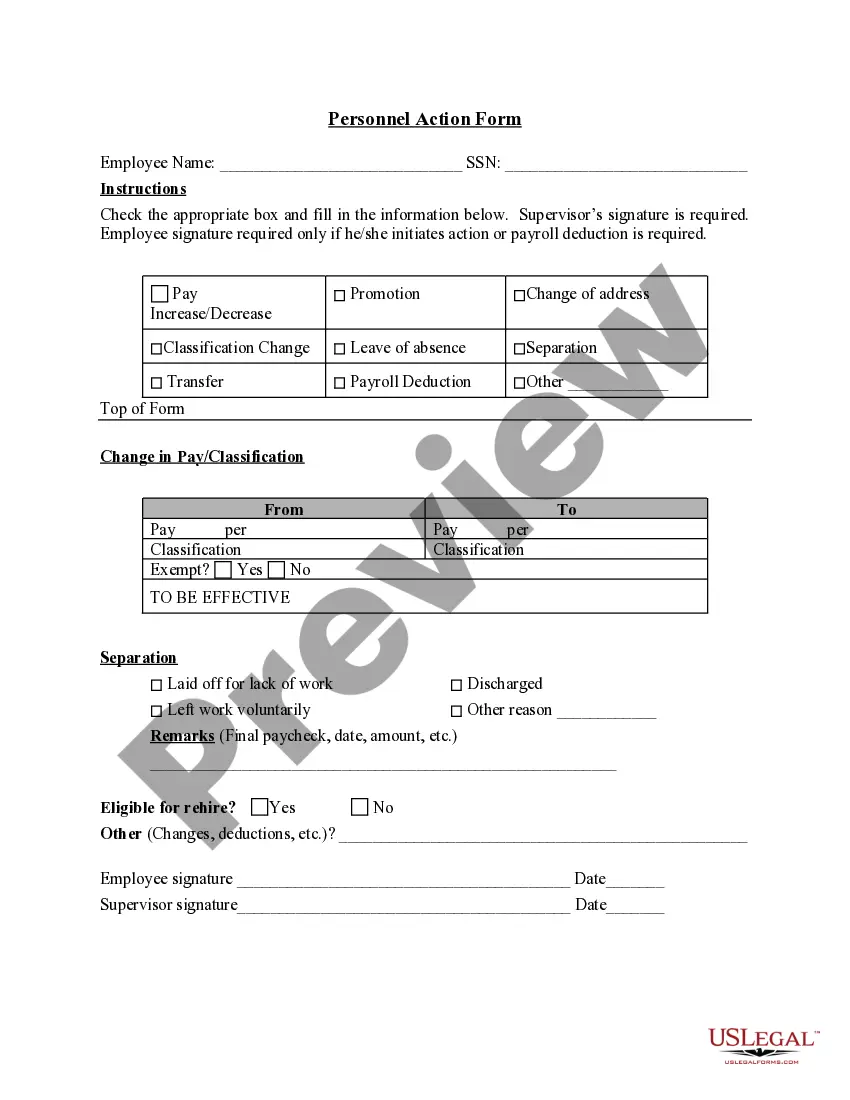
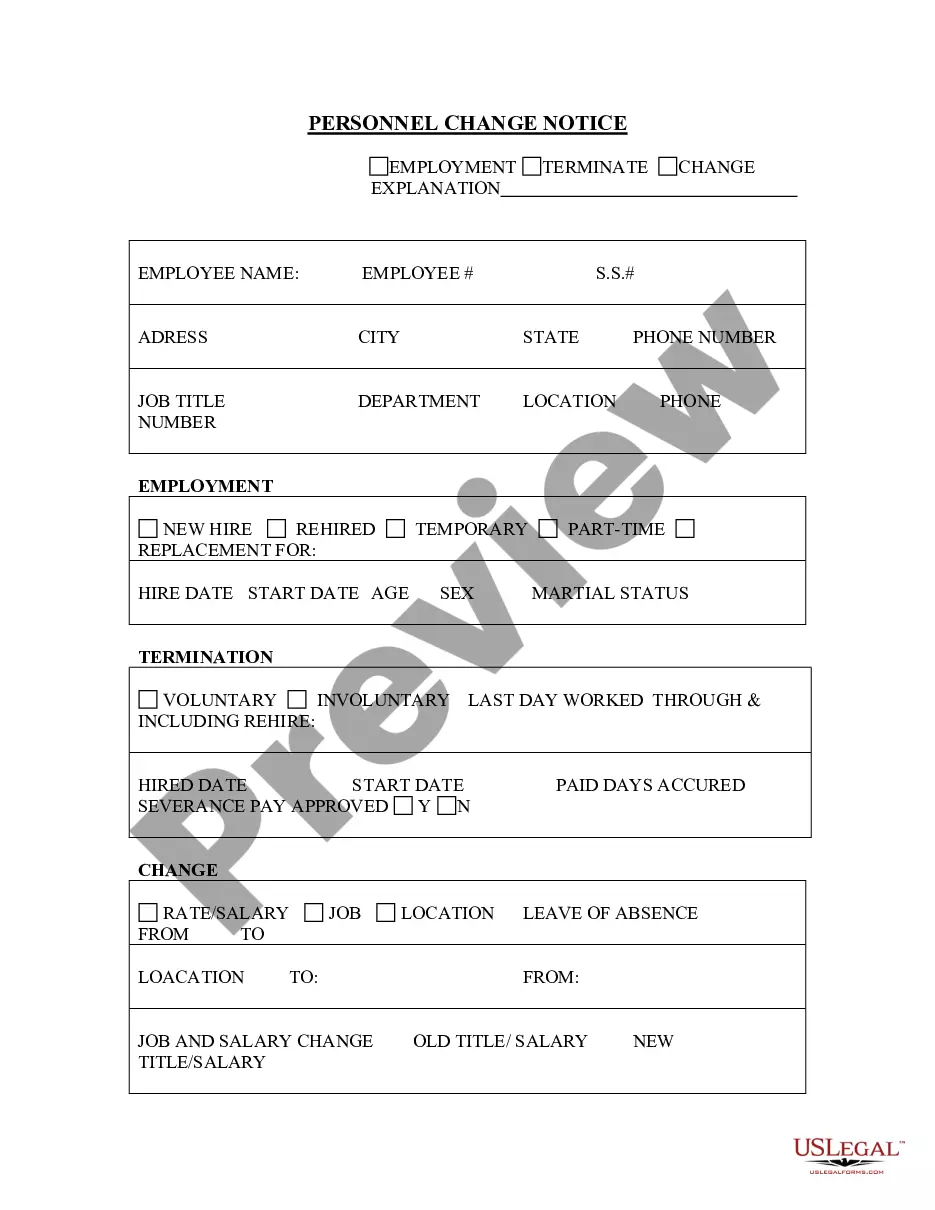
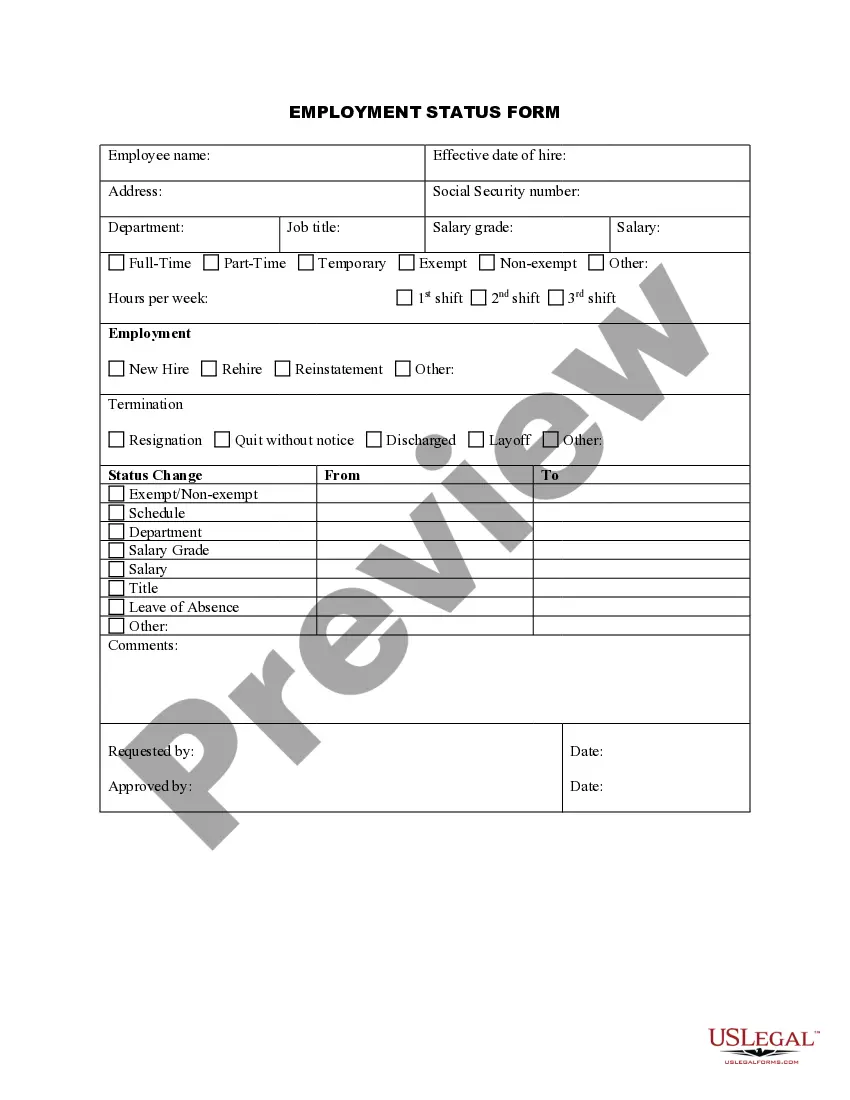
The Personnel Status Change Worksheet is a legal document used to formally record changes in an employeeâs job responsibilities, classification, employment status, or personal information, such as changes to their address or phone number. This form is crucial for employers to ensure that employee records are updated accurately, facilitating clear communication and compliance within the workplace. Unlike similar forms, this worksheet specifically focuses on personnel status modifications and is designed to keep a comprehensive record for both the employee and the employer.
Form components explained
- Employee name and contact information
- Employee Social Security number
- Date of the change
- Effective date of the change
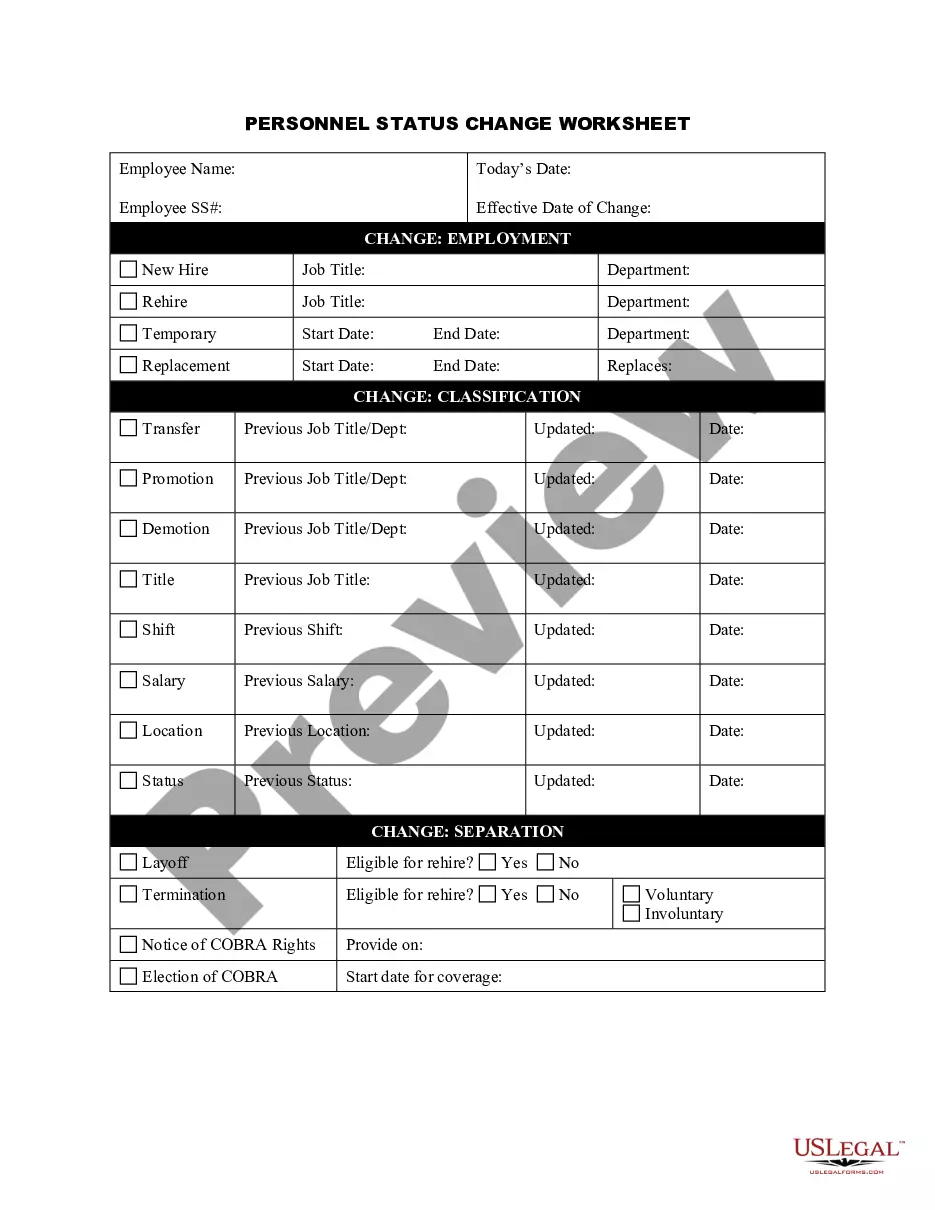
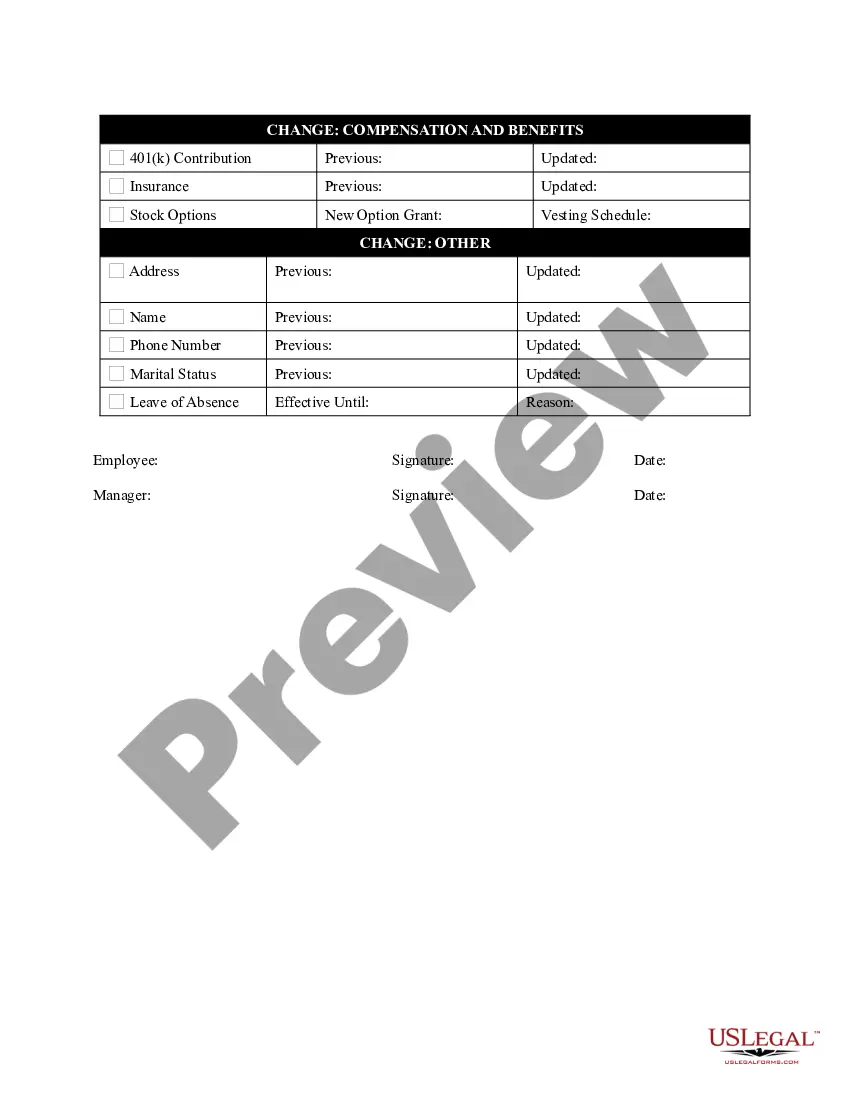
- Details of the change (e.g., promotion, demotion, change in job title)
- Authorized signatures from the manager and employee
Situations where this form applies
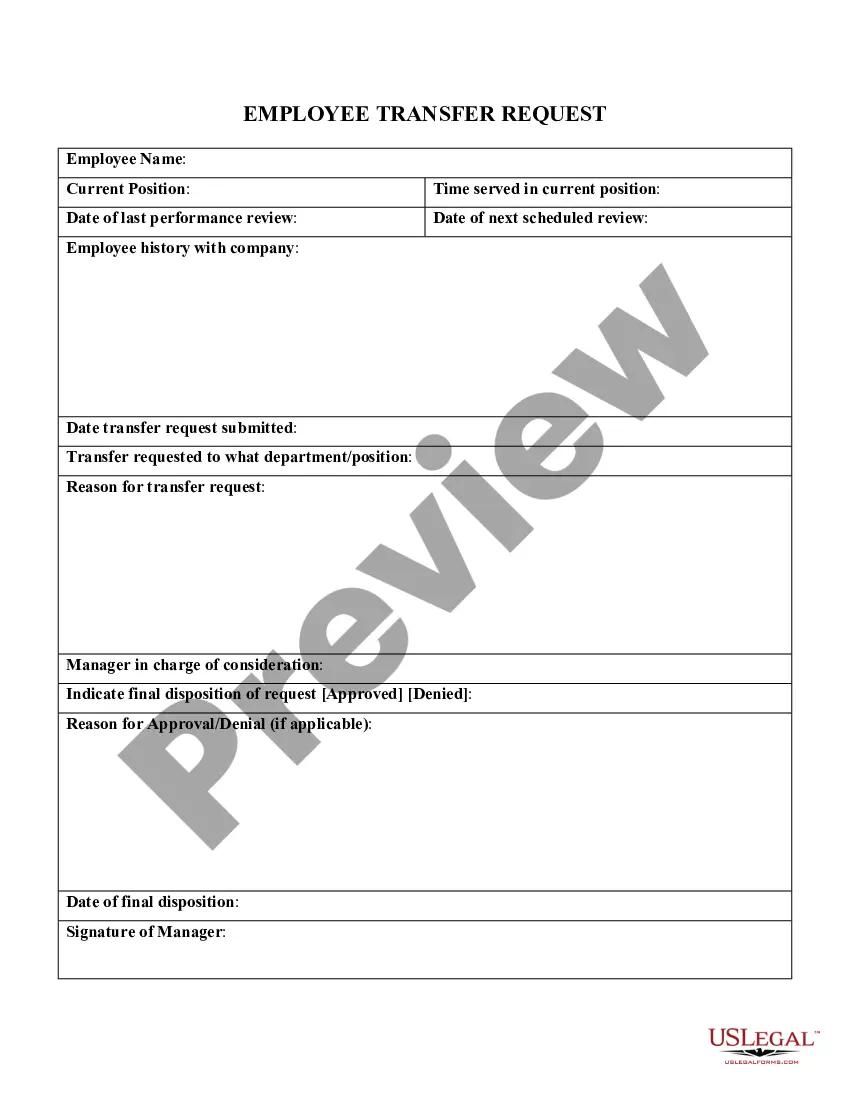
This form should be used whenever there is a change in an employee's status within the organization. This includes promotions, demotions, relocations, changes in classification, personal information updates (like address or phone number), and various circumstances such as leaves of absence or separations from the company. It is essential for maintaining accurate employment records and facilitating HR processes.
Who needs this form
- Human resources professionals managing personnel records
- Managers making decisions about employee status changes
- Employees who need to report changes in their personal information
- Business owners handling employee HR responsibilities
How to complete this form
- Identify the employee by entering their name and contact details.
- Provide the employee's Social Security number.
- Fill in the date of the status change and the effective date.
- Specify the type of change being recorded, such as promotion or address change.
- Ensure both the employee and the manager sign the form to validate the changes.
Notarization requirements for this form
This form does not typically require notarization unless specified by local law. Always verify local regulations to ensure compliance when filing.
Get your form ready online
Our built-in tools help you complete, sign, share, and store your documents in one place.
Make edits, fill in missing information, and update formatting in US Legal Forms—just like you would in MS Word.
Download a copy, print it, send it by email, or mail it via USPS—whatever works best for your next step.
Sign and collect signatures with our SignNow integration. Send to multiple recipients, set reminders, and more. Go Premium to unlock E-Sign.
If this form requires notarization, complete it online through a secure video call—no need to meet a notary in person or wait for an appointment.
We protect your documents and personal data by following strict security and privacy standards.

Make edits, fill in missing information, and update formatting in US Legal Forms—just like you would in MS Word.

Download a copy, print it, send it by email, or mail it via USPS—whatever works best for your next step.

Sign and collect signatures with our SignNow integration. Send to multiple recipients, set reminders, and more. Go Premium to unlock E-Sign.

If this form requires notarization, complete it online through a secure video call—no need to meet a notary in person or wait for an appointment.

We protect your documents and personal data by following strict security and privacy standards.
Common mistakes
- Failing to update personal information such as address or phone number.
- Not providing a signature from both the employee and the manager.
- Forgetting to include the effective date, which can lead to confusion.
- Using outdated forms that may not reflect current company policies.
Why complete this form online
- Convenient downloading and printing options save time.
- Editable PDF format allows for easy customization and entry of employee information.
- Ensures forms are compliant with legal requirements, reducing the risk of future disputes.
- Integrated solutions may offer online notary options for added convenience, if necessary.
Looking for another form?
Form popularity
FAQ
Personnel is a noun describing a group of people who follow orders, usually at a company. If you have a job, you're probably considered personnel to be managed.
2 Answers. A basic difference is that personnel refers to many people and employee refers to one individual. Oftentimes, in a company, there will be a "personnel department" that handles employment, benefits, hiring, and other tasks related to the employees of the company.
First of all, Really Understand the Change. Process and Reflect. Think from your team's perspective. Phase in big changes. Communicate the change clearly. Discuss as a team. Discuss one-on-one. Offer support throughout the transition (and ongoing).
1 a group of people employed by a company, individual, etc., for executive, clerical, sales work, etc. 2 modifier attached to or provided for the staff of an establishment. a staff doctor. 3 the body of teachers or lecturers of an educational institution, as distinct from the students.
1a : a body of persons usually employed (as in a factory or organization) b personnel plural : persons. 2 : a division of an organization concerned with personnel.
1a : a body of persons usually employed (as in a factory or organization) b personnel plural : persons. 2 : a division of an organization concerned with personnel.
Any business that has employees is going to encounter employee complaints at some point.Four common personnel issues that can damage your business, if dealt with improperly, are harassment, discrimination, theft and violence.
Employee: An employee is someone who works for you under the terms of an employment contract.Worker: The category of worker is wider and includes any individual person who works for you, whether under an employment contract or other type of contract, but is not self-employed.
Keep this in your personal file. Personal is an adjective meaning "of, relating to, or affecting, the person." Personnel is a noun referring to people themselves or a collection of people. A company's "personnel" would be all the people employed, an army unit's personnel would be the people in that unit.