Washington Worksheet - Telecommuting

State:
Multi-State
Control #:
US-04022BG
Format:
Word; 
Rich Text
Instant download

Description

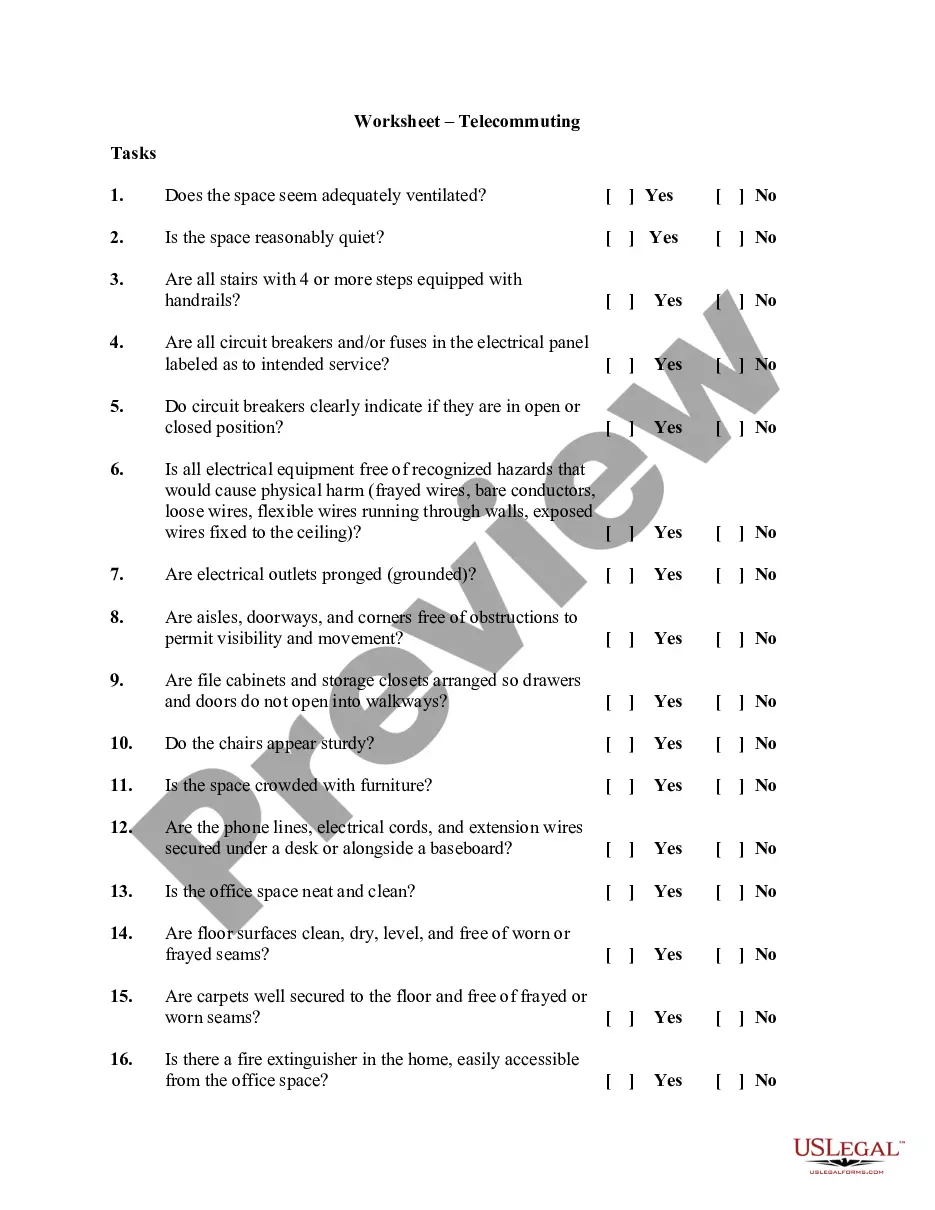
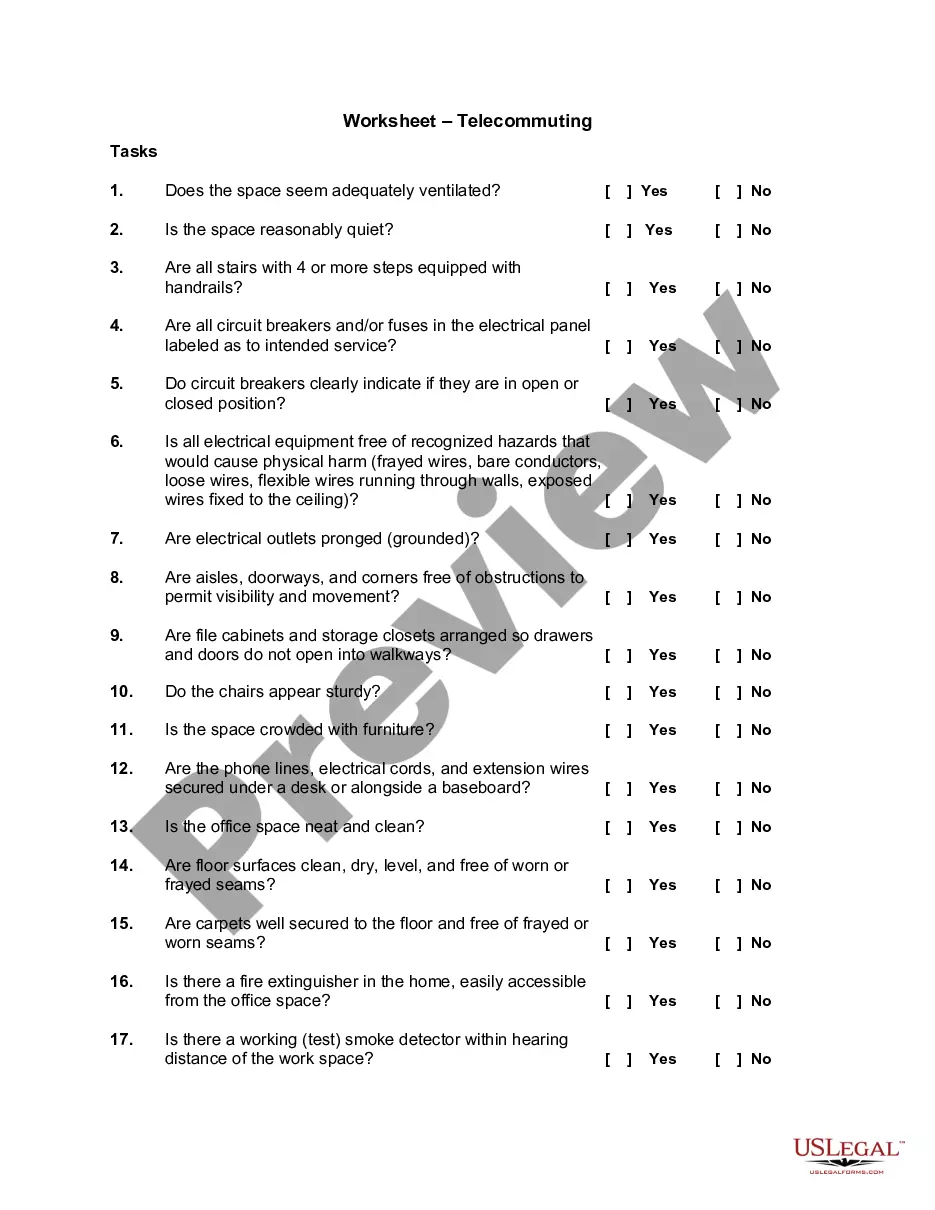
Telecommuting is a cooperative agreement between an employee and the State involving work that an employee performs on a routine basis, independent of others, and can be accomplished by the employee outside of the office environment. Anticipated benefits may include:


" Trip Reduction;

" Energy Conservation;

" Better Employee Morale;

" Increased Productivity; and

" Increased Employee Retention.


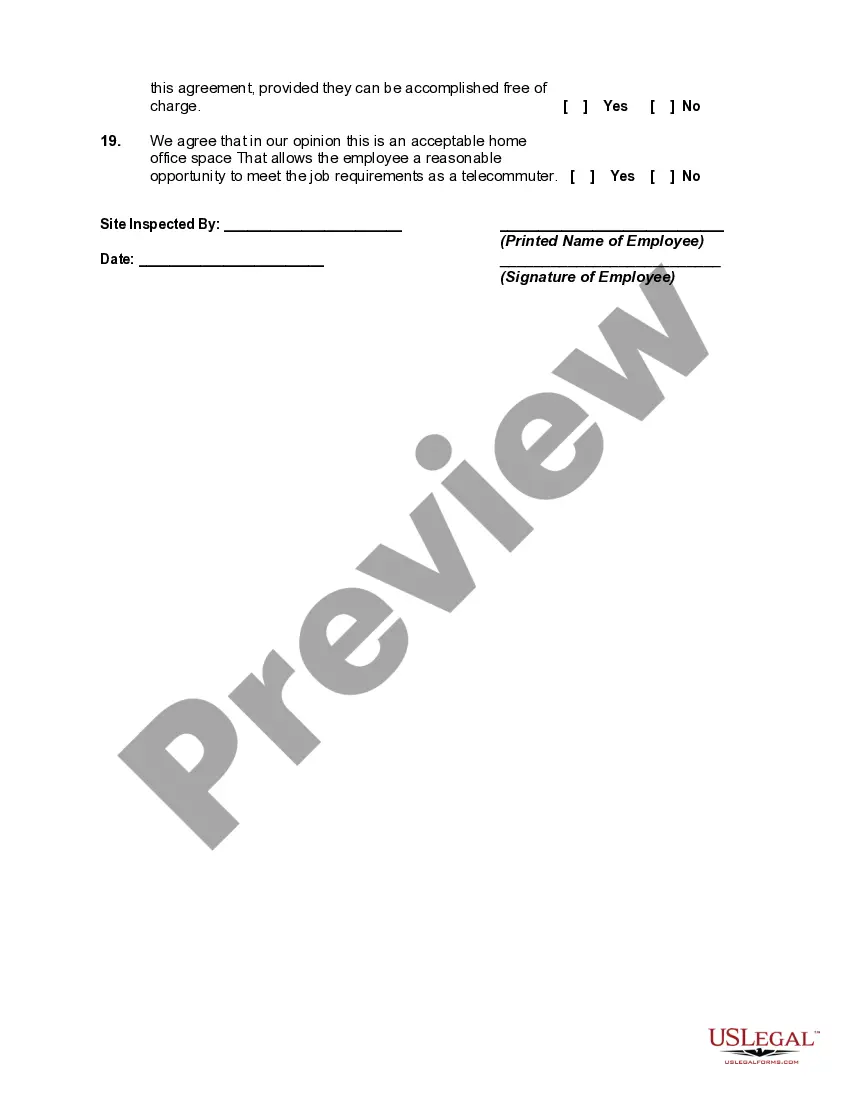
This worksheet should be completed before setting up your employees' office space. The success of the telecommuting arrangement depends on the assessment of the work space and the ability of the employees to successfully complete the required work in this environment.
Free preview
  • Preview Worksheet - Telecommuting
  • Preview Worksheet - Telecommuting

How to fill out Worksheet - Telecommuting?

If you need to finalize, acquire, or print legal document templates, utilize US Legal Forms, the largest collection of legal forms, available online.

Take advantage of the site’s straightforward and convenient search feature to locate the documents you require.

Various templates for corporate and personal purposes are organized by categories and states, or keywords. Use US Legal Forms to find the Washington Worksheet - Telecommuting within just a few clicks.

Every legal document template you purchase belongs to you indefinitely.

You have access to every form you downloaded with your account. Click the My documents section and select a form to print or download again. Complete and download, and print the Washington Worksheet - Telecommuting with US Legal Forms. There are numerous professional and state-specific forms you can use for your business or personal requirements.

  1. If you are already a US Legal Forms user, Log In to your account and click the Acquire button to download the Washington Worksheet - Telecommuting.
  2. You can also access forms you previously downloaded in the My documents section of your account.
  3. If this is your first time using US Legal Forms, follow the directions below.
  4. Step 1. Make sure you have chosen the form for the correct city/state.
  5. Step 2. Use the Preview option to review the form’s details. Remember to check the description.
  6. Step 3. If you are not satisfied with the form, utilize the Search area at the top of the screen to find alternative versions of your legal form template.
  7. Step 4. Once you have found the form you need, click on the Purchase now button. Select your preferred payment plan and enter your information to create an account.
  8. Step 5. Complete the transaction. You can use your credit card or PayPal account to finalize the purchase.
  9. Step 6. Choose the format of your legal form and download it to your device.
  10. Step 7. Fill out, edit, and print or sign the Washington Worksheet - Telecommuting.

Form popularity

FAQ

You can use a time tracking tool to monitor each employee's productivity and time spent on remote work....We'll look at each of these employee monitoring tools below.TimeCamp. TimeCamp is a revolutionary application that helps track employee time and productivity.Time Doctor.Toggl.RescueTime.

Telecommuting is an employment arrangement in which the employee works outside of the employer's office. Often this means working from home or at a location close to home, such as a coffee shop, library, or co-working space. Learn more about telecommuting, how it works, and its pros and cons.

It also means your work-from-home telecommuters are likely subject to their home-state payroll taxes (like Washington's new LTC tax) and entitled to other state-mandated benefits. This, in turn, means the employer has additional state withholding and tax reporting duties.

Working from home or remotely requires more than a laptop. In order to set employees up for success, organizations need to provide them with the proper tools and resources. This equipment includes desks and furniture, collaboration and communication software, authentication and VPNs, monitors and productivity tools.

Best practices for effective telecommutingCreate a work routine.Take charge of your time.Prioritize focus.Check in with your team regularly.Turn off when you're not at work.Set clear expectations.Respect employees' time.Stay in touch, but don't over-communicate.More items...?

The rise in remote work has led to an increase in companies using electronic monitoring software. Billed as a way to maintain productivity outside the office, these programs offer employers a range of features, including keystroke logging, screenshots of workers' computers and, in some cases, access to webcams.

If you're having trouble getting started with your telecommuting policy, here's a list of things to include:Define which positions are eligible to work from home.Be specific about the policy.Create an effective power structure.Outline which tools your employees should use.Be open.

When you telecommute, you work outside of an organization's brick-and-mortar location, and you usually use technology to help you do your job and connect with your employer or employees. Many industriesincluding sales, publishing, customer service, and marketingoffer telecommuting jobs.

Productivity = Output / Time At the end of each week or month, you can see an accurate data about how many hours each employee has worked. You can calculate productivity by combining this information with the number of tasks completed or output produced by the employee.

Telecommuting, also called telework, can mean that the employee might be working on-site some of the time. However, they also might never come into the office. Most positions considered telecommuting are usually filled by candidates that are geographically close to the business.

Trusted and secure by over 3 million people of the world’s leading companies

Washington Worksheet - Telecommuting