Department Time Report for Payroll
About this form
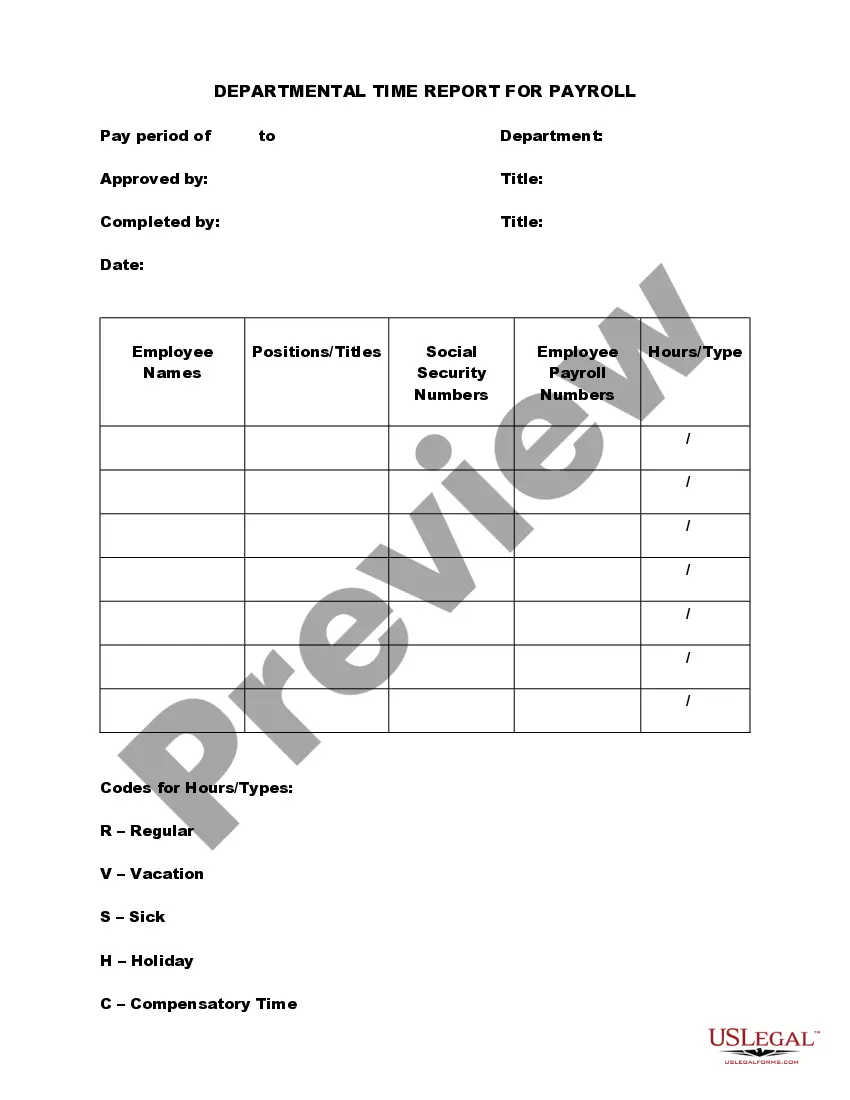
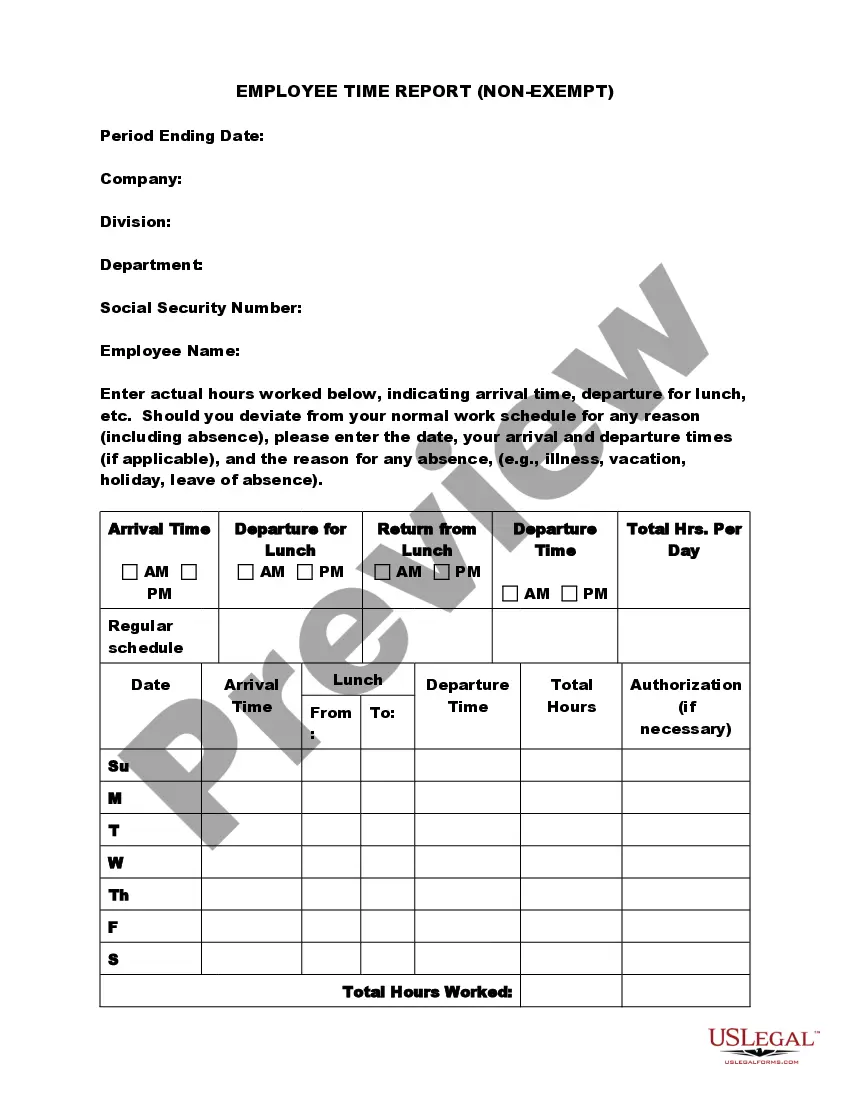
The Department Time Report for Payroll is a legal document used to record the hours worked by each employee within a department. This form helps ensure accurate payroll processing and record-keeping. Unlike other time tracking forms, this document is specifically structured for departmental use, integrating necessary fields to capture employee details, hours worked, and various types of leave or absence, effectively aiding the payroll calculation process.
Form components explained
- Pay period: Date range during which the hours are to be recorded.
- Department: The specific department for which the report is being completed.
- Employee details: Sections for inputting the names, positions, and payroll numbers of employees.
- Hours/Types: Fields to indicate total hours worked alongside designations for regular hours, vacation, sick leave, holidays, and compensatory time.
- Approvals: Required signatures for departmental approval and acknowledgment of the time recorded.


Situations where this form applies
This form should be utilized at the end of a pay period by department heads or managers to accurately report and document the hours worked by employees. It is essential for ensuring that payroll is processed correctly, especially after occurrences of employee leave, overtime, or any changes in an employee's work status.
Who should use this form
This form is intended for:
- Department managers responsible for overseeing employee time tracking.
- Human resources personnel involved in payroll processing.
- Employees who need to report their working hours for payroll purposes.
How to complete this form
- Identify the pay period for the report and enter the corresponding dates.
- List each employee's name, position, and payroll number in the designated fields.
- Input the total hours each employee worked, specifying the type of hours (such as regular or overtime).
- Include any leave taken by employees during the pay period, such as vacation or sick leave.
- Obtain the necessary signatures for approval from the responsible parties.
Notarization guidance
Notarization is not commonly needed for this form. However, certain documents or local rules may make it necessary. Our notarization service, powered by Notarize, allows you to finalize it securely online anytime, day or night.
Get your form ready online
Our built-in tools help you complete, sign, share, and store your documents in one place.
Make edits, fill in missing information, and update formatting in US Legal Forms—just like you would in MS Word.
Download a copy, print it, send it by email, or mail it via USPS—whatever works best for your next step.
Sign and collect signatures with our SignNow integration. Send to multiple recipients, set reminders, and more. Go Premium to unlock E-Sign.
If this form requires notarization, complete it online through a secure video call—no need to meet a notary in person or wait for an appointment.
We protect your documents and personal data by following strict security and privacy standards.

Make edits, fill in missing information, and update formatting in US Legal Forms—just like you would in MS Word.

Download a copy, print it, send it by email, or mail it via USPS—whatever works best for your next step.

Sign and collect signatures with our SignNow integration. Send to multiple recipients, set reminders, and more. Go Premium to unlock E-Sign.

If this form requires notarization, complete it online through a secure video call—no need to meet a notary in person or wait for an appointment.

We protect your documents and personal data by following strict security and privacy standards.
Avoid these common issues
- Failing to list all employees who worked during the pay period.
- Not specifying the type of hours worked, leading to incorrect payroll processing.
- Neglecting to secure necessary signatures for approval.
- Inaccurate recording of hours, causing discrepancies in employee pay.
Benefits of using this form online
- Convenience: The form can be filled out and submitted electronically, saving time.
- Editability: Users can easily make corrections or updates as necessary.
- Reliability: This online form ensures that all entries are properly recorded and can be securely stored for future reference.
Legal use & context
- This report must be used in accordance with company policies surrounding payroll processing.
- Accurate records are vital for auditing and compliance with labor laws.
- Employers must retain these records for a defined period for legal and regulatory purposes.
Looking for another form?
Form popularity
FAQ
Certified payroll reports are special payroll reports that contractors who work on public works or government funded construction projects must file on a weekly basis. This type of payroll requires a specialized process involving the input of a date and job code with each entry.
Type the word "Final" when the last payroll is submitted for the project. The last day of the payroll period. The name and location of project. The prime contractor should include the project number as listed in the loan Indicate the days and dates of the pay period.
Go to the Reports menu. Choose Employees & Payroll. Go to More Payroll Reports in Excel, then choose New! Certified Payroll Report. Follow the on-screen instructions to create the report.
Click Payroll in the menu at the left side of your screen, then Timesheets. If your employee worked any overtime hours, used any paid vacation hours or paid sick time hours, input those hours in the Overtime Pay, Vacation Pay, or Sick Time Pay rows. Click Save.
To calculate an employee's fringe benefit rate, add up the cost of an employee's fringe benefits for the year (including payroll taxes paid) and divide it by the employee's annual wages or salary. Then, multiply the total by 100 to get the fringe benefit rate percentage.
To complete a timesheet: Add the total hours you have worked and 2. multiply the result by the hourly rate of pay to arrive at your Total Gross Pay and record that number After selecting where you want your check to 3. arrive (your AC box or your home), review your time sheets for any mistakes.
Google Pay is an app that you download and install on your smartphone or smartwatch that uses the Android operating system.You can use the app to send and receive money from others.
Pay means to give money to someone to settle a debt or obligation. Pay also means to give money in exchange for something. Pay is also a person's salary or wages. Pay has many other senses as a verb and a noun. Pay means to settle a bill or a debt, such as paying the check at a restaurant or paying your electric bill.
Some common synonyms of pay are compensate, indemnify, recompense, reimburse, remunerate, repay, and satisfy.