Worksheet - Telecommuting
About this form
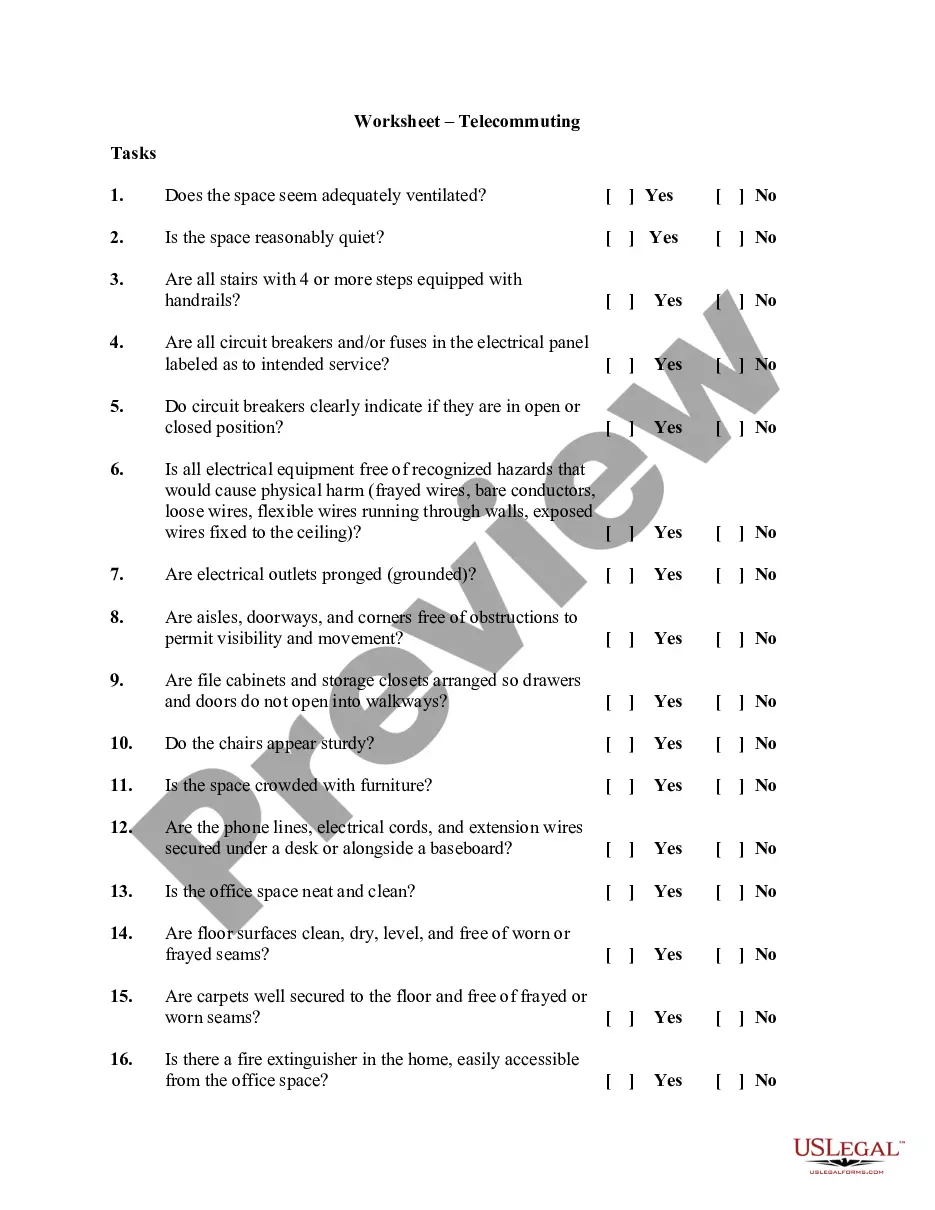
The Telecommuting Worksheet is a formal agreement between an employee and their employer regarding the conditions required to work remotely. This form outlines specific criteria necessary for a safe and productive home office environment, which distinguishes it from other general employee agreements. By completing this worksheet, both parties ensure that telecommuting arrangements meet health and safety standards, promoting effective work performance outside of the traditional office setting.
Key parts of this document
- Assessment of workspace ventilation and noise levels.
- Checklist for safety features such as handrails and electrical labeling.
- Evaluation of potential hazards in the home office space.
- Confirmation of workspace cleanliness and maintenance.
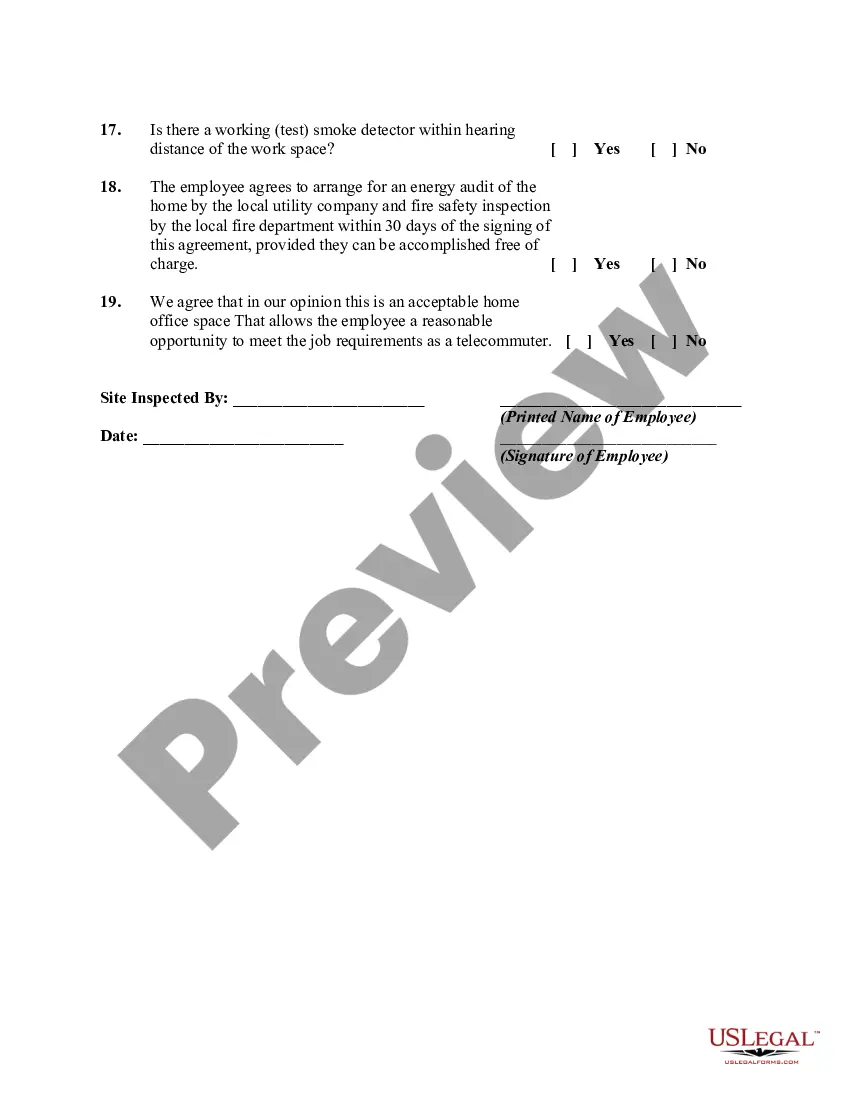
- Signature lines for both the employee and the inspecting authority.




Situations where this form applies
This worksheet should be used when an employer and employee agree on a telecommuting arrangement. It is particularly essential for assessing home office safety before the employee begins working remotely. Utilizing this form helps both the employee and employer mitigate risks and ensures compliance with safety standards necessary for remote work.
Who this form is for
- Employers looking to establish telecommuting policies.
- Employees who are transitioning to remote work.
- Human resources professionals coordinating remote work agreements.
Completing this form step by step
- Review the checklist items to assess the physical safety of the home office.
- Respond to each question by selecting "Yes" or "No" based on the conditions observed.
- Record the name of the person conducting the inspection.
- Have the employee sign and date the form to acknowledge the findings.
- Ensure that an energy audit and fire safety inspection are arranged as per the agreement.
Is notarization required?
This form usually doesn’t need to be notarized. However, local laws or specific transactions may require it. Our online notarization service, powered by Notarize, lets you complete it remotely through a secure video session, available 24/7.
Get your form ready online
Our built-in tools help you complete, sign, share, and store your documents in one place.
Make edits, fill in missing information, and update formatting in US Legal Forms—just like you would in MS Word.
Download a copy, print it, send it by email, or mail it via USPS—whatever works best for your next step.
Sign and collect signatures with our SignNow integration. Send to multiple recipients, set reminders, and more. Go Premium to unlock E-Sign.
If this form requires notarization, complete it online through a secure video call—no need to meet a notary in person or wait for an appointment.
We protect your documents and personal data by following strict security and privacy standards.

Make edits, fill in missing information, and update formatting in US Legal Forms—just like you would in MS Word.

Download a copy, print it, send it by email, or mail it via USPS—whatever works best for your next step.

Sign and collect signatures with our SignNow integration. Send to multiple recipients, set reminders, and more. Go Premium to unlock E-Sign.

If this form requires notarization, complete it online through a secure video call—no need to meet a notary in person or wait for an appointment.

We protect your documents and personal data by following strict security and privacy standards.
Mistakes to watch out for
- Failing to adequately inspect all areas of the workspace.
- Missing signatures from either the employee or the inspecting authority.
- Ignoring local regulations related to remote work safety standards.
- Not following up on the required energy audits and fire safety inspections.
Advantages of online completion
- Convenience of immediate access and downloading from anywhere.
- Editable format allows for easy customization to fit specific needs.
- Reliable and legally vetted to ensure compliance with necessary regulations.
Looking for another form?

Form popularity
FAQ
Also known as 'telework' or 'work from home', telecommuting is an arrangement that allows employees to work away from the company's offices.
Telecommuting, also called telework, can mean that the employee might be working on-site some of the time. However, they also might never come into the office. Most positions considered ?telecommuting? are usually filled by candidates that are geographically close to the business.
Pros and Cons of Telecommuting You do not have to spend time commuting back and forth from work. It is easier to focus without the usual workplace distractions. There are no transportation costs. It can provide a better balance of work and personal pursuits.
Remote work (also called telecommuting, telework, work from home, hybrid work, and other terms) is the practice of working from one's home or another space rather than from an office.
Telecommuting ?also called "teleworking"?is when an individual performs their job from outside a company's office with telecommunication options like phone, email and internet tools such as Slack or Skype.
Telecommuting is a way to work from home and still feel like you are part of the team. You can use tools such as email or phone for communication to connect with your team instead of driving to a physical location every day.
What is the difference between remote work and telework? The difference between telework and remote work is the employee's duty station. For remote workers, the remote work location is their official duty station (e.g., their home).
Teleworking is all about bringing the work to employees instead of employees moving to the work. It involves using computers and telecommunications to carry out the work from a location other than the office. On the other hand, telecommuting works out of the main traditional office for a few days a week.