Employee Time Off Request Form
Overview of this form
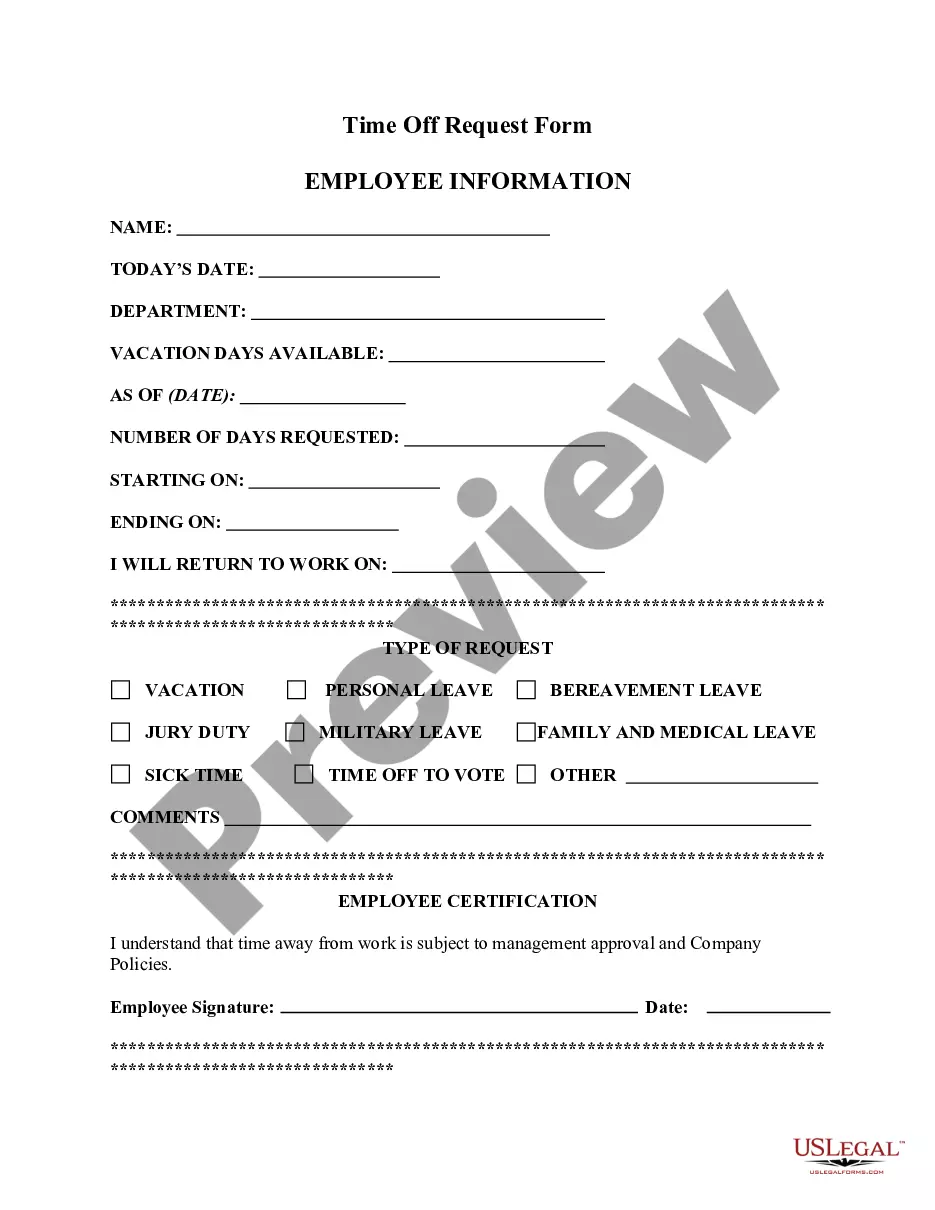
The Employee Time Off Request Form is a document that allows employees to formally request time away from work. This form helps employers track and manage employee leave requests for various reasons such as illness, vacation, or personal matters. Unlike informal requests, this structured format ensures clarity and compliance with company policies.
Key components of this form
- Date: The date on which the request is submitted.
- Employeeâs Name: The full name of the employee making the request.
- Time Off Requested: Specific dates or duration for which time off is being requested.
- Reason for Time Off: Explanation for the leave, such as illness or vacation.
- Comments: Additional notes or information relevant to the request.
- Employeeâs Signature: Signature of the employee acknowledging the request.
- Decision Options: Indicate whether the time off is granted or not, including various categories like vacation leave and sick leave.
- Management Signature: The signature of the manager granting or denying the request.


When to use this form
This form should be used when an employee needs to take time off from their job and wishes to formalize their request to their employer. It is applicable in situations such as needing sick leave due to health issues, taking vacation time, or personal emergencies. The form ensures that requests are documented and properly tracked.
Who should use this form
Typically, this form is intended for:
- Employees of a company who need to request time off.
- Human Resources personnel managing employee leave requests.
- Employers or managers responsible for approving or denying time off requests.
Completing this form step by step
- Enter the date on which you are submitting the request.
- Fill in your name as the requesting employee.
- Specify the dates and duration for your requested time off.
- Provide a reason for your request in the designated section.
- Add any additional comments that may support your request.
- Sign the form to confirm the request, and submit it to your manager for approval.
Notarization requirements for this form
This form does not typically require notarization unless specified by local law. It is recommended to check company policies or state regulations regarding employee leave documentation to ensure compliance.
Get your form ready online
Our built-in tools help you complete, sign, share, and store your documents in one place.
Make edits, fill in missing information, and update formatting in US Legal Forms—just like you would in MS Word.
Download a copy, print it, send it by email, or mail it via USPS—whatever works best for your next step.
Sign and collect signatures with our SignNow integration. Send to multiple recipients, set reminders, and more. Go Premium to unlock E-Sign.
If this form requires notarization, complete it online through a secure video call—no need to meet a notary in person or wait for an appointment.
We protect your documents and personal data by following strict security and privacy standards.

Make edits, fill in missing information, and update formatting in US Legal Forms—just like you would in MS Word.

Download a copy, print it, send it by email, or mail it via USPS—whatever works best for your next step.

Sign and collect signatures with our SignNow integration. Send to multiple recipients, set reminders, and more. Go Premium to unlock E-Sign.

If this form requires notarization, complete it online through a secure video call—no need to meet a notary in person or wait for an appointment.

We protect your documents and personal data by following strict security and privacy standards.
Common mistakes to avoid
- Failing to specify clear dates for the requested time off.
- Not providing a valid reason for the leave.
- Leaving fields blank, such as comments or signatures.
- Not submitting the form with enough advance notice.
Benefits of using this form online
- Convenience of downloading and completing the form at your discretion.
- Ability to edit and amend the form as needed before submission.
- Peace of mind knowing the form is drafted in accordance with legal standards.
- Easy record-keeping of submitted requests for future reference.
What to keep in mind
- The Employee Time Off Request Form is essential for formalizing leave requests.
- It is applicable for various types of leave, including sick and vacation time.
- Ensure that all fields are filled out completely to avoid delays in processing requests.
- This form can be adapted for use in different states with varying requirements.
Looking for another form?


Form popularity
FAQ
When Can an Employer Deny Time Off?All employers in California must abide by all FMLA and CFRA regulations without exception. However, an employer has every right to deny an employee's request to use accrued vacation time or paid time off, but the employer must usually provide some kind of reasonable explanation.
Employers often ask the details of the illness and how long the employee expects to be out. There is no federal or state law prohibiting an employer from asking certain questions when an employee calls in sick.If your employer has a paid time off (PTO) system, you can most likely use your PTO for any purpose.
Firing an employee during his or her day off is a complicated question in employment law. Unfortunately for most workers the answer is: yes. You can be fired on your day off for refusing to show up at work if your employer asks you to come.
Clockify is a time tracker that lets you track attendance of your employees and their work hours. It's so simple that people can start using it in less than a minute and track their planned leaves. In addition to tracking vacations and time off, employees can also track their work hours and overtime.
Time Doctor. Time Doctor is one of the most powerful time tracking tools for 2019. Toggl. Toggl is a great virtual software to see if remote employees are working. RescueTime. Unlike the other tools in the article, RescueTime isn't a time-tracking app per se. Hours. Timely. Harvest. Everhour. Timeneye.
Have the employee fill out their name, title, and team if your company is large the dates and times being requested off, and the reason for the requests if that's something you require. Then, you can return it to them with either an approval or a denial.
At the end of your payroll cycle, your HR team can run reports via the Reports page in Time IQ, and pull data for your PTO projects to log the time used by each employee in your payroll system.
Employers often ask the details of the illness and how long the employee expects to be out. There is no federal or state law prohibiting an employer from asking certain questions when an employee calls in sick.If your employer has a paid time off (PTO) system, you can most likely use your PTO for any purpose.
The best thing you can do is be very direct and explicit about your expectations and what she needs to do differently: "Jane, I count on you to be here reliably for your regularly scheduled shifts. It's fine to request time off on occasion, but that should be rare, not multiple times each month.