Employee Vacation Request
What this document covers
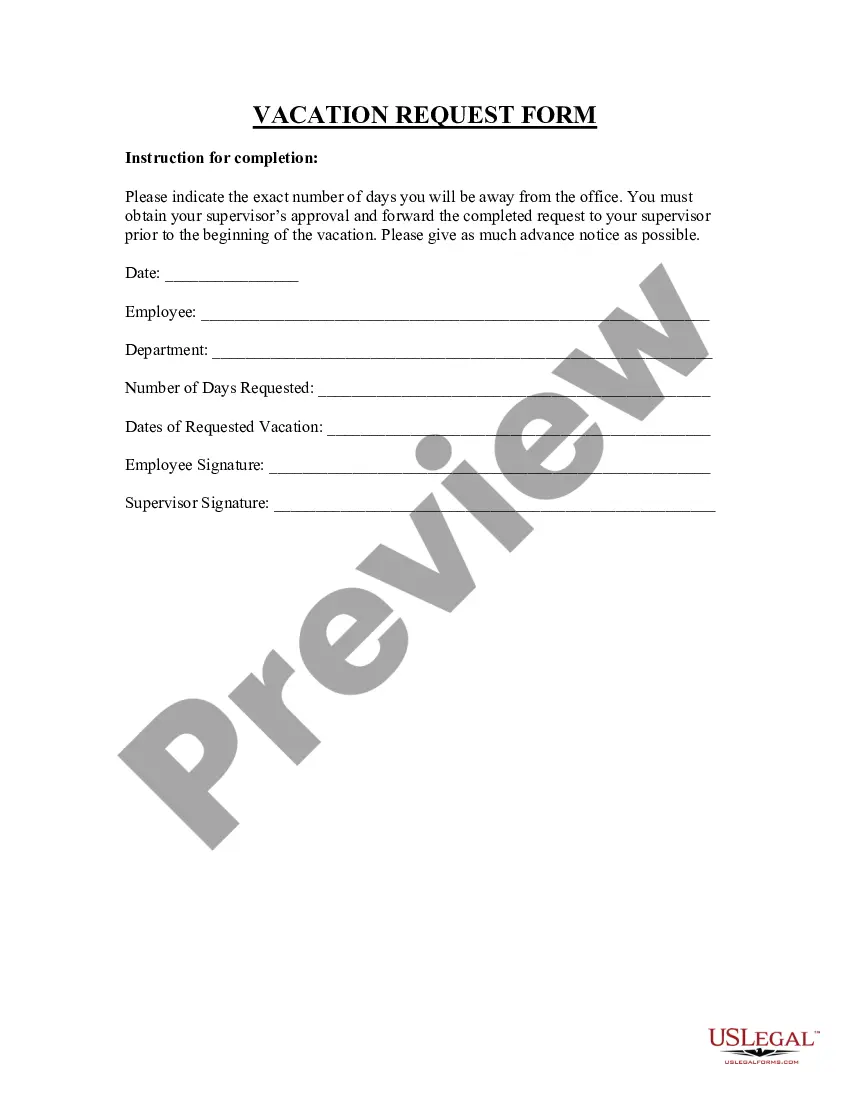
The Employee Vacation Request form is a crucial document that allows employees to formally request time off for vacations. This form helps manage employee leave while ensuring compliance with company policies. Unlike informal requests, this structured approach ensures clarity and accountability in the vacation approval process.
Key components of this form
- Employee information section for name, position, and department.
- Dates specifying the start and end of the requested vacation.
- A section for the employee's signature to acknowledge the request.
- Manager's approval section for the designated authority to sign off.
- Optional notes section for additional comments or context from the employee.

When this form is needed
This form should be used whenever an employee wishes to take vacation time from work. It is particularly useful during peak vacation seasons, such as summer or holidays, to ensure proper planning and staffing. By documenting the request, it also helps prevent misunderstandings regarding time off.
Who needs this form
The following individuals should use the Employee Vacation Request form:
- Employees of any company wishing to request vacation time.
- Managers responsible for approving vacation requests.
- Human resources personnel maintaining records of employee leave.
How to complete this form
- Enter your personal information, including name, position, and department.
- Specify the exact dates for your requested vacation.
- Sign the form to confirm your request.
- Submit the form to your manager for approval.
- Follow up with your manager to ensure the request is processed.
Does this document require notarization?
Notarization is not commonly needed for this form. However, certain documents or local rules may make it necessary. Our notarization service, powered by Notarize, allows you to finalize it securely online anytime, day or night.
Get your form ready online
Our built-in tools help you complete, sign, share, and store your documents in one place.
Make edits, fill in missing information, and update formatting in US Legal Forms—just like you would in MS Word.
Download a copy, print it, send it by email, or mail it via USPS—whatever works best for your next step.
Sign and collect signatures with our SignNow integration. Send to multiple recipients, set reminders, and more. Go Premium to unlock E-Sign.
If this form requires notarization, complete it online through a secure video call—no need to meet a notary in person or wait for an appointment.
We protect your documents and personal data by following strict security and privacy standards.

Make edits, fill in missing information, and update formatting in US Legal Forms—just like you would in MS Word.

Download a copy, print it, send it by email, or mail it via USPS—whatever works best for your next step.

Sign and collect signatures with our SignNow integration. Send to multiple recipients, set reminders, and more. Go Premium to unlock E-Sign.

If this form requires notarization, complete it online through a secure video call—no need to meet a notary in person or wait for an appointment.

We protect your documents and personal data by following strict security and privacy standards.
Common mistakes
- Not providing the exact start and end dates of the vacation.
- Forgetting to sign the form, which may delay approval.
- Submitting the form too late, affecting vacation approval chances.
Why use this form online
- Easy access to the form anytime, streamlining the request process.
- Editability allows you to tailor your request to specific needs.
- Reliability ensures that your request is recorded and processed efficiently.
Legal use & context
- This form serves as an official request for vacation, providing clear documentation.
- Using this form helps establish a record that can aid in resolving any future disputes regarding leave.
Quick recap
- The Employee Vacation Request form is essential for formal vacation requests.
- Proper completion ensures clarity and accountability within the workplace.
- Using this form can help avoid misunderstandings about vacation time among employees and management.
Looking for another form?
Form popularity
FAQ
Employee's full name. Date of request. Date of time-off requested. Reason for time off. Employee's and manager's signature. Approval or denial confirmation.
Plan in advance. First come, first served. Stagger the schedule. Keep a pool of part-timers. Offer a holiday pay differential. Institute a vacation blackout period.
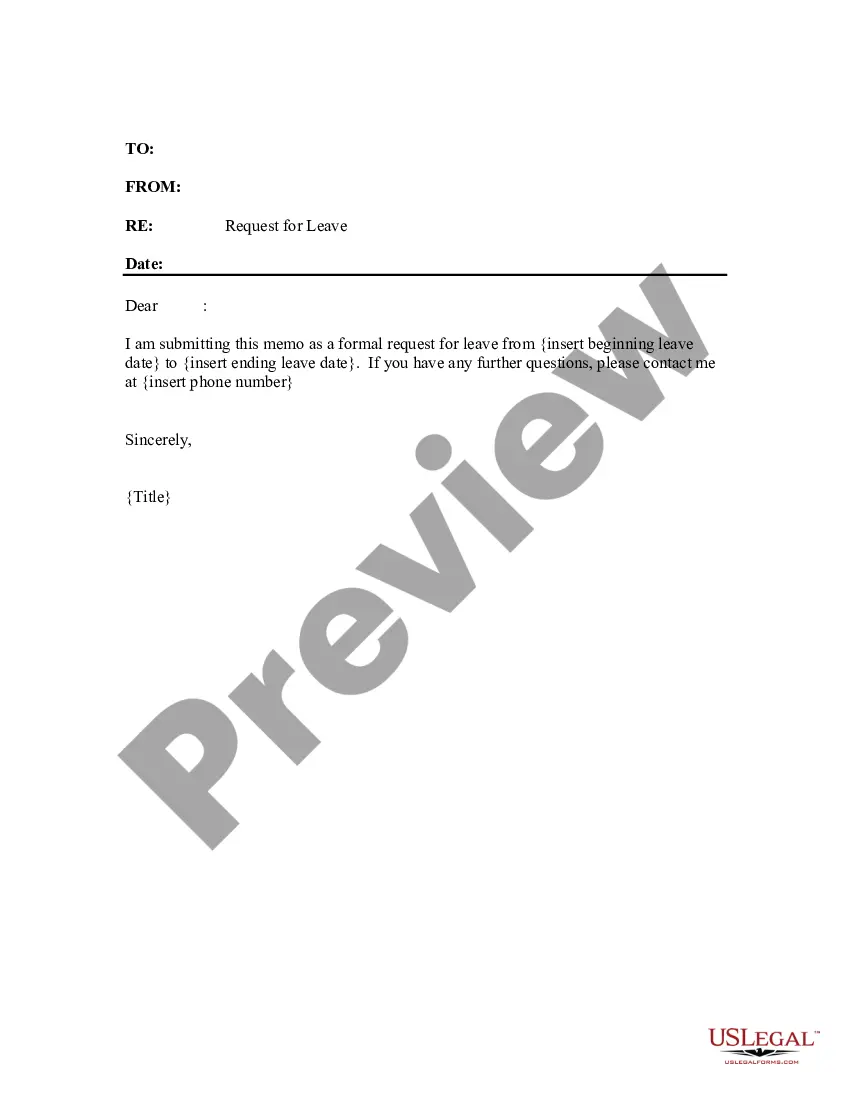
Write a short, direct subject line. State your purpose for writing. Include the dates you're requesting. Consider mentioning why you're taking time off. Discuss how you're preparing for time off. Remain available for questions.
Employers often ask the details of the illness and how long the employee expects to be out. There is no federal or state law prohibiting an employer from asking certain questions when an employee calls in sick.If your employer has a paid time off (PTO) system, you can most likely use your PTO for any purpose.
Start with a clear and short subject line. State the dates of your leave. Mention your purpose for writing the email. Elaborate on how you plan to manage work before the leave. Show that you'll be available. Thank them in advance.
Firing an employee during his or her day off is a complicated question in employment law. Unfortunately for most workers the answer is: yes. You can be fired on your day off for refusing to show up at work if your employer asks you to come.
The best thing you can do is be very direct and explicit about your expectations and what she needs to do differently: "Jane, I count on you to be here reliably for your regularly scheduled shifts. It's fine to request time off on occasion, but that should be rare, not multiple times each month.
Have the employee fill out their name, title, and team if your company is large the dates and times being requested off, and the reason for the requests if that's something you require. Then, you can return it to them with either an approval or a denial.
When Can an Employer Deny Time Off?All employers in California must abide by all FMLA and CFRA regulations without exception. However, an employer has every right to deny an employee's request to use accrued vacation time or paid time off, but the employer must usually provide some kind of reasonable explanation.