Approval for Relocation Expenses and Allowances
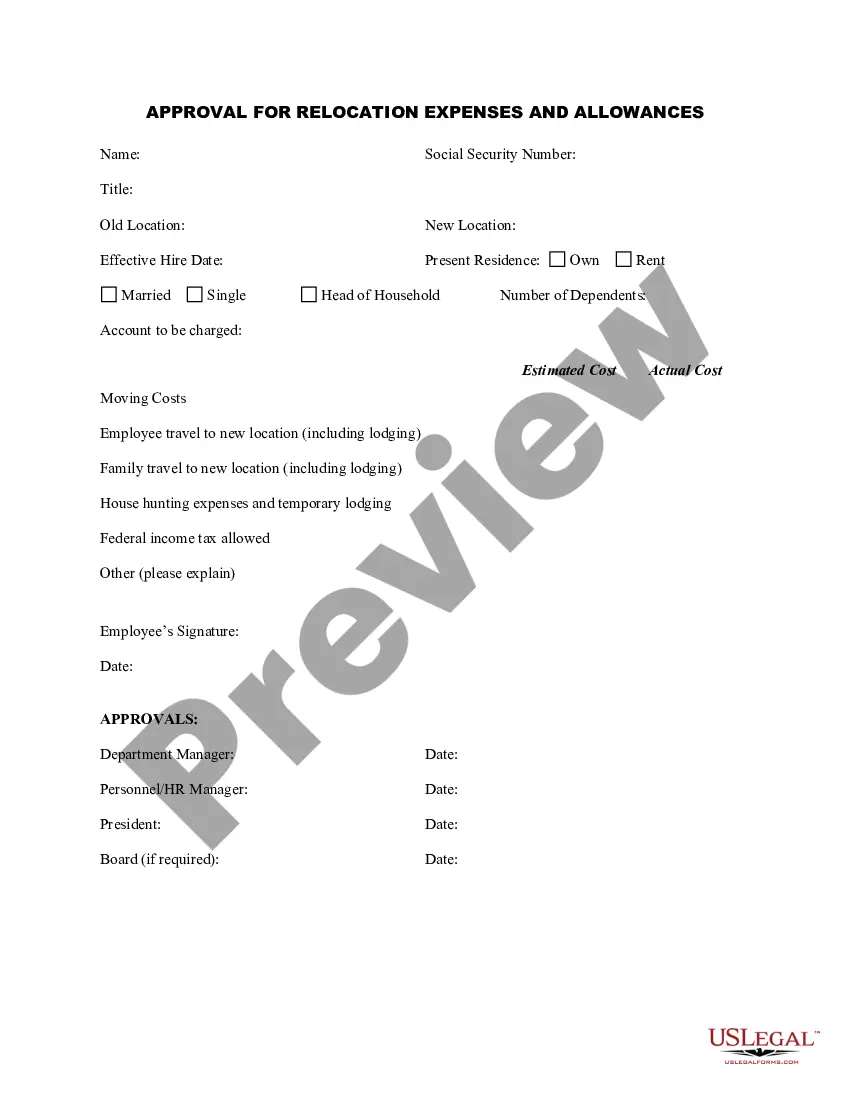
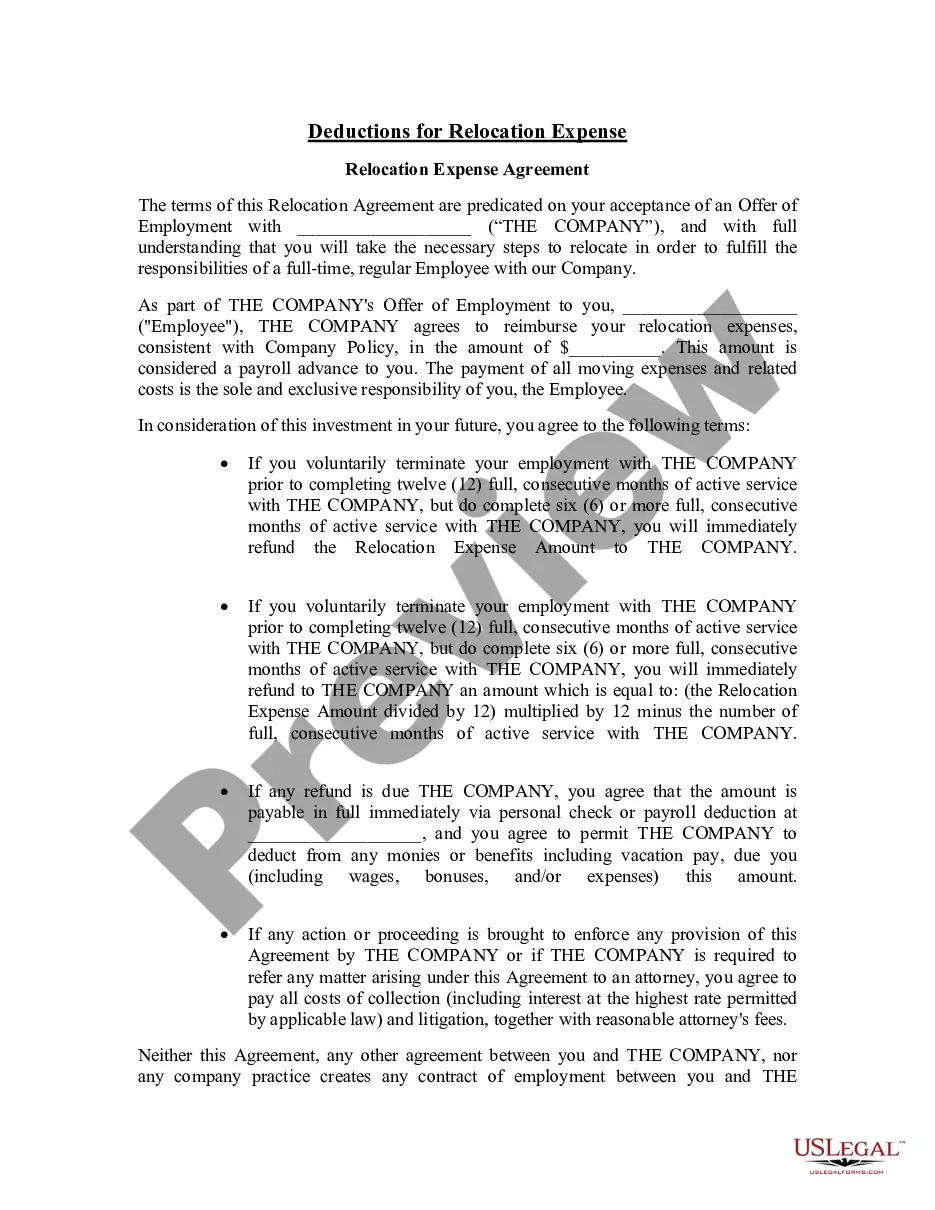
The Approval for Relocation Expenses and Allowances form is a vital document used by employers to outline the costs associated with relocating an employee for work purposes. This form allows the employer to approve or deny moving expenses and outlines any relocation allowances provided to the employee. This document is distinct from other employment forms as it specifically addresses financial responsibilities related to employee relocation.
- Employee Information: Collect essential details like name, title, and Social Security number.
- Old and New Locations: Specify the current and new addresses for the employeeâs relocation.
- Approval Signatures: Ensure signatures from relevant company officials to validate the document.
- Estimated and Actual Costs: Capture both projected and real expenses related to the move.
- Expense Categories: Detail different types of expenses such as travel, lodging, and house-hunting costs.
This form should be used when a company is facilitating the relocation of an employee due to a job transfer or new hire. It is typically needed when employees move to a different city or state for employment, enabling them to recoup moving expenses and providing transparency regarding financial support from their employer.
Eligible users of this form include:
- Human Resources personnel managing employee relocations.
- Department managers responsible for overseeing the relocation process.
- Finance teams handling expense approvals and tracking moving costs.
To accurately complete the Approval for Relocation Expenses and Allowances form, follow these steps:
- Identify and enter the employeeâs personal and title details in the appropriate fields.
- Input the old and new location addresses to specify where the employee is relocating from and to.
- Provide the estimated costs of the move, detailing individual expense categories as necessary.
- Ensure all required signatures are obtained from relevant management or HR officials.
- Submit the completed form to the finance department for processing and record-keeping.
This form does not typically require notarization unless specified by local law.
Get your form ready online
Our built-in tools help you complete, sign, share, and store your documents in one place.
Make edits, fill in missing information, and update formatting in US Legal Forms—just like you would in MS Word.
Download a copy, print it, send it by email, or mail it via USPS—whatever works best for your next step.
Sign and collect signatures with our SignNow integration. Send to multiple recipients, set reminders, and more. Go Premium to unlock E-Sign.
If this form requires notarization, complete it online through a secure video call—no need to meet a notary in person or wait for an appointment.
We protect your documents and personal data by following strict security and privacy standards.

Make edits, fill in missing information, and update formatting in US Legal Forms—just like you would in MS Word.

Download a copy, print it, send it by email, or mail it via USPS—whatever works best for your next step.

Sign and collect signatures with our SignNow integration. Send to multiple recipients, set reminders, and more. Go Premium to unlock E-Sign.

If this form requires notarization, complete it online through a secure video call—no need to meet a notary in person or wait for an appointment.

We protect your documents and personal data by following strict security and privacy standards.
- Failing to include all signatures, which can render the form invalid.
- Not providing detailed descriptions of expenses, making it hard to justify costs later.
- Forgetting to keep a copy for internal records, leading to discrepancies in expense tracking.
- Offers a clear outline of relocation costs and the companyâs responsibilities to employees.
- Facilitates easy tracking of moving expenses, helping budgets remain on-point.
- Ensures all parties are informed of the relocation agreement and associated costs before the move.
- The completed form acts as a binding agreement between the employer and employee regarding relocation expenses.
- Proper documentation is crucial for any potential disputes regarding relocation costs or allowances.
- Use this form when an employee is relocating for work to establish cost responsibilities clearly.
- Ensure that all necessary information and signatures are present for validity.
- Keep copies of the approved form for both employee and employer records.
Looking for another form?
Form popularity
FAQ
The IRS allows taxpayers to deduct eligible moving costs.If you moved to a new location because of work, you may qualify to use IRS Form 3903 to claim the cost of your moving expenses as a deduction on your federal income tax return.
Many companies offer to pay a flat dollar amount to help with moving expenses. For example, a company may be willing to pay $5,000 to each employee to help with moving costs.
Ask your new employer's HR department if the company has a written relocation policy or if it offers standard benefits. Find out who at the company has recently moved, and ask about their relocation packages. Ask your friends or other contacts in similar firms about their experiences or their companies' policies.
Ask your new employer's HR department if the company has a written relocation policy or if it offers standard benefits. Find out who at the company has recently moved, and ask about their relocation packages. Ask your friends or other contacts in similar firms about their experiences or their companies' policies.
An average relocation package costs between $21,327-$24,913 for a transferee who is a renter and $61,622-$79,429 for a transferee who is a homeowner. Of course, this number is just an average of what larger corporations are spending on employee relocation the relocation amount can be anywhere from $2,000 - $100,000.
Relocation packages can range in worth from $2,000 to $100,000. What services and the amount of money you decide to cover is entirely up to you and your company. However, keep in mind that the more you are willing to give, the harder it may be for a candidate to refuse your offer when you negotiate moving expenses!
Debit "Relocation Benefits" or "Moving Expenses" for the same amount. For example, if you issue a $25,000 relocation benefit, credit the accrual account $25,000 and debit the expense account $25,000.
Relocation packages can range in worth from $2,000 to $100,000. What services and the amount of money you decide to cover is entirely up to you and your company. However, keep in mind that the more you are willing to give, the harder it may be for a candidate to refuse your offer when you negotiate moving expenses!
How much to spend on an employee relocation package. There is a lot of research out there about the average cost of a relocation package, and a package can range anywhere from $2,000 to $100,000.