Appointment of Any Person - Resolution Form - Corporate Resolutions
What this document covers
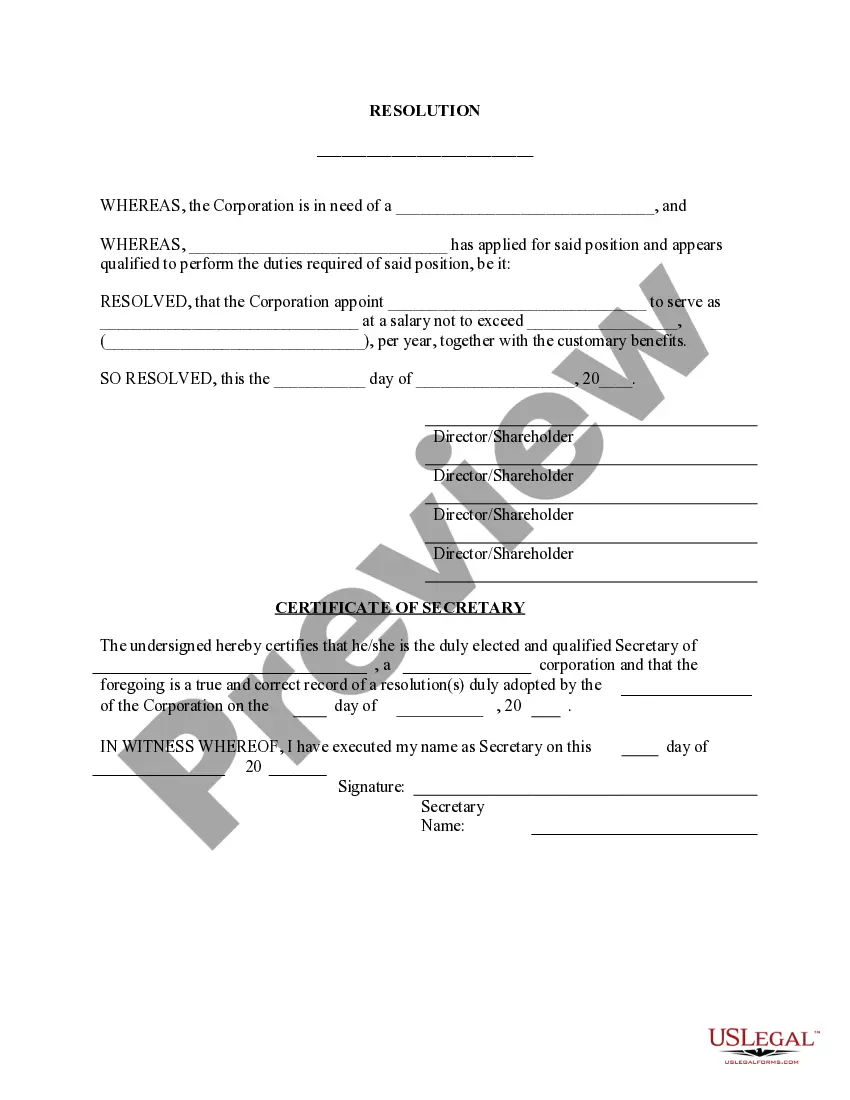
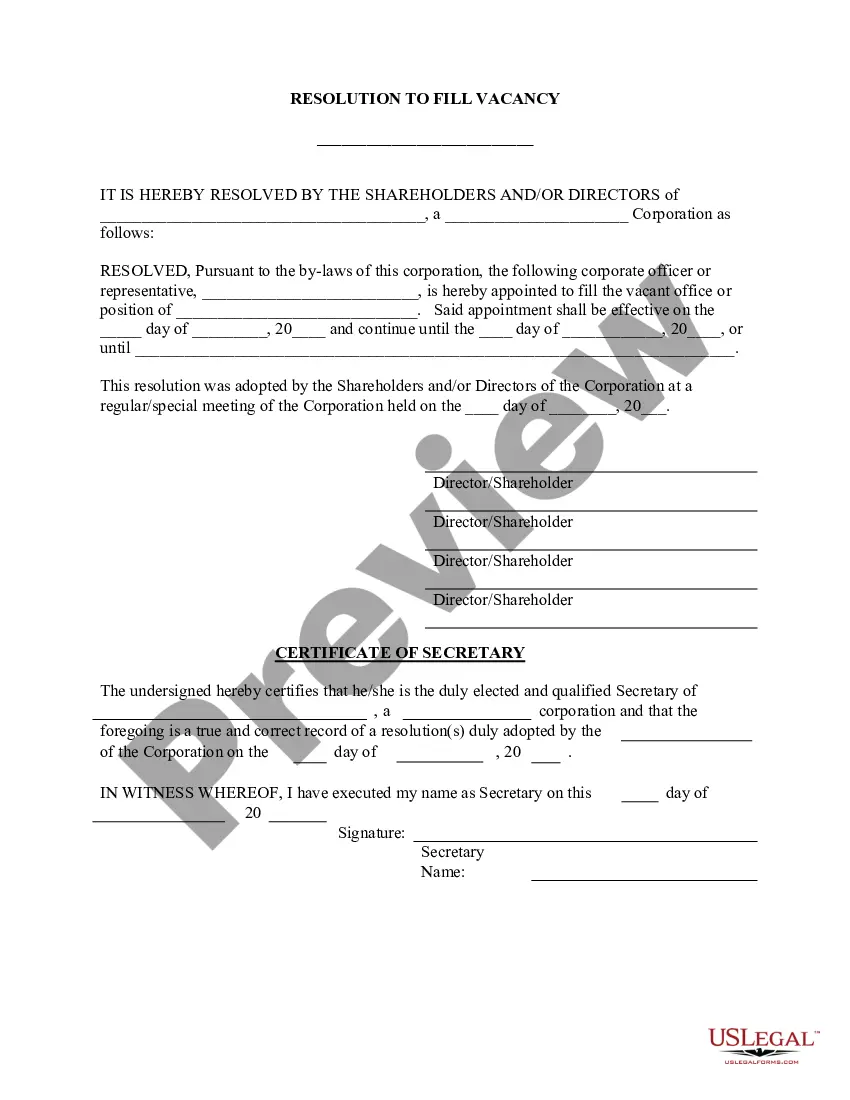
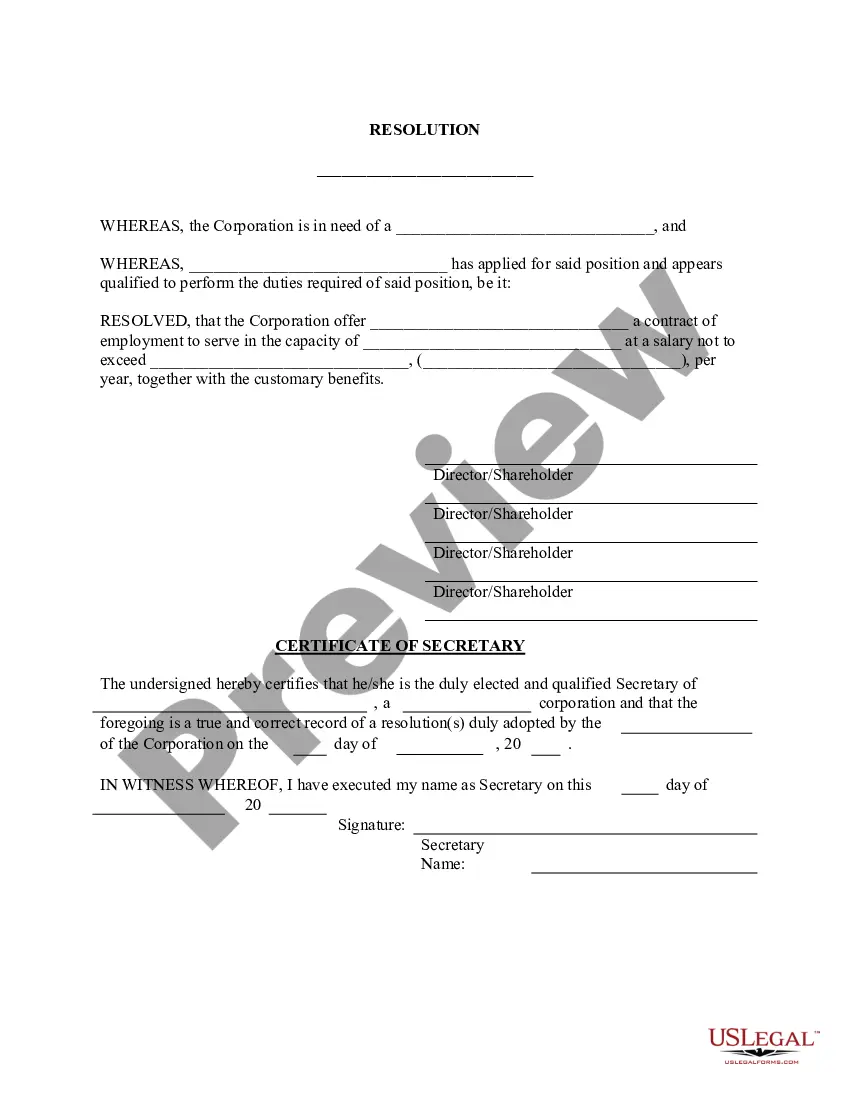
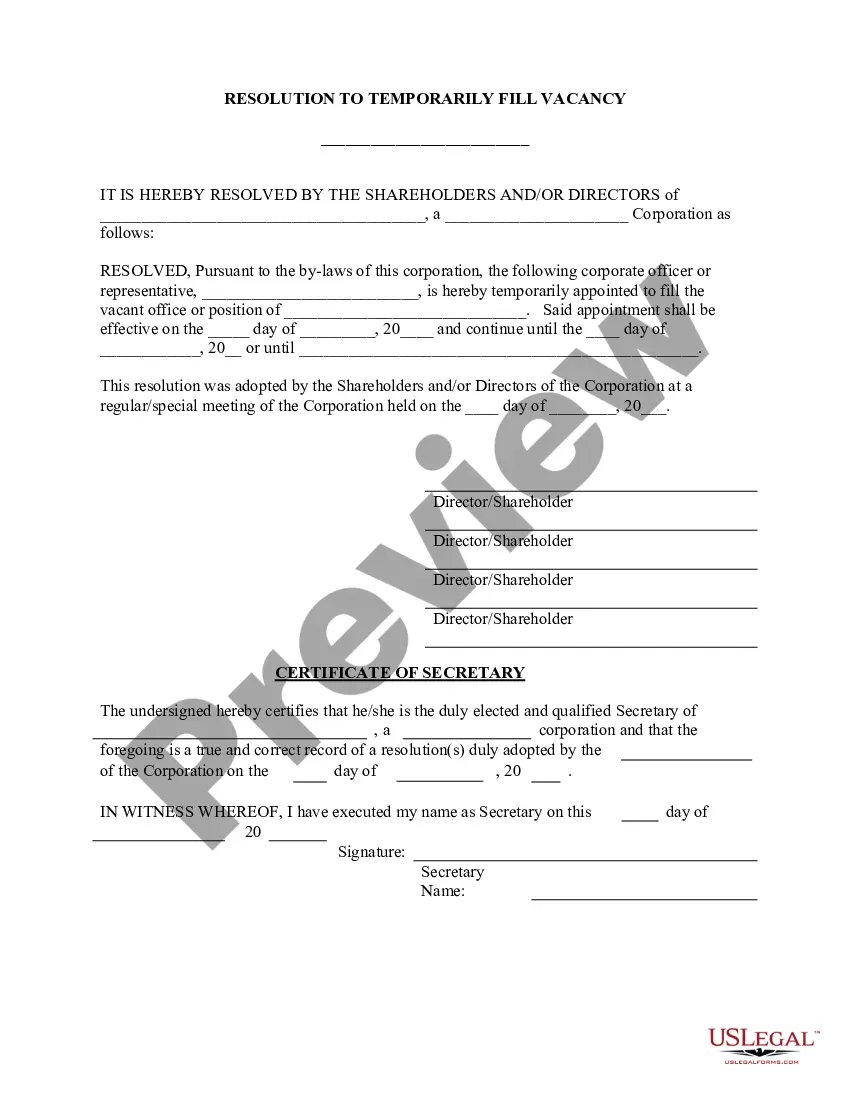
The Appointment of Any Person - Resolution Form is a legal document that allows the directors of a corporation to officially appoint an individual to fill a vacant officer position. This form is essential for corporate governance, providing a clear and documented method to formalize appointments. It differs from other corporate resolutions as it is specifically focused on filling officer positions within the corporate structure.
Main sections of this form
- Identification of the corporation needing an officer.
- Details of the individual being appointed, including their qualifications.
- Designation of the specific officer position being filled.
- Salary and benefits associated with the position.
- Date of the resolution and signatures of directors/shareholders.
- Certification by the Secretary confirming the accuracy of the record.


When to use this form
This form should be utilized when a corporation has an open officer position that requires filling due to resignation, termination, or any other circumstance. It is particularly useful for businesses looking to maintain effective leadership and operational continuity by ensuring that all officer roles are adequately filled.
Intended users of this form
This form is intended for:
- Corporate directors who need to appoint a new officer.
- Corporation shareholders involved in the decision-making process.
- Corporate secretaries responsible for maintaining official records.
- Legal counsel advising corporations on governance matters.
Instructions for completing this form
- Identify the corporation and specify the officer position that needs to be filled.
- Enter the name of the individual being appointed and their qualifications for the role.
- Detail the salary and benefits the new officer will receive.
- Obtain signatures from all relevant directors or shareholders to affirm the resolution.
- Have the Secretary certify the resolution by signing and dating the document.
Notarization guidance
Notarization is not commonly needed for this form. However, certain documents or local rules may make it necessary. Our notarization service, powered by Notarize, allows you to finalize it securely online anytime, day or night.
Get your form ready online
Our built-in tools help you complete, sign, share, and store your documents in one place.
Make edits, fill in missing information, and update formatting in US Legal Forms—just like you would in MS Word.
Download a copy, print it, send it by email, or mail it via USPS—whatever works best for your next step.
Sign and collect signatures with our SignNow integration. Send to multiple recipients, set reminders, and more. Go Premium to unlock E-Sign.
If this form requires notarization, complete it online through a secure video call—no need to meet a notary in person or wait for an appointment.
We protect your documents and personal data by following strict security and privacy standards.

Make edits, fill in missing information, and update formatting in US Legal Forms—just like you would in MS Word.

Download a copy, print it, send it by email, or mail it via USPS—whatever works best for your next step.

Sign and collect signatures with our SignNow integration. Send to multiple recipients, set reminders, and more. Go Premium to unlock E-Sign.

If this form requires notarization, complete it online through a secure video call—no need to meet a notary in person or wait for an appointment.

We protect your documents and personal data by following strict security and privacy standards.
Typical mistakes to avoid
- Failing to obtain all necessary signatures from directors or shareholders.
- Not specifying the qualifications of the appointed individual.
- Leaving the salary section blank or incorrectly stating the amount.
- Omitting the date of the resolution, which can result in confusion.
Why use this form online
- Convenience of accessing and completing the form at any time.
- Ability to easily edit and customize the form to fit specific corporate needs.
- Reliability of using a form created by licensed attorneys to ensure legal compliance.
Legal use & context
- This form documents the board's decision, making it critical for maintaining transparency in corporate governance.
- Applies to various corporate structures, including LLCs and corporations.
- Failure to properly document appointments may lead to disputes or potential legal issues regarding company leadership.
Key takeaways
- The Appointment of Any Person - Resolution Form is essential for official officer appointments within a corporation.
- Careful completion ensures compliance with corporate policies and legal standards.
- Consult state-specific requirements to avoid legal complications.
Looking for another form?





Form popularity
FAQ
Furthermore, the corporate secretary or another officer of the corporation not the person given the signing authority must sign the corporate resolution certification. The resolution must also contain the exact wording of the resolution authorized by the board.
The board president and all board directors should sign the resolution. The board secretary should keep copies of all board resolutions with the corporate bylaws and other important documents.
Write the Name of the Company. State at the top of the page, the governing body and the legal name of the organization making the corporate resolution. Add Further Legal Identification.
Directors' decisions made by written resolution must be unanimous. This means that all eligible directors, i.e. those entitled to vote, must vote for the same view on a matter.All eligible directors must either sign copies of the written resolution, or otherwise agree to it in writing.
A corporate resolution is a written document created by the board of directors of a company detailing a binding corporate action. A board of directors is a group of people that act as a governing body on behalf of the shareholders of a company.
Like every legal document, resolutions need to be signed and dated by the members of the board as they would do with minutes of meetings.
Step 1: Place a Resolution Number. Step 2: Write a Title for the Resolution. Step 3: Use Formal Language. Step 4: Clearly Indicate the Voted Resolution. Step 5: Include a List of Voting Board Members. Step 6: Have the President Sign the Resolution.
Corporation. Signing authority often lies with the company's chief executive officer (CEO) or president. If an individual signs on behalf of a corporation and they have not been given the authority to do so, the corporation will not be bound to the contract.
Sometimes the conflict is resolved in a way that is painful for characters, but ultimately, the conflict is resolved. Examples of Resolution: Two friends fight over a boy, but in the end, they realize that friendship is more important, and the boy ultimately moves away from the town anyway.