Resume for RN
Overview of this form
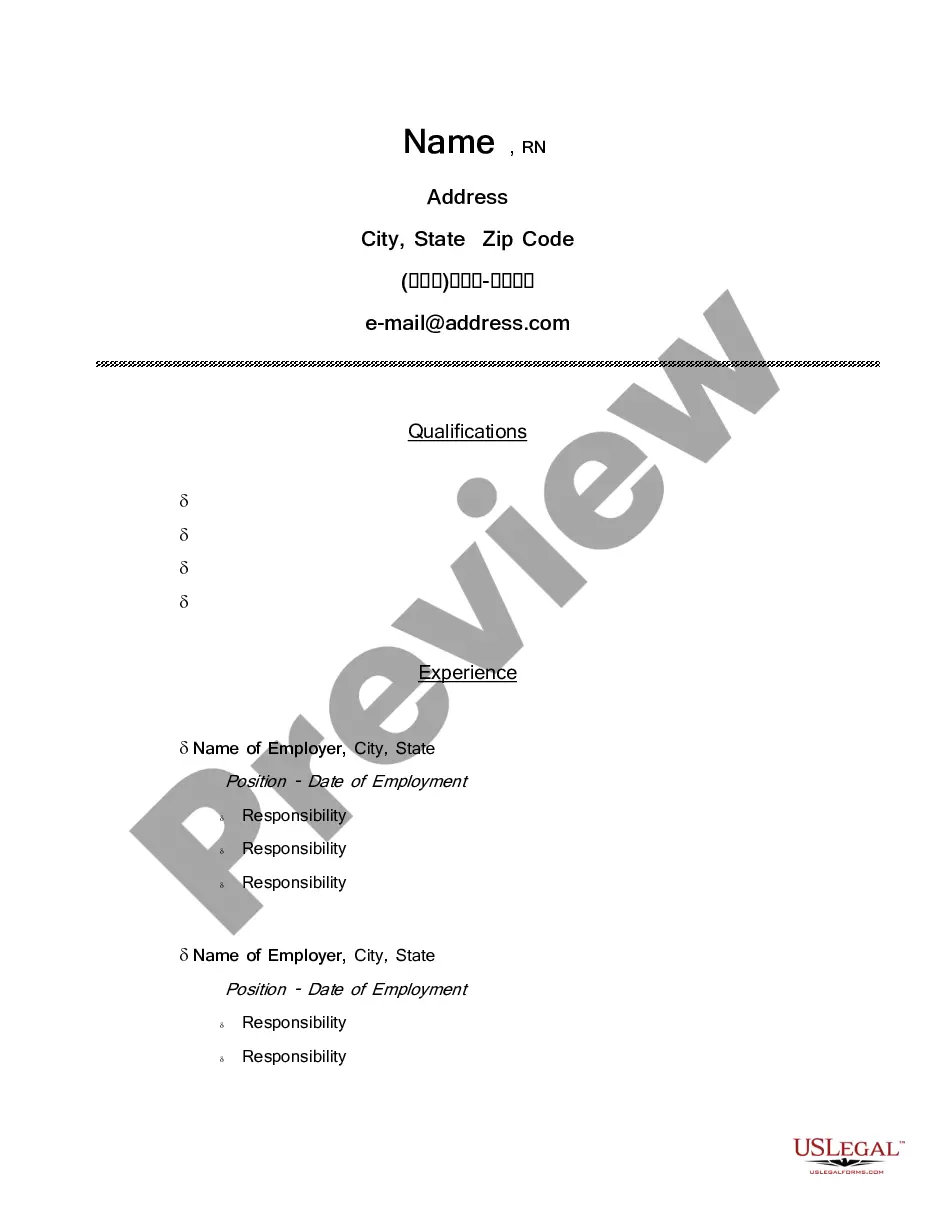
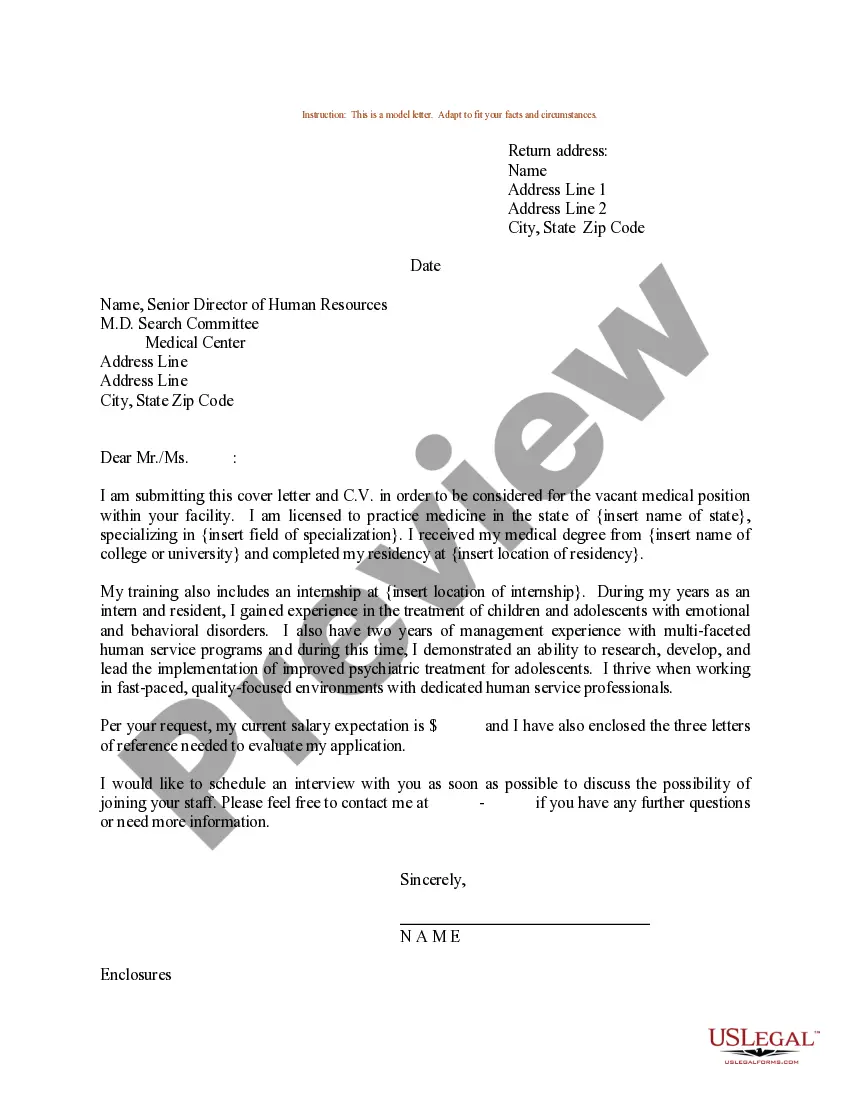
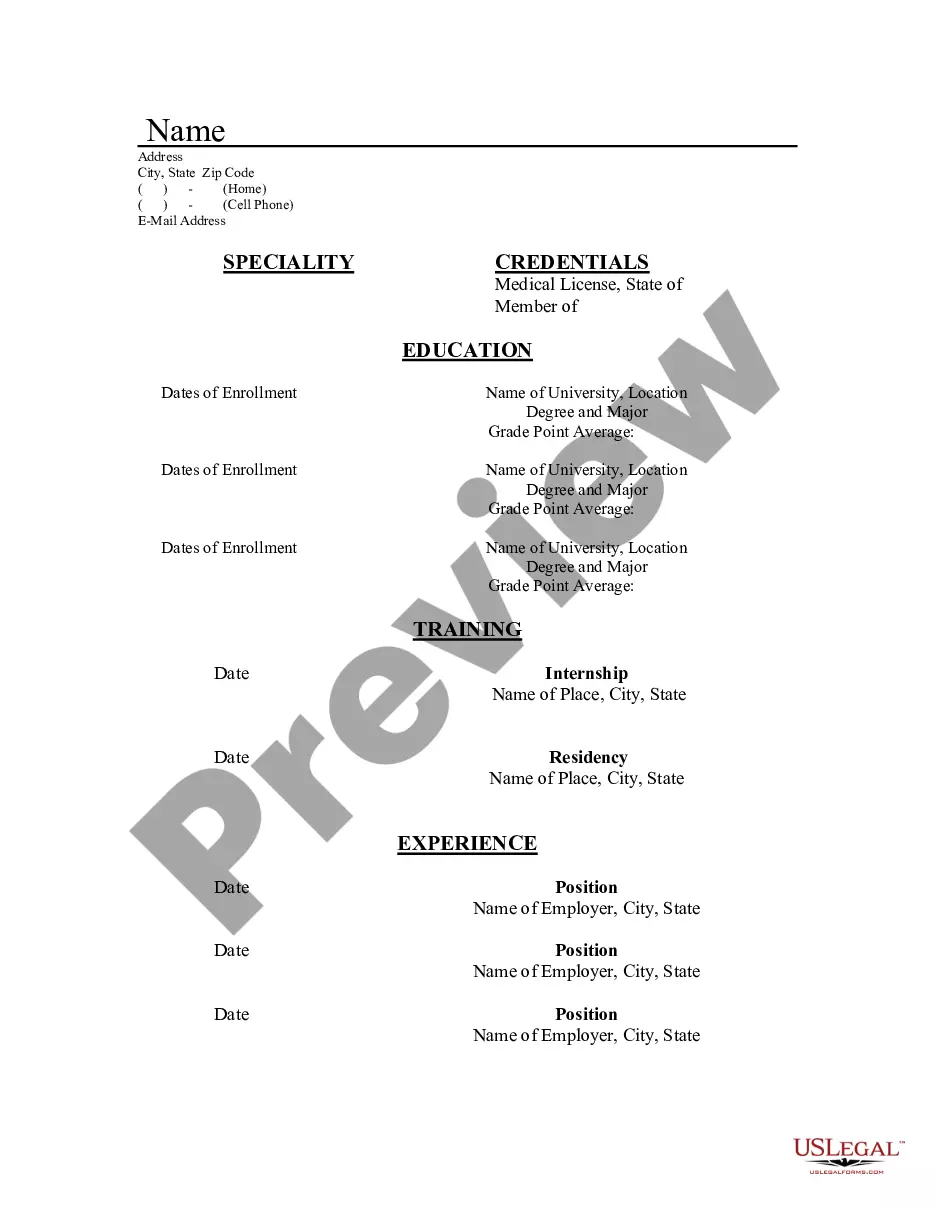
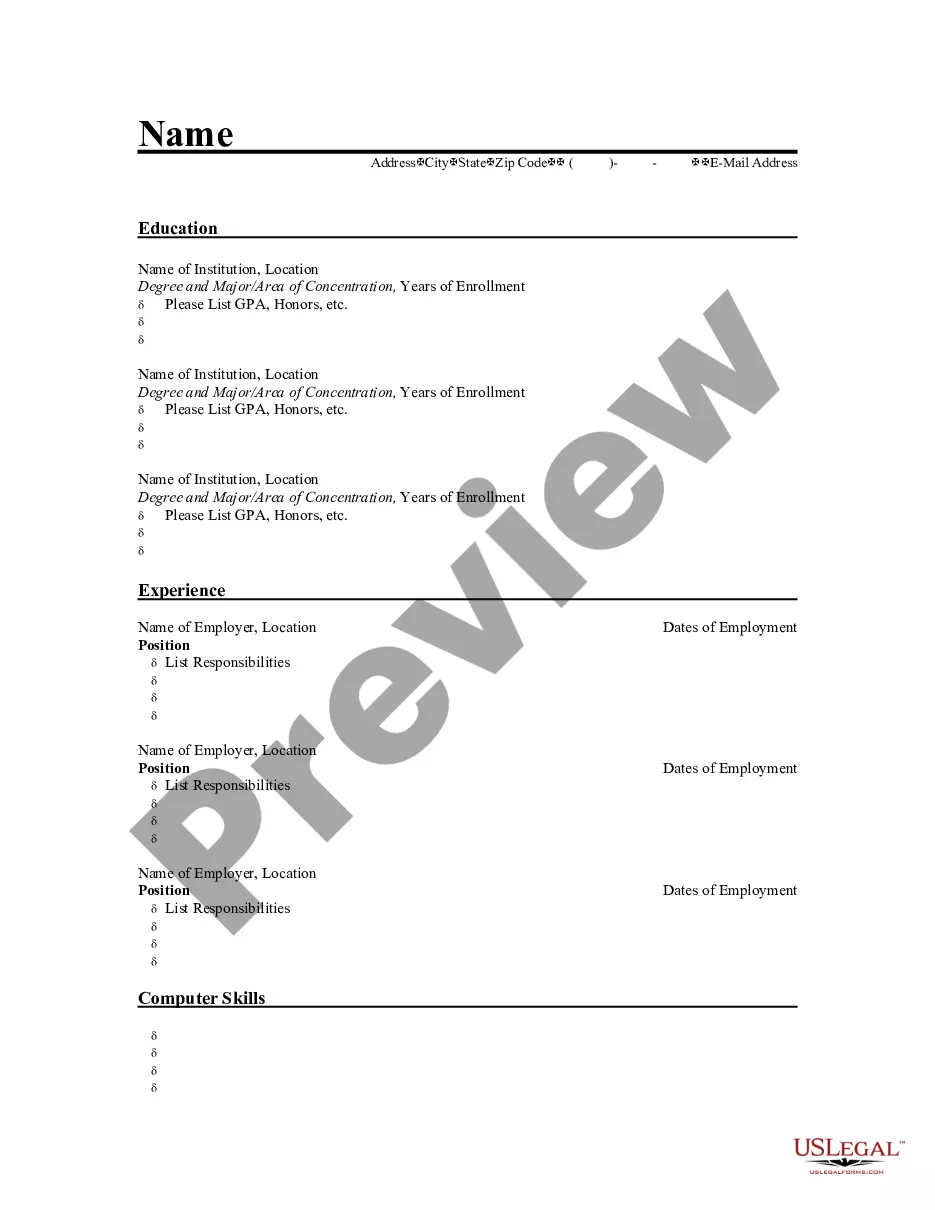
The Resume for RN is a professional document used by individuals seeking a position as a registered nurse. This form provides a structured template that highlights relevant experience, education, and credentials, distinguishing it from other job application forms by focusing specifically on nursing qualifications and achievements.
What’s included in this form
- Name of employer, city, and state for employment history.
- Position title and dates of employment.
- Detailed responsibilities for each previous role.
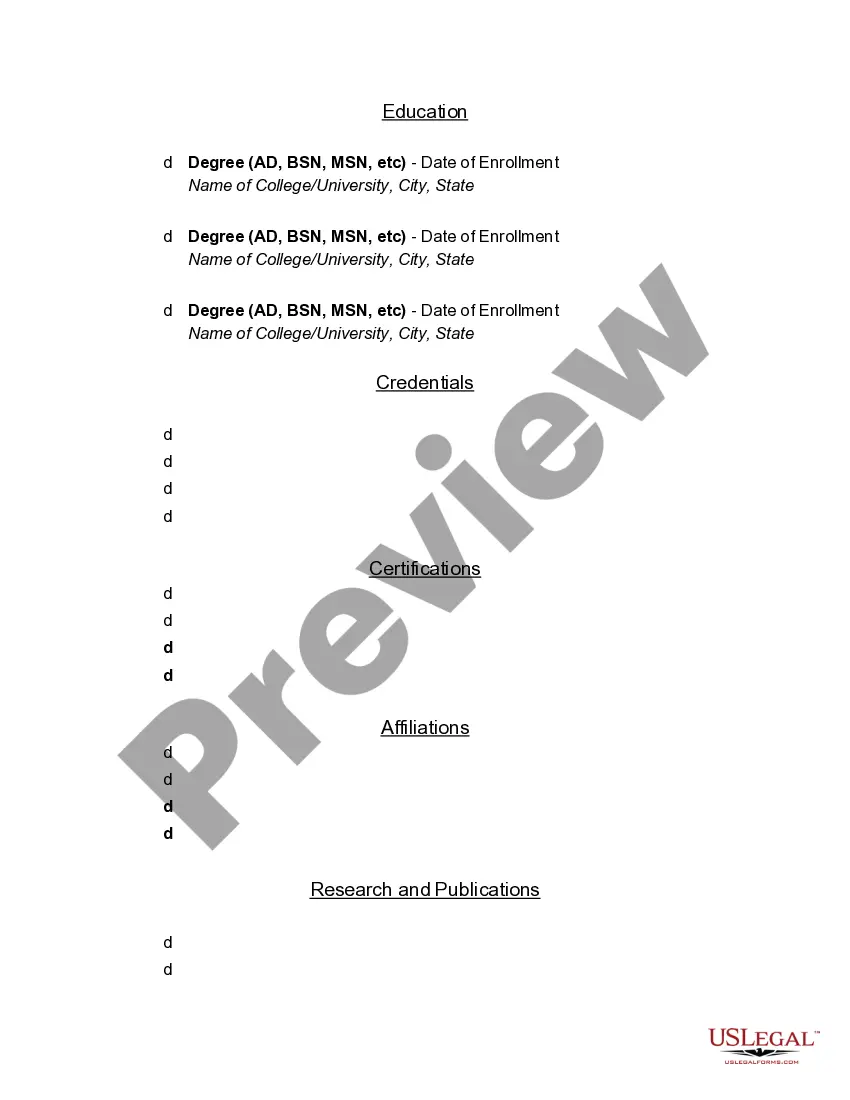
- Education section including degree, enrollment date, and institution.
- Credentials relevant to registered nursing.

When to use this form
This form should be used when applying for registered nursing roles in various healthcare settings. It is particularly useful when job seekers wish to present their qualifications in a professional format to potential employers.
Who should use this form
- Individuals seeking employment as registered nurses.
- New graduates from nursing programs looking to enter the workforce.
- Nurses with prior experience aiming to advance their careers or relocate.
Steps to complete this form
- Enter your personal information at the top, including your name and contact details.
- List your employment history, including the name of the employer, position, dates of employment, and responsibilities.
- Document your educational background by entering your degrees, the names of the colleges or universities, and enrollment dates.
- List any nursing credentials or licenses that enhance your application.
- Review the completed resume for accuracy and clarity before submission.
Is notarization required?
This form does not typically require notarization to be legally valid. However, some jurisdictions or document types may still require it. US Legal Forms provides secure online notarization powered by Notarize, available 24/7 for added convenience.
Get your form ready online
Our built-in tools help you complete, sign, share, and store your documents in one place.
Make edits, fill in missing information, and update formatting in US Legal Forms—just like you would in MS Word.
Download a copy, print it, send it by email, or mail it via USPS—whatever works best for your next step.
Sign and collect signatures with our SignNow integration. Send to multiple recipients, set reminders, and more. Go Premium to unlock E-Sign.
If this form requires notarization, complete it online through a secure video call—no need to meet a notary in person or wait for an appointment.
We protect your documents and personal data by following strict security and privacy standards.

Make edits, fill in missing information, and update formatting in US Legal Forms—just like you would in MS Word.

Download a copy, print it, send it by email, or mail it via USPS—whatever works best for your next step.

Sign and collect signatures with our SignNow integration. Send to multiple recipients, set reminders, and more. Go Premium to unlock E-Sign.

If this form requires notarization, complete it online through a secure video call—no need to meet a notary in person or wait for an appointment.

We protect your documents and personal data by following strict security and privacy standards.
Typical mistakes to avoid
- Failing to update employment dates accurately.
- Including irrelevant information that does not pertain to nursing.
- Neglecting to proofread for spelling and grammatical errors.
- Using a generic format instead of tailoring the resume for specific jobs.
Why use this form online
- Convenience of filling out the form at your own pace.
- Editable format allows for easy updates and customizations.
- Structured template ensures nothing important is overlooked.
- Quick access to a professionally designed layout.
Quick recap
- The Resume for RN is tailored specifically for nursing job applications.
- Complete the form by outlining your work history, education, and credentials.
- Customization is key to making your resume stand out to potential employers.
Looking for another form?

Form popularity
FAQ
The Best Nursing Resume Tips for Adding License Information When it comes to licensure, you've got two options. The first is to list your licenses in your education section after you've listed your degrees.
If you're an RN, BSN, MSN, or DNP, place those credentials at the top of your resume, right after your name!
Only use a resume objective if you're a fresh graduate or are changing specializations. Include your license type and the number beside your name and contact information. Include the number of beds, the facility type, and the unit type for each job you held.
Personal Information. Don't ever include your social security number, professional license numbers, and other forms of identification; this could open the door to identity theft, and that's the last thing you need to worry about during a job search.
If you're an RN, BSN, MSN, or DNP, place those credentials at the top of your resume, right after your name!
Go for the reverse-chronological order on your resume. Don't go too far back on your resume. Include your job title, the employer's name and location, and the dates you worked there. Add your registered nursing responsibilities in bullet points.
Don't forget to add your nursing license number, license type (LPN or RN), name on the license (if it's different from the name on your resume), state of licensure and expiration date.To protect yourself, submit your resume only through reputable job boards or directly to hospitals and facilities.
Urgent care and emergency care. Checking and monitoring vital signs. Patient and family education. Patient safety. Technology skills. Communication. Critical thinking and problem solving. Time management and stamina.
As with all resumes, a nurse's resume should include any honors and awards they've received. Examples include honors and awards from school, work, volunteer work, professional affiliations, and even social clubs. Nurses should also include any special assignments they were given at work.