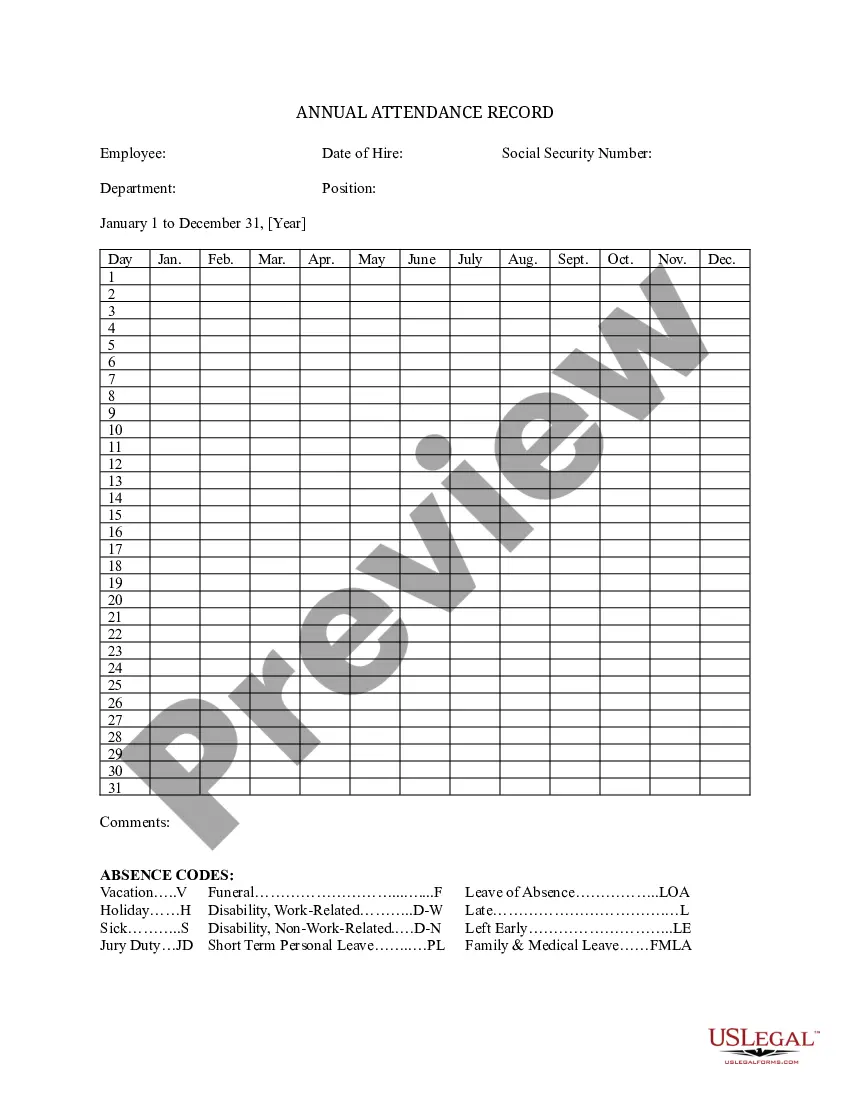
Annual Attendance Record


Notarization requirements for this form
In most cases, this form does not require notarization. However, some jurisdictions or signing circumstances might. US Legal Forms offers online notarization powered by Notarize, accessible 24/7 for a quick, remote process.
Get your form ready online
Our built-in tools help you complete, sign, share, and store your documents in one place.
Make edits, fill in missing information, and update formatting in US Legal Forms—just like you would in MS Word.
Download a copy, print it, send it by email, or mail it via USPS—whatever works best for your next step.
Sign and collect signatures with our SignNow integration. Send to multiple recipients, set reminders, and more. Go Premium to unlock E-Sign.
If this form requires notarization, complete it online through a secure video call—no need to meet a notary in person or wait for an appointment.
We protect your documents and personal data by following strict security and privacy standards.

Make edits, fill in missing information, and update formatting in US Legal Forms—just like you would in MS Word.

Download a copy, print it, send it by email, or mail it via USPS—whatever works best for your next step.

Sign and collect signatures with our SignNow integration. Send to multiple recipients, set reminders, and more. Go Premium to unlock E-Sign.

If this form requires notarization, complete it online through a secure video call—no need to meet a notary in person or wait for an appointment.

We protect your documents and personal data by following strict security and privacy standards.
Looking for another form?

Form popularity
FAQ
Step1: Create 12 sheets for Every Month in a workbook. Step 2: Add Columns for each date in each month's sheet. Fix the possible inputs using data validation for each open cell. Step 3: Lock all cells except where attendance needs to be entered. Step 5: Protect the Sheet.
Mark Attendance: In this sheet you can mark the attendance for given employee. Attendance Sheet: In the sheet you can see the monthly attendance in one view. Employee Master: Employee Master sheet has been given to maintain the employee list with supervisor. Database: Setting Sheet:
For many businesses both small and large, the best way to record attendance is to pay someone else to do it! In most cases, your employees will enter their attendance and hours into a web portal or app, and the contractor will host the data and provide you with regular reports based on it.
Track remote employees with a Mobile Attendance system. Use wall mount Card Swipes. Ensure hours are complete, accurate and current. Have an automated system for regulatory compliance. Utilize Attendance Software that employees can embrace. Select a system that easily integrates with other applications.
Step 1: Create a table with below columns. Just type the headings, select them and press CTRL+T. Step 2: Set up data validation rules. This is the important bit. Step 3: Highlight what matters with conditional formatting.
COUNTIF Function COUNTIF is an Excel function to count the number of cells which meet up with the given single criteria. It can be used to count cells containing data like numbers, dates, and characters matching the given specific criteria. The logical operator supported by the COUNTIF function is '>'.
Step 1Fill in Basic Labels. Fire up Excel, and start by adding labels for Attendance and Name, then use "Student1" for the name name slot. Step 2Add & Format Dates. Step 3Add Column for 'Total' Step 4Remove Zeros for Non-Existent Students. Step 5Create Printable Area for Final Tally. 4 Comments.
For many businesses both small and large, the best way to record attendance is to pay someone else to do it! In most cases, your employees will enter their attendance and hours into a web portal or app, and the contractor will host the data and provide you with regular reports based on it.