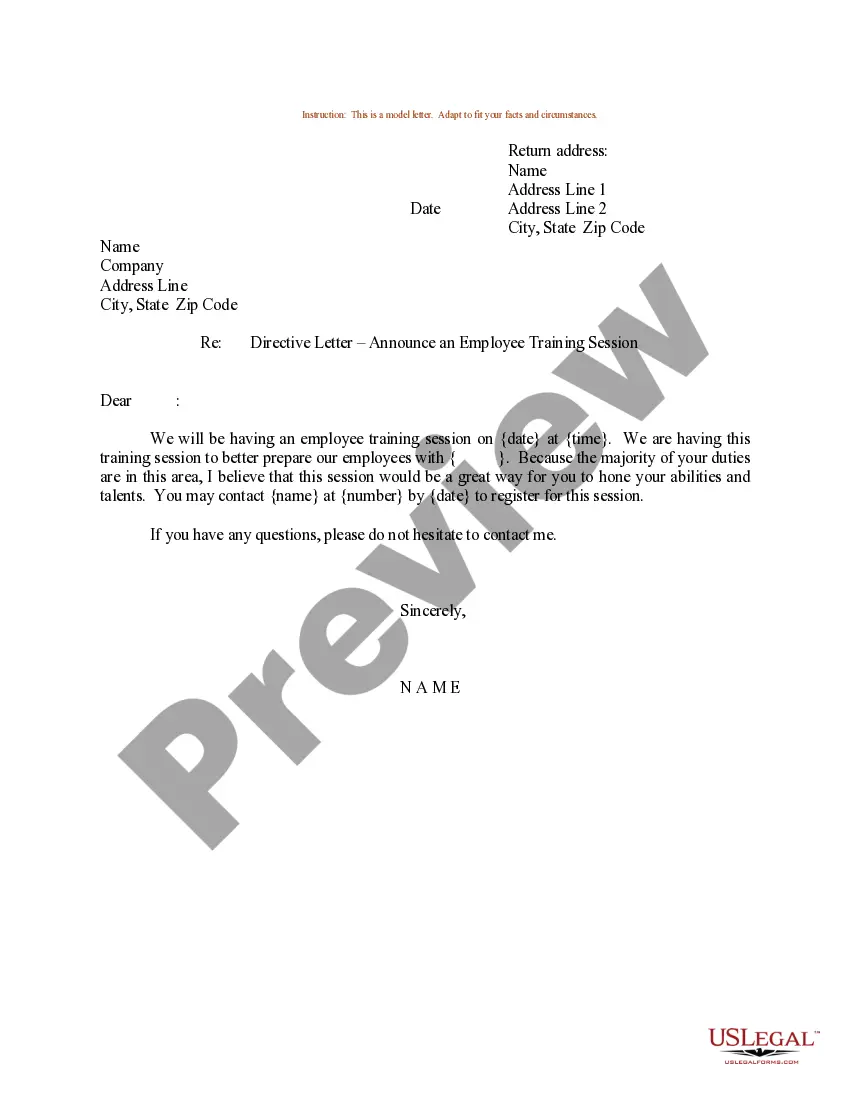
Sample Letter for Employee Training Session
What this document covers
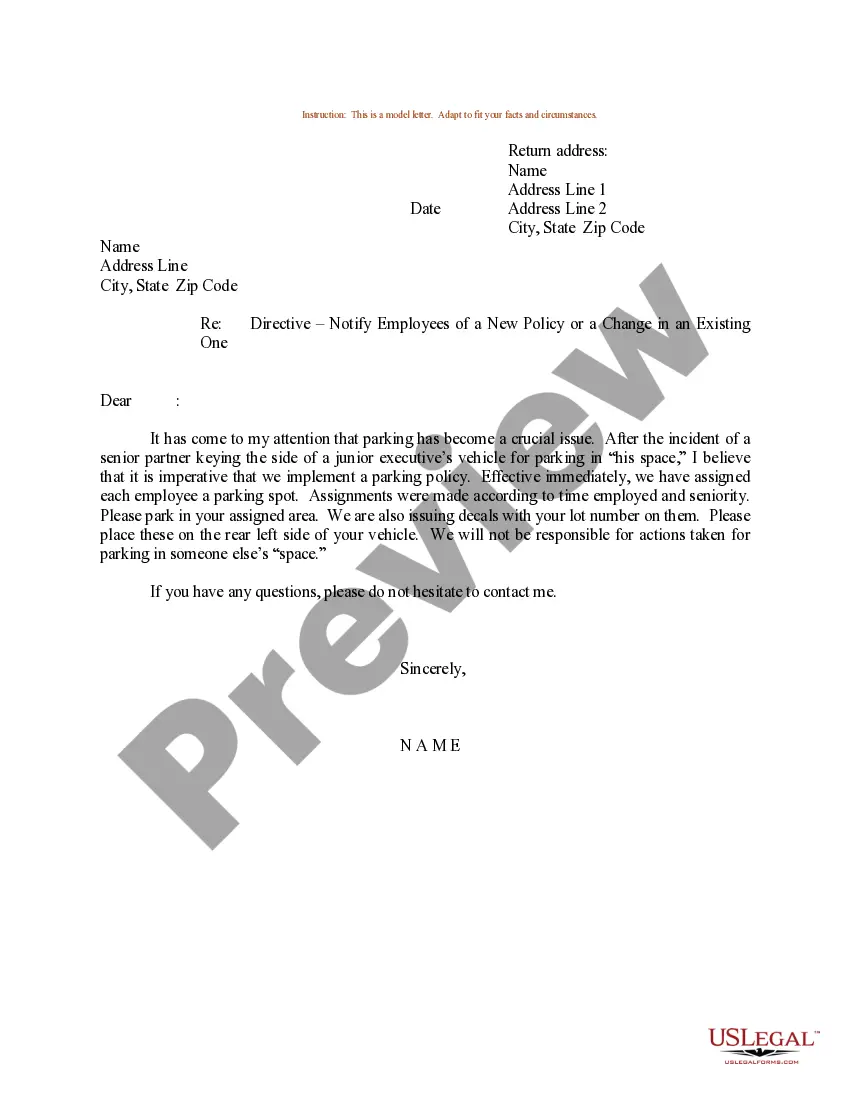
The Sample Letter for Employee Training Session is a formal communication template used to notify employees about upcoming training. This letter is designed to provide essential details about the training session, setting clear expectations for attendance and preparation. Unlike other internal communication forms, this letter specifically focuses on formalizing the details of training sessions, ensuring all employees are informed and aligned on the training objectives and schedules.
Main sections of this form
- Return address: Your contact information including name and address.
- Date: The date when the letter is issued.
- Recipient's information: Name and address of the employee or group being addressed.
- Subject line: Clearly states the purpose of the letter regarding the employee training session.
- Closure: Invites questions and provides your signature for authenticity.
When to use this document
This form is useful when you need to communicate details about a scheduled employee training session. Use it when you want to ensure clarity on the agenda, timing, and location of the training, particularly in professional settings where formal communication is expected. It is ideal for companies looking to enhance employee skills through structured training programs.
Who should use this form
This letter is intended for:
- Human resources professionals responsible for organizing training.
- Managers or team leaders overseeing employee development.
- Employers who wish to formally announce training to their staff.
Instructions for completing this form
- Identify your return address and the recipient's address.
- Enter the current date at the top of the letter.
- Clearly state the subject line to indicate that the letter is about an employee training session.
- Provide concise details about the training session, including time, date, and location.
- Finish with your signature and any preferred contact methods for questions.
Notarization guidance
This form does not typically require notarization to be legally valid. However, some jurisdictions or document types may still require it. US Legal Forms provides secure online notarization powered by Notarize, available 24/7 for added convenience.
Get your form ready online
Our built-in tools help you complete, sign, share, and store your documents in one place.
Make edits, fill in missing information, and update formatting in US Legal Forms—just like you would in MS Word.
Download a copy, print it, send it by email, or mail it via USPS—whatever works best for your next step.
Sign and collect signatures with our SignNow integration. Send to multiple recipients, set reminders, and more. Go Premium to unlock E-Sign.
If this form requires notarization, complete it online through a secure video call—no need to meet a notary in person or wait for an appointment.
We protect your documents and personal data by following strict security and privacy standards.

Make edits, fill in missing information, and update formatting in US Legal Forms—just like you would in MS Word.

Download a copy, print it, send it by email, or mail it via USPS—whatever works best for your next step.

Sign and collect signatures with our SignNow integration. Send to multiple recipients, set reminders, and more. Go Premium to unlock E-Sign.

If this form requires notarization, complete it online through a secure video call—no need to meet a notary in person or wait for an appointment.

We protect your documents and personal data by following strict security and privacy standards.
Common mistakes to avoid
- Neglecting to include all essential details such as time and location.
- Using informal language instead of maintaining a professional tone.
- Failing to proofread for typos or errors before sending.
Benefits of completing this form online
- Convenient access allows for quick customization to fit specific training needs.
- Editability ensures you can tailor the message for various audiences easily.
- Time-saving by providing a pre-drafted template, allowing you to focus on the content.
Legal use & context
- This letter serves as a formal notice, which can help protect against misunderstandings regarding training obligations.
- Maintaining clear records of communication like this can be beneficial in case of disputes.
Summary of main points
- The Sample Letter for Employee Training Session is essential for effective communication about training opportunities.
- Properly completed forms can enhance employee awareness and preparation for training.
- Using this form online saves time and provides a professional structure.
Looking for another form?
Form popularity
FAQ
Please thank on my behalf everyone who was involved in the preparation and execution of the training. You have all done a wonderful job. I look forward to attend future trainings given the opportunity.
When you inform the readers about the training they have to undergo, make this information clear and to the point. Explain what kind of training the readers have to undergo. Give the details about what the training will consist. Finally, state whether the members need to make any special preparations for the training.
Dear (Employee name), I am writing to you to officially inform you that you have finally completed your phase 3 army training (Type of training), so congratulations for becoming a new member of our large army (Job type) and congratulations for making it into one of the elite squads.
Start slow and be flexible. Provide electronic documents to review. Check in more often than you think you should. Designate a buddy and involve peers. Don't forget to train on company values, vision, and goals. Give new hires a task. Gather feedback.
It should mention the subject of the program, where it is offered and the dates. If the course directly relates to the employees work, it should be mentioned that participating in the program will benefit their work for the company. The letter should also explain how the training program will help the employee.
Tell trainees what you're going to cover. Tell them the information. Tell them what you told them. Always explain what trainees are going to see before you show a multimedia portion. Use as much hands-on training as possible. Test frequently. Involve trainees. Repeat questions before answering them.
Introduce your session with a brief overview of the training subject's main points. Tell them the information. In the main portion of the session, explain key points, go over policies, demonstrate procedures, and relate any other information trainees need to know. Tell them what you told them.
Full name. Start date. Job role. Department. Direct supervisor. Key responsibilities. Academic background. Professional background.
On-the-job training, also known as OJT, is a hands-on method of teaching the skills, knowledge, and competencies needed for employees to perform a specific job within the workplace. Employees learn in an environment where they will need to practice the knowledge and skills obtained during their training.