Purchase Order for Import Format
About this form
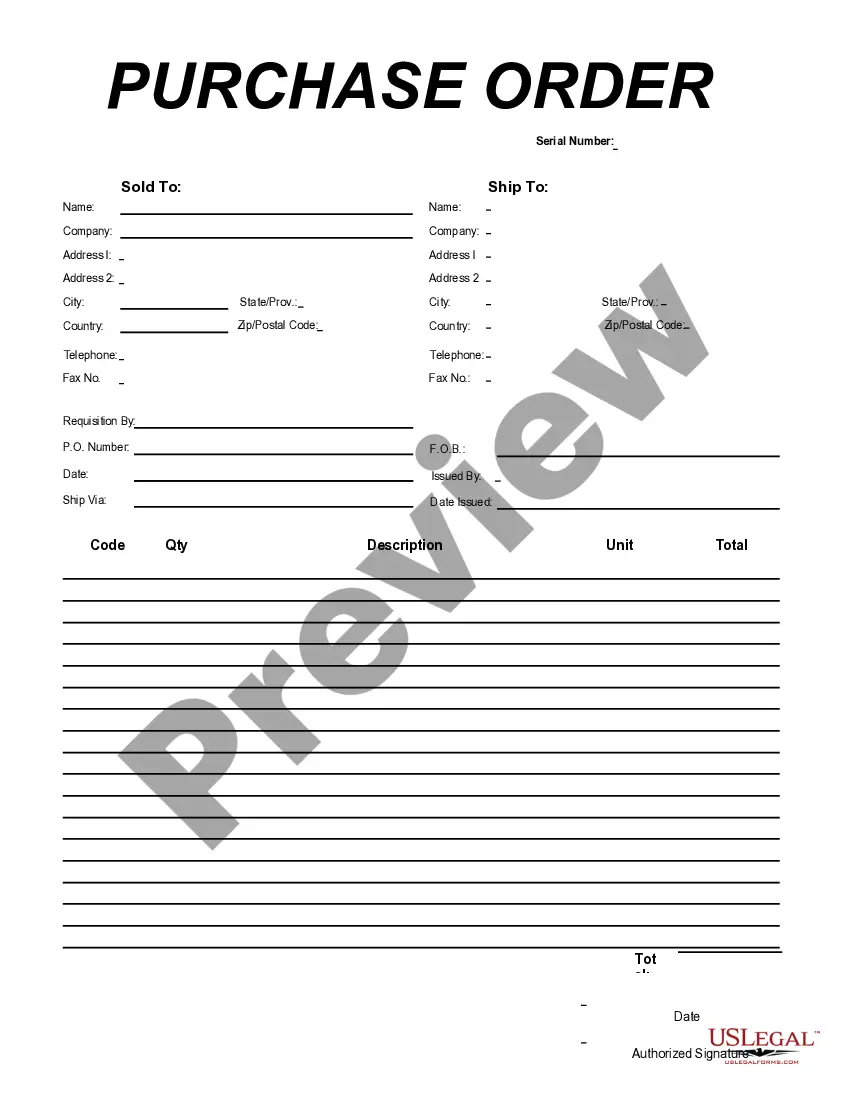
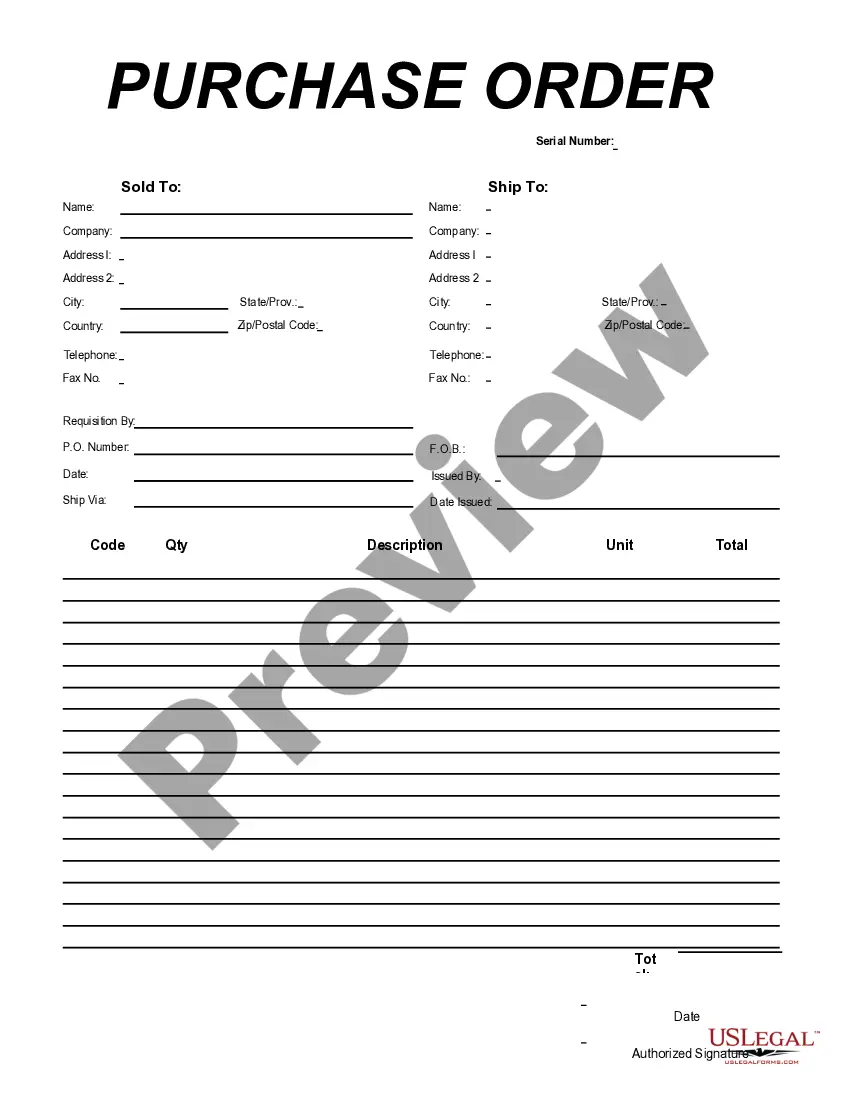
The Purchase Order for Import Format is a specialized business form designed to facilitate the procurement of goods from suppliers overseas. Unlike typical purchase orders, this form is specifically structured to capture necessary shipping and supplier information, ensuring compliance with import regulations. It allows users to create clear and legally enforceable agreements for purchasing goods internationally.
Main sections of this form
- Ship To Name and Address: Information detailing where the goods should be delivered.
- Company Name and Contact Information: Details of the company placing the order.
- Requisition By and P.O. Number: Identifies who has requested the order and assigns a unique reference number.
- Item Description, Quantity, Unit Cost, and Total: Comprehensive descriptions and costs for each item being ordered.
- Date and Authorized Signature: Date of order and a signatory confirming approval of the purchase.


Situations where this form applies
You should use the Purchase Order for Import Format when procuring goods for business use from foreign suppliers. This is particularly useful when you need to formalize the ordering process for tangible products requiring detailed specifications, quantities, and shipping information. It's essential for businesses engaging in international transactions to ensure clarity and legal protection.
Who needs this form
- Business owners and managers involved in procurement.
- Purchasing agents responsible for importing goods.
- Companies wishing to maintain a structured approach to international purchasing.
- Any entity needing to provide a clear order for goods being shipped from outside the U.S.
Instructions for completing this form
- Enter the name and address of the recipient in the "Ship To" section.
- Fill in your company's name and complete contact details.
- Specify the person requisitioning the order and generate a unique purchase order number.
- List each item being ordered with a description, quantity, unit cost, and total cost.
- Sign and date the form to authorize the order.
Does this document require notarization?
This form does not typically require notarization unless specified by local law. It is important to review local regulations to ensure compliance.
Get your form ready online
Our built-in tools help you complete, sign, share, and store your documents in one place.
Make edits, fill in missing information, and update formatting in US Legal Forms—just like you would in MS Word.
Download a copy, print it, send it by email, or mail it via USPS—whatever works best for your next step.
Sign and collect signatures with our SignNow integration. Send to multiple recipients, set reminders, and more. Go Premium to unlock E-Sign.
If this form requires notarization, complete it online through a secure video call—no need to meet a notary in person or wait for an appointment.
We protect your documents and personal data by following strict security and privacy standards.

Make edits, fill in missing information, and update formatting in US Legal Forms—just like you would in MS Word.

Download a copy, print it, send it by email, or mail it via USPS—whatever works best for your next step.

Sign and collect signatures with our SignNow integration. Send to multiple recipients, set reminders, and more. Go Premium to unlock E-Sign.

If this form requires notarization, complete it online through a secure video call—no need to meet a notary in person or wait for an appointment.

We protect your documents and personal data by following strict security and privacy standards.
Mistakes to watch out for
- Omitting essential recipient details such as the ship-to address.
- Failing to specify quantities or descriptions clearly, which can lead to order errors.
- Neglecting to sign and date the form, making it invalid.
- Using generic terms instead of specific product details, which can cause confusion.
Why complete this form online
- Convenience of completing the form from anywhere, at any time.
- Editability allows for quick updates and revisions as needed.
- Access to templates drafted by licensed attorneys ensures legal reliability.
Looking for another form?

Form popularity
FAQ
Importing Purchase Order (PO) using Microsoft Excel will allow you to order many items or ingredients from your supplier.
Customize the purchase order spreadsheet by adding your company's name, contact, and shipping information. Add the seller's contact information in the Vendor section. Save a backup copy of your file (perhaps a separate copy for each major vendor).
Company Name: The main title and address listed at the top of the order form is for the buyer - the company requesting the order. P.O. Vendor: The name and address of the vendor (the seller).
For example: Maria's company needs to purchase new materials from a supplier to create their products. The company then creates a purchase order to present to the supplier from which they wish to order materials.When Maria's company receives the goods and the invoice, they compare them to the purchase order.
A purchase order is used by a buyer to place an order and is issued before delivery. An invoice is issued by a seller using invoicing software after an order is delivered. It defines the amount the buyer owes for the purchased goods and the date by which the buyer needs to pay.
After selecting,Excel will create a readymade purchase order template which will look like this. Enter the details as indicated in the above image. Your invoice is ready to send.
Open a Microsoft Word document and click on the MS Office icon on the top left corner of the screen. From the drop down list that appears choose the option new. Under new, a list of template options will appear. Choose Purchase Orders.
No matter what format you choose, a purchase order generally includes the following details: A purchase order number and issue date for tracking. Company information, including contact information for both the requisitioner and vendor. Order details, such as item numbers, descriptions, costs, and quantities needed.