Equipment Inventory List
About this form
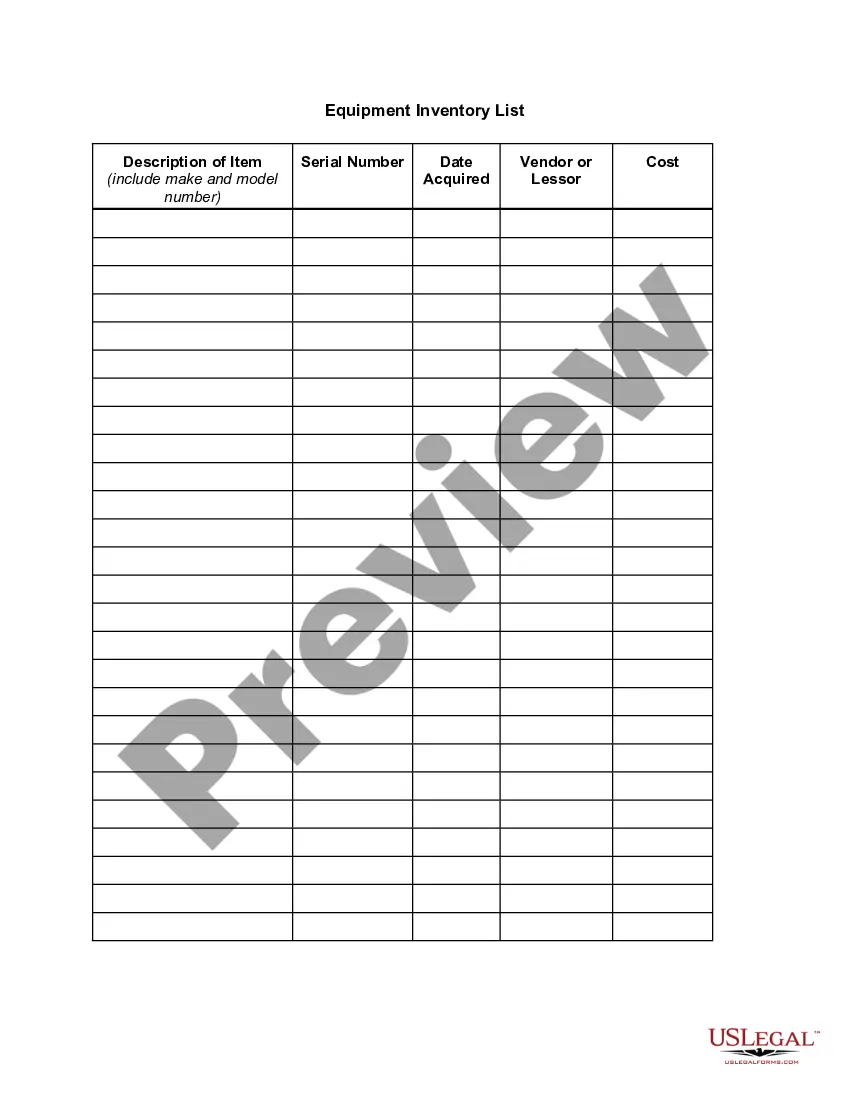
The Equipment Inventory List is a comprehensive document designed to help individuals and businesses track their equipment acquisitions. This form serves a critical purpose in maintaining an accurate record of equipment, which can be essential in situations such as damage, loss, or theft. Unlike generic inventory forms, this specific list is tailored to capture key details like descriptions, serial numbers, and costs, ensuring you have a systematic approach to managing your assets.
Form components explained
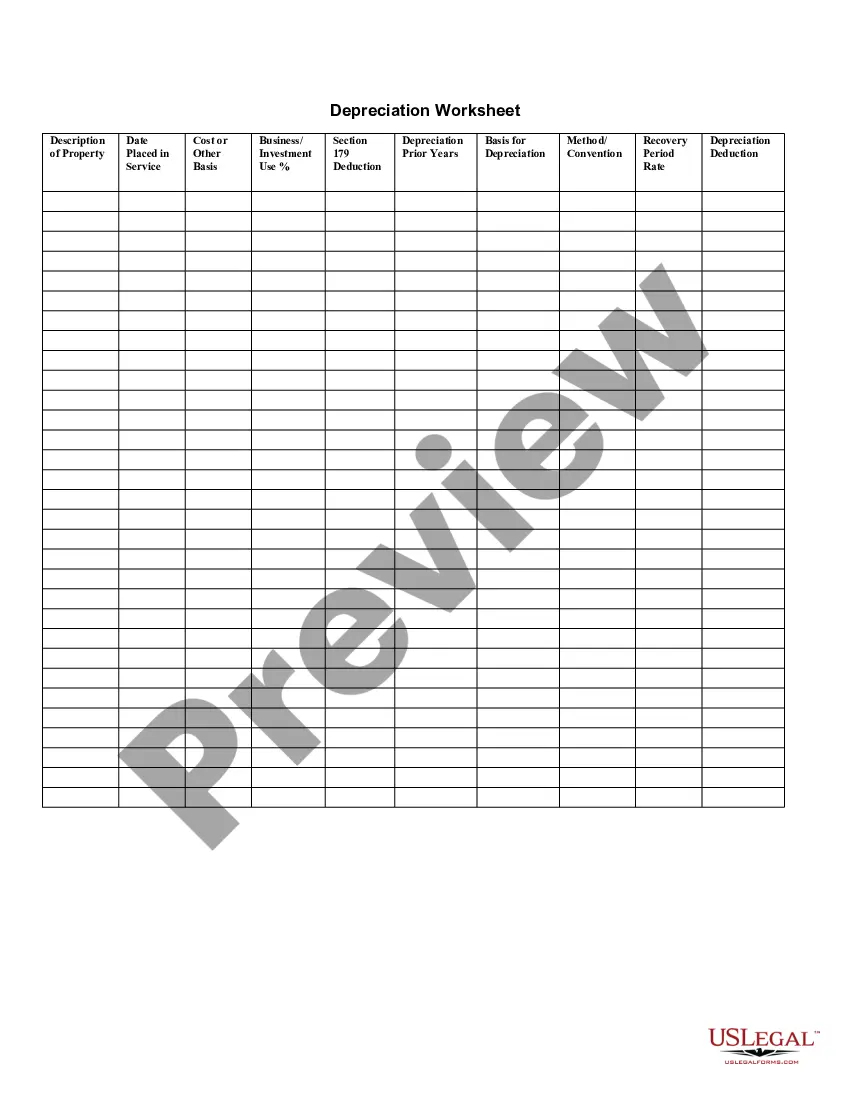
- Description of Item (including make and model number)
- Serial Number
- Date Acquired
- Vendor or Lessor
- Cost
Common use cases
This form is particularly useful when you need to document your equipment for insurance purposes, tax reporting, or asset management. It is also beneficial during audits, business sales, or when filing claims due to theft or fire. Keeping an updated Equipment Inventory List can significantly streamline recovery and replacement processes following unforeseen events.
Who this form is for
- Business owners looking to track equipment for operational efficiency.
- Individuals managing personal or home-based equipment.
- Managers in organizations needing to maintain compliance and effective asset management.
- Insurance agents requiring documentation for policy verification or claims.
Steps to complete this form
- Identify each piece of equipment and enter a detailed description.
- Record the serial number for inventory tracking.
- Specify the date when the item was acquired.
- Enter the vendor or lessor from whom the equipment was obtained.
- Document the cost associated with each piece of equipment.
Notarization guidance
This form usually doesn’t need to be notarized. However, local laws or specific transactions may require it. Our online notarization service, powered by Notarize, lets you complete it remotely through a secure video session, available 24/7.
Get your form ready online
Our built-in tools help you complete, sign, share, and store your documents in one place.
Make edits, fill in missing information, and update formatting in US Legal Forms—just like you would in MS Word.
Download a copy, print it, send it by email, or mail it via USPS—whatever works best for your next step.
Sign and collect signatures with our SignNow integration. Send to multiple recipients, set reminders, and more. Go Premium to unlock E-Sign.
If this form requires notarization, complete it online through a secure video call—no need to meet a notary in person or wait for an appointment.
We protect your documents and personal data by following strict security and privacy standards.

Make edits, fill in missing information, and update formatting in US Legal Forms—just like you would in MS Word.

Download a copy, print it, send it by email, or mail it via USPS—whatever works best for your next step.

Sign and collect signatures with our SignNow integration. Send to multiple recipients, set reminders, and more. Go Premium to unlock E-Sign.

If this form requires notarization, complete it online through a secure video call—no need to meet a notary in person or wait for an appointment.

We protect your documents and personal data by following strict security and privacy standards.
Typical mistakes to avoid
- Failing to update the list regularly after acquiring or selling equipment.
- Omitting serial numbers, which can complicate recovery in case of loss.
- Inaccurate descriptions, leading to confusion during audits or claims.
- Not keeping copies of the inventory in a separate, secure location.
Why use this form online
- Easy access to download and print from anywhere.
- Editable fields to customize according to your specific needs.
- Reliable templates drafted by licensed attorneys to ensure legal compliance.
- Convenient storage options for digital records, reducing physical clutter.
Summary of main points
- The Equipment Inventory List assists in managing and documenting equipment efficiently.
- Used correctly, it supports insurance claims, audits, and future planning.
- Regular updates and accuracy are crucial for optimal effectiveness.
Looking for another form?
Form popularity
FAQ
Open a new document. Launch MS Excel, and on top of its window, in the search bar, type inventory list and press Enter. Choose an appropriate style. Enter your inventory information. Save your document. Open MS Excel. Type your inventory list headers. Enter the inventory information. Save your file.
Use an Asset Tracking Solution. Utilize Asset Tags. Use a Unique Identification Number for Each Piece of Equipment. Stay Up to Date with Maintenance and Service.
Know what you have. Track how it is used. Right asset, right place, right time. Don't spend more spend smarter. Fix things before they break. Find underlying issues. Buy the best. Use the right equipment inventory system.
Decide on a management system to keep a record of all the assets. List out all your physical assets. Create a list of the financial assets. Document all personal information. Description of the items in detail. Attach proof of ownership and other required documents.
Perform an Inventory Audit. Create an Equipment Inventory Policy. Log Damages and Losses in an Equipment-Tracking Database. Track and Schedule Maintenance, Repairs, and Warranties. Use an Asset Tracking Solution. A Core Part of Any Physical Security and Management Program.
Decide on a system for record keeping. Make a separate list of your physical assets. Create a list of your financial assets. Document your personal information. Include a description of the items. Attach proof of ownership.
Fine-tune your forecasting. Use the FIFO approach (first in, first out). Identify low-turn stock. Audit your stock. Use cloud-based inventory management software. Track your stock levels at all times. Reduce equipment repair times.
An inventory list should include each item's SKU number, name, description, cost, and quantity in stock.
Perform an Inventory Audit. Create an Equipment Inventory Policy. Log Damages and Losses in an Equipment-Tracking Database. Track and Schedule Maintenance, Repairs, and Warranties. Use an Asset Tracking Solution. A Core Part of Any Physical Security and Management Program.