Telemarketing Report
What this document covers
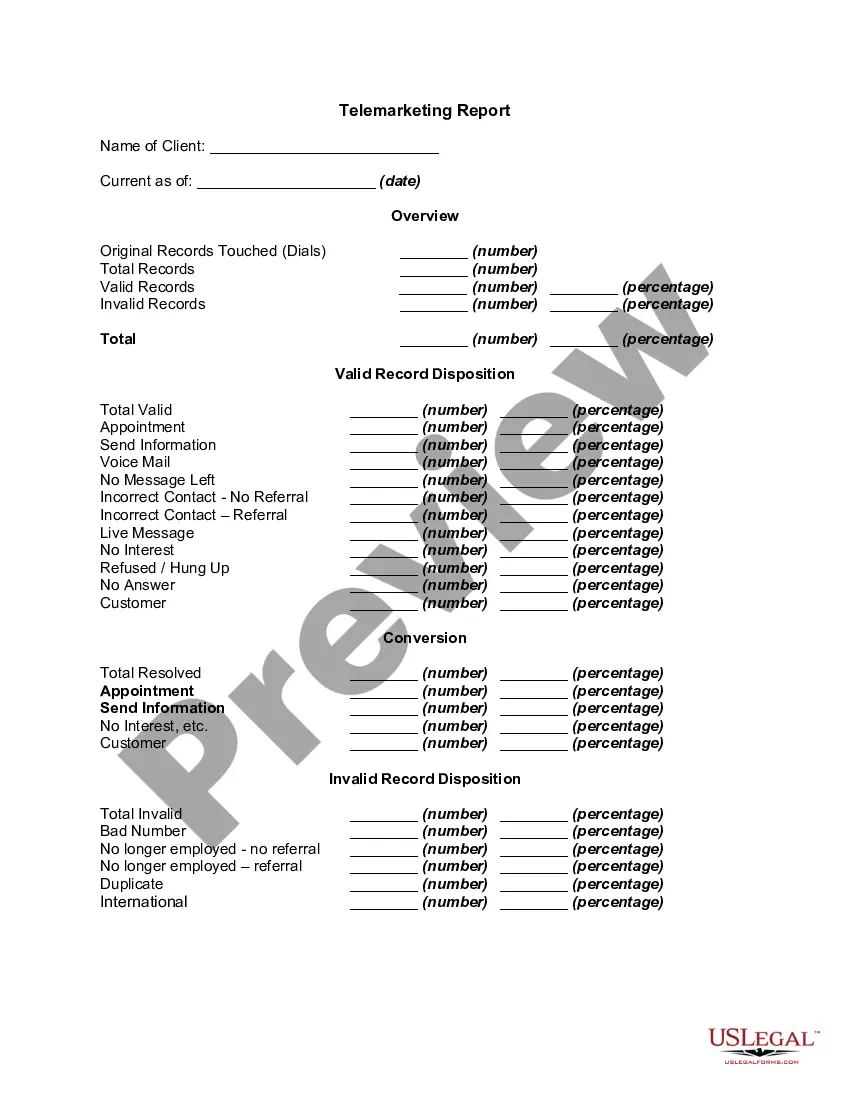
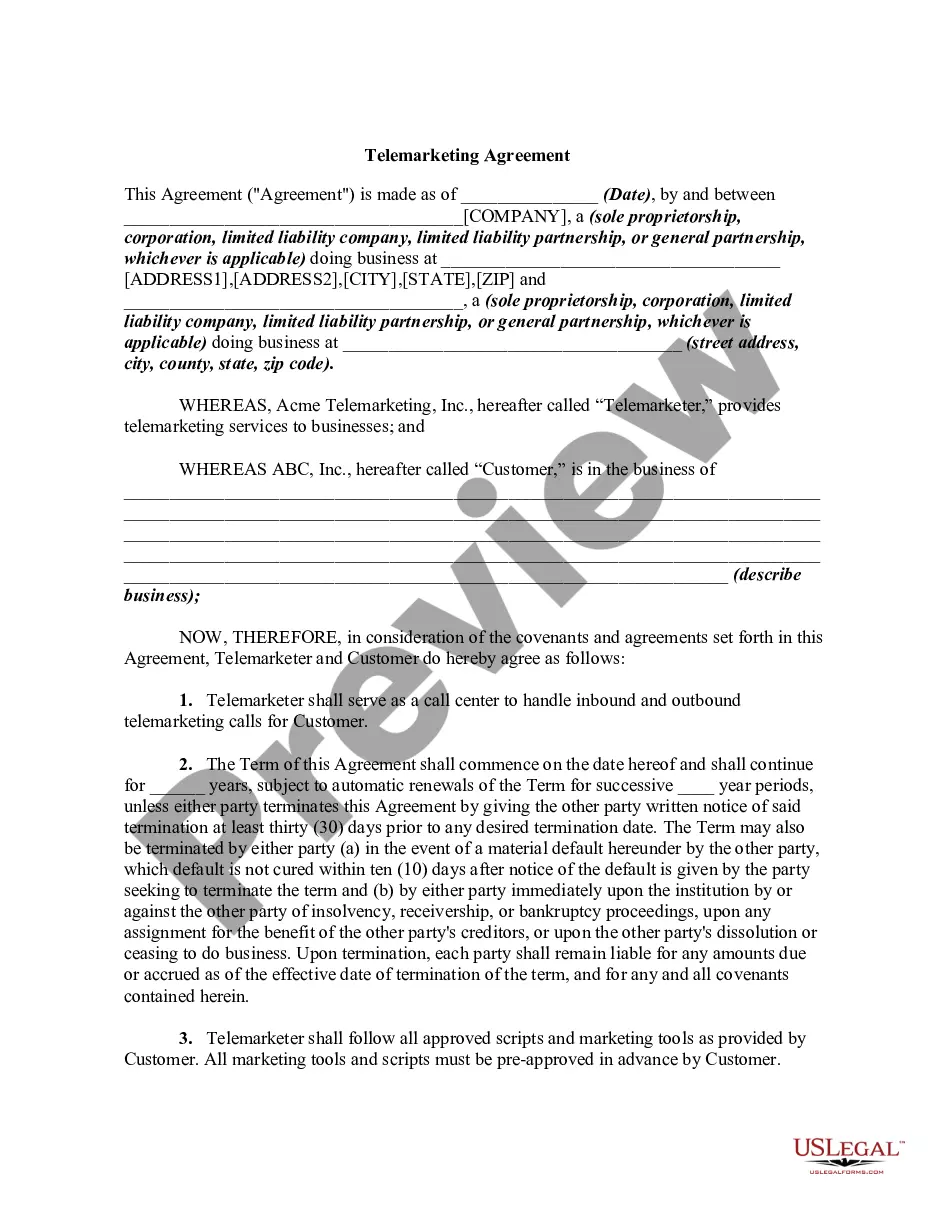
The Telemarketing Report is a structured document used by telemarketing companies to provide their clients with detailed analytics regarding their telemarketing efforts. This report differs from other telemarketing forms by presenting a comprehensive summary that includes metrics on calls made, valid and invalid contacts, and customer interactions. It helps businesses evaluate the effectiveness of their telemarketing campaigns and make informed decisions based on the data collected.
Key parts of this document
- Name of Client: Identifies the client receiving the report.
- Current as of Date: Specifies the effective date of the report.
- Original Records Touched: Number of calls made during the reporting period.
- Total Records: Total number of contacts attempted.
- Valid and Invalid Records: Breakdown of successful versus unsuccessful contacts in terms of numbers and percentages.
- Dispositions of Valid and Invalid Records: Detailed outcomes of contacts, including appointments set, information sent, and responses received.
Common use cases
This form should be utilized after a specific telemarketing campaign has been conducted. It is essential for companies that need to report back to their clients about the progress and outcomes of their telemarketing strategies. This report is useful for tracking performance, understanding customer interactions, identifying areas for improvement, and providing accountability for services rendered.
Who needs this form
- Telemarketing companies reporting to their clients.
- Marketing professionals seeking to analyze campaign effectiveness.
- Business owners looking to track the performance of telemarketing efforts.
- Clients of telemarketing firms needing insights into telemarketing activities and results.
How to prepare this document
- Identify the client by entering their name in the designated field.
- Record the current date to indicate when the report is applicable.
- Fill out the number of original records touched, total records, valid records, and invalid records in the appropriate sections.
- Detail the valid record disposition outcomes, specifying the numbers and percentages for each category.
- Provide a summary of the invalid record disposition, detailing any issues encountered and their respective frequencies.
Is notarization required?
This form does not typically require notarization unless specified by local law. It is a reporting document that relies on accuracy and honesty rather than verification by a notary public.
Get your form ready online
Our built-in tools help you complete, sign, share, and store your documents in one place.
Make edits, fill in missing information, and update formatting in US Legal Forms—just like you would in MS Word.
Download a copy, print it, send it by email, or mail it via USPS—whatever works best for your next step.
Sign and collect signatures with our SignNow integration. Send to multiple recipients, set reminders, and more. Go Premium to unlock E-Sign.
If this form requires notarization, complete it online through a secure video call—no need to meet a notary in person or wait for an appointment.
We protect your documents and personal data by following strict security and privacy standards.

Make edits, fill in missing information, and update formatting in US Legal Forms—just like you would in MS Word.

Download a copy, print it, send it by email, or mail it via USPS—whatever works best for your next step.

Sign and collect signatures with our SignNow integration. Send to multiple recipients, set reminders, and more. Go Premium to unlock E-Sign.

If this form requires notarization, complete it online through a secure video call—no need to meet a notary in person or wait for an appointment.

We protect your documents and personal data by following strict security and privacy standards.
Common mistakes to avoid
- Failing to update the date, making the report misleading.
- Overlooking entries in the valid and invalid records sections.
- Not providing accurate disposal summaries, leading to incomplete reporting.
- Using vague or unclear data when describing interactions with customers.
Advantages of online completion
- Easily downloadable and customizable to fit specific reporting needs.
- Accessible from anywhere, allowing for quick updates post-campaign.
- Provides a structured format that ensures thorough documentation of telemarketing efforts.
- Saves time by automating data gathering and reporting processes.
- The Telemarketing Report is a standard document in the telemarketing industry, used to keep clients informed.
- While it is not legally binding, it serves as a record of the efforts and results, often referenced in business discussions.
Summary of main points
- The Telemarketing Report is essential for transparency in client communications.
- Accurate data entry is crucial for the effectiveness of the report.
- This form helps businesses assess their telemarketing strategies and improve future campaigns.
- Using this form online streamlines the reporting process and provides convenience.
Looking for another form?

Form popularity
FAQ
Some smartphones running Google's Android operating system can report spam calls from within the Phone app, though this varies from device to device. On a phone with vanilla Android (like Google's Pixel line), open your recent calls list, tap on the number in question, and choose Block/Report Spam.
You can also call 1-888-382-1222 from any phone you want on the list. That's all it takes, and your number stays on the list until you ask for it to be removed or you give up the number.
A. In case any subscriber receives unsolicited commercial communication after expiry of seven days from the date of his registration in NCPR/DND, he/she may make a complaint to the service provider through voice call or SMS to toll free short code 1909 or through DND App within 3 days of receipt of such UCC.
Set Your Phone on Do Not Disturb To block every number except your most trusted contacts or favorites, you can turn on your iPhone or Android phone's built-in Do Not Disturb Mode. It's an extreme solution but it will definitely stop all unwanted calls, including robocalls, telemarketing calls and spam calls.
Anything relevant you mention will be added to your lead profile: an email address, best time to call, or your objections to the product. Don't say anything to the telemarketer unless you want it written down on your profile.
If you receive a robocall trying to sell you something (and you haven't given the caller your written permission), it's an illegal call. You should hang up. Then, file a complaint with the FTC and the National Do Not Call Registry. If you have a telephone, robocalls may be ruining your day.
For Android, the process isn't much different: go to the Recents section of the Phone app, long press on the bothersome number, and choose Block / report spam. Again, this will take a lot of persistent work on your part to keep the spammers away and it does no good against blocked or private callers.
Hang up and report it to the Federal Trade Commission at complaints.donotcall.gov or 1-888-382-1222. If you're getting repeated calls from the same number, you might want to ask your service provider to block the number; for calls from different numbers, ask if they offer a service to block unwanted calls.