Invoice Template for Bartender
Overview of this form
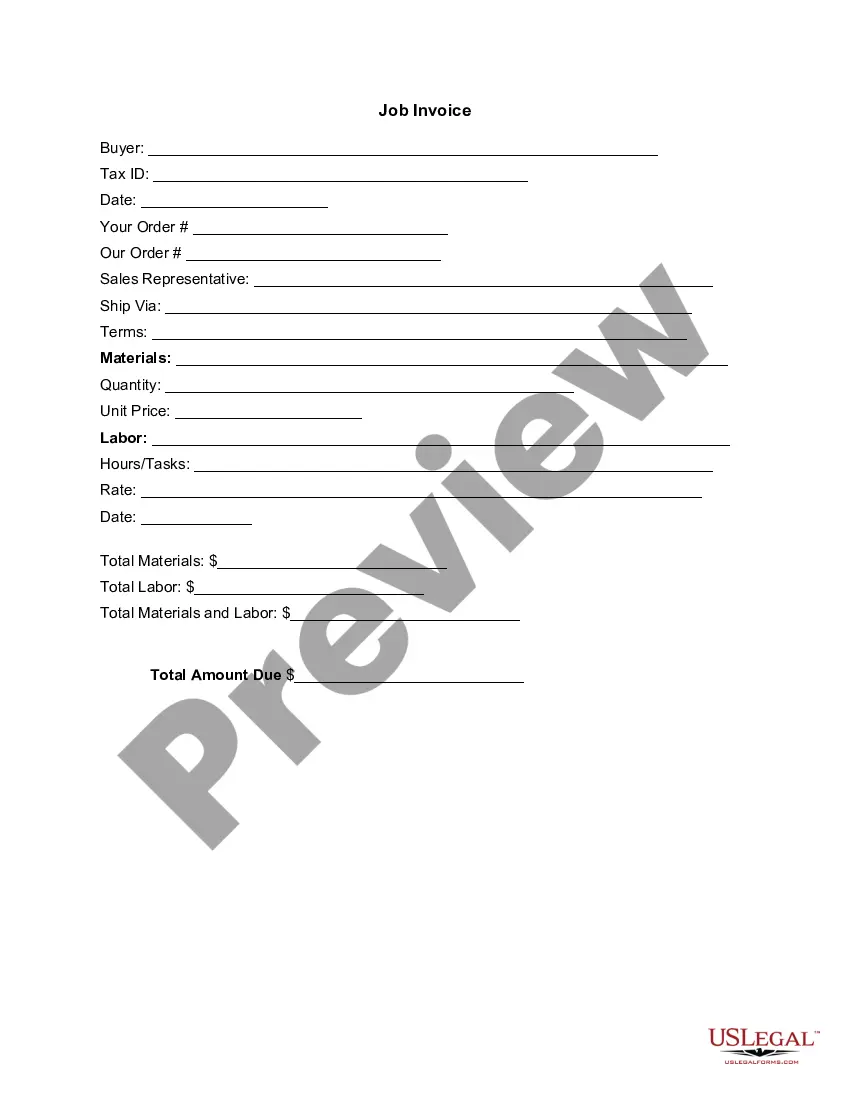
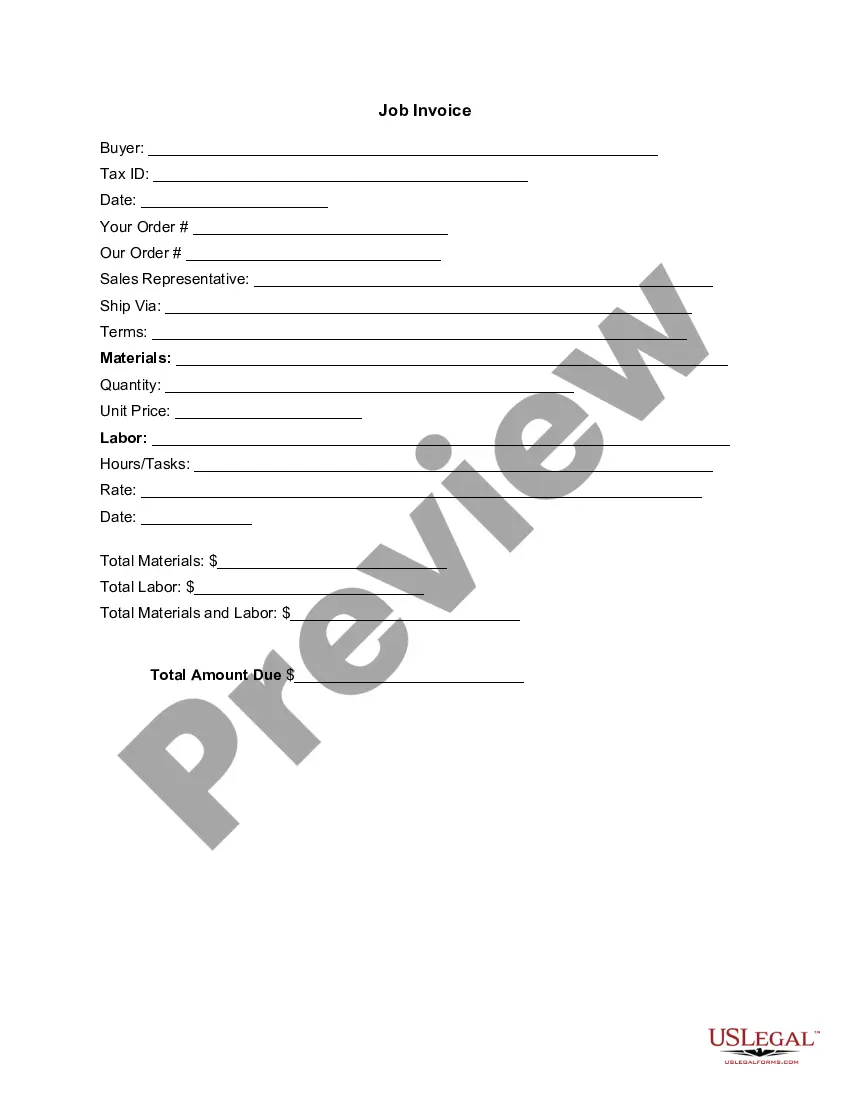
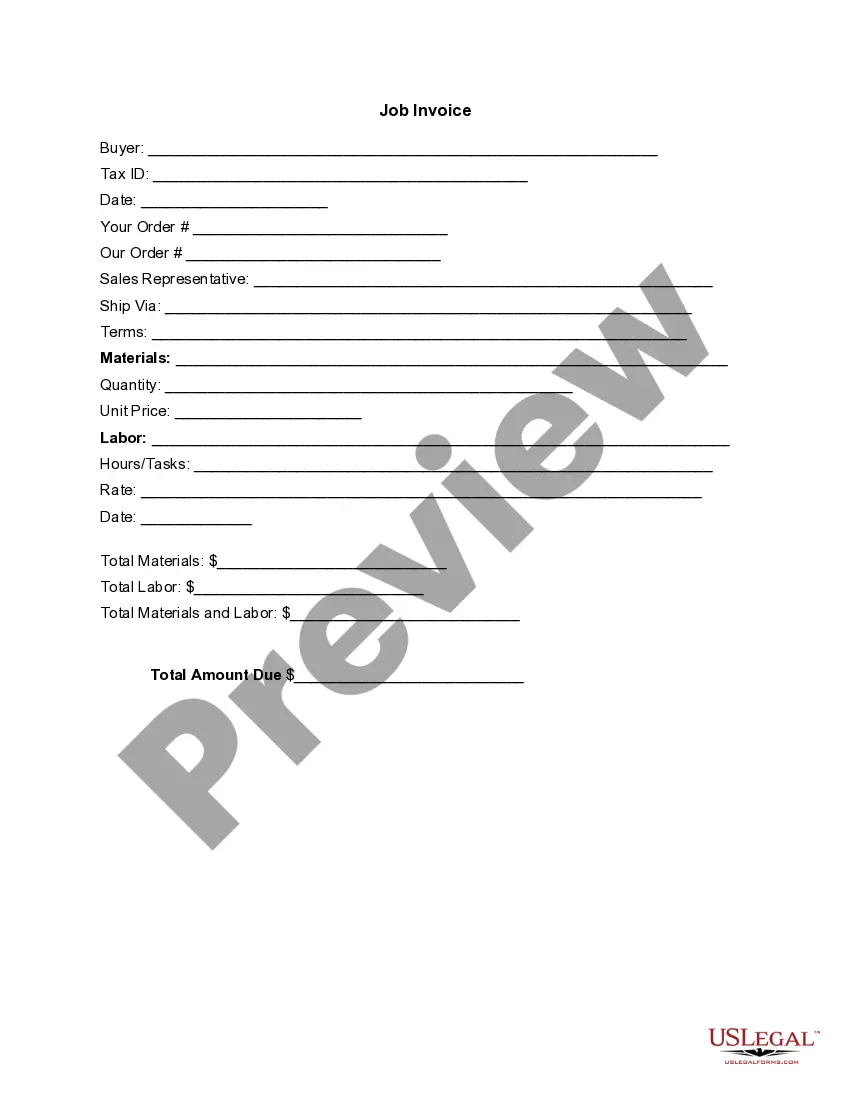
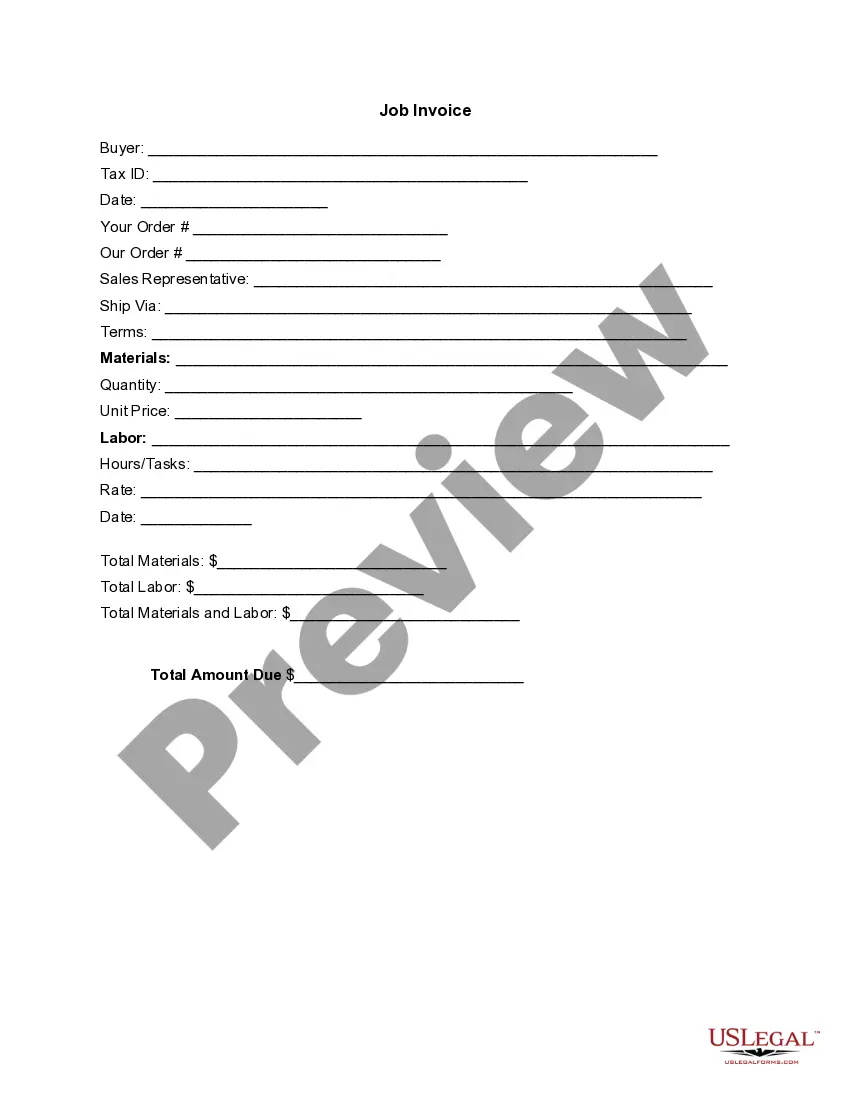
The Invoice Template for Bartender is a detailed document that itemizes the goods delivered or services performed, along with their associated costs. This template serves as a formal request for payment from a bartender to clients, distinguishing it from general invoices by focusing specifically on bartending services. Having a professional, correctly formatted invoice ensures clarity in billing and aids in maintaining records for both the bartender and the client.
Main sections of this form
- Buyer information: Includes the name and Tax ID of the client.
- Date of the invoice: The date when the invoice is issued.
- Order details: Space for entering specific order references.
- Sales representative: Name of the person managing the order.
- Materials and labor: Sections to detail items provided and labor performed.
- Total amounts due: Calculation of total costs for materials and labor.

Common use cases
This invoice template is ideal for bartenders who need to bill clients for services rendered at events such as weddings, corporate gatherings, or private parties. Utilize this form when formalizing a payment request is necessary to ensure clarity in transactions and professionalism in your service delivery. It is essential for tracking your earnings and maintaining records for tax purposes.
Intended users of this form
- Freelance bartenders offering services at private events.
- Self-employed bartenders running their own businesses.
- Event planners who hire bartending services.
- Anyone providing beverage catering services requiring detailed billing.
How to prepare this document
- Identify the buyer: Fill in the client's name and Tax ID.
- Enter the invoice date: Specify the date on which the invoice is created.
- Detail the order: Provide relevant order and sales representative information.
- Specify materials and labor: List out services rendered along with corresponding quantities and unit prices.
- Calculate totals: Sum up total materials and labor costs and display the total amount due.
Does this document require notarization?
This form does not typically require notarization unless specified by local law. Ensure that you review local regulations regarding invoicing to confirm any additional requirements.
Get your form ready online
Our built-in tools help you complete, sign, share, and store your documents in one place.
Make edits, fill in missing information, and update formatting in US Legal Forms—just like you would in MS Word.
Download a copy, print it, send it by email, or mail it via USPS—whatever works best for your next step.
Sign and collect signatures with our SignNow integration. Send to multiple recipients, set reminders, and more. Go Premium to unlock E-Sign.
If this form requires notarization, complete it online through a secure video call—no need to meet a notary in person or wait for an appointment.
We protect your documents and personal data by following strict security and privacy standards.

Make edits, fill in missing information, and update formatting in US Legal Forms—just like you would in MS Word.

Download a copy, print it, send it by email, or mail it via USPS—whatever works best for your next step.

Sign and collect signatures with our SignNow integration. Send to multiple recipients, set reminders, and more. Go Premium to unlock E-Sign.

If this form requires notarization, complete it online through a secure video call—no need to meet a notary in person or wait for an appointment.

We protect your documents and personal data by following strict security and privacy standards.
Common mistakes to avoid
- Neglecting to include tax information, which can lead to compliance issues.
- Failing to itemize services, making it hard for clients to understand the charges.
- Not specifying payment terms, leading to potential disputes later.
- Omitting the buyer's complete information, which can create issues in tracking payments.
Benefits of using this form online
- Convenient access to a professionally designed template that can be downloaded and customized as needed.
- Edit and save your invoices easily, ensuring accurate and up-to-date billing information.
- Efficient record-keeping, allowing you to track and manage multiple invoices effortlessly.
Looking for another form?

Form popularity
FAQ
Open a New Word Document. Choose Your Invoice Template. Download the Invoice Template. Customize Your Invoice Template. Save Your Invoice. Send Your Invoice. Open a New Blank Document. Create an Invoice Header.
Download the basic Simple Invoice Template in PDF, Word or Excel format. Open the new invoice doc in Word or Excel. Add your business information and branding, including your business name and logo. Customize the fields in the template to create your invoice. Name your invoice. Save
Businesses can make custom invoices for free using Google Docs, either by downloading a professional template or by creating the invoice design from scratch. With Google Docs, you can create invoices that meet your needs and then save them to the cloud, so you can access the invoices from anywhere.
Invoice Bus. Invoicebus helps you send online invoices to your clients and get paid instantly regardless to wherever you are based in the world. Invoice Generator. FreshBooks. Skynova. Invoiceto.me. Create. Zoho Invoice. Square Invoices.
Download the basic Simple Invoice Template in PDF, Word or Excel format. Open the new invoice doc in Word or Excel. Add your business information and branding, including your business name and logo. Customize the fields in the template to create your invoice. Name your invoice. Save
Include Contact Information. Add the Invoice Date. Establish a Simple Invoice Numbering System. List Your Services. Add Your Payment Terms. Include the Amount Due and the Payment Due Date.
Download the Square Invoices app on your iOS or Android device. Create your free Square account or sign in with your existing Square account. Tap the '+' sign on the navigation bar and select 'Invoice'.When your clients receive the invoice in their email, they can pay you securely online.