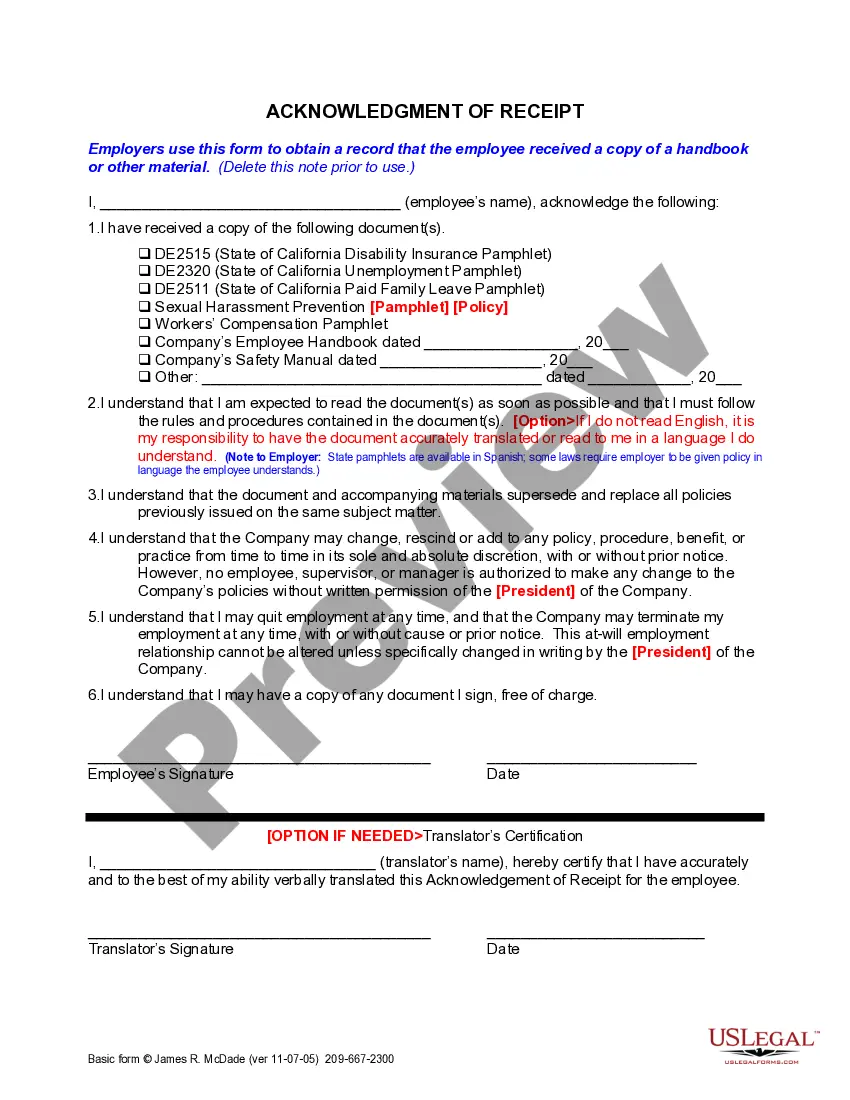
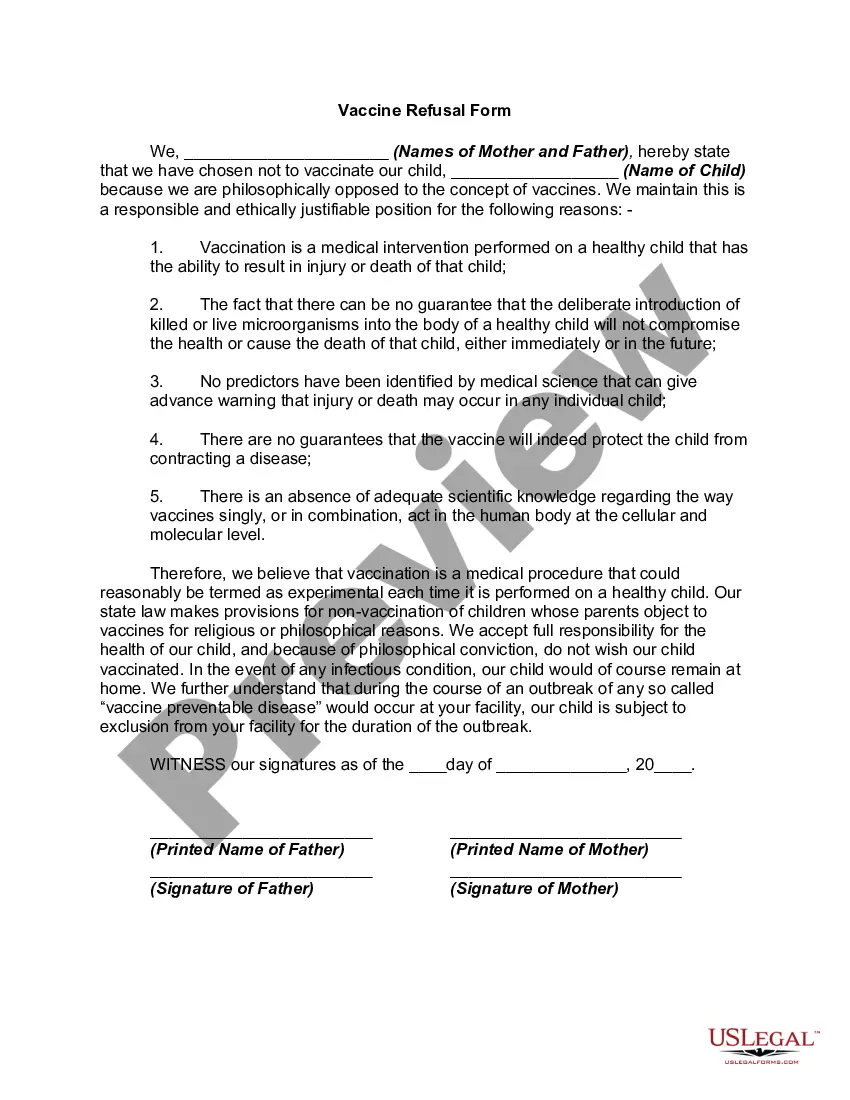
Vaccine Refusal Form
Understanding this form
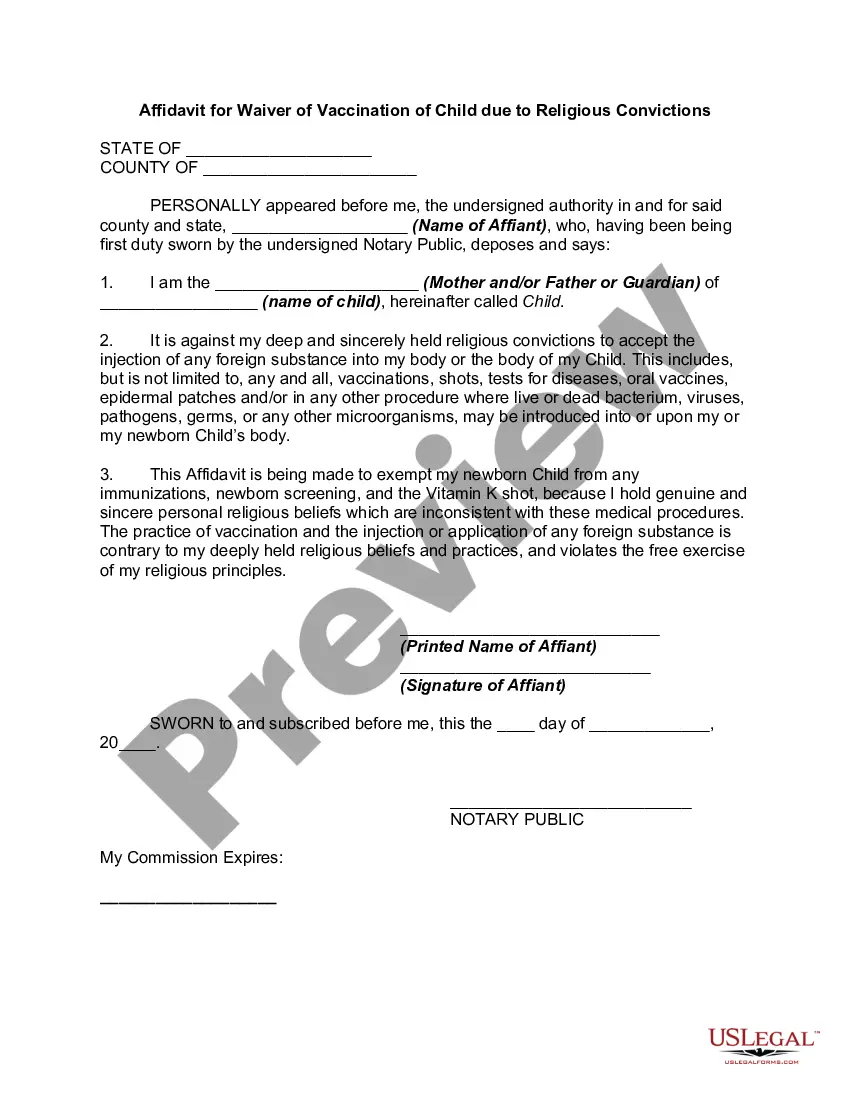
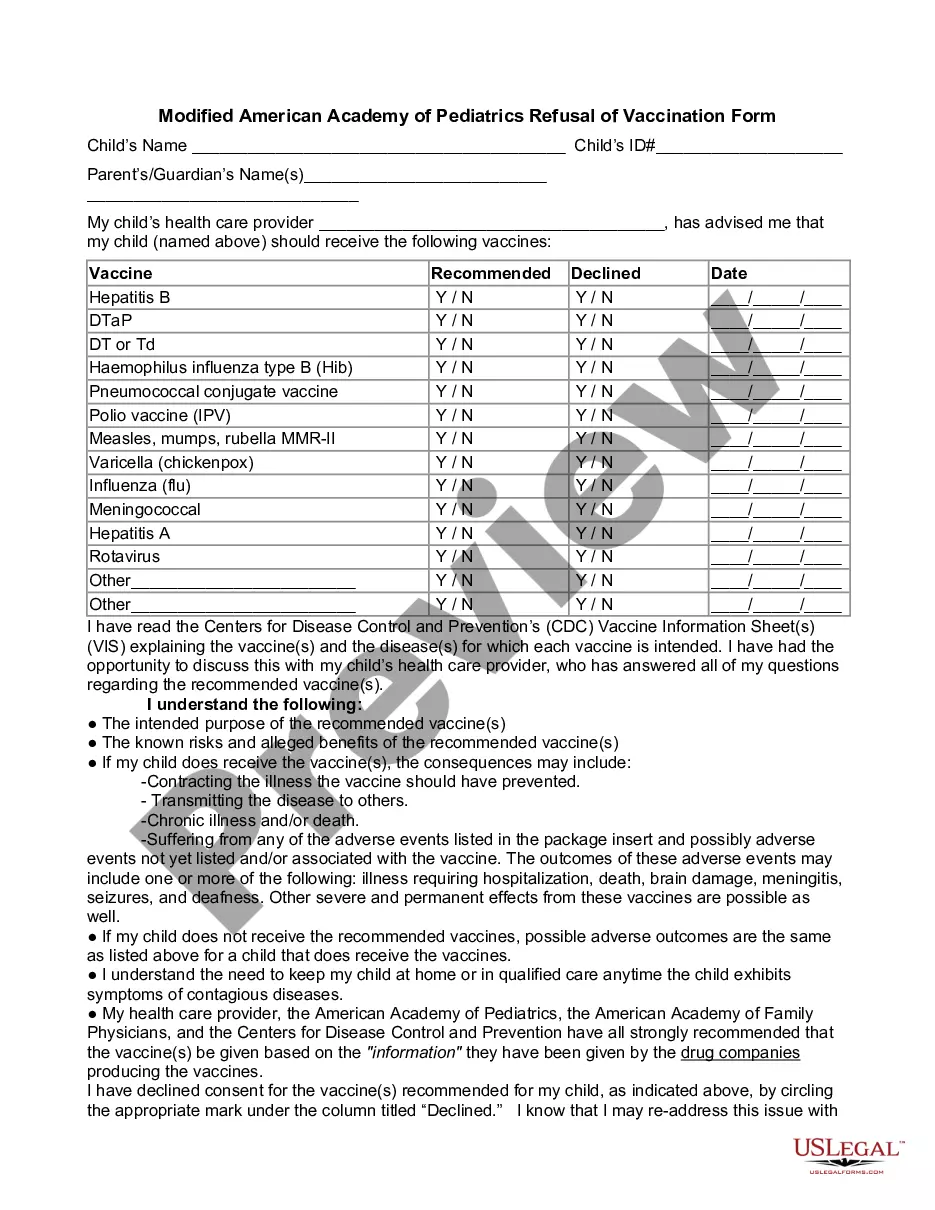
The Vaccine Refusal Form is a legal document that allows parents to formally declare their decision not to vaccinate their child due to philosophical objections. This form serves to record the parents' stance and may be required by educational institutions or healthcare providers to document vaccination exemptions. Unlike similar forms that may focus solely on religious objections, this form encompasses a broader philosophical perspective.
Form components explained
- Names of the parents declaring the vaccination refusal.
- Name of the child for whom vaccinations are being refused.
- A list of philosophical reasons supporting the refusal of vaccines.
- Statement of understanding regarding the implications of the refusal.
- Signatures of both parents to validate the document.
Common use cases
This form should be used when parents wish to formally refuse vaccinations for their child based on philosophical beliefs. It is particularly useful when enrolling a child in school or daycare, where vaccination records are typically required. This form can also be relevant in situations involving healthcare providers who may need to document the parents' refusal for health and safety protocols.
Who should use this form
- Parents or guardians who wish to refuse vaccinations for their child.
- Families with philosophical beliefs against vaccination.
- Individuals enrolling a child in school or daycare who need to provide a vaccination exemption.
Steps to complete this form
- Enter the names of both parents at the designated section.
- Specify the name of the child for whom vaccinations are being refused.
- Clearly outline the philosophical reasons for refusing vaccinations as listed in the form.
- Review the responsibilities associated with refusing vaccinations, including potential exclusion during outbreaks.
- Both parents should read and sign the form, including the date of signing.
Does this form need to be notarized?
This form does not typically require notarization unless specified by local law. It is recommended to check your stateâs specific requirements regarding notarization to ensure compliance.
Get your form ready online
Our built-in tools help you complete, sign, share, and store your documents in one place.
Make edits, fill in missing information, and update formatting in US Legal Forms—just like you would in MS Word.
Download a copy, print it, send it by email, or mail it via USPS—whatever works best for your next step.
Sign and collect signatures with our SignNow integration. Send to multiple recipients, set reminders, and more. Go Premium to unlock E-Sign.
If this form requires notarization, complete it online through a secure video call—no need to meet a notary in person or wait for an appointment.
We protect your documents and personal data by following strict security and privacy standards.

Make edits, fill in missing information, and update formatting in US Legal Forms—just like you would in MS Word.

Download a copy, print it, send it by email, or mail it via USPS—whatever works best for your next step.

Sign and collect signatures with our SignNow integration. Send to multiple recipients, set reminders, and more. Go Premium to unlock E-Sign.

If this form requires notarization, complete it online through a secure video call—no need to meet a notary in person or wait for an appointment.

We protect your documents and personal data by following strict security and privacy standards.
Common mistakes
- Failing to include both parents' signatures.
- Not specifying the name of the child correctly.
- Omitting the philosophical reasons for refusal.
- Ignoring local laws pertaining to vaccination exemptions.
Advantages of online completion
- Convenience of downloading and printing the form directly from your home.
- Editability allows customization to meet your specific needs.
- Access to reliable templates created by licensed attorneys.
Quick recap
- This form allows parents to refuse vaccines for their child based on philosophical beliefs.
- It is essential to follow your state's specific requirements when using this form.
- Both parents must sign the form for it to be valid.
Looking for another form?

Form popularity
FAQ
The name of the vaccine and the manufacturer; The lot number and expiration date of the vaccine; The date of administration; The name, address, title and signature (electronic is acceptable) of the person administering the vaccine;
Talk to their doctor or read about the benefits of vaccines and the risks of not vaccinating their children. Get a signature from a local health department official. Write a letter that explains their reasons for refusing vaccines. Renew their exemption form every year.
What should you do if your child misses a shot? For most vaccines, it is never too late to catch up on missed shots. Children who missed their first shots at 2 months of age can start later. Children who have received some of their shots and then fallen behind schedule can catch up without having to start over.
Parents of children enrolling in primary or secondary schools must be asked for an approved immunisation certificate, but if this is not available, the student may still be enrolled, subject to required procedures (e.g. unvaccinated children may be excluded from school for the duration of an outbreak of a vaccine-