Receipt Template for Child Care
Overview of this form
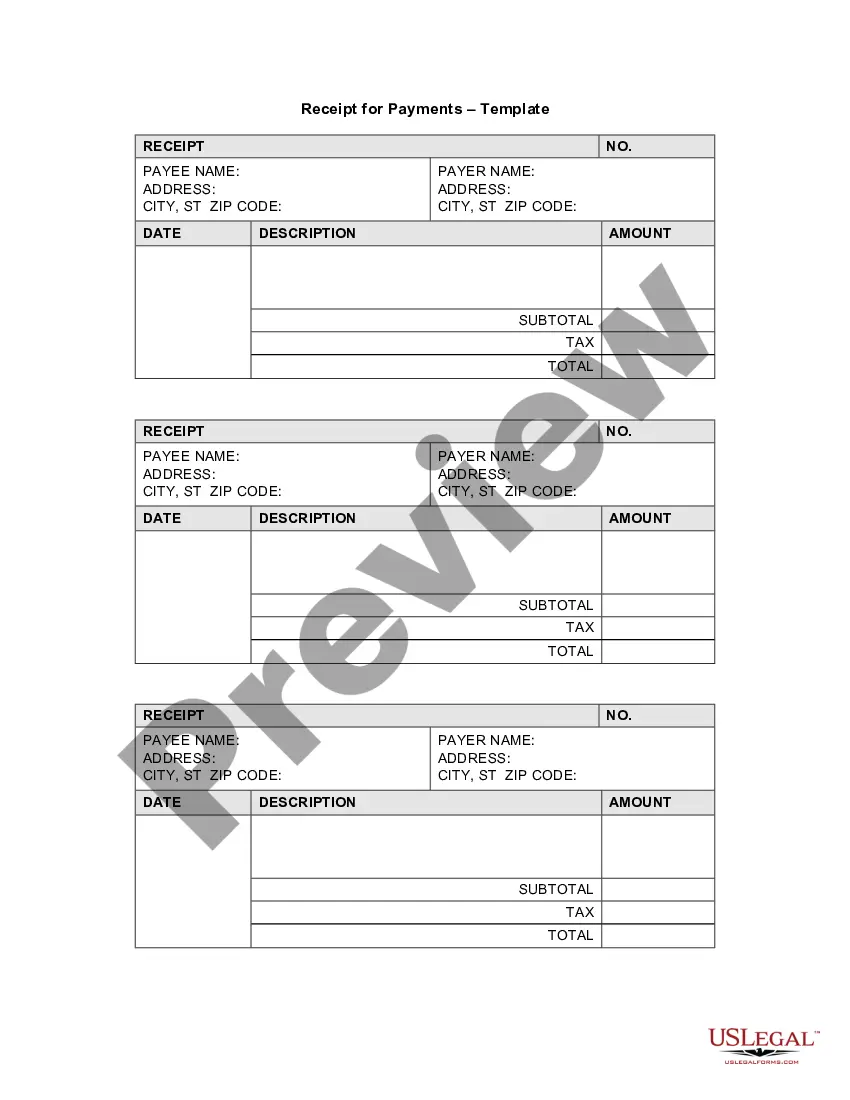
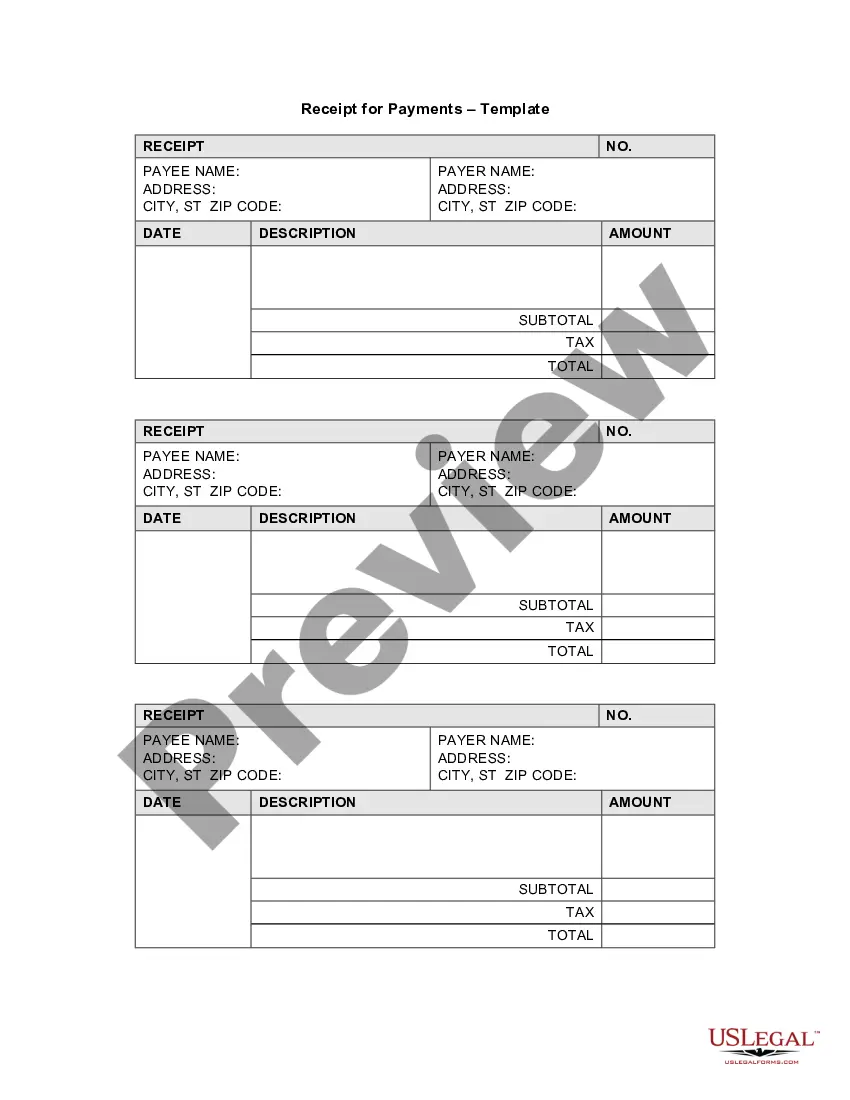
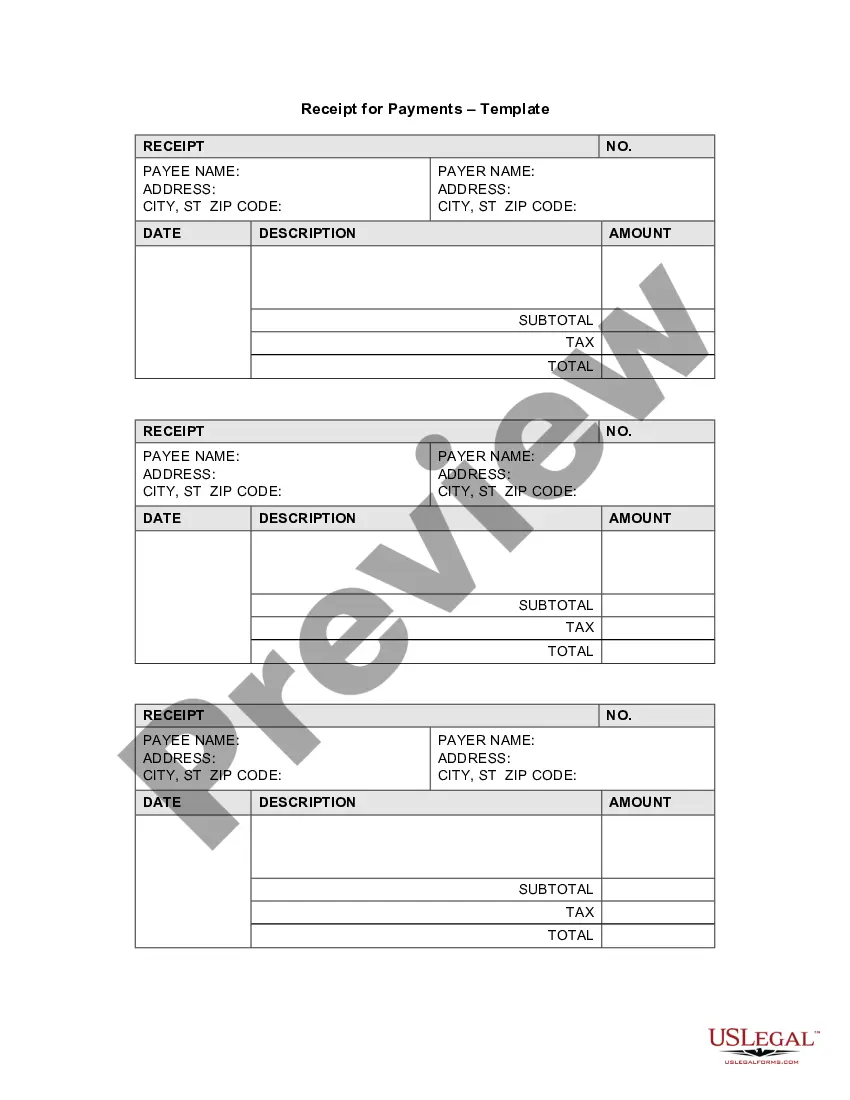
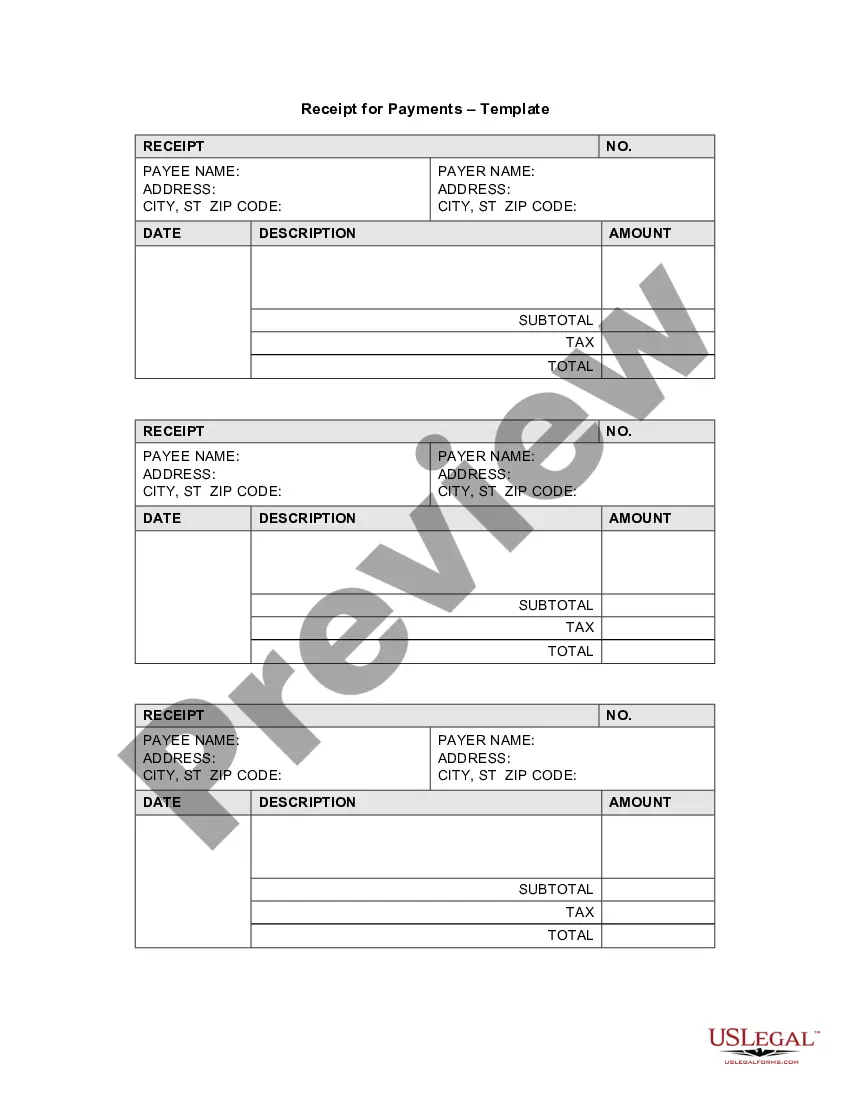
The Receipt Template for Child Care is a crucial document used to acknowledge payment for child care services rendered. This form helps both payers and payees maintain accurate records of financial transactions. Unlike general payment receipts, this template is specifically tailored for child care services, ensuring that all relevant details are captured for accountability and transparency.
What’s included in this form
- Payee Name and Address: The information of the child care provider receiving the payment.
- Payer Name and Address: The information of the individual making the payment for child care services.
- Date of Payment: The specific date on which the transaction occurred.
- Description: A brief description of the child care services provided.
- Amounts and Totals: The subtotal, tax, and total amounts that reflect the payment made.
- Receipt Number: A unique identifier for tracking the transaction.

When this form is needed
This form should be used whenever a payment is made for child care services. It is particularly useful for parents or guardians who need documentation for their payments, or for child care providers who are required to issue receipts for record-keeping and tax purposes. Common scenarios include the completion of a weekly payment, monthly billing, or one-time fees for special services.
Who this form is for
- Parents or guardians paying for child care services.
- Child care providers or facilities offering child care services.
- Organizations or individuals who require documentation for reimbursement or tax deductions related to child care expenses.
Instructions for completing this form
- Identify the payee by entering their name and address at the top of the receipt.
- Enter the payer's name and address in the designated section.
- Fill in the date when the payment is made.
- Provide a description of the child care services rendered.
- List the amounts, including any applicable tax, to calculate the total payment.
- Assign a receipt number for tracking purposes, ensuring it is unique and sequential.
Is notarization required?
This form does not typically require notarization unless specified by local law.
Get your form ready online
Our built-in tools help you complete, sign, share, and store your documents in one place.
Make edits, fill in missing information, and update formatting in US Legal Forms—just like you would in MS Word.
Download a copy, print it, send it by email, or mail it via USPS—whatever works best for your next step.
Sign and collect signatures with our SignNow integration. Send to multiple recipients, set reminders, and more. Go Premium to unlock E-Sign.
If this form requires notarization, complete it online through a secure video call—no need to meet a notary in person or wait for an appointment.
We protect your documents and personal data by following strict security and privacy standards.

Make edits, fill in missing information, and update formatting in US Legal Forms—just like you would in MS Word.

Download a copy, print it, send it by email, or mail it via USPS—whatever works best for your next step.

Sign and collect signatures with our SignNow integration. Send to multiple recipients, set reminders, and more. Go Premium to unlock E-Sign.

If this form requires notarization, complete it online through a secure video call—no need to meet a notary in person or wait for an appointment.

We protect your documents and personal data by following strict security and privacy standards.
Avoid these common issues
- Failing to include accurate dates, which may complicate record-keeping.
- Omitting the description of services, leaving ambiguity about what the payment was for.
- Not filling in the tax amount correctly, leading to potential disputes about payment totals.
Benefits of using this form online
- Convenient access: Download the Receipt Template for Child Care anytime, from anywhere.
- Editability: Easily fill out the necessary fields to customize the receipt.
- Reliability: Ensure compliance with standard legal requirements for documentation.
Legal use & context
A receipt serves as a legal document confirming that a payment has been made for services. It holds value in personal record-keeping and may be required for tax documentation. However, while this form is generally recognized, local laws may dictate specific requirements regarding child care payments.
Looking for another form?
Form popularity
FAQ
Develop a Service-Based Invoice Template. List Your Business Name and Contact Information. Include Your Client's Name and Contact Details. Assign a Service Invoice Number. Write the Issuing Date for Your Service Invoice. List All Services Rendered. Include Applicable Taxes for Your Services.
Date. The name of the person the receipt is being made out to. The description of the services offered. An authorized signature. The amount charged.
A service receipt is a written document that indicates that the service provider has done a valuable service to a customer. It can also be defined as a document used to show proof of money transactions.
Add in your company details (name, address) in From section. Fill out client details (name, email, address) in For section. Write out line items with description, rate and quantity. Finish with the date, invoice number and your personalized brand.
Establish clear expectations in the contract. Ask for a deposit. Include contact information and project specifics on the invoice. Include late payment terms on the invoice. Deliver the invoice promptly. Move clients to a retainer contract with recurring billing.
The name and address of the business or individual receiving the payment. The name and address of the person making the payment. The date the payment was made. A receipt number. The amount paid. The reason for the payment. How the payment was made (credit card, cash, etc)
The name and contact details of your business. The client's contact information. A unique invoice number. An itemized summary of the services provided. Specific payment terms. The invoice due date. The total amount owing on the invoice.
Include Contact Information. Add the Invoice Date. Establish a Simple Invoice Numbering System. List Your Services. Add Your Payment Terms. Include the Amount Due and the Payment Due Date.
The name of the parent, address and phone number. Information about the daycare center including the name, address and phone number. Details about the child: this includes the name of the kid, age. Information about the person who picks the child from the center.