Receipt Template for Nanny Services
Understanding this form
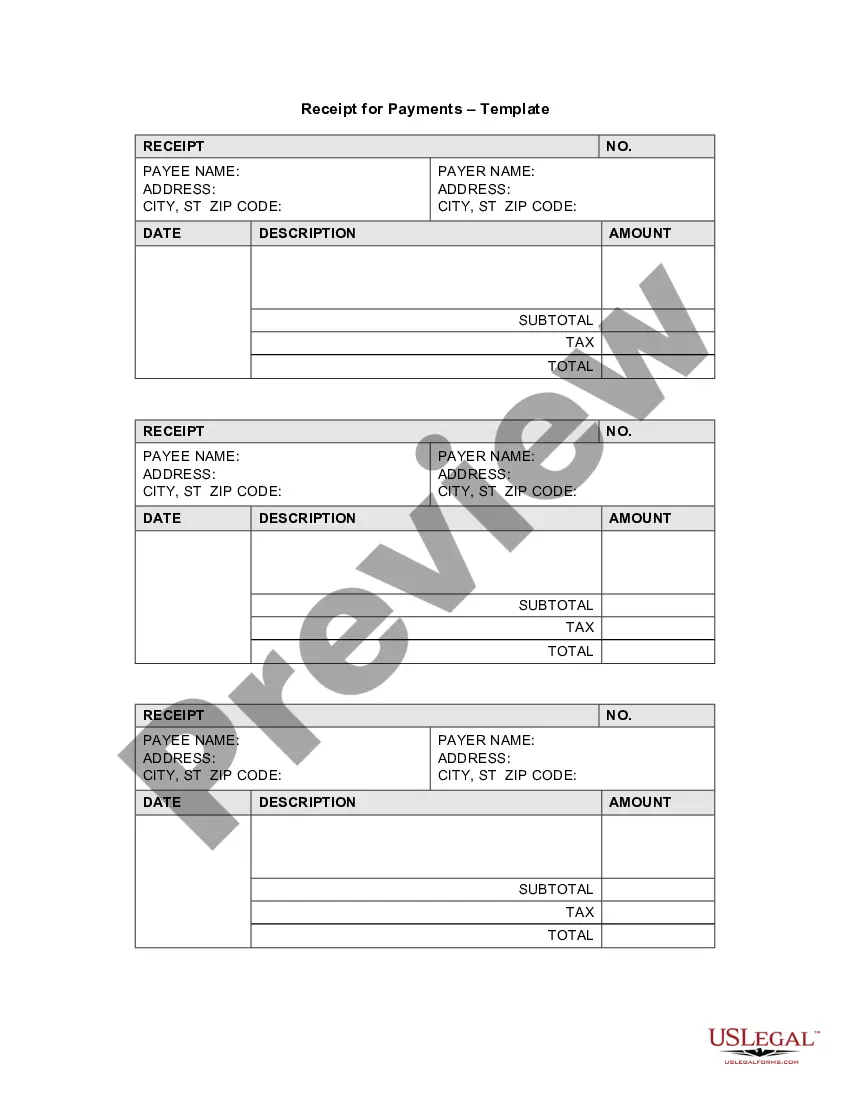
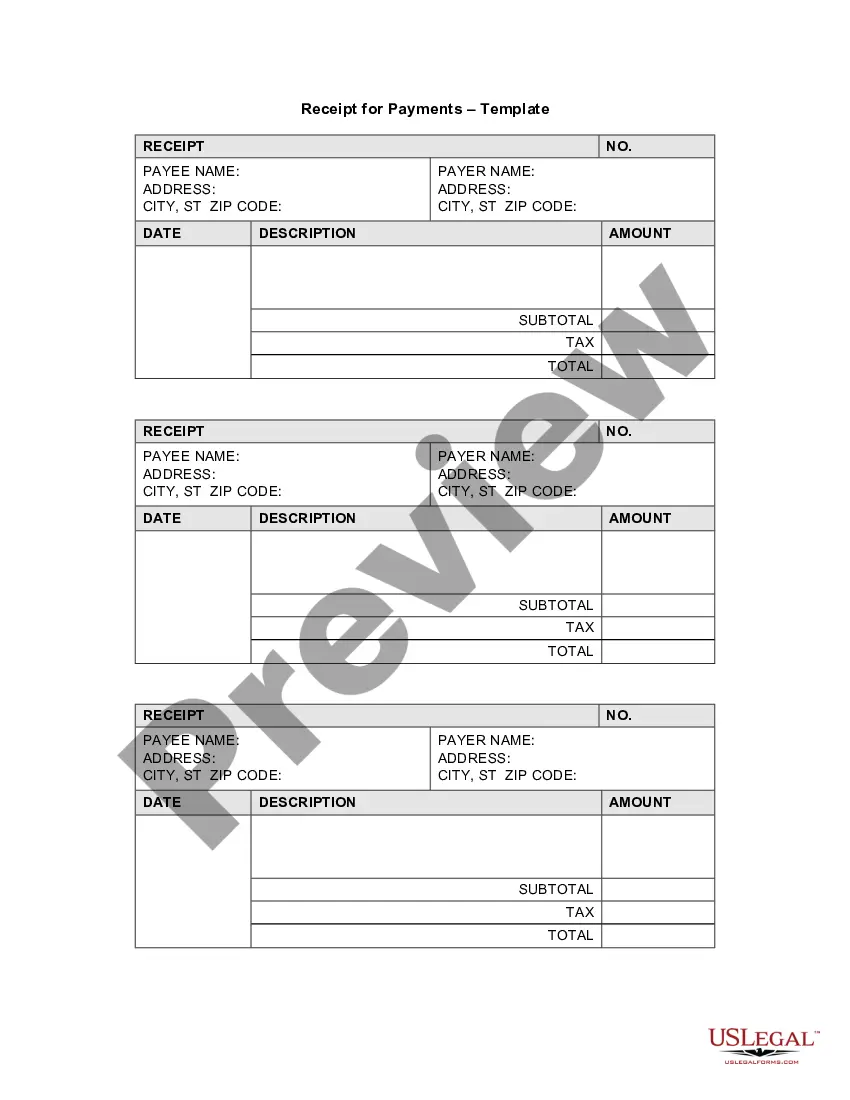
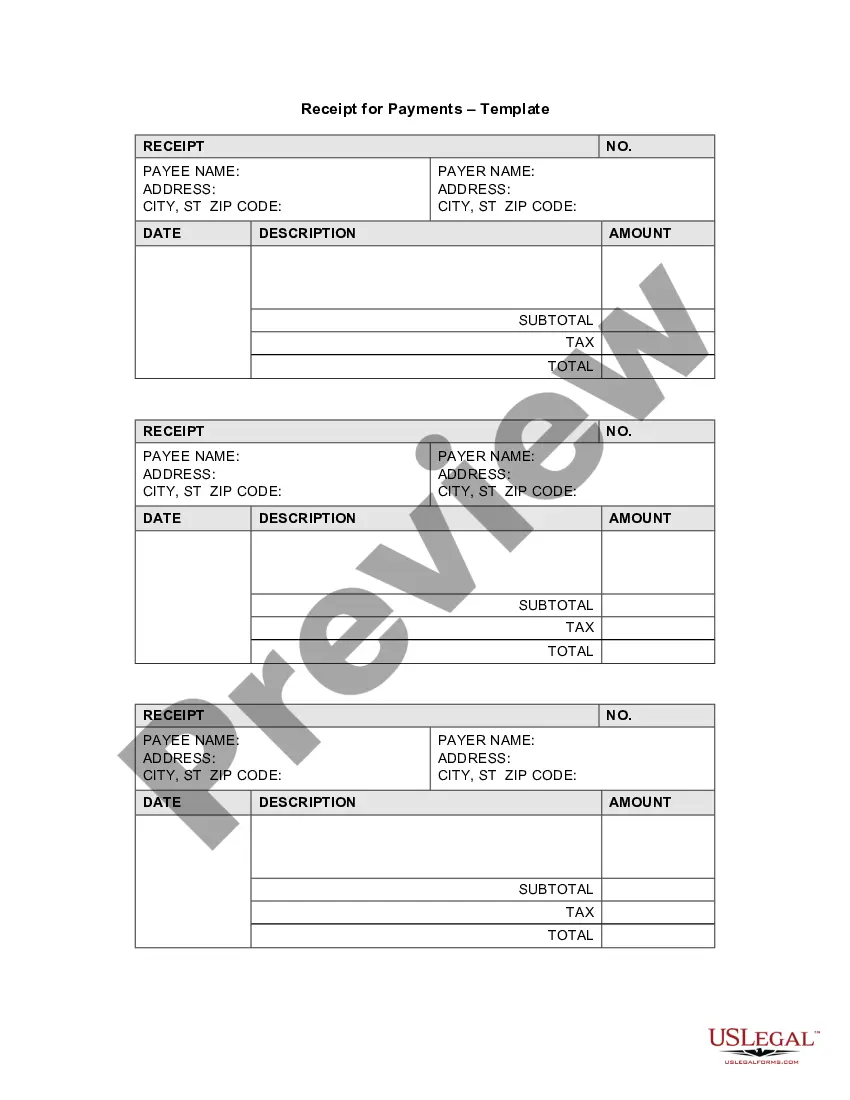
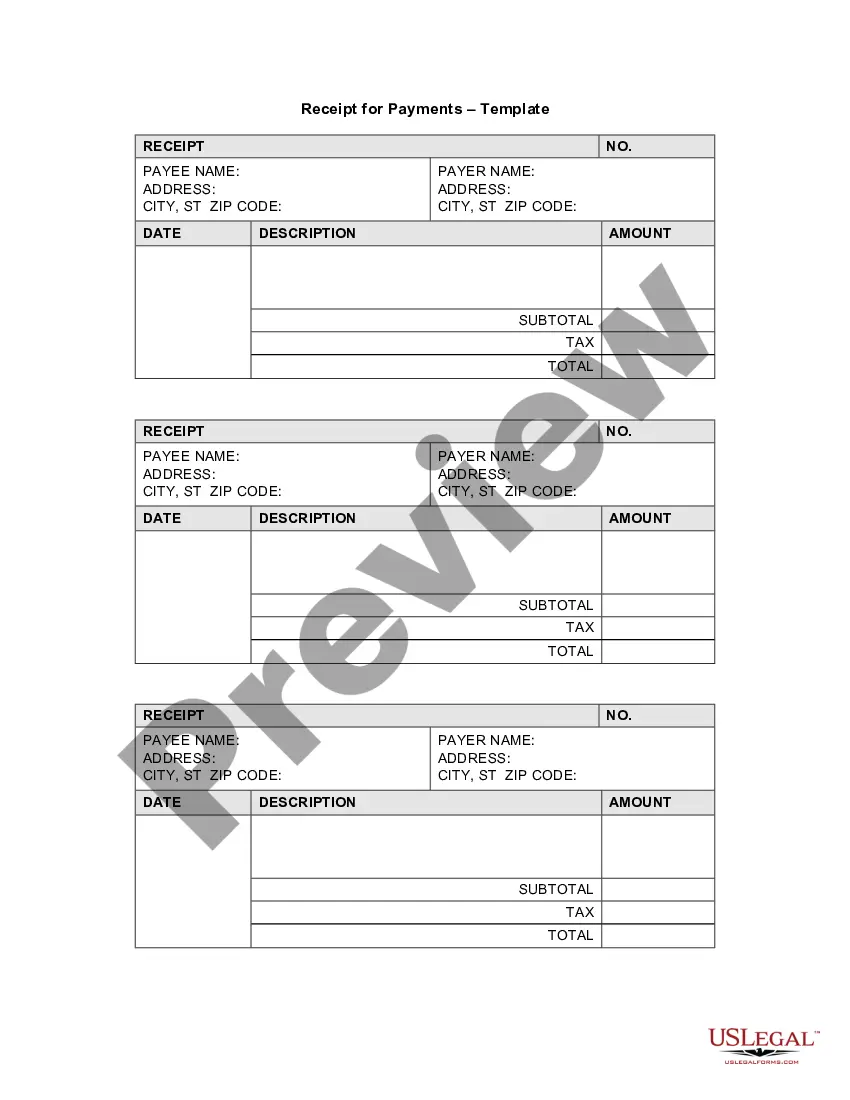
The Receipt Template for Nanny Services is a document used to acknowledge payment for childcare services. This form serves as proof of transaction, providing essential details about the services provided, payment amounts, and dates. Unlike generic receipt templates, this one is specifically tailored for nanny services, making it easier for parents and caregivers to track payments and manage financial records.
Main sections of this form
- Payee name and address: Identifies the service provider.
- Payer name and address: Identifies the customer receiving the services.
- Date of payment: Records when the payment was made.
- Description of services: Provides details about the nanny services rendered.
- Payment amount: States the total charge for the services provided.
- Receipt number: Unique identifier for tracking the receipt.

When to use this document
You should use the Receipt Template for Nanny Services whenever a payment is made for childcare services. This includes instances such as weekly or monthly payments, one-time fees for special events, or alternate arrangements for temporary childcare. Providing a receipt helps keep both parties accountable and organized without misunderstandings regarding the financial transaction.
Who should use this form
- Parents who hire a nanny for regular childcare services.
- Nannies or caregivers offering babysitting or childcare services.
- Agencies that connect families with childcare providers.
- Individuals who need documented proof of payment for financial record-keeping.
Instructions for completing this form
- Identify the parties: Fill in the names and addresses of the payer and payee.
- Enter the date: Specify the date when the payment is made.
- Provide a description: Write down the services that the nanny provided.
- Specify the amount: Enter the total payment amount made for the services.
- Fill in the receipt number: Include a unique identifier to track the transaction.
Is notarization required?
This form does not typically require notarization unless specified by local law. Always check local requirements for specific notarization needs to ensure compliance.
Get your form ready online
Our built-in tools help you complete, sign, share, and store your documents in one place.
Make edits, fill in missing information, and update formatting in US Legal Forms—just like you would in MS Word.
Download a copy, print it, send it by email, or mail it via USPS—whatever works best for your next step.
Sign and collect signatures with our SignNow integration. Send to multiple recipients, set reminders, and more. Go Premium to unlock E-Sign.
If this form requires notarization, complete it online through a secure video call—no need to meet a notary in person or wait for an appointment.
We protect your documents and personal data by following strict security and privacy standards.

Make edits, fill in missing information, and update formatting in US Legal Forms—just like you would in MS Word.

Download a copy, print it, send it by email, or mail it via USPS—whatever works best for your next step.

Sign and collect signatures with our SignNow integration. Send to multiple recipients, set reminders, and more. Go Premium to unlock E-Sign.

If this form requires notarization, complete it online through a secure video call—no need to meet a notary in person or wait for an appointment.

We protect your documents and personal data by following strict security and privacy standards.
Mistakes to watch out for
- Failing to include the date of payment.
- Not providing a clear description of the services.
- Omitting the receiver's signature, if necessary.
Benefits of using this form online
- Convenient access to customizable templates for quick use.
- Editable to meet specific transaction needs without starting from scratch.
- Reliable format drafted by licensed attorneys to ensure legal validity.
Key takeaways
- The Receipt Template for Nanny Services is essential for documenting payments.
- Accurate completion helps both parties maintain clear financial records.
- This form is applicable for various childcare payment situations.
Looking for another form?

Form popularity
FAQ
The name and address of the business or individual receiving the payment. The name and address of the person making the payment. The date the payment was made. A receipt number. The amount paid. The reason for the payment. How the payment was made (credit card, cash, etc)
The name of the person you are preparing the receipt for. the name of the child of the person you are preparing the receipt for. the amount you received for your services. the period you provided these services (from and to dates) your name. your address. your social insurance number. your signature.
The date. your name and address; your social insurance number; a description of the service provided (i.e. babysitting services) the date(s) the service was provided; the full name of the child being cared for;
You can create professional looking invoices with a template that you can customize for your business. Fill it out in Word or Excel and send it electronically as a PDF or print it. Find Word and Excel templates for: Invoices.
Add in your company details (name, address) in From section. Fill out client details (name, email, address) in For section. Write out line items with description, rate and quantity. Finish with the date, invoice number and your personalized brand.
A Microsoft receipt template is just the ticket. A receipts template is free, customizable, and works well in a variety of situations.Browse the collection to find a template for receipt that fits your needs.
Add in your company details (name, address) in From section. Fill out client details (name, email, address) in For section. Write out line items with description, rate and quantity. Finish with the date, invoice number and your personalized brand.
Add in your company details (name, address) in From section. Fill out client details (name, email, address) in For section. Write out line items with description, rate and quantity. Finish with the date, invoice number and your personalized brand.
Generally, the answer is yes. In fact, in many states the document only needs to be signed by the person that you want to use it against and not by you too. Contract Law is pretty much the same everywhere but you should check with your local...