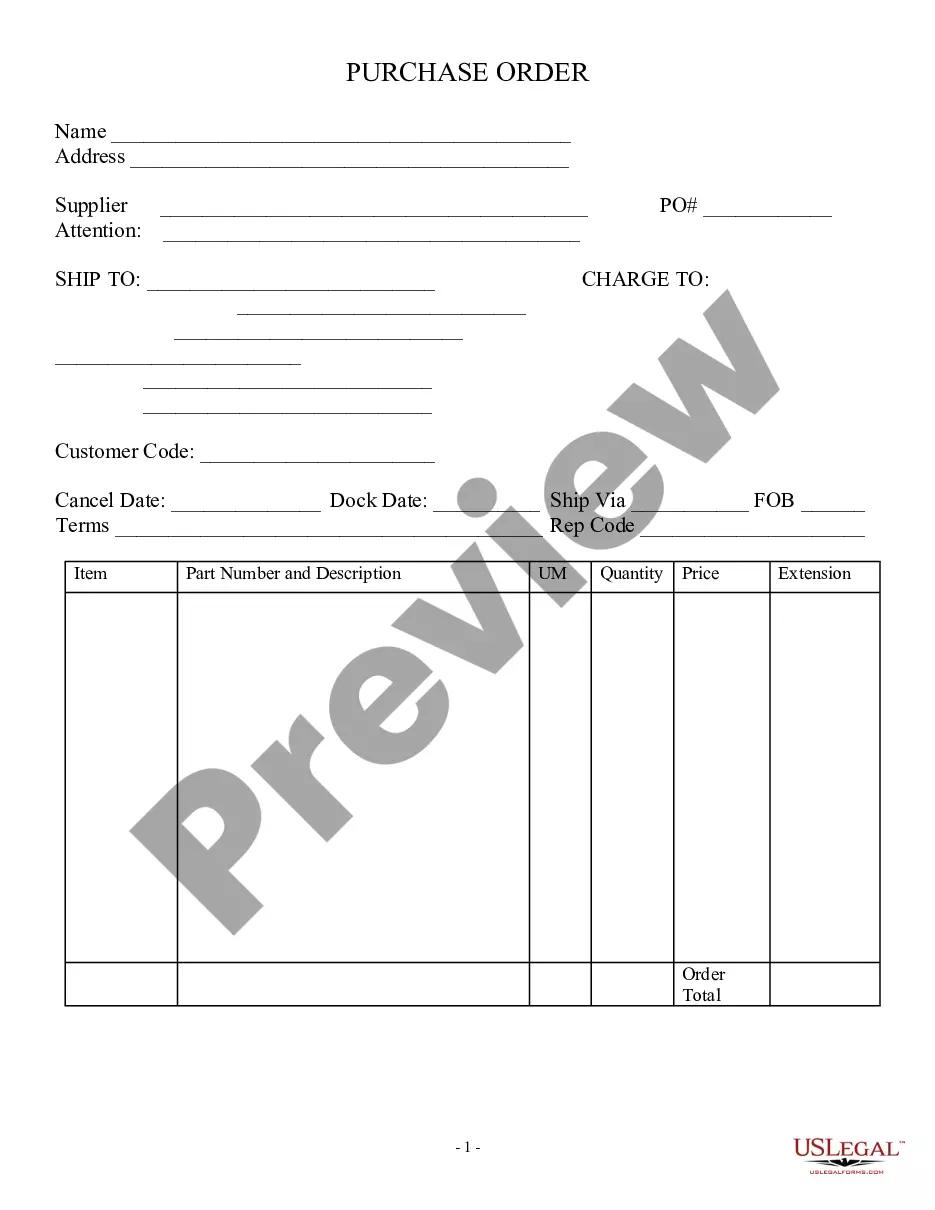
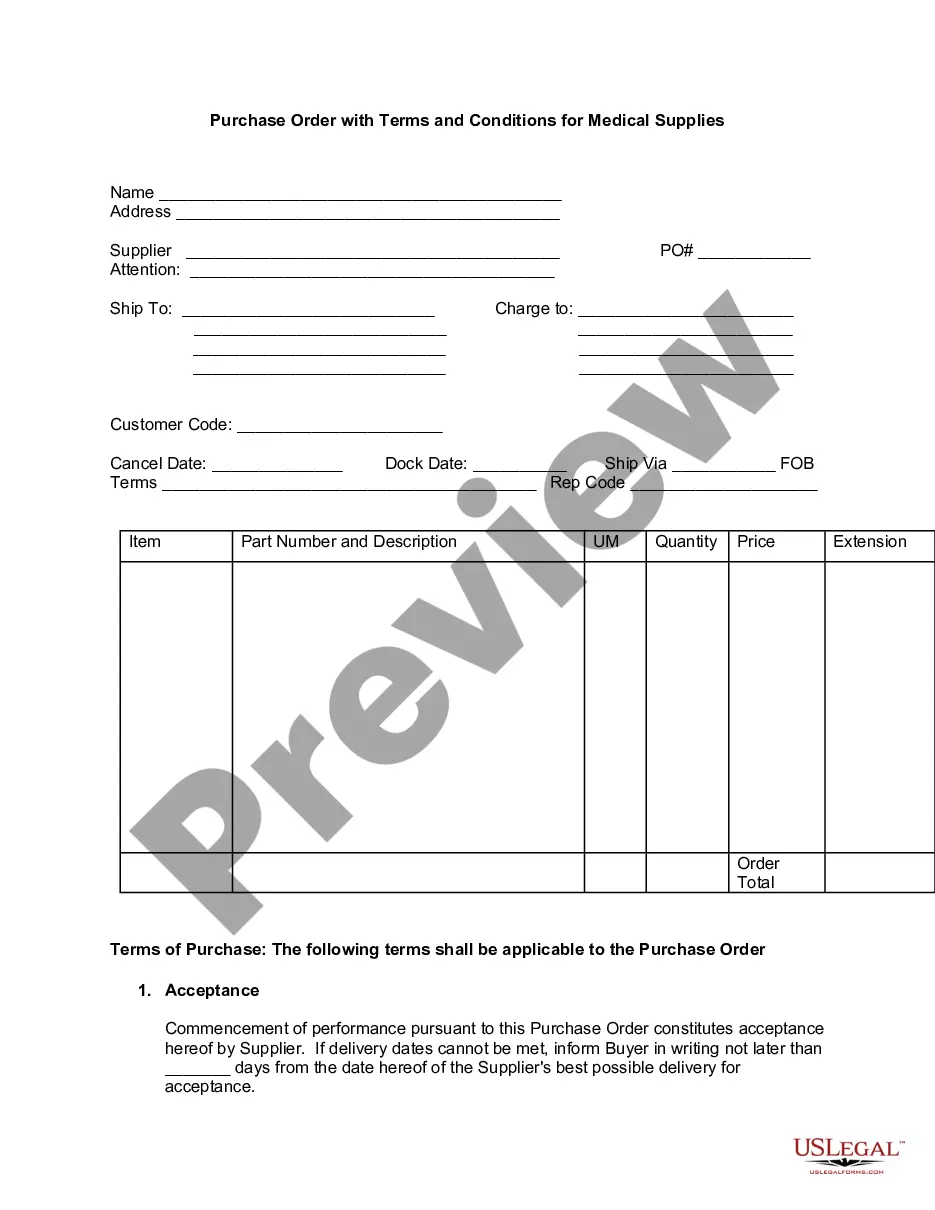
This form is a Purchase Order. The purchase order contains categories for: Item, Part Number and Description, UM, Quantity, Price, and Extension.
Oregon Purchase Order, Standard
Category:
State:
Multi-State
Control #:
US-01688-AZ
Format:
Word;
Rich Text
Instant download
Description
Free preview
Get your form ready online
Our built-in tools help you complete, sign, share, and store your documents in one place.
Built-in online Word editor
Make edits, fill in missing information, and update formatting in US Legal Forms—just like you would in MS Word.
Export easily
Download a copy, print it, send it by email, or mail it via USPS—whatever works best for your next step.
E-sign your document
Sign and collect signatures with our SignNow integration. Send to multiple recipients, set reminders, and more. Go Premium to unlock E-Sign.
Notarize online 24/7
If this form requires notarization, complete it online through a secure video call—no need to meet a notary in person or wait for an appointment.
Store your document securely
We protect your documents and personal data by following strict security and privacy standards.

Make edits, fill in missing information, and update formatting in US Legal Forms—just like you would in MS Word.

Download a copy, print it, send it by email, or mail it via USPS—whatever works best for your next step.

Sign and collect signatures with our SignNow integration. Send to multiple recipients, set reminders, and more. Go Premium to unlock E-Sign.

If this form requires notarization, complete it online through a secure video call—no need to meet a notary in person or wait for an appointment.

We protect your documents and personal data by following strict security and privacy standards.
Looking for another form?


How to fill out Purchase Order, Standard?
If you need to acquire comprehensive, obtain, or print legal document templates, utilize US Legal Forms, the largest assortment of legal forms available online.
Take advantage of the site's straightforward and user-friendly search to locate the documents you seek.
A wide range of templates for commercial and personal purposes is categorized by sections and states, or keywords.
Step 4. After you have found the form you need, click on the Purchase now button. Select the pricing plan you prefer and enter your credentials to register for an account.
Step 5. Process the payment. You can utilize your credit card or PayPal account to complete the purchase.
- Utilize US Legal Forms to find the Oregon Purchase Order, Standard in just a few clicks.
- If you are already a US Legal Forms customer, Log In to your account and then click the Download button to access the Oregon Purchase Order, Standard.
- You can also find forms you previously downloaded from the My documents tab in your account.
- If you are accessing US Legal Forms for the first time, follow the instructions below.
- Step 1. Ensure you have chosen the form for your correct city/state.
- Step 2. Use the Review option to examine the form's content. Remember to read the explanation.
- Step 3. If you are not satisfied with the type, use the Search area at the top of the screen to find other versions of the legal form format.
Form popularity
FAQ
The 4 types of purchase orders you'll use in businessStandard purchase order.Planned purchase order.Blanket purchase order.Contract purchase orders.
There are four primary types of purchase orders, which essentially differ according to how much information is known at the time the order is made.
The four types of purchase orders are:Standard Purchase Orders (PO) Planned Purchase Orders (PPO) Blanket Purchase Orders (BPO) (Also referred to as a Standing Order) Contract Purchase Orders (CPO)
A purchase order consists of a document header and a number of items. The information shown in the header relates to the entire purchase order For example, the terms of payment and the delivery terms are defined in the header. A procurement type is defined for each of the document items.
PO sent to a vendor However, POs also serves as an internal document that streamlines reconciliation for the accounting team once the invoice is received. So while it isn't mandatory to send the PO to the vendor, it's still good practice to keep it for internal purposes.
The main difference between a purchase order and a blanket purchase order is that a regular PO is generally used for a shorter time frame, while a blanket PO is used for recurring orders over a longer period of time with a concrete contractual start and end date.
Standard purchase orders A standard purchase order is typically used for irregular, infrequent or one-off procurement. As mentioned above, it contains a complete specification of the purchase, setting out the price, quantity and timeframes for payment and delivery.
The four types of purchase orders are:Standard Purchase Orders (PO) Planned Purchase Orders (PPO) Blanket Purchase Orders (BPO) (Also referred to as a Standing Order) Contract Purchase Orders (CPO)
Types of PurchasesPersonal Purchases.Mercantile Purchasing.Industrial Purchasing.Institutionalized or government purchasing.
Standard Purchase Orders (PO) Planned Purchase Orders (PPO) Blanket Purchase Orders (BPO) (Also referred to as a Standing Order) Contract Purchase Orders (CPO)