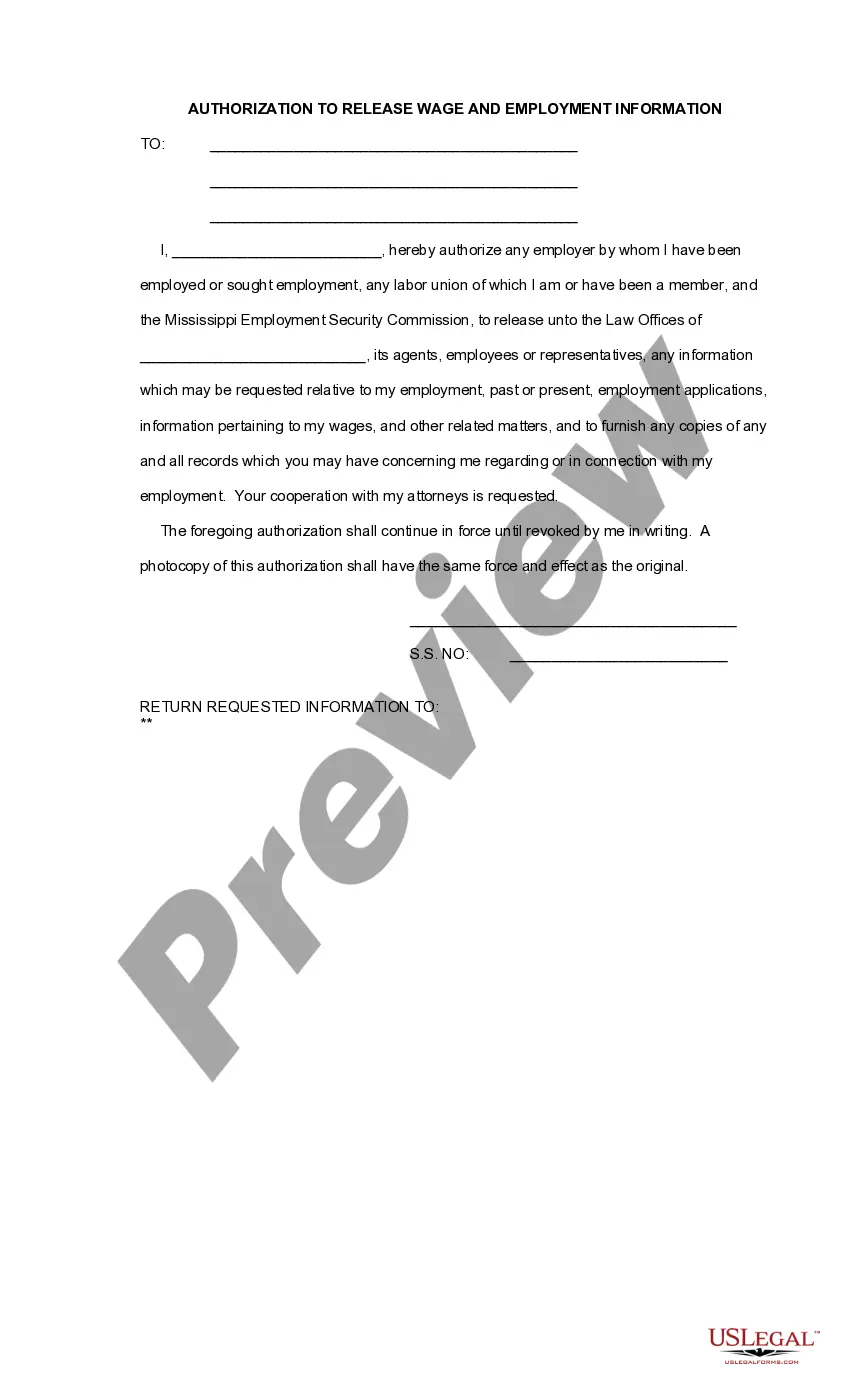
Mississippi Authorization To Release Wage and Employment Information
About this form
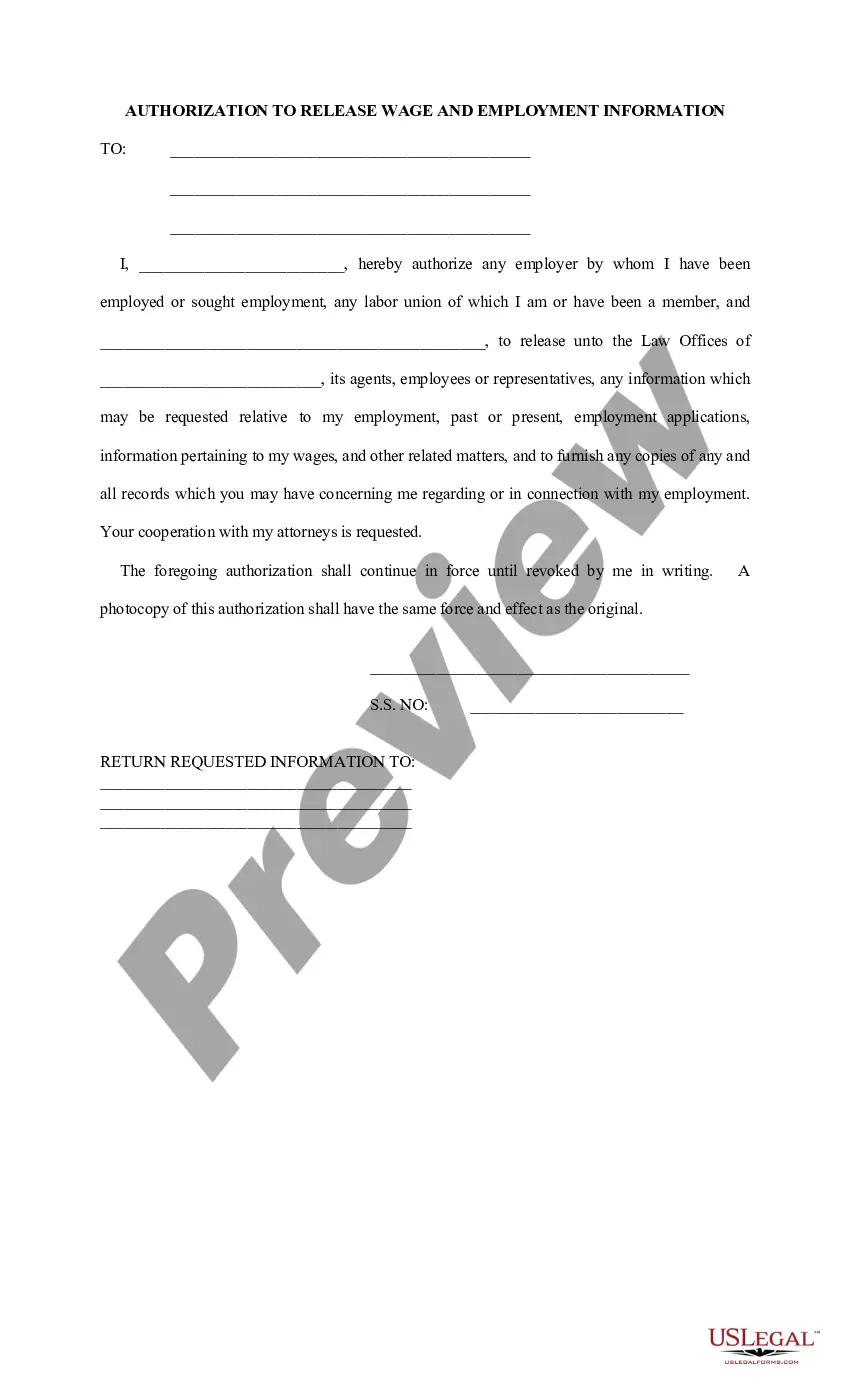
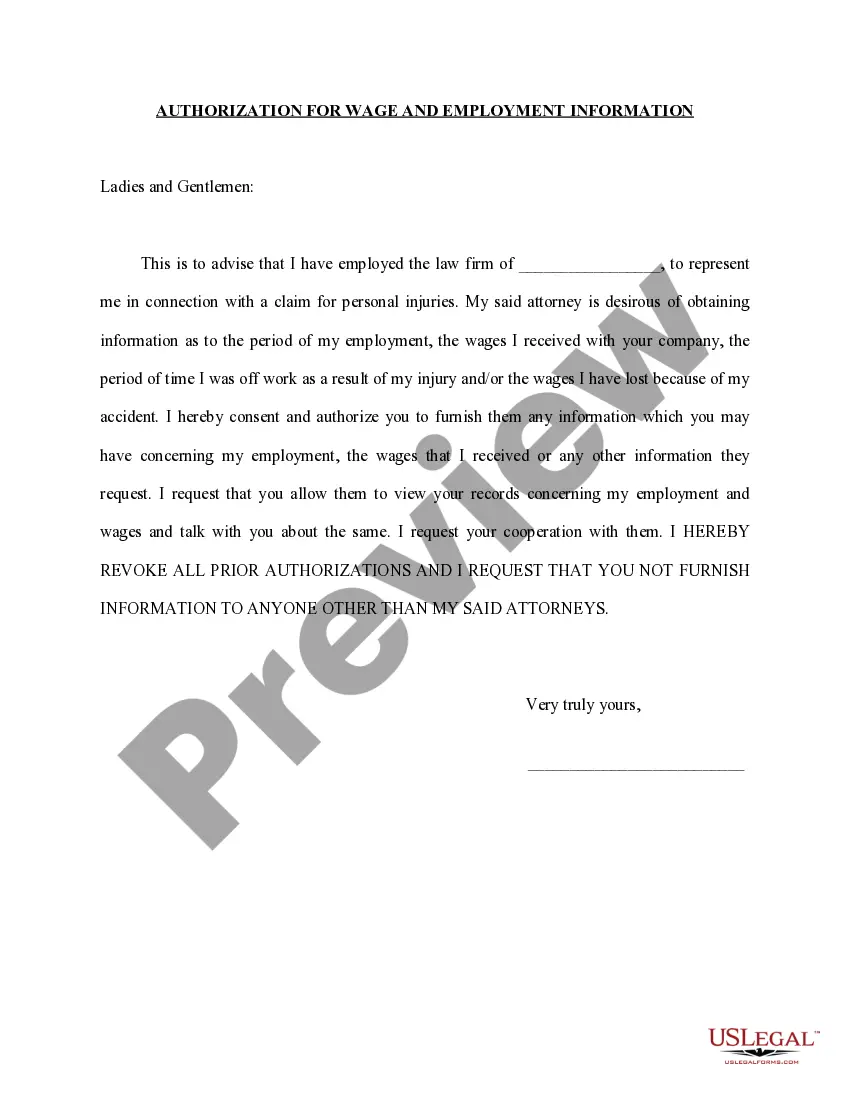
The Authorization to Release Wage and Employment Information is a legal document used primarily in Mississippi. It grants an attorney the authority to collect employment and wage details from various sources, such as employers and labor unions, on behalf of a client. This form is crucial for clients needing representation in employment-related matters, facilitating the gathering of necessary documentation to support their cases.
Main sections of this form
- Client's authorization allowing specific parties to release information.
- Identification of the attorney or law office authorized to receive information.
- Specification for which sources are permitted to share employment-related data.
- Client's signature and date, indicating consent and acknowledgment.
- Continued validity of the authorization until revoked in writing.
When to use this document
This form is commonly used when an individual needs to provide their attorney with access to their employment history and wage records. Scenarios may include legal disputes over wages, applications for unemployment benefits, or any case where understanding past or current employment details is essential. Additionally, if a lawyer requires comprehensive background checks as part of a legal case, this authorization is necessary.
Who this form is for
- Clients represented by attorneys who need specific employment information.
- Individuals involved in legal proceedings where employment history is relevant.
- Job seekers who may require their past employment details disclosed for verification.
Completing this form step by step
- Enter the names and relevant information of the entities authorized to release information.
- Provide the attorney's law office name to which the information should be sent.
- Fill in the client's name and include their Social Security Number for identification.
- Sign and date the form to confirm the authorization.
- Ensure copies of the authorization are retained, as a photocopy holds the same validity as the original.
Is notarization required?
This form usually doesn’t need to be notarized. However, local laws or specific transactions may require it. Our online notarization service, powered by Notarize, lets you complete it remotely through a secure video session, available 24/7.
Get your form ready online
Our built-in tools help you complete, sign, share, and store your documents in one place.
Make edits, fill in missing information, and update formatting in US Legal Forms—just like you would in MS Word.
Download a copy, print it, send it by email, or mail it via USPS—whatever works best for your next step.
Sign and collect signatures with our SignNow integration. Send to multiple recipients, set reminders, and more. Go Premium to unlock E-Sign.
If this form requires notarization, complete it online through a secure video call—no need to meet a notary in person or wait for an appointment.
We protect your documents and personal data by following strict security and privacy standards.

Make edits, fill in missing information, and update formatting in US Legal Forms—just like you would in MS Word.

Download a copy, print it, send it by email, or mail it via USPS—whatever works best for your next step.

Sign and collect signatures with our SignNow integration. Send to multiple recipients, set reminders, and more. Go Premium to unlock E-Sign.

If this form requires notarization, complete it online through a secure video call—no need to meet a notary in person or wait for an appointment.

We protect your documents and personal data by following strict security and privacy standards.
Common mistakes to avoid
- Failing to provide complete information about the employer or attorney.
- Omitting the client's signature or date, rendering the authorization invalid.
- Not clarifying which past employers or organizations are covered by the authorization.
Benefits of using this form online
- Conveniently accessible, allowing users to fill out and download the form instantly.
- Editable templates ensure all necessary fields can be completed accurately.
- Reliability of professionally drafted forms increases the validity of the authorization.
Legal use & context
- The form serves as a legal instrument for clients to authoritatively request their employment information.
- It ensures compliance with privacy laws while allowing attorneys to advocate effectively.
- Potential limitations may arise based on the scope of information disclosed by employers.
Summary of main points
- This form is essential for clients needing to authorize attorneys to collect wage and employment information.
- It requires careful completion to ensure legal validity.
- Understanding state-specific requirements is vital for effective use of the form.
Looking for another form?

Form popularity
FAQ
Currently, your claim is under review to determine if you are eligible to be paid benefits. Payment options will be through secured free Debit Card or Direct Deposit. A Debit Card will be mailed to you unless you have previously been issued an MDES Debit Card.
Eleven statesColorado, Florida, Idaho, Indiana, Michigan, Missouri, Nebraska, Oklahoma, Texas, Virginia and West Virginiarequire E-Verify for most public employers. Minnesota and Pennsylvania require E-Verify for some public contractors and subcontractors.
Click the green Verify with ID.me button. Follow the prompts to either log in to your existing ID.me account, or create a new one. Confirm your email address. Select and set up the multi-factor authentication option of your choice.
Is E-Verify mandatory? For most employers, E-Verify is voluntary and the overwhelming majority of the nation's 18 million employers do not participate in the E-Verify program. By law, E-Verify is mandatory for the federal government, as well as federal contractors and subcontractors.
If you were discharged from your job, your employer must prove misconduct (see below). If your employer can prove your actions amounted to misconduct, the judge will deny you benefits. Because the employer has the burden of proving their case, they will go first in presenting their witnesses and documents.
Mississippi Requires Employers To Check Employees' Employment Authorization With E-Verify. The Mississippi Employment Protection Act (SB2988), signed on March 18, 2008, requires all employers in the State to use E-Verify to determine whether employees are authorized to work.
When a former employee files a claim for unemployment benefits, you receive a notice. The state sends this Notice of Unemployment Insurance Claim Filed to the employee's most recent employer.The more unemployment claims the state approves, the more you contribute for unemployment taxes.
Misconduct generally exists only when an employee's work behavior shows a willful and substantial disregard for the employer's interests or expected standards of behavior.
As of November 30, 2012, a total of 20 states require the use of E-Verify for at least some public and/or private employers: Alabama, Arizona, Colorado, Florida, Georgia, Idaho, Indiana, Louisiana, Michigan, Mississippi, Missouri, Nebraska, North Carolina, Oklahoma, Pennsylvania, South Carolina, Tennessee, Utah,