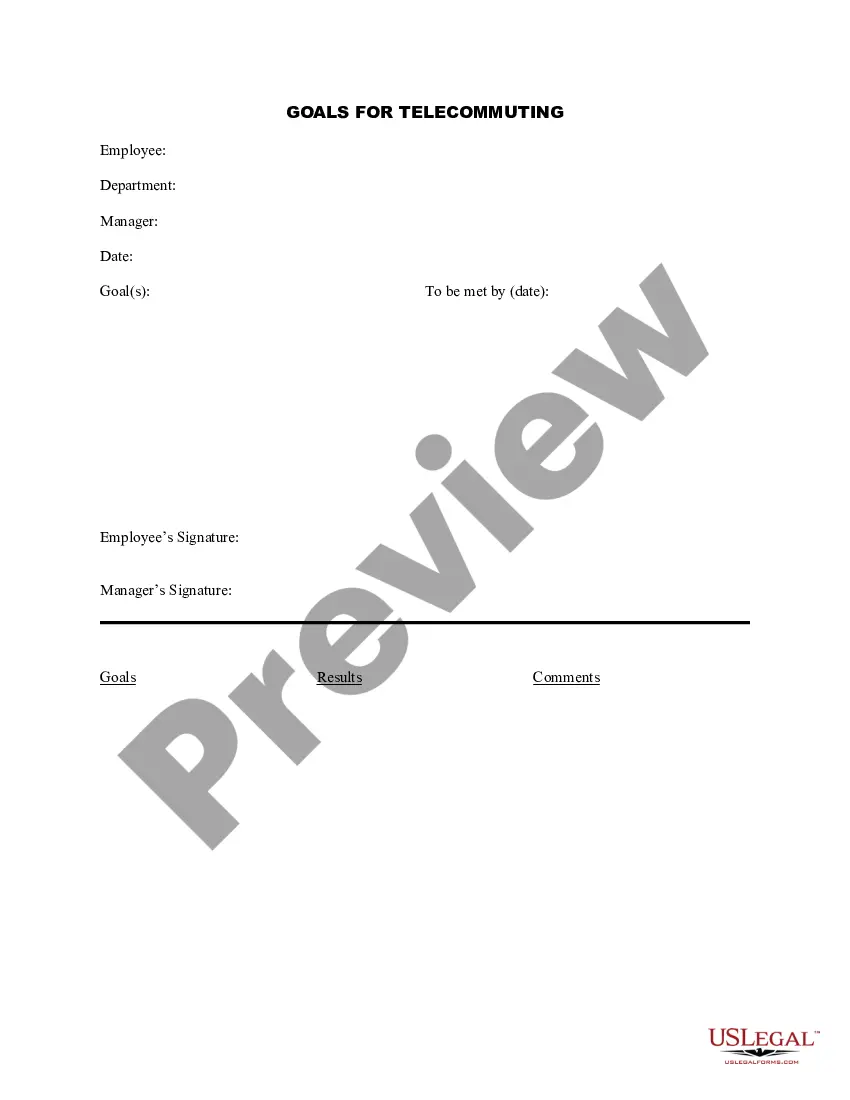
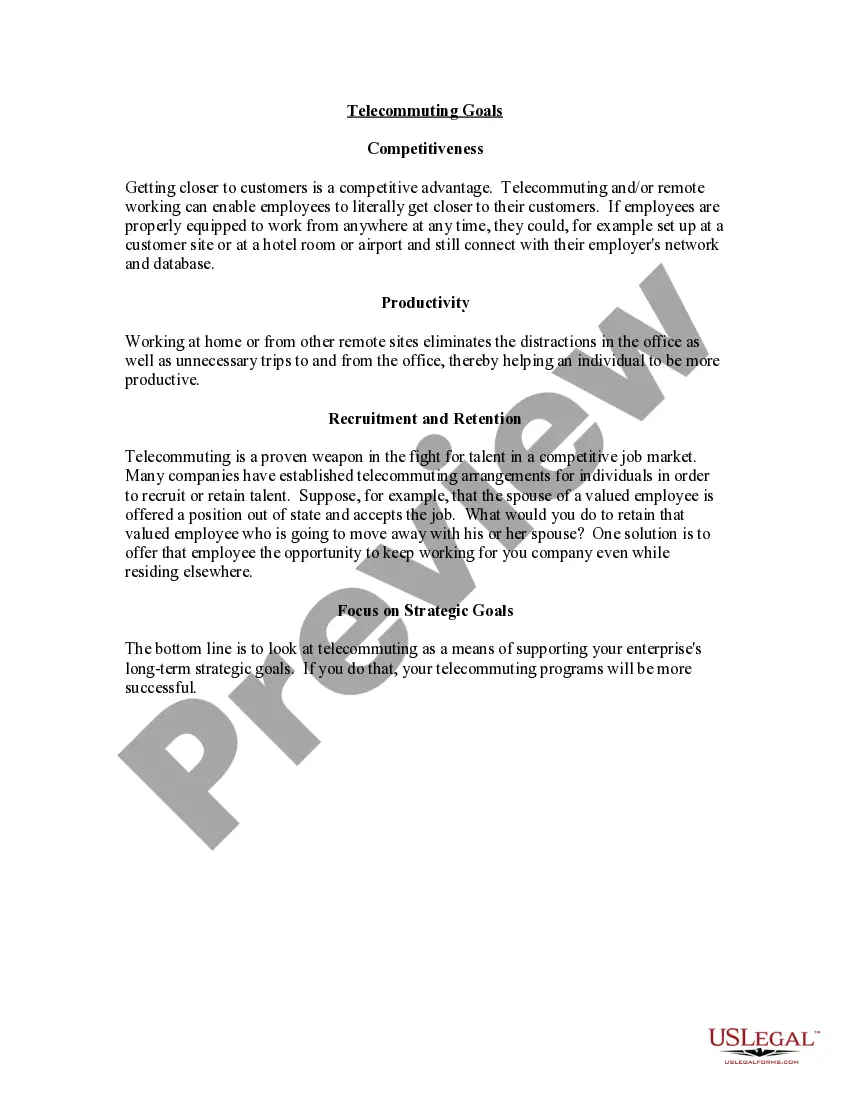
Hawaii Goals for Telecommuting
Description


Get your form ready online
Our built-in tools help you complete, sign, share, and store your documents in one place.
Make edits, fill in missing information, and update formatting in US Legal Forms—just like you would in MS Word.
Download a copy, print it, send it by email, or mail it via USPS—whatever works best for your next step.
Sign and collect signatures with our SignNow integration. Send to multiple recipients, set reminders, and more. Go Premium to unlock E-Sign.
If this form requires notarization, complete it online through a secure video call—no need to meet a notary in person or wait for an appointment.
We protect your documents and personal data by following strict security and privacy standards.

Make edits, fill in missing information, and update formatting in US Legal Forms—just like you would in MS Word.

Download a copy, print it, send it by email, or mail it via USPS—whatever works best for your next step.

Sign and collect signatures with our SignNow integration. Send to multiple recipients, set reminders, and more. Go Premium to unlock E-Sign.

If this form requires notarization, complete it online through a secure video call—no need to meet a notary in person or wait for an appointment.

We protect your documents and personal data by following strict security and privacy standards.
Looking for another form?




How to fill out Goals For Telecommuting?
If you want to be thorough, download, or create legal document templates, use US Legal Forms, the largest collection of legal forms available online.
Utilize the site's simple and user-friendly search to locate the documents you require.
Various templates for business and personal purposes are organized by categories and jurisdictions, or keywords.
Every legal document template you purchase is yours indefinitely.
You have access to every form you downloaded in your account. Go to the My documents section and select a form to print or download again.
- Utilize US Legal Forms to locate the Hawaii Objectives for Telecommuting in just a few clicks.
- If you are already a US Legal Forms customer, Log In to your account and click on the Download option to obtain the Hawaii Objectives for Telecommuting.
- You can also access forms you have previously downloaded in the My documents section of your account.
- If you are using US Legal Forms for the first time, follow the steps outlined below.
- Step 1. Ensure you have selected the form for your appropriate area/jurisdiction.
- Step 2. Use the Preview option to review the form's content. Remember to read the description.
- Step 3. If you are not satisfied with the form, use the Search field at the top of the page to find alternative versions of the legal form template.
- Step 4. Once you have found the form you need, click on the Purchase Now button. Choose the pricing plan you prefer and provide your details to register for an account.
- Step 5. Complete the transaction. You can utilize your Visa or Mastercard or PayPal account to finalize the payment.
- Step 6. Choose the format of the legal form and download it to your device.
- Step 7. Complete, edit, and print or sign the Hawaii Objectives for Telecommuting.
Form popularity
FAQ
Best practices for effective telecommutingCreate a work routine.Take charge of your time.Prioritize focus.Check in with your team regularly.Turn off when you're not at work.Set clear expectations.Respect employees' time.Stay in touch, but don't over-communicate.More items...?
Telework Best Practice GuideSetting clear expectations. Clarify expectations. Be sure to lay out clear expectations around job performance and responsiveness.Plan ahead. Plan Ahead.Communicate regularly. Communicate Regularly.Foster effective teamwork. Foster effective teamwork.Reflect and adjust. Reflect and adjust.
8 ideal workplace practices to follow in 2016Provide Clear Expectations.Give People The Opportunity To Use Their Skills.Support Your Team.Encourage People To Contribute Ideas And Get Involved In Decisions.Encourage Feedback and Recognition.Do people have fun at work?Encourage learning and development.More items...?
7 advantages of telecommuting1) Higher employee satisfaction.2) Better work-life balance.3) Increased flexibility.4) Reduced operational costs.5) Reduced expenses for employees.6) Easier to focus.7) There's zero commuting necessary.1) You need the right technology to be effective.More items...?
Best practices for effective telecommutingCreate a work routine.Take charge of your time.Prioritize focus.Check in with your team regularly.Turn off when you're not at work.Set clear expectations.Respect employees' time.Stay in touch, but don't over-communicate.More items...?
Pros and Cons of TelecommutingYou do not have to spend time commuting back and forth from work.It is easier to focus without the usual workplace distractions.There are no transportation costs.It can provide a better balance of work and personal pursuits.More items...
Consider these five best practices to help your remote team members maximize potential and create a successful off-site arrangement:Designate office space.Establish work hours.Find peak productivity.Communicate early and often.Prioritize mutual trust.
20 Work From Home Best PracticesSet a Work Schedule.Create a Dedicated Workspace.Use the Right Tools and Equipment.Set Boundaries at Home.Plan Breaks and Use Them Wisely.Be an Active Participant in Meetings.Look for Learning Opportunities.Pay Attention to Your Health.More items...?
Telecommuting is a flexible work arrangement that enables employees to achieve a more successful balance between work responsibilities and family life. Telecommuting allows employees to work at home, on the road or in a satellite location for all or part of their workweek.
7 advantages of telecommuting1) Higher employee satisfaction.2) Better work-life balance.3) Increased flexibility.4) Reduced operational costs.5) Reduced expenses for employees.6) Easier to focus.7) There's zero commuting necessary.1) You need the right technology to be effective.More items...?