Florida Motion for Default
Overview of this form
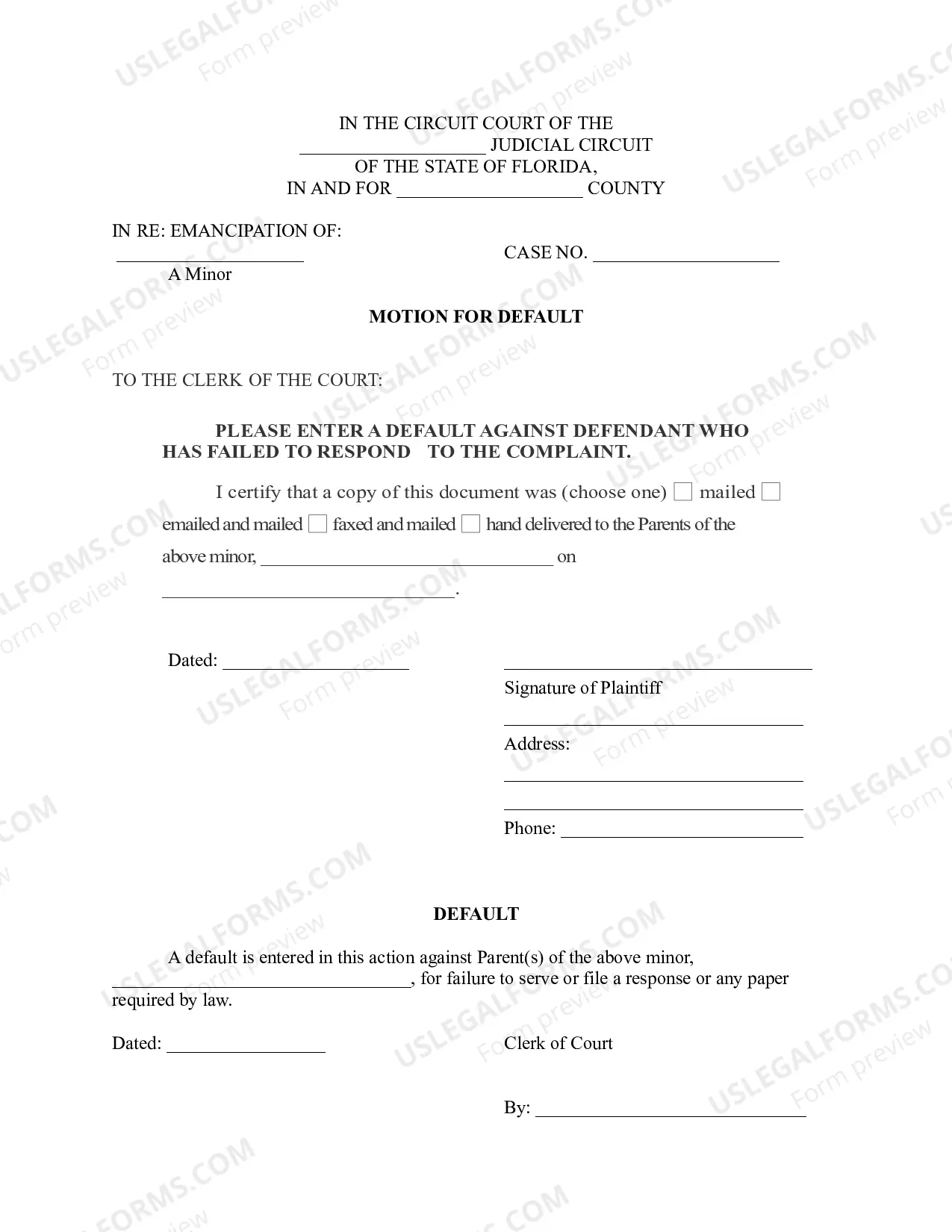
The Motion for Default is a legal document used in circuit court when a parent defendant fails to respond to a complaint regarding the emancipation of a minor. This form allows the plaintiff to request that the court enter a default judgment against the non-responding parent. Unlike other forms for general motions, this specific motion addresses the absence of a timely response in cases concerning minor emancipation.
Key parts of this document
- Identification of the court and case number.
- Request for the court to enter a default against the non-responsive parent.
- Certification of service to the parents of the minor.
- Signature and contact details of the plaintiff.
- Clerk of court's section for entering default judgment.

Common use cases
This form should be used when a parent who has been served with a complaint regarding the emancipation of a minor has failed to respond by the designated deadline. Filing a Motion for Default informs the court of the lack of response, enabling the case to proceed more swiftly toward resolution.
Who this form is for
- Parents or legal guardians seeking emancipation for a minor.
- Individuals representing themselves in family court matters.
- Lawyers handling cases on behalf of clients with similar needs.
Instructions for completing this form
- Fill in the name of the circuit court and the county where the case is filed.
- Enter the case number assigned by the court.
- Clearly state the names of the parents and the minor involved.
- Indicate the method of service and the date you mailed or delivered the document.
- Sign and date the motion in the designated area.
Does this form need to be notarized?
This form does not typically require notarization unless specified by local law.
Get your form ready online
Our built-in tools help you complete, sign, share, and store your documents in one place.
Make edits, fill in missing information, and update formatting in US Legal Forms—just like you would in MS Word.
Download a copy, print it, send it by email, or mail it via USPS—whatever works best for your next step.
Sign and collect signatures with our SignNow integration. Send to multiple recipients, set reminders, and more. Go Premium to unlock E-Sign.
If this form requires notarization, complete it online through a secure video call—no need to meet a notary in person or wait for an appointment.
We protect your documents and personal data by following strict security and privacy standards.

Make edits, fill in missing information, and update formatting in US Legal Forms—just like you would in MS Word.

Download a copy, print it, send it by email, or mail it via USPS—whatever works best for your next step.

Sign and collect signatures with our SignNow integration. Send to multiple recipients, set reminders, and more. Go Premium to unlock E-Sign.

If this form requires notarization, complete it online through a secure video call—no need to meet a notary in person or wait for an appointment.

We protect your documents and personal data by following strict security and privacy standards.
Common mistakes to avoid
- Failing to include the case number.
- Not properly certifying the service to the other parent.
- Missing a signature or date on the motion.
Benefits of completing this form online
- Convenience of completing the form from home.
- Immediate access to downloadable and editable templates.
- Reliable legal language drafted by licensed attorneys.