Mileage Log Template For Taxes
Description






How to fill out Mileage Reimbursement Form?
It’s clear that you can’t transform into a legal authority instantly, nor can you swiftly master how to prepare a Mileage Log Template For Taxes without possessing a specialized skill set.
Assembling legal documents is a lengthy endeavor necessitating particular education and expertise. So why not entrust the creation of the Mileage Log Template For Taxes to the specialists.
With US Legal Forms, one of the vastest legal template repositories, you can find everything from court filings to in-office communication templates. We recognize the importance of compliance and adherence to federal and state laws and regulations. That’s why, on our platform, all forms are location-specific and current.
You can access your forms from the My documents tab anytime. If you’re an existing customer, you can simply Log In and find and download the template from the same tab.
Regardless of the intention behind your documents - be it financial and legal, or personal - our website has everything you need. Explore US Legal Forms today!
- Identify the form you require using the search bar at the top of the page.
- Preview it (if this option is available) and review the supporting description to ascertain whether the Mileage Log Template For Taxes meets your needs.
- If you need any other template, restart your search.
- Create a free account and select a subscription plan to purchase the form.
- Click Buy now. Once the transaction is finalized, you can obtain the Mileage Log Template For Taxes, fill it out, print it, and send it to the appropriate individuals or organizations.
Form popularity
FAQ
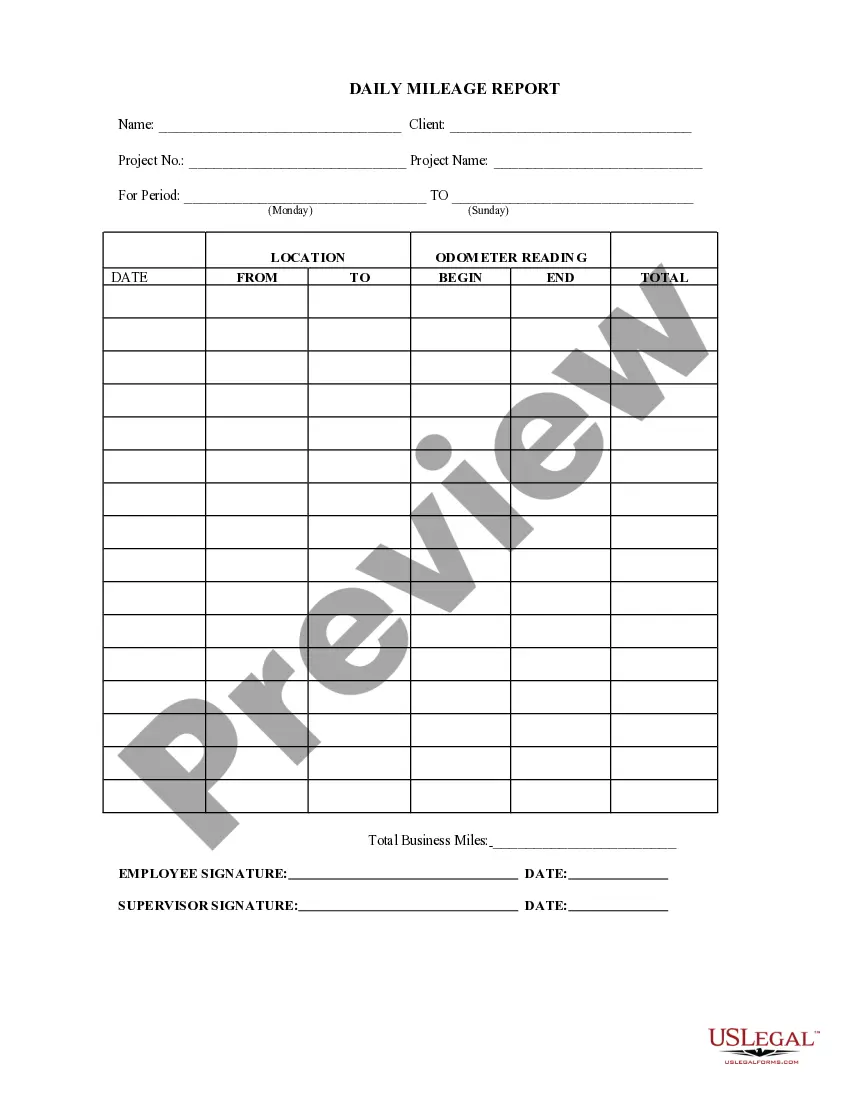
An IRS mileage log typically includes columns for the date, starting and ending odometer readings, total miles driven, destination, and purpose of the trip. A mileage log template for taxes can help you format this information clearly and consistently. This structured format not only meets IRS requirements but also makes it easier for you to review your travel history. Consider using US Legal Forms to access professional templates that simplify your mileage logging process.
The IRS requires that your mileage log includes specific information to validate your deductions. This includes the date of each trip, the miles driven, the destination, and the purpose of the travel. A mileage log template for taxes can help ensure you capture all necessary details consistently. By following these guidelines, you can better support your claims and avoid potential issues during an audit.
Creating a mileage log for taxes involves documenting each trip you take for business purposes. Start by using a mileage log template for taxes, which helps you track vital information such as the date, starting and ending odometer readings, and the purpose of each trip. Regularly updating your log ensures accuracy and completeness, making it easier to calculate your deductions. US Legal Forms offers customizable templates that can streamline your mileage tracking experience.
To show proof of mileage for taxes, you need a well-documented mileage log that tracks your business-related travel. You can utilize a mileage log template for taxes to record essential details like the date, destination, purpose of the trip, and the total miles driven. This organized approach provides clear evidence for the IRS and supports your deductions. Using a reliable platform like US Legal Forms can simplify this process, allowing you to create and manage your mileage logs effectively.
To create a basic mileage log, you need to keep track of five key fields: the vehicle operator, date and time of the trip, purpose of the trip, starting odometer reading, and ending odometer reading.
The IRS allows people to put together their mileage numbers based on incomplete records. You need to have: A statement explaining how you came up with the number of miles you drove for work purposes. You need to explain the evidence you use and how you calculated the number of miles based on the evidence.
The IRS allows people to put together their mileage numbers based on incomplete records. You need to have: A statement explaining how you came up with the number of miles you drove for work purposes. You need to explain the evidence you use and how you calculated the number of miles based on the evidence.
Let's take a look at each column, one at a time: Trip Name: Use this to specify the purpose of your trip. ... Date: Here's when you took the trip. ... Start and End: The beginning and ending addresses allow the IRS to verify the mileage if required. ... Miles: Enter the exact distance you drove.
Need to track the miles you and your employees drive? Use one of our mileage templates in Microsoft Excel to track your miles.
