Sign Away
Description
Get your form ready online
Our built-in tools help you complete, sign, share, and store your documents in one place.
Make edits, fill in missing information, and update formatting in US Legal Forms—just like you would in MS Word.
Download a copy, print it, send it by email, or mail it via USPS—whatever works best for your next step.
Sign and collect signatures with our SignNow integration. Send to multiple recipients, set reminders, and more. Go Premium to unlock E-Sign.
If this form requires notarization, complete it online through a secure video call—no need to meet a notary in person or wait for an appointment.
We protect your documents and personal data by following strict security and privacy standards.

Make edits, fill in missing information, and update formatting in US Legal Forms—just like you would in MS Word.

Download a copy, print it, send it by email, or mail it via USPS—whatever works best for your next step.

Sign and collect signatures with our SignNow integration. Send to multiple recipients, set reminders, and more. Go Premium to unlock E-Sign.

If this form requires notarization, complete it online through a secure video call—no need to meet a notary in person or wait for an appointment.

We protect your documents and personal data by following strict security and privacy standards.
Looking for another form?



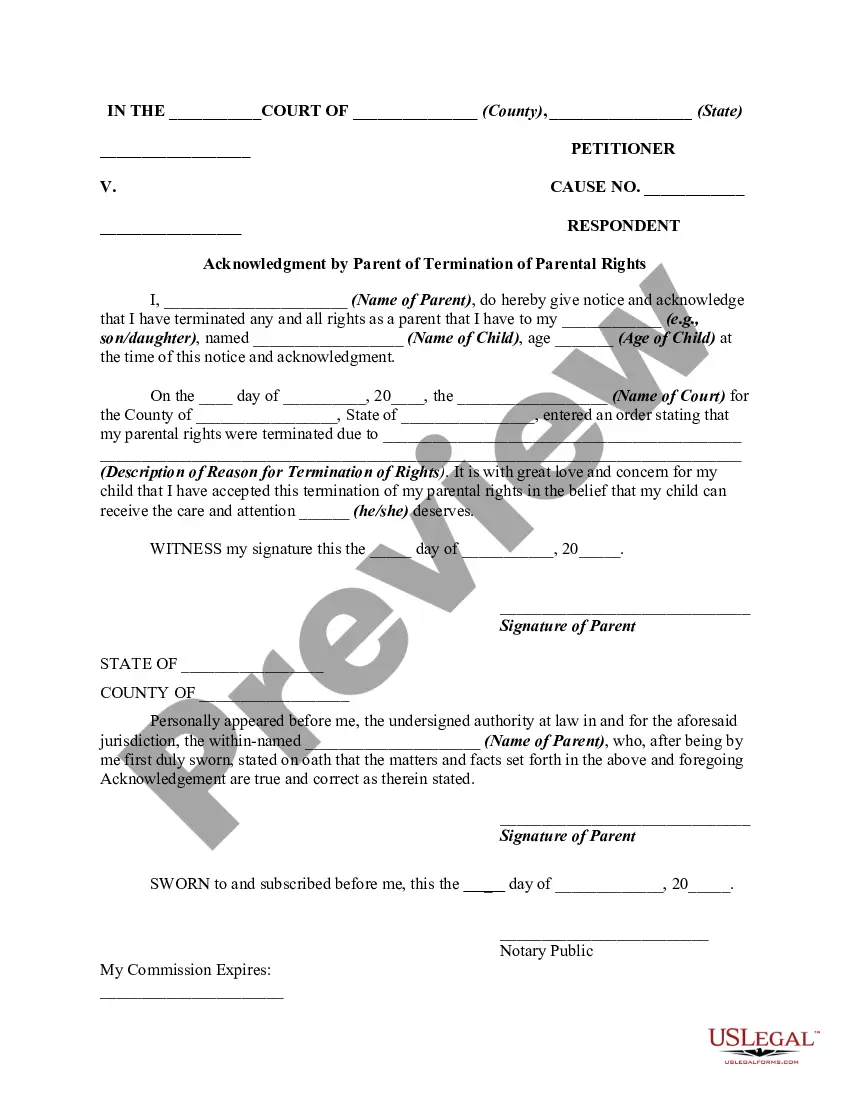
How to fill out Acknowledgment And Agreement By Parent Of Termination Or Relinquish Of Parental Rights - Release Of Parental Rights?
- If you are a returning user, log in to access your account and download the required form by clicking the Download button, ensuring your subscription is active. If it's expired, renew it to continue.
- For first-time users, begin by reviewing the Preview mode and description of the desired form. Ensure it meets your needs and complies with local requirements.
- If the form doesn’t fit your needs, utilize the Search tab above for alternatives until you find a suitable template.
- Once you have your form, proceed to purchase by clicking the Buy Now button and selecting your preferred subscription plan. Remember, registering an account is necessary for access.
- Complete your purchase by entering your credit card information or utilizing your PayPal account to finalize the transaction.
- After payment, download your form to your device for completion, and access it anytime through the My Forms section of your profile.
With US Legal Forms, you can sign away your worries, backed by a robust collection of documents and the support of premium experts. The process is straightforward, ensuring you have what you need when you need it.
Start streamlining your legal documentation today with US Legal Forms—explore their extensive library now!
Form popularity
FAQ
When someone says they are signing off, they typically indicate that they are leaving a discussion or communication. This phrase often suggests a desire to conclude the conversation formally, whether in person or through digital means. It’s a polite way of indicating that one’s participation is coming to an end, leaving the door open for future interactions.
Aside from indicating the completion of a communication, signing off can signify approval or consent in a formal context. This often involves acknowledging that you agree with the contents of a document or message before finalizing it. Being mindful when signing off is crucial, as it can reflect your commitment to the action or agreement.
Signing away means formally giving up your legal rights or entitlements through the act of signing a document. This may occur in various situations, including contracts, waivers, or agreements. It's essential to understand that once you sign away your rights, restoring them can be challenging, so it's wise to seek legal advice before proceeding.
Signaway generally refers to the act of formally signing documents that transfer rights or properties to another party. This process is usually associated with legal agreements and can have significant implications for the individual involved. Understanding the term 'Signaway' highlights the importance of knowing what you are consenting to when you sign.
Signing out typically refers to the process of formally departing from a place or service, indicating that you have completed your interaction. On the other hand, signing off often denotes the act of concluding a communication, such as leaving a message or ending a conversation. Both actions imply a sense of finality, but their contexts differ based on the situation.
In American Sign Language (ASL), the sign for 'away' involves a simple hand gesture that communicates the concept of movement from a place or person. This visual representation helps convey the idea of distance or separation. Learning ASL can enhance your communication skills, making interactions with the deaf community more vibrant and meaningful.
To sign rights away refers to the act of relinquishing ownership or control of something through a signature on a document. This process is common in legal agreements, where individuals may transfer their rights to property, intellectual property, or other assets. It is crucial to carefully consider the consequences before signing rights away, as your future options may become limited.
When someone says they have signed away something, it means they have given up their rights or claims to it legally through a signed document. This can occur in various contexts, such as signing contracts or agreements. Understanding the implications of signing away your rights is essential, as it typically leaves you with little room to contest the matter in the future.
To put a signature on a form, open the document with a PDF or word processor that allows for signatures. Use the signature tool to either draw, type, or upload your signature. Save the document after signing to ensure your signature remains intact. This method allows you to effectively sign away on any form with ease.
To create the ✔ symbol in a PDF, use the text tool within your PDF editor. You can either copy and paste the symbol from a text editor or insert it using a special character menu if available. Once placed, ensure it aligns well with your text and signatures. This simple action can enhance your forms as you sign away.