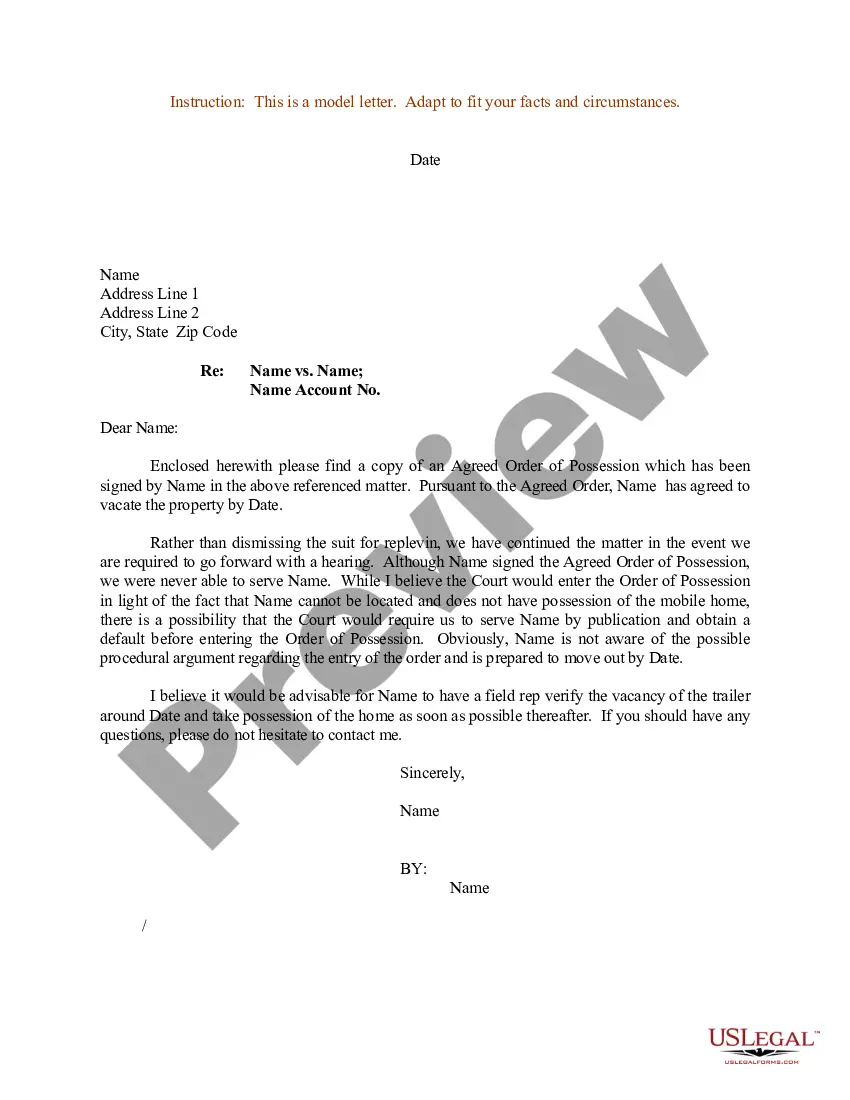
Letter Format For Court In Miami-Dade
Description



Get your form ready online
Our built-in tools help you complete, sign, share, and store your documents in one place.
Make edits, fill in missing information, and update formatting in US Legal Forms—just like you would in MS Word.
Download a copy, print it, send it by email, or mail it via USPS—whatever works best for your next step.
Sign and collect signatures with our SignNow integration. Send to multiple recipients, set reminders, and more. Go Premium to unlock E-Sign.
If this form requires notarization, complete it online through a secure video call—no need to meet a notary in person or wait for an appointment.
We protect your documents and personal data by following strict security and privacy standards.

Make edits, fill in missing information, and update formatting in US Legal Forms—just like you would in MS Word.

Download a copy, print it, send it by email, or mail it via USPS—whatever works best for your next step.

Sign and collect signatures with our SignNow integration. Send to multiple recipients, set reminders, and more. Go Premium to unlock E-Sign.

If this form requires notarization, complete it online through a secure video call—no need to meet a notary in person or wait for an appointment.

We protect your documents and personal data by following strict security and privacy standards.
Looking for another form?








Form popularity
FAQ
Forms can be filed electronically online once completed, signed and notarized. First-time users will need to create an account. Please choose “Self-Represented Litigant” as the filer role when registering. Before you file, please make sure it is signed and notarized as required.
To make a request contact the Clerk's office by mail or in person at Miami-Dade County Courthouse or by email at cocoffrec@miamidade.
Answer: You may not file a document under seal without first obtaining a court order granting a motion for leave to file under seal. Any document you want to file under seal must comply with Local Rules and the Federal Rules of Civil and Criminal Procedure .
You can eRecord your document through one of our approved vendors. With this option, you re- tain your original document and the recorded im- age is available the next day. Additional infor- mation on this option, including links to the ven- dors, is available on the web at . miami- dadeclerk/eRecordings.
The Florida Courts E-Filing Portal is a statewide website mandated by the Florida Legislature and the E-Filing Authority that provides E-Filing capability to users with a single login.
Forms can be filed electronically online once completed, signed and notarized. First-time users will need to create an account. Please choose “Self-Represented Litigant” as the filer role when registering. Before you file, please make sure it is signed and notarized as required.
Request a court hearing. You may plead not guilty and request a court hearing online, by visiting our Traffic Online System or by filling out the Request for Trial Form.
Florida Courts The Florida court system is comprised of the Supreme Court, six district courts of appeal, 20 circuit courts and 67 county courts.
Typically, you would file a motion with the court and pick up a hearing date when you file. Alternately, you could request a hearing date in person. If you want to request a hearing date using a letter, then you should check to see if the court allows you to request a hearing in this manner.
This should go without saying, but you never have to enter the courtroom without a lawyer by your side. If you cannot afford your own lawyer, the court will appoint one for you. While many people do attempt to represent themselves in court, this is often ill-advised for certain types of trials.

