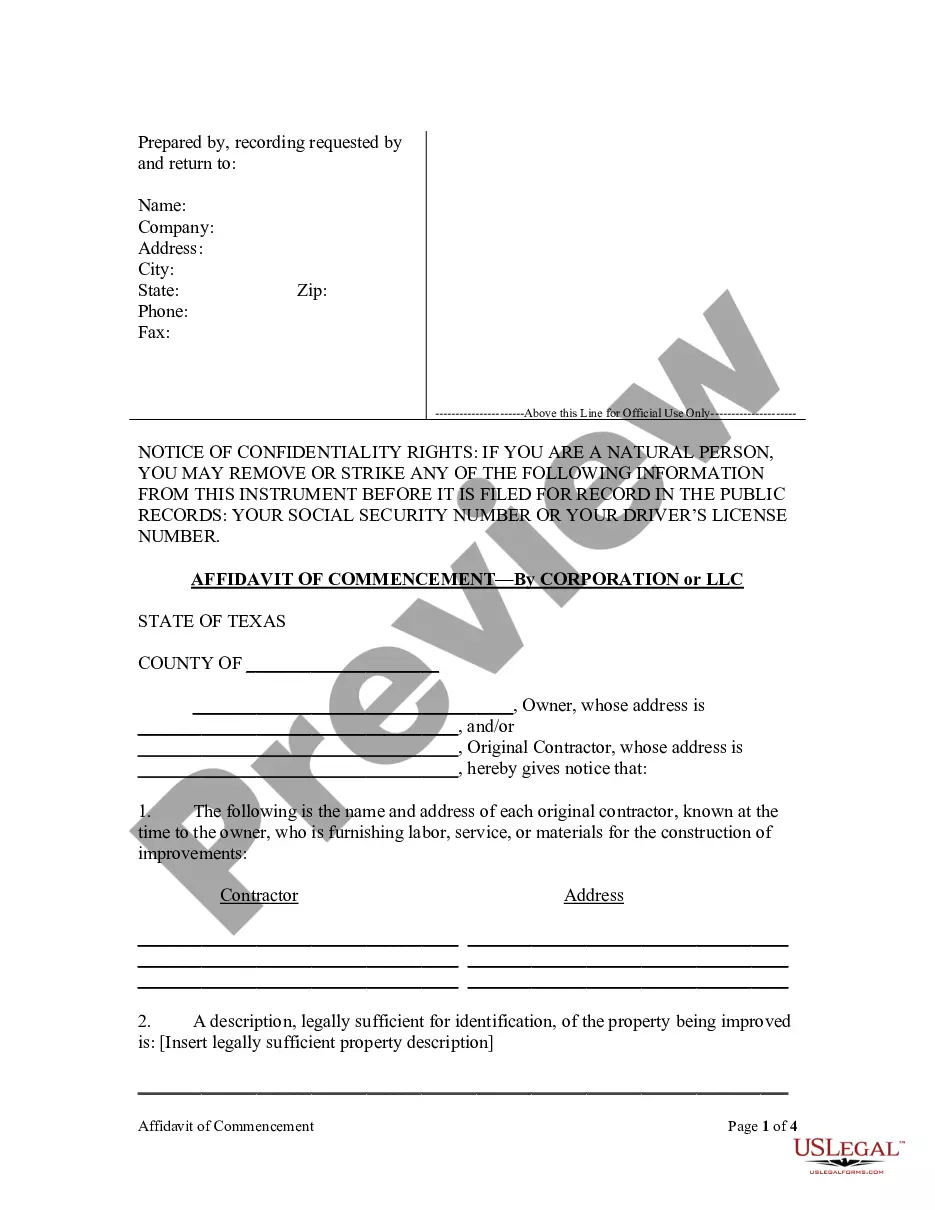
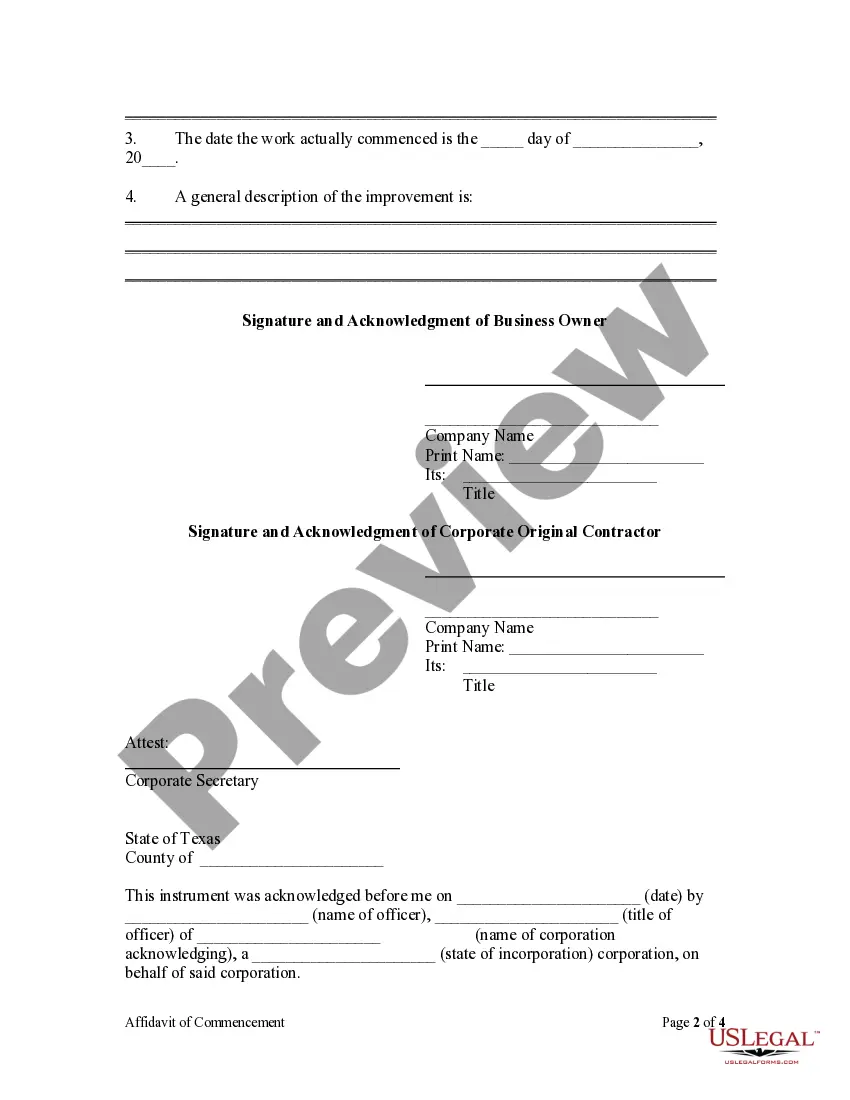
Joint Affidavit by Owner and Contractor of Commencement of Construction or Materials Delivery - Mechanics Liens - Corporation
Note: This summary is not intended to be an
all inclusive discussion of Texas Law of Mechanic's liens, but does contain
basic and other provisions.
Definitions as used herein.
"Labor" means labor used in the direct prosecution
of the work.
"Material" means all or part of:
(A) the material, machinery, fixtures, or tools incorporated
into the work, consumed in the direct prosecution of the work, or
ordered and delivered for incorporation or consumption;
(B) rent at a reasonable rate and actual running repairs at a reasonable
cost for construction equipment used or reasonably required and
delivered for use in the direct prosecution of the work at the site of
the construction or repair; or
(C) power, water, fuel, and lubricants consumed or ordered and
delivered for consumption in the direct prosecution of the work.
"Mechanic's lien" means the lien provided by Texas Laws, Chapter
53.
"Original contract" means an agreement to which an owner
is a party either directly or by implication of law.
"Original contractor" means a person contracting with an
owner either directly or through the owner's agent.
"Residence" means a single-family house, duplex, triplex,
or quadruplex or a unit in a multiunit structure used for residential purposes
that is:
"Residential construction contract" means a contract between
an owner and a contractor in which the contractor agrees to construct
or repair the owner's residence, including improvements appurtenant to
the residence.
"Residential construction project" means a project for the
construction or repair of a new or existing residence, including
improvements appurtenant to the residence, as provided by a residential
construction contract.
"Retainage" means an amount representing part of a contract
payment that is not required to be paid to the claimant within
the month following the month in which labor is performed, material is
furnished, or specially fabricated material is delivered. The
term does not include retainage under Subchapter E.
"Specially fabricated material" means material fabricated
for use as a component of the construction or repair so as to be
reasonably unsuitable for use elsewhere.
"Subcontractor" means a person who has furnished labor or
materials to fulfill an obligation to an original contractor or to
a subcontractor to perform all or part of the work required by an original
contract.
"Work" means any part of construction or repair performed
under an original contract.
"Completion" of an original contract means the actual completion
of the work, including any extras or change orders reasonably
required or contemplated under the original contract, other than warranty
work or replacement or repair of the work performed under the
contract. § 53.001.
Number of Contractors: There may be
one or more contractors for a constrution project. 53.002.
Notice Requirements: Any notice or other
written communication may be delivered in person to the party entitled
to the notice or to that party's agent, regardless of the manner
prescribed by law. If notice is sent by registered or certified mail,
deposit or mailing of the notice in the United States mail in the form required
constitutes compliance with the notice requirement. This subsection does
not apply if the law requires receipt of the notice by the person to whom
it is directed. If a written notice is received by the person entitled
to receive it, the method by which the notice was delivered is immaterial. 53.003.
Persons Entitled to Lien:
A person has a lien if the person labors, specially fabricates
material, or furnishes labor or materials for construction or repair in
this state of:
(A) a house, building, or improvement;
(B) a levee or embankment to be erected for the reclamation of
overflow land along a river or creek; or
and the person labors, specially fabricates the material, or furnishes
the labor or materials under or by virtue of a contract with the
owner or the owner's agent, trustee, receiver, contractor, or subcontractor.
A person who specially fabricates material has a lien even if the material
is not delivered.
An architect, engineer, or surveyor who prepares a plan or plat
under or by virtue of a written contract with the owner or the
owner's agent, trustee, or receiver in connection with the actual or proposed
design, construction, or repair of improvements on real property
or the location of the boundaries of real property has a lien on the property.
A person who provides labor, plant material, or other supplies for
the installation of landscaping for a house, building, or improvement,
including the construction of a retention pond, retaining wall, berm, irrigation
system, fountain, or other similar installation, under or by virtue of
a written contract with the owner or the owner's agent, trustee, or receiver
has a lien on the property. 53.021.
Property to Which Lien Extends: The lien extends
to the house, building, fixtures, or improvements, the land reclaimed from
overflow, or the railroad and all of its properties, and to each lot of
land necessarily connected or reclaimed. The lien does not extend
to abutting sidewalks, streets, and utilities that are public property.
A lien against land in a city, town, or village extends to each lot on
which the house, building, or improvement is situated or on which the labor
was performed. A lien against land not in a city, town, or village
extends to not more than 50 acres on which the house, building, or improvement
is situated or on which the labor was performed. 53.022.
Payment Secured by Lien: The lien secures
payment for:
(2) the specially fabricated material, even if the material has
not been delivered or incorporated into the construction or repair,
less its fair salvage value; or
(3) the preparation of a plan or plat by an architect, engineer,
or surveyor. 53.023.
Limitation on Subcontractor's Lien: The amount
of a lien claimed by a subcontractor may not exceed:
(1) an amount equal to the proportion of the total subcontract
price that the sum of the labor performed, materials furnished, materials specially fabricated, reasonable overhead costs incurred,
and proportionate profit margin bears to the total subcontract price; minus
Limitation on Ordinary Retainage Lien: A lien
for retainage is valid only for the amount specified to be retained in
the contract, including any amendments to the contract, between
the claimant and the original contractor or between the claimant and a
subcontractor. 53.025.
Inception of Mechanic's Lien - Affidavit of Commencement:
Except as provided below for special lien claimants, the time of inception
of a mechanic's lien is the commencement of construction of improvements
or delivery of materials to the land on which the improvements are to be
located and on which the materials are to be used. The construction or
materials must be visible from inspection of the land on which the improvements
are being made.
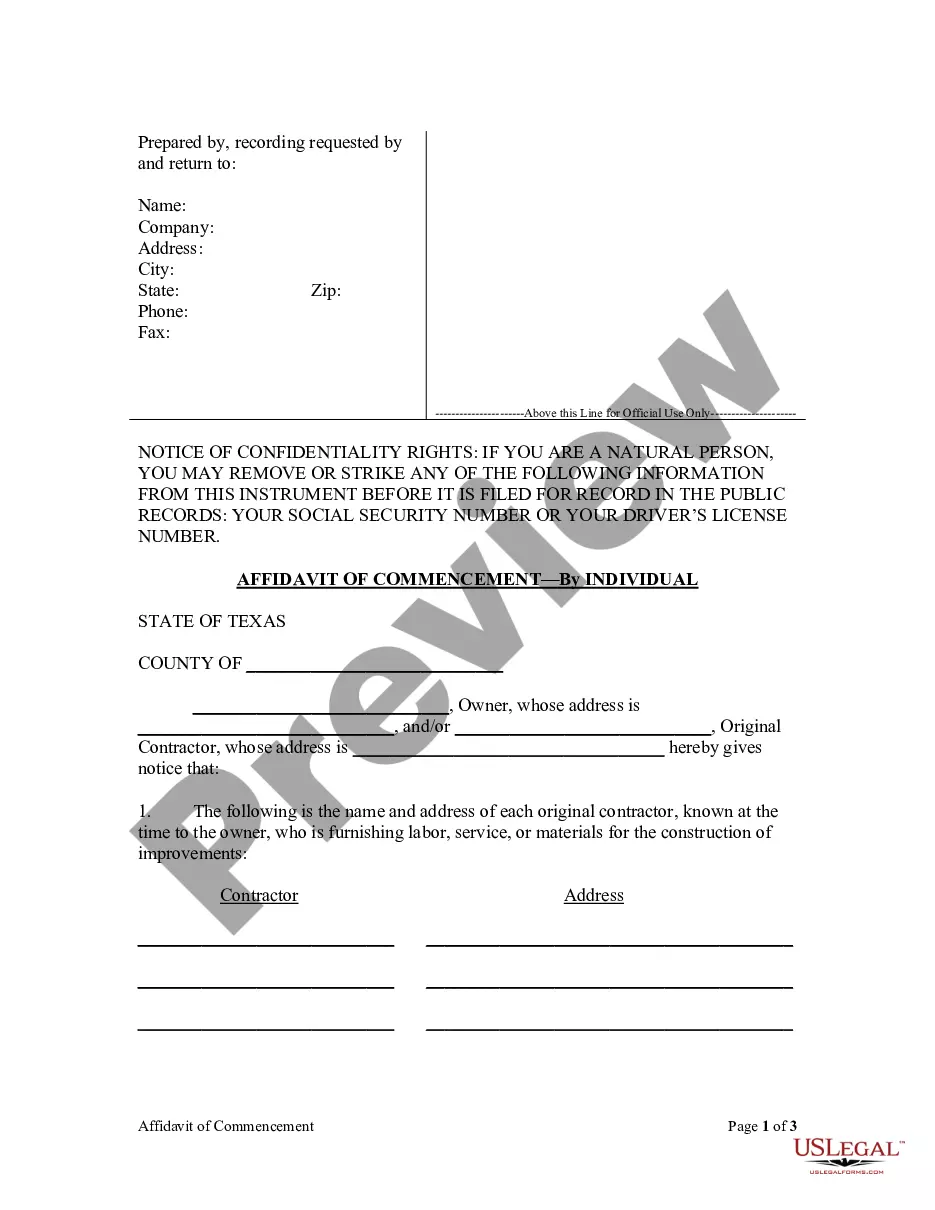
An owner and original contractor may jointly file an affidavit
of commencement with the county clerk of the county in which the land is
located not later than the 30th day after the date of actual commencement
of construction of the improvements or delivery of materials to the land. See Form TX-09-09 or TX-09A-09.
Such an affidavit filed in compliance with law is prima facie evidence
of the date of the commencement of the improvement described in the affidavit.
The time of inception of a mechanic's lien arising from work described
in an affidavit of commencement is the date of commencement of the work
stated in the affidavit.
The time of inception of a lien that is created by an architect,
engineer, or surveyor who prepares a plan or plat under or by virtue of
a written contract with the owner or the owner's agent, trustee,
or receiver in connection with the actual or proposed design, construction,
or repair of improvements on real property or the location of
the boundaries of real property, or a person who provides labor, plant
material, or other supplies for the installation of landscaping for a house,
building, or improvement, including the construction of a retention
pond, retaining wall, berm, irrigation system, fountain, or other similar
installation, under or by virtue of a written contract with the owner or
the owner's agent, trustee, or receiver, is the date of recording of an
affidavit of lien. The priority of a lien claimed by a person entitled
to such liens with respect to other mechanic's liens is determined by
the date of recording. Such liens are not valid or enforceable against
a grantee or purchaser who acquires an interest in the real property before
the time of inception of the lien. 53.124.
Affidavit Required For Payment: Any person
who furnishes labor or materials for the construction of improvements on
real property shall, if requested and as a condition of payment
for such labor or materials, provide to the requesting party, or the party's
agent, an affidavit stating that the person has paid each of the person's
subcontractors, laborers, or materialmen in full for all labor and materials
provided to the person for the construction. In the event, however, that
the person has not paid each of the person's subcontractors, laborers,
or materialmen in full, the person shall state in the affidavit the amount
owed and the name and, if known, the address and telephone number of each
subcontractor, laborer, or materialman to whom the payment is owed. See
Form TX-02-09, TX-02A-09, TX-02B-09 or TX-02C-09.
The seller of any real property shall, upon request by the purchaser
or the purchaser's agent prior to closing of the purchase of the real property,
provide to the purchaser or the purchaser's agent, a written affidavit
stating that the seller has paid each of the seller's contractors, laborers,
or materialmen in full for all labor and materials provided to the seller
through the date specified in the affidavit for any construction of improvements
on the real property and that the seller is not indebted to any person,
firm, or corporation by reason of any such construction through the date
specified in the affidavit. In the event that the seller has not paid each of the seller's contractors, laborers,
or materialmen in full for labor and material provided through the date
specified in the affidavit, the seller shall state in the affidavit the
amount owed and the name and, if known, the address and telephone number
of each contractor, laborer, or materialman to whom the payment is owed.
The affidavit may include:
(1) a waiver or release of lien rights by the affiant that
is conditioned on the receipt of actual payment or collection of funds
when payment is made by check or draft;
(2) a warranty or representation that certain bills or classes of
bills will be paid by the affiant from funds paid in reliance on the affidavit;
and
(3) an indemnification by the affiant for any loss or expense resulting
from false or incorrect information in the affidavit.
A person, including a seller, commits an offense if the person intentionally,
knowingly, or recklessly makes a false or misleading statement in an affidavit
under this section. An offense under this section is a misdemeanor. A person
adjudged guilty of an offense under this section shall be punished by a
fine not to exceed $4,000 or confinement in jail for a term not to exceed
one year or both a fine and confinement. A person may not receive community
supervision for the offense.
A person signing an affidavit under this section is personally liable
for any loss or damage resulting from any false or incorrect information
in the affidavit. § 53.085.
Procedure to Claim Lien - Filing of Affidavit:
Except as otherwise provided, the person claiming the lien must file an
affidavit with the county clerk of the county in which the property is
located or into which the railroad extends not later than the 15th day
of the fourth calendar month after the day on which the indebtedness accrues.
A person claiming a lien arising from a residential construction project
must file an affidavit with the county clerk of the county in which the
property is located not later than the 15th day of the third calendar month
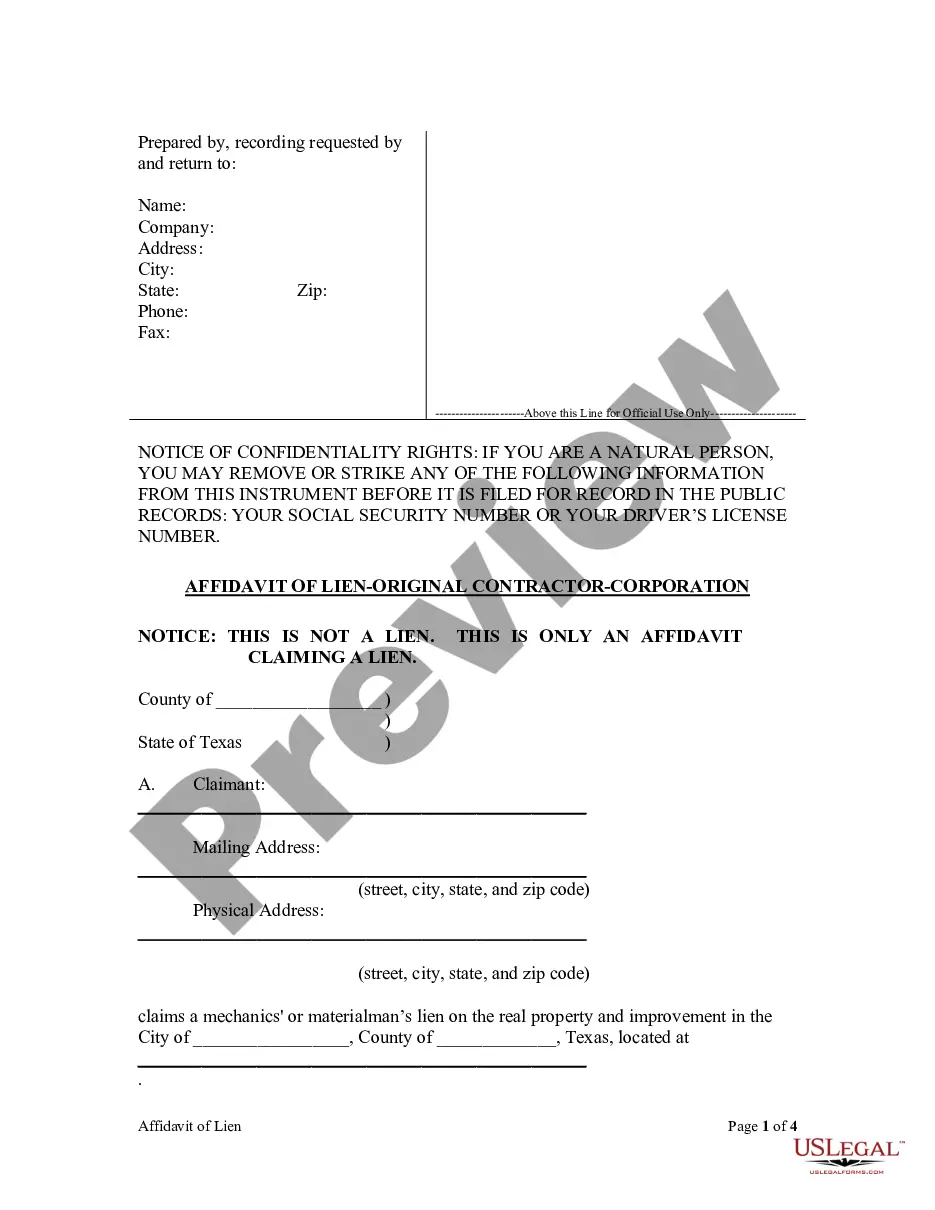
after the day on which the indebtedness accrues. 53.052. See Forms TX-01-09,
TX-01A-09, TX-01B-09, TX-01C-09 and TX-01D-09.
Contents of Affidavit: The affidavit
must be signed by the person claiming the lien or by another person on
the claimant's behalf and must contain substantially:
(3) a general statement of the kind of
work done and materials furnished by the claimant and, for a claimant other
than an original contractor, a statement of each month in which the work
was done and materials furnished for which payment is requested;
(4) the name and last known address of
the person by whom the claimant was employed or to whom the claimant furnished
the materials or labor;
(6) a description, legally sufficient for
identification, of the property sought to be charged with the lien;
(7) the claimant's name, mailing address,
and, if different, physical address; and
(8) for a claimant other than an original
contractor, a statement identifying the date each notice of the claim was
sent to the owner and the method by which the notice was sent.
The claimant may attach to the affidavit a copy of any applicable
written agreement or contract and a copy of each notice sent to the owner.
The affidavit is not required to set forth individual items of work
done or material furnished or specially fabricated. The affidavit may use
any abbreviations or symbols customary in the trade. 53.054. See Forms
TX-01-09, TX-01A-09, TX-01B-09, TX-01C-09 and TX-01D-09.
Notice of Filed Affidavit: A person who
files an affidavit must send a copy of the affidavit by registered or certified
mail to the owner or reputed owner at the owner's last known business or
residence address not later than the fifth day after the date the affidavit
is filed with the county clerk.
If the person is not an original contractor, the person must also
send a copy of the affidavit to the original contractor at the original
contractor's last known business or residence address within the same period.
53.055.
Accrual of Indebtedness: Indebtedness accrues
on a contract under which a plan or plat is prepared, labor was performed,
materials furnished, or specially fabricated materials are to be furnished
in accordance with the provisions below.
Indebtedness to an original contractor accrues:
(1) on the last day of the month in which
a written declaration by the original contractor or the owner is received
by the other party to the original contract stating that the original contract
has been terminated; or
(2) on the last day of the month in which
the original contract has been completed, finally settled, or abandoned.
Indebtedness to a subcontractor, or to any person not covered above,
who has furnished labor or material to an original contractor or to another
subcontractor accrues on the last day of the last month in which the labor
was performed or the material furnished.
Indebtedness for specially fabricated material accrues:
(2) on the last day of the last month in
which delivery of the last of the material would normally have been required
at the job site; or
(3) on the last day of the month of any
material breach or termination of the original contract by the owner or
contractor or of the subcontract under which the specially fabricated material
was furnished.
A claim for retainage accrues on the last day of the month in which
all work called for by the contract between the owner and the original
contractor has been completed, finally settled, or abandoned. 53.053.
Derivative Claimant: Notice to Owner or Original Contractor:
Except as provided by below dealing with residential construction contracts,
a claimant other than an original contractor must give the notice prescribed
by this section for the lien to be valid.
If the lien claim arises from a debt incurred by a subcontractor,
the claimant must give to the original contractor written notice of the
unpaid balance. The claimant must give the notice not later than the 15th
day of the second month following each month in which all or part of the
claimant's labor was performed or material delivered. The claimant must
give the same notice to the owner or reputed owner and the original contractor
not later than the 15th day of the third month following each month in
which all or part of the claimant's labor was performed or material or
specially fabricated material was delivered.
If the lien claim arises from a debt incurred by the original contractor,
the claimant must give notice to the owner or reputed owner, with a copy
to the original contractor, in accordance with the paragraph above.
To authorize the owner to withhold funds, the notice to the owner
must state that if the claim remains unpaid, the owner may be personally
liable and the owner's property may be subjected to a lien unless:
The notice must be sent by registered or certified mail and must
be addressed to the owner or reputed owner or the original contractor,
as applicable, at his last known business or residence address.
A copy of the statement or billing in the usual and customary form
is sufficient as notice under this section. § 53.056. See Form TX-08-09
or TX-08A-09.
Derivative Claimant: Notice for Contractual Retainage Claim:
(a) A claimant may give notice under this section instead of or in addition
to notice under Section 53.056 or 53.252 if the claimant is to labor, furnish
labor or materials, or specially fabricate materials under an agreement
with an original contractor or a subcontractor providing for retainage.
(b) The claimant must give the owner or
reputed owner notice of the retainage agreement not later than the 15th
day of the second month following the delivery of materials or the performance
of labor by the claimant that first occurs after the claimant has agreed
to the contractual retainage. If the agreement is with a subcontractor,
the claimant must also give notice within that time to the original contractor.
(d) The notice must be sent by registered
or certified mail to the last known business or residence address of the
owner or reputed owner or the original contractor, as applicable.
(e) If a claimant gives notice under this
section and Section 53.055 or, if the claim relates to a residential construction
project, under this section and Section 53.252, the claimant is not required
to give any other notice as to the retainage. § 53.057.
Authority to Withhold Funds for Benefit of Claimants: If
an owner receives notice under Section 53.056, 53.057, 53.058, 53.252,
or 53.253, the owner may withhold from payments to the original contractor
an amount necessary to pay the claim for which he receives notice.
If notice is sent in a form that substantially complies with Section
53.056 or 53.252, the owner may withhold the funds immediately on receipt
of the notice.
If notice is sent under Section 53.057, the owner may withhold funds
immediately on receipt of a copy of the claimant's affidavit prepared in
accordance with Sections 53.052 through 53.055.
If notice is sent under Section 53.058, the owner may withhold funds
immediately on receipt of the notices sent under Subsection (e) of that
section. If notice is sent as provided by Section 53.253(b), the owner
may withhold funds immediately on receipt of the notice sent as required
by Section 53.252. § 53.081.
Time for Which Funds are Withheld: Unless
payment is made under Section 53.083 or the claim is otherwise settled,
discharged, indemnified under Subchapter H or I, or determined
to be invalid by a final judgment of a court, the owner shall retain the
funds withheld until:
(2) if a lien affidavit has been filed,
until the lien claim has been satisfied or released. § 53.082.
Payment to Claimant on Demand: The claimant
may make written demand for payment of the claim to an owner authorized
to withhold funds under this subchapter. The demand must give notice to
the owner that all or part of the claim has accrued under Section 53.053
or is past due according to the agreement between the parties.
The claimant must send a copy of the demand to the original contractor.
The original contractor may give the owner written notice that the contractor
intends to dispute the claim. The original contractor must give the notice
not later than the 30th day after the day he receives the copy of the demand. If the original
contractor does not give the owner timely notice, he is considered to have
assented to the demand and the owner shall pay the claim.
The claimant's demand may accompany the original notice of nonpayment
or of a past-due claim and may be stamped or written in legible form on
the face of the notice.
Unless the lien has been secured, the demand may not be made after
expiration of the time within which the claimant may secure the lien for
the claim. § 53.083. See Form TX-014-09 or TX-014A-09.
Owner's Liability: Except for the amount
required to be retained under Subchapter E, the owner is not liable for
any amount paid to the original contractor before the owner is authorized
to withhold funds under this subchapter.
If the owner has received the notices required by Subchapter C or
K, if the lien has been secured, and if the claim has been reduced to final
judgment, the owner is liable and the owner's property is subject to a
claim for any money paid to the original contractor after the owner was authorized to withhold
funds under this subchapter. The owner is liable for that amount in addition
to any amount for which he is liable under Subchapter E. § 53.084.
Required Retainage: During the progress
of work under an original contract for which a mechanic's lien may be claimed
and for 30 days after the work is completed, the owner shall retain:
(2) 10 percent of the value of the work, measured by the proportion
that the work done bears to the work to be done, using the contract price
or, if there is no contract price, using the reasonable value of the completed
work.
In this section, "owner" includes the owner's agent, trustee, or receiver. §
53.101.
Payment Secured by Retainage: The retained
funds secure the payment of artisans and mechanics who perform labor or
service and the payment of other persons who furnish material, material
and labor, or specially fabricated material for any contractor, subcontractor,
agent, or receiver in the performance of the work. § 53.102.
Lien on Retained Funds: A claimant has
a lien on the retained funds if the claimant:
(2) files an affidavit claiming a lien not later than the 30th
day after the work is completed. § 53.103.
Preferences: Individual artisans and mechanics
are entitled to a preference to the retained funds and shall share proportionately
to the extent of their claims for wages and fringe benefits earned.
After payment of artisans and mechanics who are entitled to a preference
under the paragraph above, other participating claimants share proportionately
in the balance of the retained funds. § 53.104.
Owner's Liability for Failure to Retain: If
the owner fails or refuses to comply with this subchapter, the claimants
complying with this chapter have a lien, at least to the extent of the amount that should have been retained from
the original contract under which they are claiming, against the house,
building, structure, fixture, or improvement and all of its properties
and against the lot or lots of land necessarily connected.
The claimants share the lien proportionately in accordance with
the preference provided by Section 53.104. § 53.105.
Affidavit of Completion: An owner may file
with the county clerk of the county in which the property is located an
affidavit of completion. The affidavit must contain:
(3) a description, legally sufficient for identification, of the
real property on which the improvements are located;
(5) a statement that the improvements under the original contract
have been completed and the date of completion; and
(6) a conspicuous statement that a claimant may not have a lien
on retained funds unless the claimant files the affidavit claiming a lien
not later than the 30th day after the date of completion.
A copy of the affidavit must be sent by certified or registered
mail to the original contractor not later than the date the affidavit is
filed and to each claimant who sends a notice of lien liability to the
owner under Section 53.056, 53.057, 53.058, 53.252, or 53.253 not later than the date the affidavit is filed
or the 10th day after the date the owner receives the notice of lien
liability, whichever is later.
A copy of the affidavit must also be sent to each person who furnishes
labor or materials for the property and who furnishes the owner with a
written request for the copy. The owner must furnish the copy to the person
not later than the date the affidavit is filed or the 10th day after the date the request
is received, whichever is later.
Except as provided by this subsection, an affidavit filed under
this section on or before the 10th day after the date of completion of
the improvements is prima facie evidence of the date the work under the
original contract is completed for purposes of this subchapter. If the
affidavit is filed after the 10th day after the date of completion, the
date of completion for purposes of this subchapter is the date the affidavit
is filed. This subsection does not apply to a person to whom the affidavit was not sent as required by this section.§ 53.106. See
Form TX-04-09 or TX-04A-09.
Preference Over Other Creditors: All subcontractors,
laborers, and materialmen who have a mechanic's lien have preference over
other creditors of the original contractor. § 53.121.
Equality of Mechanic's Liens: Except
as provided by Subchapter E and Section 53.124(e), perfected mechanic's
liens are on equal footing without reference to the date of filing the
affidavit claiming the lien.
If the proceeds of a foreclosure sale of property are insufficient
to discharge all mechanic's liens against the property, the proceeds shall be paid pro rata on the perfected mechanic's liens
on which suit is brought.
This chapter does not affect the contract between the owner and
the original contractor as to the amount, manner, or time of payment of
the contract price. § 53.122.
Priority of Mechanic's Lien Over Other Liens: Except
as provided by this section, a mechanic's lien attaches to the house, building,
improvements, or railroad property in preference to any prior lien, encumbrance, or mortgage on the
land on which it is located, and the person enforcing the lien may have
the house, building, improvement, or any piece of the railroad property
sold separately.
The mechanic's lien does not affect any lien, encumbrance, or mortgage
on the land or improvement at the time of the inception of the mechanic's
lien, and the holder of the lien, encumbrance, or mortgage need not be
made a party to a suit to foreclose the mechanic's lien. § 53.123.
Enforcement of Remedies Against Money Due Original Contractor
or Subcontractor: A creditor of an original contractor
may not collect, enforce a security interest against, garnish, or levy
execution on the money due the original contractor or the contractor's
surety from the owner, and a creditor of a subcontractor may not collect,
enforce a security interest against, garnish, or levy execution on the
money due the subcontractor, to the prejudice of the subcontractors, mechanics,
laborers, materialmen, or their sureties.
A surety issuing a payment bond or performance bond in connection
with the improvements has a priority claim over other creditors of its
principal to contract funds to the extent of any loss it suffers or incurs.
That priority does not excuse the surety from paying any obligations that
it may have under its payment bonds. § 53.151.
Release of Claim or Lien: When a debt for
labor or materials is satisfied or paid by collected funds, the person
who furnished the labor or materials shall, not later than the 10th day
after the date of receipt of a written request, furnish to the requesting
person a release of the indebtedness and any lien claimed, to the extent
of the indebtedness paid. An owner, the original contractor, or any person
making the payment may request the release.
A release of lien must be in a form that would permit it to be filed
of record. § 53.152. See Form TX-05-09 or TX-05A-09
Defense of Actions: If an affidavit claiming
a mechanic's lien is filed by a person other than the original contractor,
the original contractor shall defend at his own expense a suit brought on the claim.
If the suit results in judgment on the lien against the owner or
the owner's property, the owner is entitled to deduct the amount of the
judgment and costs from any amount due the original contractor. If the
owner has settled with the original contractor in full, the owner is entitled to recover from the original
contractor any amount paid for which the original contractor was originally
liable. § 53.153.
Foreclosure: A mechanic's lien may be foreclosed
only on judgment of a court of competent jurisdiction foreclosing the lien
and ordering the sale of the property subject to the lien. § 53.154.
Transfer of Property Sold: If the house,
building, improvement, or any piece of railroad property is sold separately,
the officer making the sale shall place the purchaser in possession. The
purchaser is entitled to a reasonable time after the date of purchase within
which to remove the purchased property. § 53.155.
Costs and Attorney's Fees: In any proceeding
to foreclose a lien or to enforce a claim against a bond issued under Subchapter
H, I, or J1 or in any proceeding to declare that any lien or claim is invalid
or unenforceable in whole or in part, the court may award costs and reasonable
attorney's fees as are equitable and just. § 53.156.
Discharge of Lien: A mechanic's lien or
affidavit claiming a mechanic's lien filed under Section 53.052 may be
discharged of record by:
(2) failing to institute suit to foreclose the lien in the county
in which the property is located within the period prescribed by Section
53.158, 53.175, or 53.208;
(3) recording the original or certified copy of a final judgment
or decree of a court of competent jurisdiction providing for the discharge;
(6) recording a certified copy of the order removing the lien under
Section 53.160 and a certificate from the clerk of the court that states
that no bond or deposit as described by Section 53.161 was filed by the
claimant within 30 days after the date the order was entered. § 53.157.
Period for Bringing Suit to Foreclose Lien: Except
as provided by Subsection (b), suit must be brought to foreclose the lien
within two years after the last day a claimant may file the lien affidavit under Section 53.052 or within
one year after completion, termination, or abandonment of the work under
the original contract under which the lien is claimed, whichever is later.
For a claim arising from a residential construction project, suit
must be brought to foreclose the lien within one year after the last day
a claimant may file a lien affidavit under Section 53.052 or within one
year after completion, termination, or abandonment of the work under the original contract under which
the lien is claimed, whichever is later. § 53.158.
Obligation to Furnish Information: An owner,
on written request, shall furnish the following information within a reasonable
time, but not later than the 10th day after the date the request is received, to any person furnishing
labor or materials for the project:
(2) whether there is a surety bond and if so, the name and last
known address of the surety and a copy of the bond; and
(3) whether there are any prior recorded liens or security interests
on the real property being improved and if so, the name and address of
the person having the lien or security interest. See TX-03-09 or TX-03A-09.
An original contractor, on written request by a person who furnished
work under the original contract, shall furnish to the person the following
information within a reasonable time, but not later than the 10th day after
the date the request is received:
(1) the name and last known address of the person to whom
the original contractor furnished labor or materials for the construction
project; and
(2) whether the original contractor has furnished or has been furnished
a payment bond for any of the work on the construction project and if so,
the name and last known address of the surety and a copy of the bond. See
TX-03B-09 or TX-03C-09.
A subcontractor, on written request by an owner of the property being
improved, the original contractor, a surety on a bond covering the original
contract, or any person furnishing work under the subcontract, shall furnish
to the person the following information within a reasonable time, but not
later than the 10th day after the date the request is received:
(1) the name and last known address of each person from
whom the subcontractor purchased labor or materials for the construction
project, other than those materials that were furnished to the project
from the subcontractor's inventory;
(2) the name and last known address of each person to whom the subcontractor
furnished labor or materials for the construction project; and
(3) whether the subcontractor has furnished or has been furnished
a payment bond for any of the work on the construction project and if so,
the name and last known address of the surety and a copy of the bond. See
TX-03D-09 or TX-03E-09.
Not later than the 30th day after the date a written request is received
from the owner, the contractor under whom a claim of lien or under whom
a bond is made, or a surety on a bond on which a claim is made, a claimant
for a lien or under a bond shall furnish to the requesting person a copy of any applicable
written agreement, purchase order, or contract and any billing, statement,
or payment request of the claimant reflecting the amount claimed and the
work performed by the claimant for which the claim is made. If requested,
the claimant shall provide the estimated amount due for each calendar month
in which the claimant has performed labor or furnished materials.
If a person from whom information is requested does not have a direct
contractual relationship on the project with the person requesting the
information, the person from whom information is requested, other than
a claimant requested to furnish information under Subsection (d), may require payment of the actual
costs, not to exceed $25, in furnishing the requested information.
A person, other than a claimant requested to furnish information
under Subsection (d), who fails to furnish information as required by this
section is liable to the requesting person for that person's reasonable
and necessary costs incurred in procuring the requested information.
§ 53.159.
SPECIAL PROVISIONS FOR RESIDENTIAL CONSTRUCTION PROJECTS
Procedures for Residential Construction Projects:
A person must comply with this subchapter in addition to the other
applicable provisions of this chapter to perfect a lien that arises from
a claim resulting from a residential construction project. § 53.251.
Derivative Claimant: Notice to Owner or Original Contractor:
A claimant other than an original contractor must give the notice prescribed
by this section for the lien to be valid. If the property that is the subject
of the lien is a homestead, the notice must also comply with Section 53.254.
The claimant must give to the owner or reputed owner and the original
contractor written notice of the unpaid balance. The claimant must give
the notice not later than the 15th day of the second month following each
month in which all or part of the claimant's labor was performed or material or specially fabricated
material was delivered.
To authorize the owner to withhold funds under Subchapter D, the
notice to the owner must state that if the claim remains unpaid, the owner
may be personally liable and the owner's property may be subjected to a
lien unless: (1) the owner withholds payments from the contractor for payment
of the claim; or (2) the claim is otherwise paid or settled.
The notice must be sent by registered or certified mail and must
be addressed to the owner or reputed owner and the original contractor,
as applicable, at the person's last known business or residence address.
A copy of the statement or billing in the usual and customary form
is sufficient as notice under this section. § 53.252. See
TX-08-09 or TX-08A-09.
Homestead: To fix a lien on a homestead,
the person who is to furnish material or perform labor and the owner must
execute a written contract setting forth the terms of the agreement.
The contract must be executed before the material is furnished or
the labor is performed.
If the owner is married, the contract must be signed by both spouses.
If the contract is made by an original contractor, the contract
inures to the benefit of all persons who labor or furnish material for
the original contractor.
The contract must be filed with the county clerk of the county in
which the homestead is located. The county clerk shall record the contract in
records kept for that purpose.
An affidavit for lien filed under this subchapter that relates to
a homestead must contain the following notice conspicuously printed, stamped,
or typed in a size equal to at least 10-point boldface or the computer
equivalent, at the top of the page:
"NOTICE: THIS IS NOT A LIEN. THIS IS ONLY
AN AFFIDAVIT CLAIMING A LIEN."
For the lien on a homestead to be valid, the notice required to
be given to the owner under Section 53.252 must include or have attached
the following statement:
"If a subcontractor or supplier who furnishes
materials or performs labor for construction of improvements on your property
is not paid, your property may be subject to a lien for the unpaid amount
if:
(1) after receiving notice of the unpaid
claim from the claimant, you fail to withhold payment to your contractor
that is sufficient to cover the unpaid claim until the dispute is resolved;
or
(2) during construction and for 30 days
after completion of construction, you fail to retain 10 percent of the
contract price or 10 percent of the value of the work performed by your contractor.
"If you have complied with the law regarding
the 10 percent retainage and you have withheld payment to the contractor
sufficient to cover any written notice of claim and have paid that amount,
if any, to the claimant, any lien claim filed on your property by a subcontractor
or supplier, other than a person who contracted directly with you, will
not be a valid lien on your property. In addition, except for the required
10 percent retainage, you are not liable to a subcontractor or supplier
for any amount paid to your contractor before you received written notice
of the claim." § 53.254. See FORM TX-010-09.
Disclosure Statement Required for Residential Construction Contract:
Before a residential construction contract is executed by the owner, the
original contractor shall deliver to the owner a disclosure statement described
by this section. The failure of a contractor to comply with this section
does not invalidate a lien under this chapter, a contract lien, or a deed
of trust. § 53.255. See Form TX-011-09.
List of Subcontractors and Suppliers: Except
as provided by Subsection (d), for the construction of improvements under
a residential construction contract, the original contractor shall:
(1) furnish to the owner before the commencement of construction
a written list that identifies by name, address, and telephone number each
subcontractor and supplier the contractor intends to use in the work to
be performed; and
(2) provide the owner with an updated list of subcontractors and
suppliers not later than the 15th day after the date a subcontractor or
supplier is added or deleted.
The list must contain the following notice conspicuously printed, stamped,
or typed in a size equal to at least 10-point boldface or the computer
equivalent:
"NOTICE: THIS LIST OF SUBCONTRACTORS AND
SUPPLIERS MAY NOT BE A FINAL LISTING. UNLESS YOU SIGN A WAIVER OF YOUR
RIGHT TO RECEIVE UPDATED INFORMATION, THE CONTRACTOR IS REQUIRED BY LAW
TO SUPPLY UPDATED INFORMATION, AS THE INFORMATION BECOMES AVAILABLE, FOR EACH SUBCONTRACTOR OR SUPPLIER USED IN THE WORK
PERFORMED ON YOUR RESIDENCE."
The failure of a contractor to comply with this section does not
invalidate a lien under this chapter, a contract lien, or a deed of trust.See
Forms TX-012-09.
An owner may waive the right to receive the list of subcontractors
and suppliers or any updated information required by this section only
as provided by this subsection. The waiver must be in writing and may be
included in the residential construction contract. If the waiver is not
included as a provision of the residential construction contract,
the separate waiver statement must be signed by the owner. The waiver must
be conspicuously printed in at least 10-point bold-faced type and read substantially as required by statute. § 53.256. See
Forms TX-013-09.
Provisions Related to Closing of Loan for Construction of Improvements:
If the owner is obtaining third-party financing for the construction
of improvements under a residential construction contract, the lender shall
deliver to the owner all documentation relating to the closing of the loan
not later than one business day before the date of the closing. If a bona fide emergency or another
good cause exists and the lender obtains the written consent of the owner,
the lender may provide the documentation to the owner or the lender may
modify previously provided documentation on the date of closing.
The lender shall provide to the owner the disclosure statement described
by Section 53.255(b). The disclosure statement must be provided to the
owner before the date of closing. If a bona fide emergency or another good
cause exists and the lender obtains the written consent of the owner, the
lender may provide the disclosure statement at the closing. The lender
shall retain a signed and dated copy of the disclosure statement with the
closing documents.
The failure of a lender to comply with this section does not invalidate
a lien under this chapter, a contract lien, or a deed of trust.§ 53.257.See
Form TX-011-09.
Disbursements of Funds: At the time the
original contractor requests payment from the owner or the owner's lender
for the construction of improvements under a residential construction contract,
the original contractor shall provide to the owner a disbursement statement.
The statement may include any information agreed to by the owner and the
original contractor and must include at least the name and address of each
person who subcontracted directly with the original contractor and who
the original contractor intends to pay from the requested funds. The original
contractor shall provide the disbursement statement: (1) in the manner agreed to in writing by the owner and original
contractor; or (2) if no agreement exists, by depositing
the statement in the United States mail, first class, postage paid, and
properly addressed to the owner or by hand delivering the statement to
the owner before the original contractor receives the requested funds.
If the owner finances the construction of improvements through a
third party that advances loan proceeds directly to the original contractor,
the lender shall:
(1) obtain from the original contractor the signed disbursement
statement required by Subsection (a) that covers the funds for which the
original contractor is requesting payment; and
(2) provide to the owner a statement of funds disbursed by the
lender since the last statement was provided to the owner.
The lender shall provide to the owner the lender's disbursement
statement and the disbursement statement the lender obtained from the contractor
before the lender disburses the funds to the original contractor. The disbursement
statements may be provided in any manner agreed to by the lender and the owner.
The lender is not responsible for the accuracy of the information
contained in the disbursement statement obtained from the original contractor.
The failure of a lender or an original contractor to comply with
this section does not invalidate a lien under this chapter, a contract
lien, or a deed of trust.
A person commits an offense if the person intentionally, knowingly,
or recklessly provides false or misleading information in a disbursement
statement required under this section. An offense under this section is
a misdemeanor. A person adjudged guilty of an offense under this section shall be punished by a
fine not to exceed $4,000 or confinement in jail for a term not to exceed
one year or both a fine and confinement. A person may not receive community
supervision for the offense.§ 53.258.See Form TX-016-09
Final Bills - Paid Affidavit Required: As
a condition of final payment under a residential construction contract,
the original contractor shall, at the time the final payment is tendered,
execute and deliver to the owner, or the owner's agent, an affidavit stating
that the original contractor has paid each person in full for all labor
and materials used in the construction of improvements on the real property.
If the original contractor has not paid each person in full, the original
contractor shall state in the affidavit the amount owed and the name and,
if known, the address and telephone number of each person to whom a payment
is owed.
The seller of any real property on which a structure of not more
than four units is constructed and that is intended as the principal place
of residence for the purchaser shall, at the closing of the purchase of
the real property, execute and deliver to the purchaser, or the purchaser's
agent, an affidavit stating that the seller has paid each person in full
for all labor and materials used in the construction of improvements on
the real property and that the seller is not indebted to any person by
reason of any construction. In the event that the seller has not paid each
person in full, the seller shall state in the affidavit the amount owed
and the name and, if known, the address and telephone number of each person
to whom a payment is owed.
A person commits an offense if the person intentionally, knowingly,
or recklessly makes a false or misleading statement in an affidavit under
this section. An offense under this section is a misdemeanor. A person
adjudged guilty of an offense under this section shall be punished by a
fine not to exceed $4,000 or confinement in jail for a term not to exceed
one year or both a fine and confinement. A person may not receive community
supervision for the offense.
A person signing an affidavit under this section is personally liable
for any loss or damage resulting from any false or incorrect information
in the affidavit. § 53.259.See Form TX-014A-09 or TX-015-09.
Conveyance to Contractor Not Required: An
original contractor may not require an owner of real property to convey
the real property to the original contractor or an entity controlled by
the original contractor as a condition to the performance of the residential
construction contract for improvements to the real property.§ 53.260.