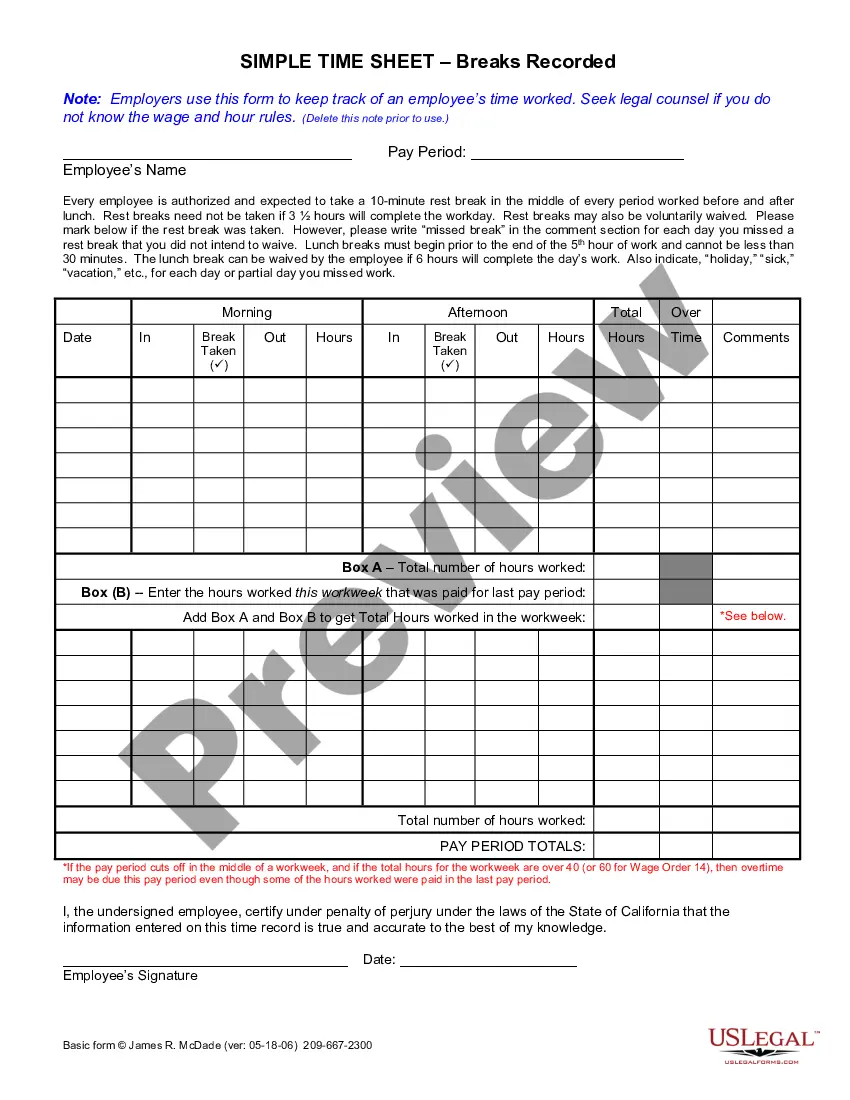
Time Card For Employee
Description

Get your form ready online
Our built-in tools help you complete, sign, share, and store your documents in one place.
Make edits, fill in missing information, and update formatting in US Legal Forms—just like you would in MS Word.
Download a copy, print it, send it by email, or mail it via USPS—whatever works best for your next step.
Sign and collect signatures with our SignNow integration. Send to multiple recipients, set reminders, and more. Go Premium to unlock E-Sign.
If this form requires notarization, complete it online through a secure video call—no need to meet a notary in person or wait for an appointment.
We protect your documents and personal data by following strict security and privacy standards.

Make edits, fill in missing information, and update formatting in US Legal Forms—just like you would in MS Word.

Download a copy, print it, send it by email, or mail it via USPS—whatever works best for your next step.

Sign and collect signatures with our SignNow integration. Send to multiple recipients, set reminders, and more. Go Premium to unlock E-Sign.

If this form requires notarization, complete it online through a secure video call—no need to meet a notary in person or wait for an appointment.

We protect your documents and personal data by following strict security and privacy standards.
Looking for another form?







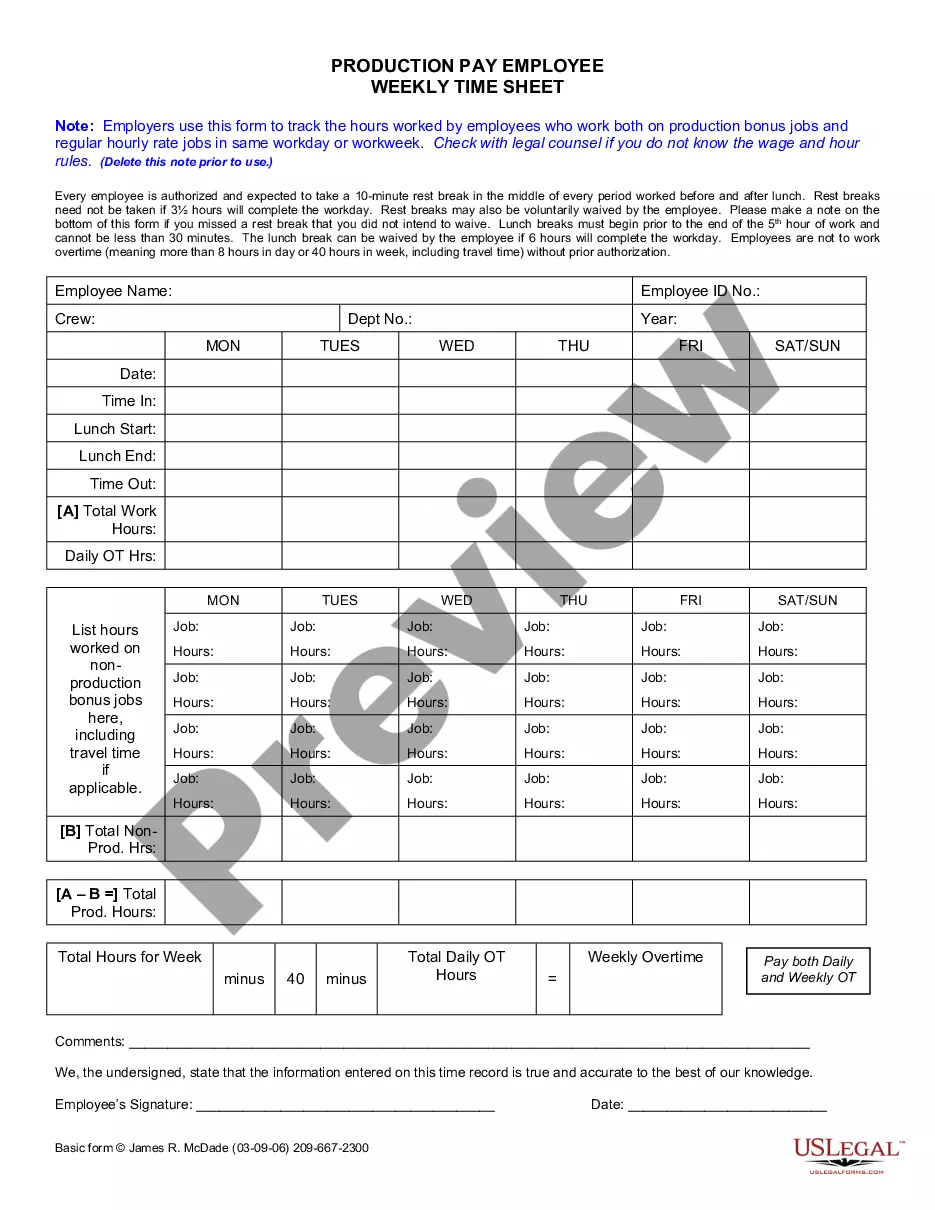
How to fill out California Weekly Time Sheet For Production Pay Employee?
- If you're a returning user, log into your account and locate the time card for employee template. Ensure your subscription is active; if it has expired, make sure to renew it according to your plan.
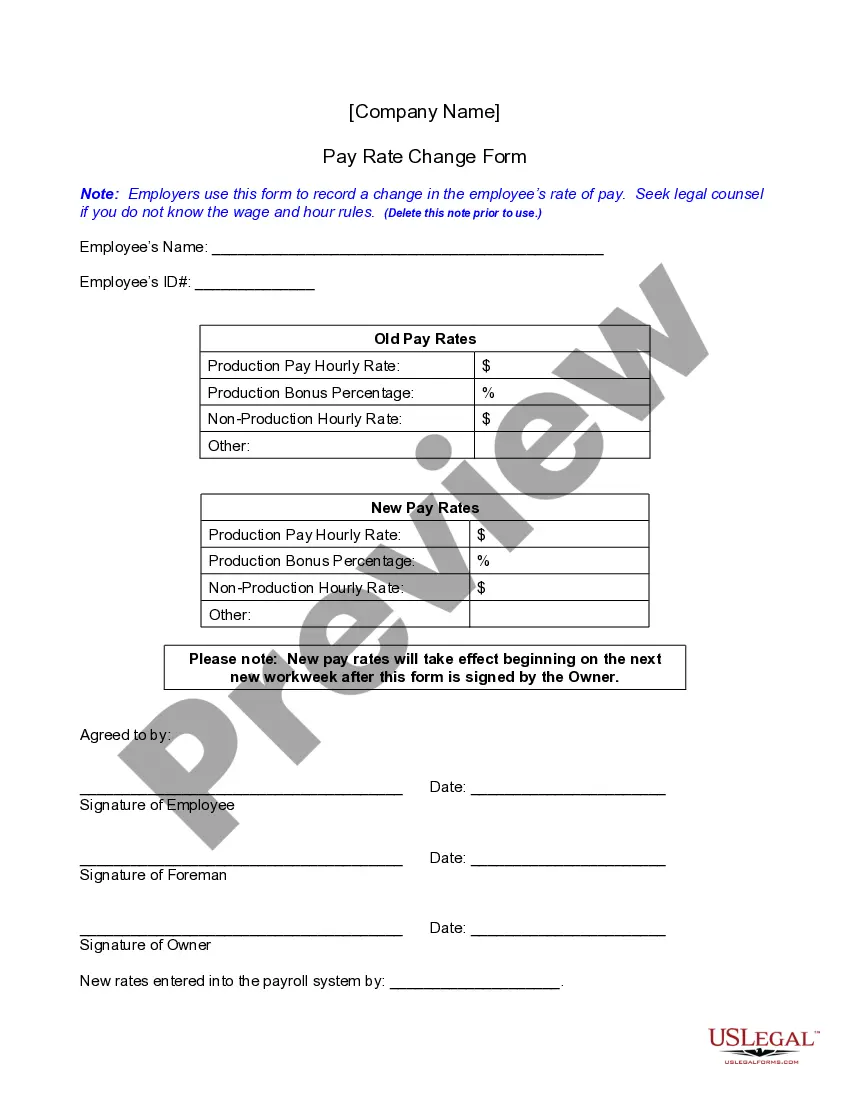
- For new users, start by reviewing the Preview mode and the form description. Make sure you select the right time card for employee that aligns with your local jurisdiction and satisfies your requirements.
- If adjustments are needed, utilize the Search tab to find an alternative template that fits your criteria.
- Proceed to purchase the document by clicking the Buy Now button. Choose your preferred subscription plan and register an account to access the library.
- Complete your purchase with your credit card or PayPal details.
- Once purchased, download the time card to your device, and you can access it anytime from the My Forms section of your account.
US Legal Forms not only offers a vast selection of over 85,000 fillable legal templates but also connects you with premium experts to ensure that your documents are completed accurately and legally sound.
Embark on your journey to efficient document handling today. Visit US Legal Forms to get started with your time card for employee now!
Form popularity
FAQ
Filling out a time card for work requires you to enter your daily hours, breaks taken, and tasks completed. Ensure you submit the time card in accordance with your employer's guidelines. Accurate entries on your time card for employee reimbursements are crucial for payroll processing.
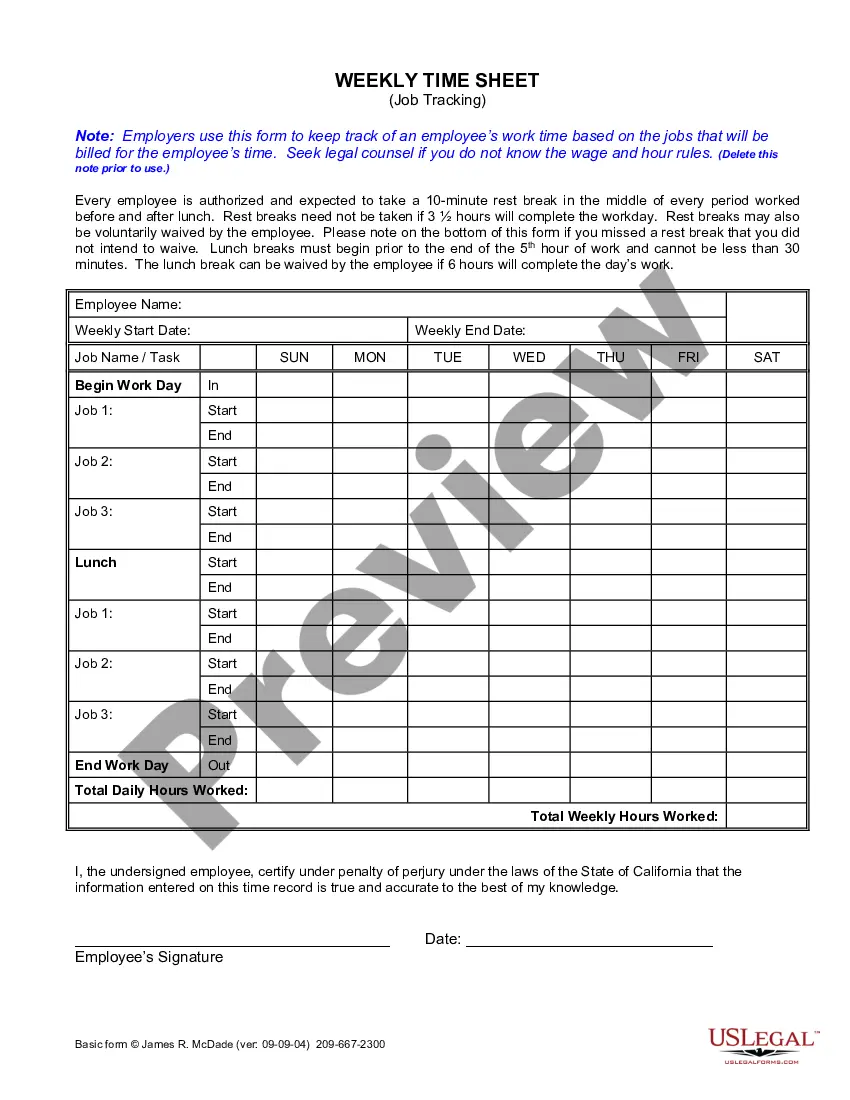
To fill out a time log, consistently record the time spent on each task, noting the start and end times throughout your workday. Keeping tracking simple and organized helps maintain accuracy. Ultimately, this practice supports your overall time card for employee management.
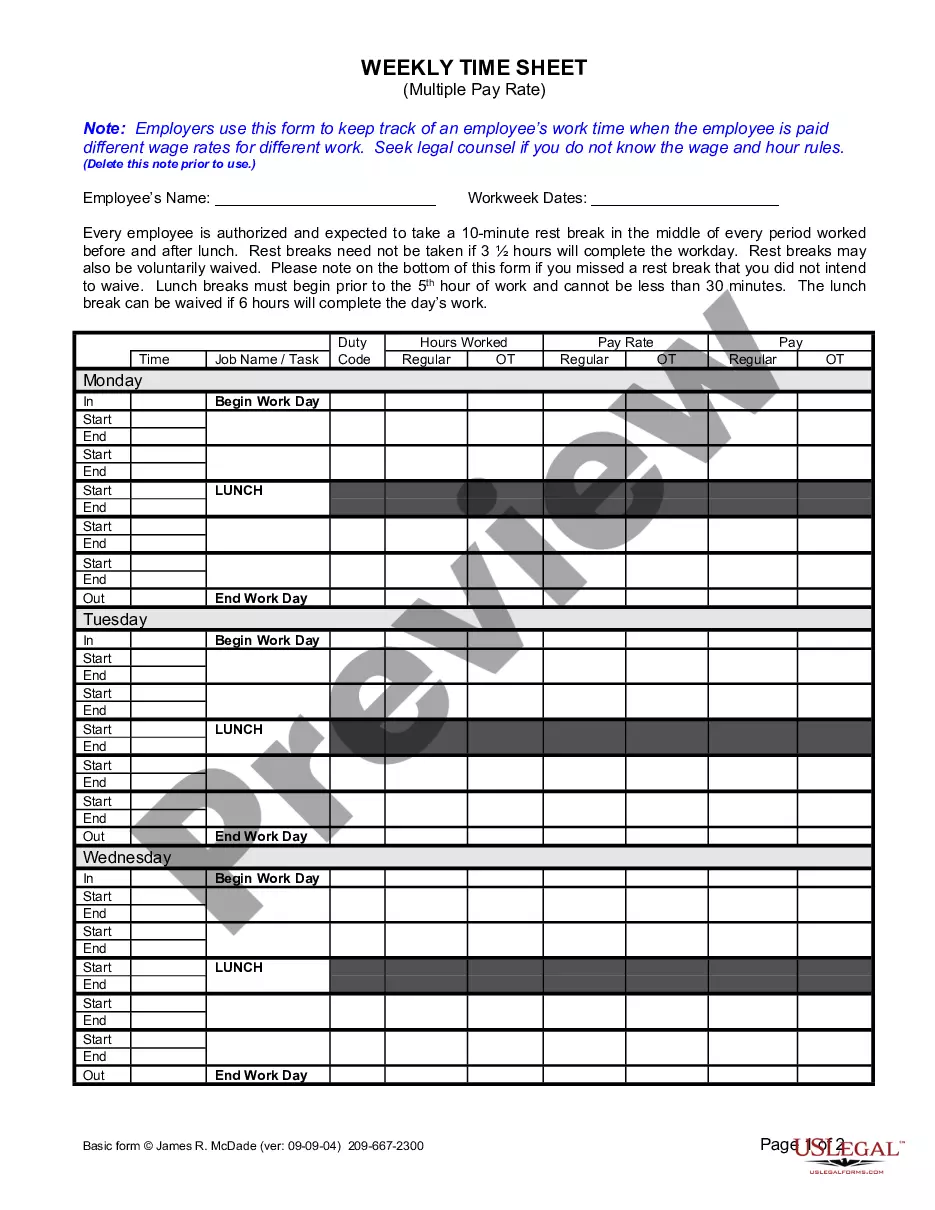
Filling out your working hours involves logging the time you arrive, take breaks, and leave for the day. You should also capture any deviations, like late arrivals or early departures. This diligence supports a precise time card for employee reporting.
To fill out an hourly professional personnel time report, enter your name, department, and reporting period. Document the hours worked each week, along with corresponding tasks or projects. This ensures an accurate representation of your time card for employee evaluation and payroll.
When writing 7 hours and 45 minutes on a timesheet, you can express it as 7.75 hours. Some systems accept this decimal format, making it easier to tally your hours. Be sure to check the specific requirements of your time card for employee system.
In a timesheet, write your daily work hours, including start and end times, along with the tasks you completed. You may also indicate any vacation or sick days taken. This information is essential for ensuring your time card for employee reflects your efforts accurately.
Filling your timesheet involves noting your start and end times for each day you work. Include breaks and any overtime hours if applicable. After completing your entries, review them for accuracy before submitting your time card for employee processing.
To fill out a time management sheet, start by entering your name, employee ID, and the date. Next, record your working hours for each day, detailing the tasks performed. Always ensure your entries reflect accurate time spent on each task to maintain a reliable time card for employee purposes.
Yes, managers typically must review and approve timesheets before payroll processing. This step ensures accuracy and compliance with company policies. A well-designed time card for employee tracking can facilitate an efficient review process.
To encourage timely submission of timesheets, communicate clear deadlines and consequences for late submissions. Consider implementing reminders leading up to the deadline and using a simple time card for employee tracking to streamline the process. A solid follow-up system can greatly enhance compliance.