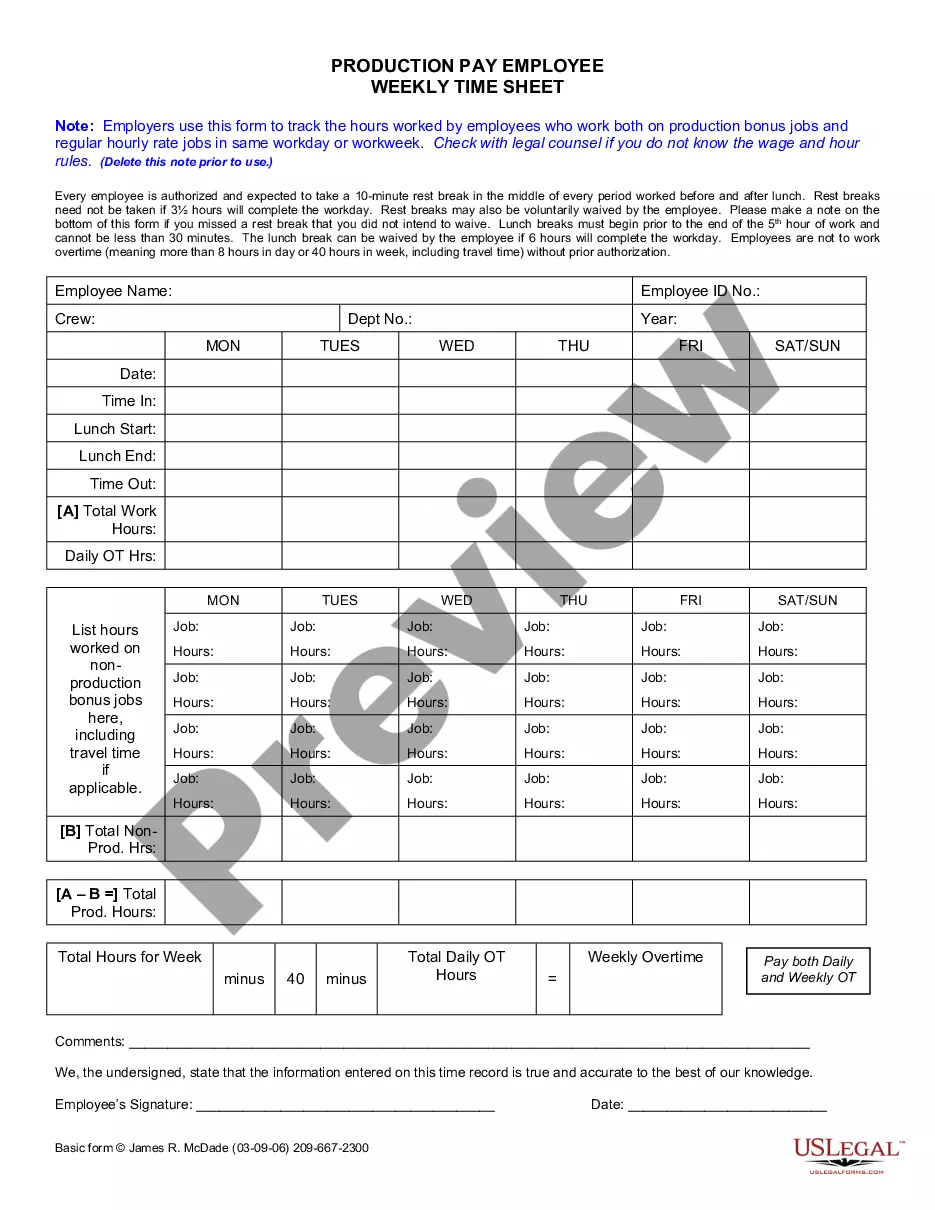
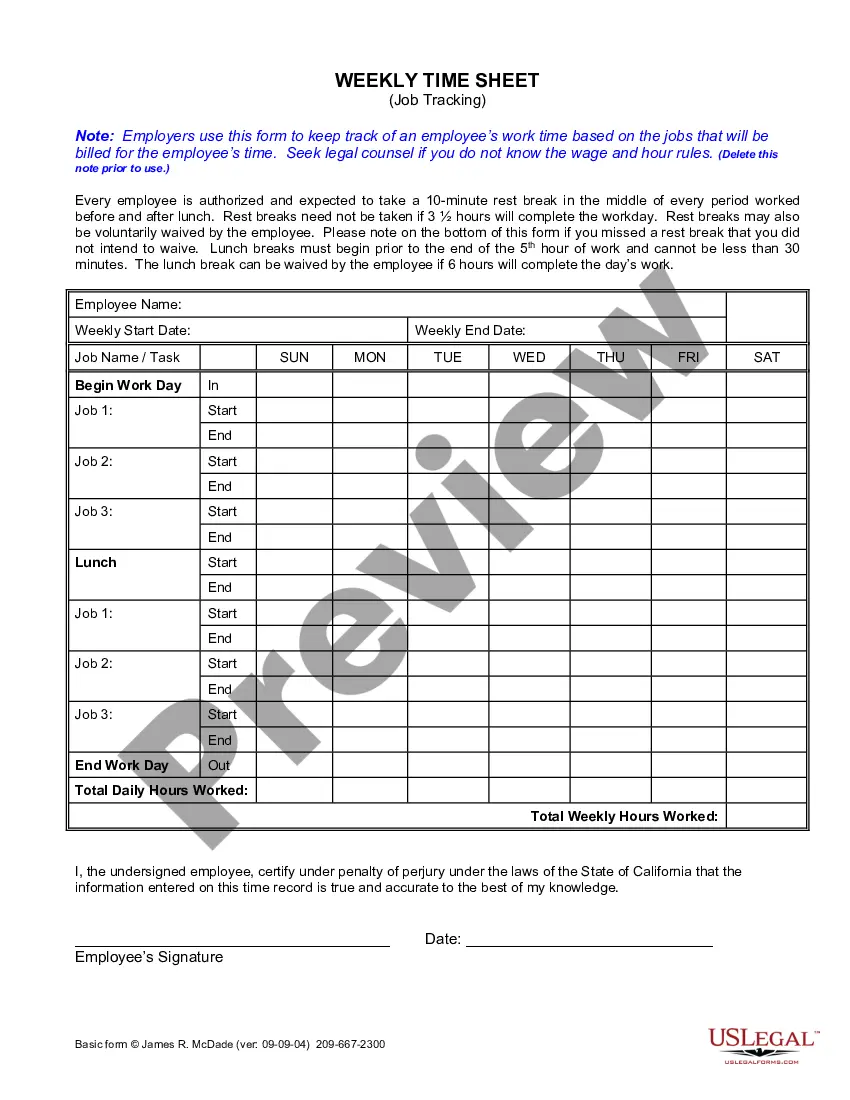
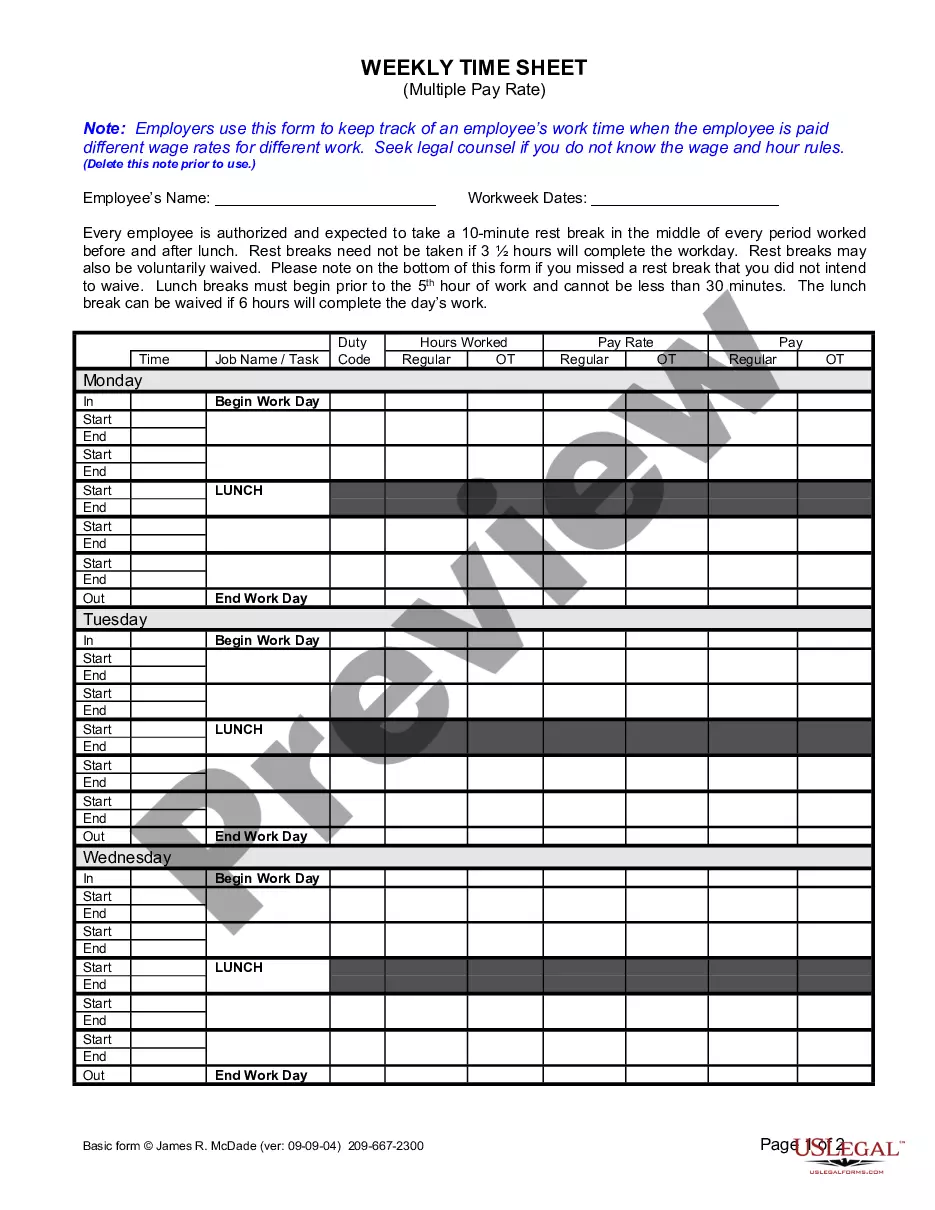
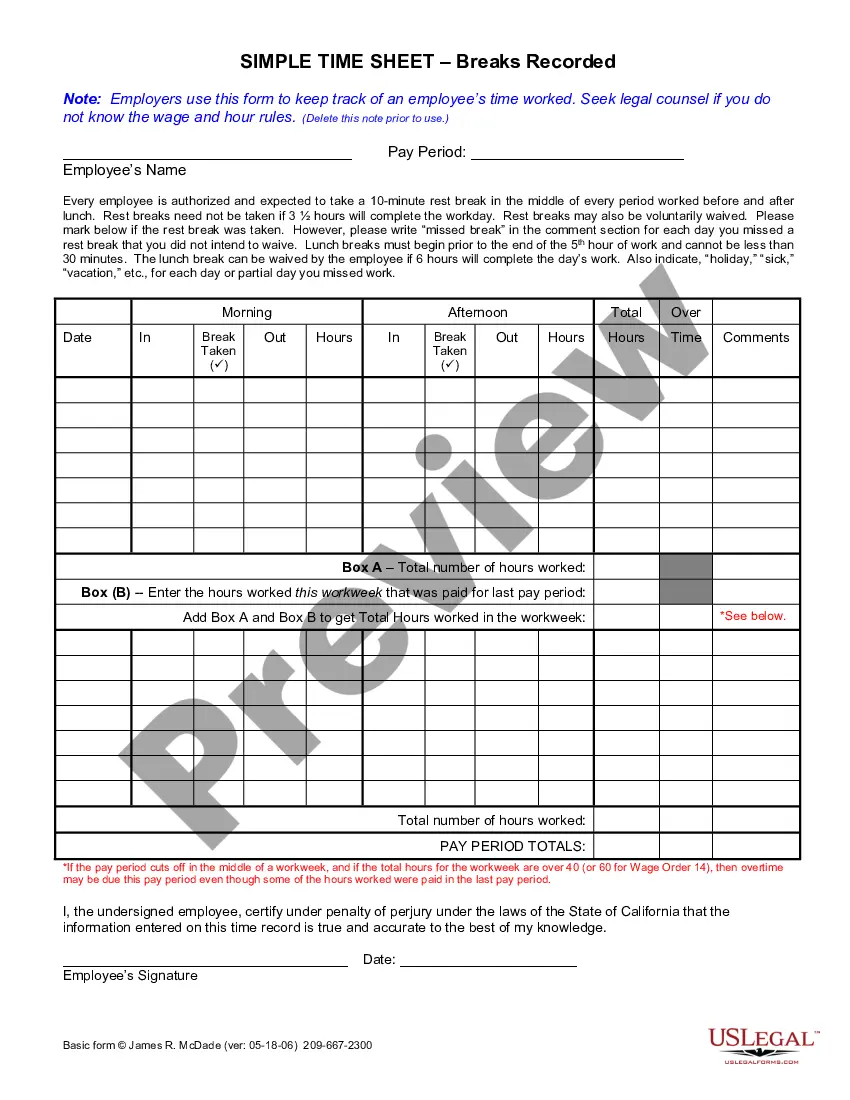
Employee Time Sheet With Lunch
Description

Get your form ready online
Our built-in tools help you complete, sign, share, and store your documents in one place.
Make edits, fill in missing information, and update formatting in US Legal Forms—just like you would in MS Word.
Download a copy, print it, send it by email, or mail it via USPS—whatever works best for your next step.
Sign and collect signatures with our SignNow integration. Send to multiple recipients, set reminders, and more. Go Premium to unlock E-Sign.
If this form requires notarization, complete it online through a secure video call—no need to meet a notary in person or wait for an appointment.
We protect your documents and personal data by following strict security and privacy standards.

Make edits, fill in missing information, and update formatting in US Legal Forms—just like you would in MS Word.

Download a copy, print it, send it by email, or mail it via USPS—whatever works best for your next step.

Sign and collect signatures with our SignNow integration. Send to multiple recipients, set reminders, and more. Go Premium to unlock E-Sign.

If this form requires notarization, complete it online through a secure video call—no need to meet a notary in person or wait for an appointment.

We protect your documents and personal data by following strict security and privacy standards.
Looking for another form?






How to fill out California Weekly Time Sheet For Production Pay Employee?
- If you're an existing user, log into your account and access your dashboard. Ensure your subscription is active, or renew it if necessary.
- For first-time users, navigate to the US Legal Forms website and use the search bar to locate the 'Employee time sheet with lunch' template. Review the form description to make sure it meets your local jurisdiction’s standards.
- If the initial template doesn’t meet your needs, utilize the Search tab to find alternative documents that may better suit your requirements.
- Once you've selected the right template, click the 'Buy Now' button. Choose a subscription plan that works for you and create an account to unlock the legal form library.
- Finalize your purchase by entering your payment details, either through credit card or PayPal.
- After the transaction, download your employee time sheet to your device. You can always access this document later in the My Forms section of your profile.
US Legal Forms stands out with its extensive collection of over 85,000 forms, which is more than competitors offer. Their platform empowers users by providing easy access to premium expert assistance for document completion.
Utilizing US Legal Forms not only makes obtaining legal documents easier but also ensures they are accurate and compliant. Start simplifying your paperwork today!
Form popularity
FAQ
To fill out an employee time sheet, enter your daily work hours, including any lunch breaks taken. Ensure each section, such as date, start time, end time, and total hours, is filled out systematically. Using a user-friendly employee time sheet with lunch functionality can simplify this process and improve time tracking.
When writing hours on a timesheet, clearly log your start and end times, and indicate any breaks taken, especially for lunch. Use a straightforward format that all employees can understand, making it easier to compile data for payroll. An organized employee time sheet with lunch breaks enhances accuracy and efficiency.
To calculate hours worked, including the lunch break in Excel, you could use the formula =End Time - Start Time - Lunch Break. This formula allows you to subtract the lunch duration directly from your total hours. Incorporating this into your employee time sheet with lunch will give you a clearer picture of productivity.
To compute working hours in Excel, use the formula =Total Hours - Breaks. This calculation provides you with the total hours worked, which is essential for maintaining accurate records on your employee time sheet with lunch. Make sure to format cells correctly to display the total in hours.
Filling out a time log requires you to record your start time, end time, and any breaks taken, including lunch breaks. Use a structured template for your employee time sheet with lunch to ensure all necessary details are captured accurately. This process helps in tracking hours efficiently and can minimize errors.
To calculate hours in Excel, you can use the formula =End Time - Start Time. Ensure that your time entries are formatted in a way that Excel recognizes as time. Additionally, if you are tracking time on an employee time sheet with lunch breaks, adjust for the lunch duration to get an accurate total.
To calculate hours with a lunch break in Excel, subtract the break time from the total hours worked. For example, use a simple formula: 'End Time - Start Time - Lunch Break'. Additionally, templates are available that can further simplify this calculation, ensuring you accurately track your employee time sheet with lunch.
Reminders for submitting timesheets can be sent via email or included in team meetings. Make use of calendar notifications that trigger a few days before the due date to keep it on their minds. Reinforcing this habit consistently will help to ensure that the employee time sheet with lunch is submitted promptly.
Calculating an employee time sheet with lunch requires summing all hours worked, excluding break times. Develop a clear method for adding overtime and other variables, ensuring that all calculations are accurate. Many software solutions, including those offered by UsLegalForms, can assist in automating this process to reduce errors.
If an employee does not submit a timesheet, first reach out directly to understand the issue. It may be a simple oversight, and addressing it quickly can prevent further complications. If non-submissions become a pattern, you can outline the consequences to ensure that employees understand the importance of timely submissions.