Time Adjustment Report
About this form
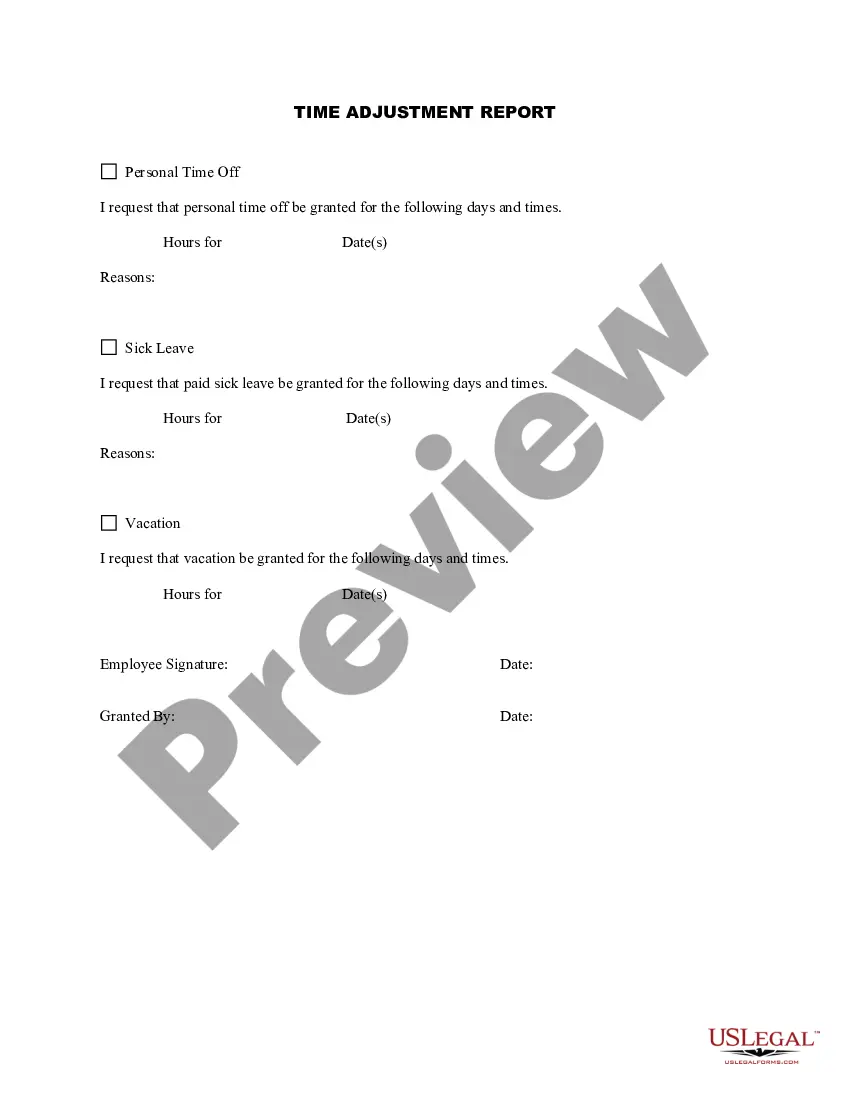
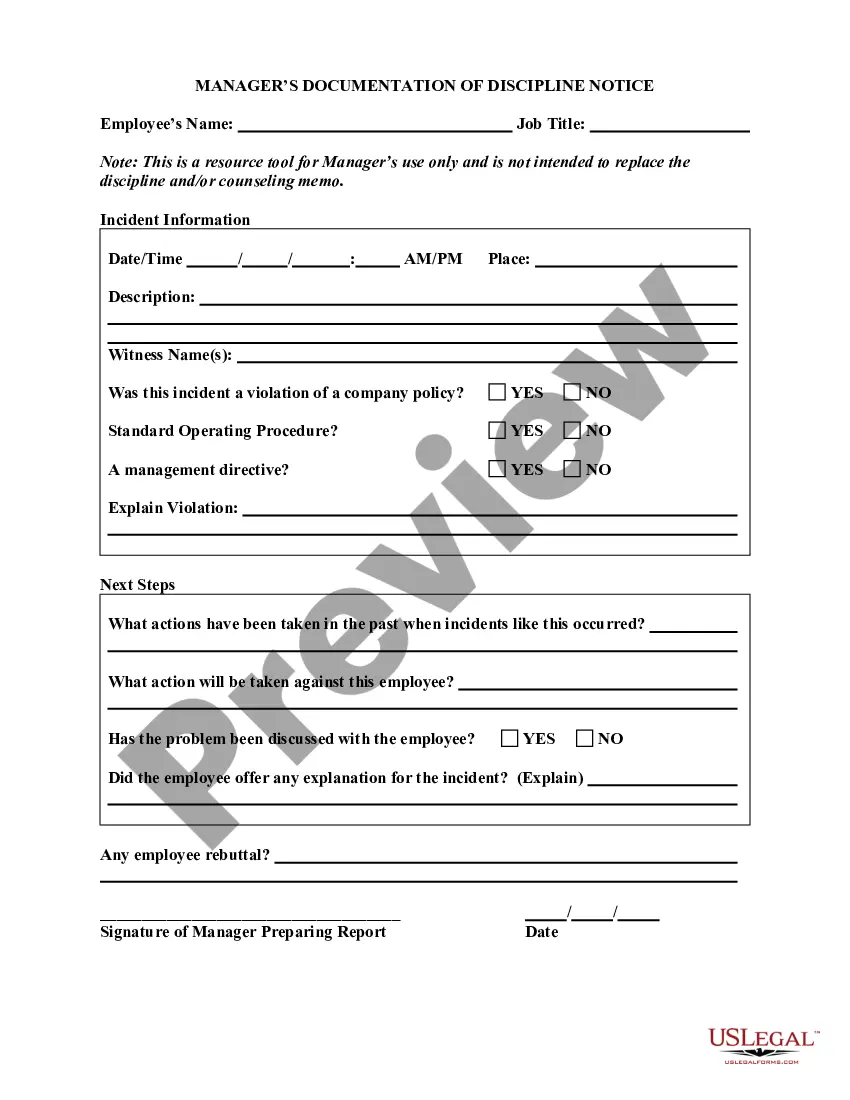
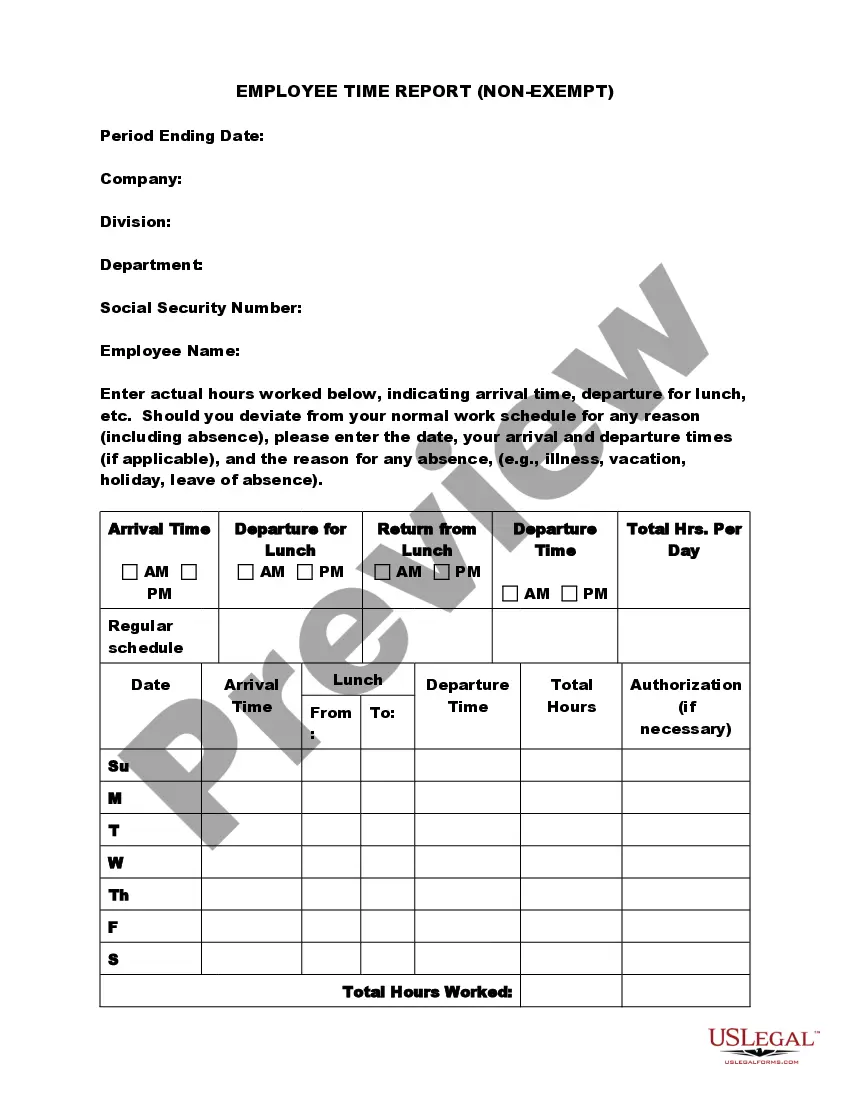
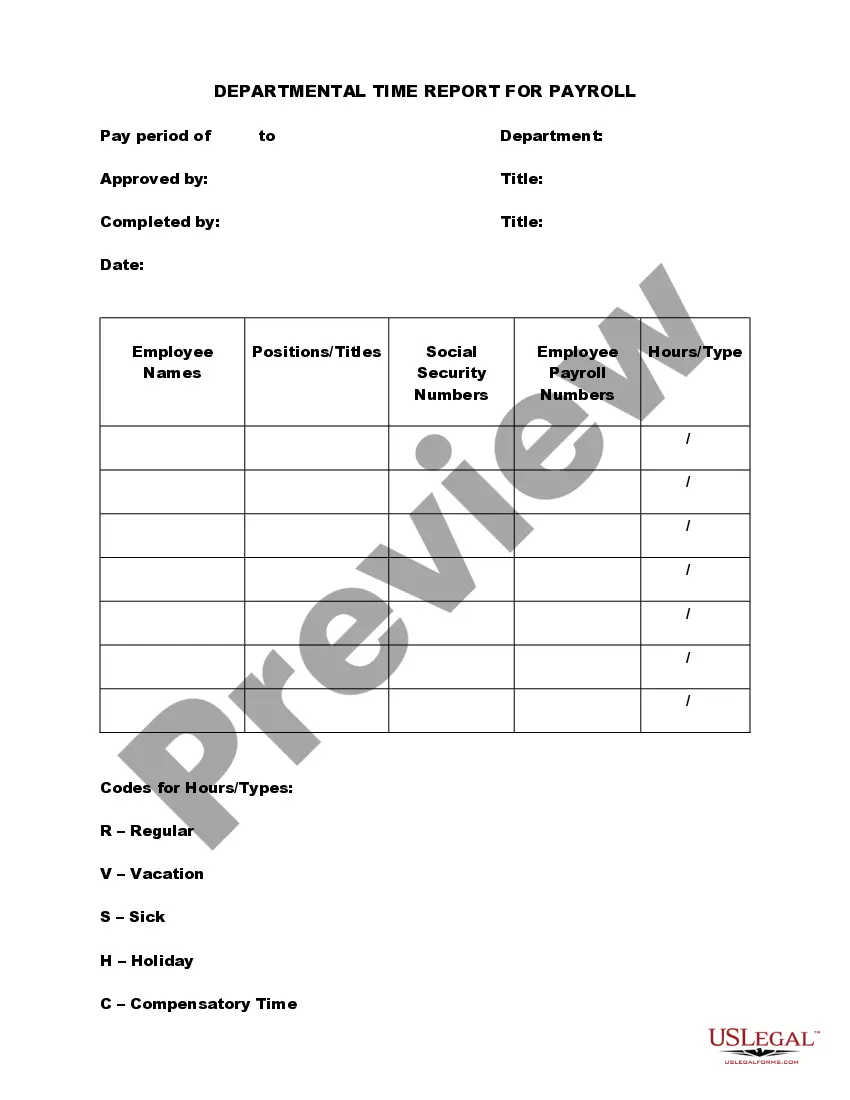
The Time Adjustment Report is a legal document used by employees to formally request and record their utilization of sick leave, vacation time, and personal time off. This form helps ensure accurate documentation of time off in payroll records, which aids in maintaining an organized approach for employers. It differs from simple leave requests by providing a structured format that includes specific details about the time requested and the reasons for the absence.
Main sections of this form
- Employee's signature and date to affirm the request
- Sections for personal time off, sick leave, and vacation, each with the requested dates and reasons
- Field for the approving authority's signature and date, confirming the time off is granted
When to use this form
This form should be used whenever an employee plans to take time off from work, whether for personal reasons, illness, or vacation. It is essential to submit the Time Adjustment Report in advance, in line with company policy, to ensure proper payroll processing and to avoid confusion regarding attendance records.
Who should use this form
This form is intended for:
- Full-time or part-time employees wishing to document their time off.
- HR professionals who must handle time-off requests and maintain accurate employee records.
- Managers responsible for approving employee time-off requests.
Steps to complete this form
- Enter your name and employee ID at the top of the form.
- Specify the type of time off you are requesting: personal time off, sick leave, or vacation.
- Fill in the dates and times you are requesting to be absent.
- Provide a brief reason for your absence in the designated section.
- Sign and date the form, then submit it to your supervisor or HR department for approval.
- Ensure you receive a copy with the supervisor's signature confirming approval of your request.
Notarization guidance
This form usually doesn’t need to be notarized. However, local laws or specific transactions may require it. Our online notarization service, powered by Notarize, lets you complete it remotely through a secure video session, available 24/7.
Get your form ready online
Our built-in tools help you complete, sign, share, and store your documents in one place.
Make edits, fill in missing information, and update formatting in US Legal Forms—just like you would in MS Word.
Download a copy, print it, send it by email, or mail it via USPS—whatever works best for your next step.
Sign and collect signatures with our SignNow integration. Send to multiple recipients, set reminders, and more. Go Premium to unlock E-Sign.
If this form requires notarization, complete it online through a secure video call—no need to meet a notary in person or wait for an appointment.
We protect your documents and personal data by following strict security and privacy standards.
Make edits, fill in missing information, and update formatting in US Legal Forms—just like you would in MS Word.
Download a copy, print it, send it by email, or mail it via USPS—whatever works best for your next step.
Sign and collect signatures with our SignNow integration. Send to multiple recipients, set reminders, and more. Go Premium to unlock E-Sign.
If this form requires notarization, complete it online through a secure video call—no need to meet a notary in person or wait for an appointment.
We protect your documents and personal data by following strict security and privacy standards.
Avoid these common issues
- Failing to provide sufficient notice as required by company policy.
- Not including the correct dates for the requested time off.
- Omitting a reason for the absence in the appropriate section.
- Forgetting to sign and date the form before submission.
Benefits of using this form online
- Convenience of filling out the form from any location at any time.
- Editability allows for easy updates and corrections before submission.
- Reliable documentation that helps maintain accurate employee records.
Summary of main points
- The Time Adjustment Report is essential for accurately documenting time off.
- Completing the form accurately ensures that employees receive the correct pay.
- It's important to follow the steps and provide all necessary information for successful approval.
Looking for another form?

Form popularity
FAQ
Convert all times to 24 hour clock (military time): Convert am to hours. Next, Subtract the start time from the end time. Now you have the actual hours and minutes worked for the day. Finally to determined total wage, you will need to convert this to a decimal format.
Log into Workday and from the All About Me page, click the Time icon, and then select the week to enter. 4 Hours worked are displayed across the top of the calendar, and are updated with every entry made.
Clock In / Out Tap the clock icon in the bottom-right of the Checkout screen > enter your Personal Passcode. If Passcodes are enabled for Team Management, tap Log In/Out > Clock In/Out on the top-right corner. If using Square Register, tap Clock In/Out in the upper-left corner.
You can check the status of the termination action at any time. To do so, go to your Workday Inbox and click the Archive tab. Select the termination action that you submitted earlier then click Process to review the process history to date.
Visit Timecards in your online Square Dashboard. Click Add Shift. Select your team member, and enter the appropriate date and hours worked. Click Save.
1Convert all times to 24 hour clock (military time): Convert am to hours.2Next, Subtract the start time from the end time.3Now you have the actual hours and minutes worked for the day.4Finally to determined total wage, you will need to convert this to a decimal format.
Workday Time Tracking is a consumer-driven, global time-and-attendance application.It delivers an engaging experience that drives user adoption across the workforce, giving companies the ability to streamline time-entry and approval processes.
WORKDAY QUICK GUIDE. Last revised 3/11/2019. EDIT ACCU-TIME ENTRY IN WORKDAY. Select the Time Worklet. Select Time Clock History. Choose the time block you want to update, then select Edit. Edit the Time Type and/or the Details of the time block, as needed. Select OK. WORKDAY QUICK GUIDE. Last revised 3/11/2019.