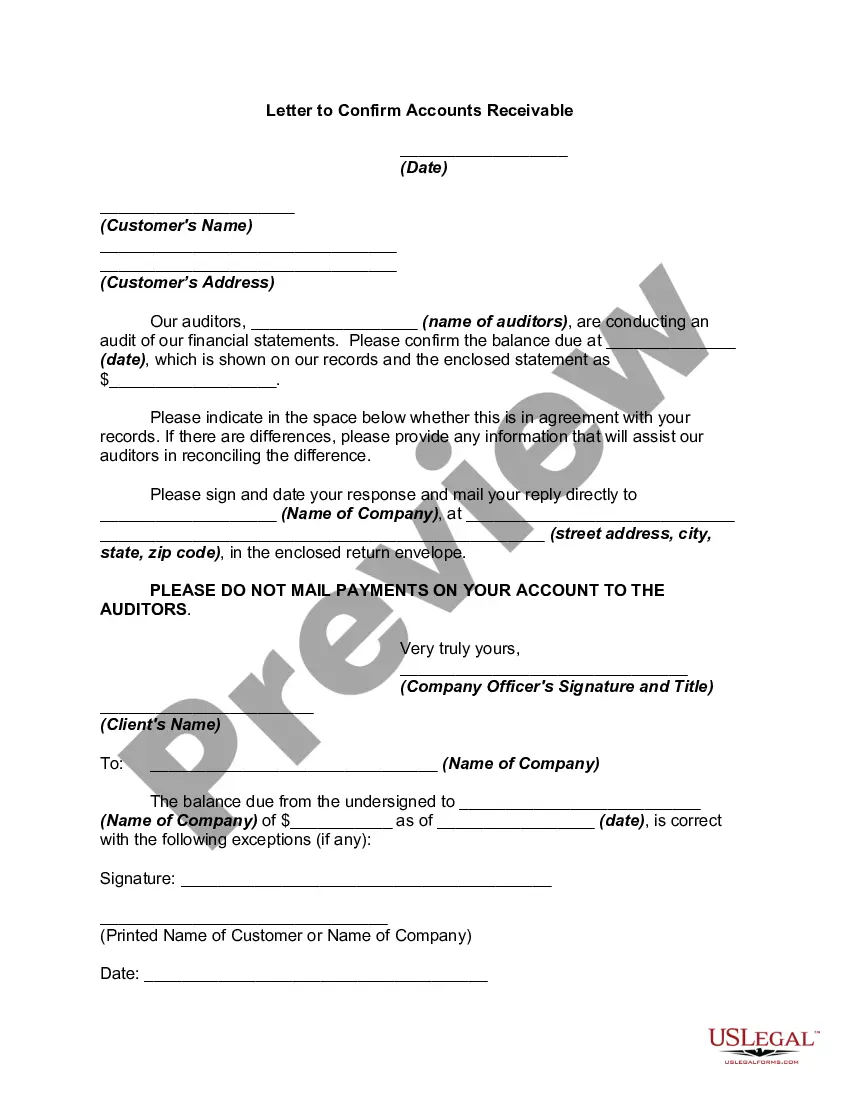
Accounts Receivable Confirmation Email Template With Variables
Description




How to fill out Letter To Confirm Accounts Receivable?
Creating legal documents from the ground up can often be daunting.
Certain situations might require extensive research and considerable financial investment.
If you’re seeking a more simple and economical method for generating Accounts Receivable Confirmation Email Template With Variables or any other documents without unnecessary complications, US Legal Forms is always accessible.
Our online database of over 85,000 current legal documents encompasses nearly all facets of your financial, legal, and personal affairs.
Before you directly proceed to download the Accounts Receivable Confirmation Email Template With Variables, consider the following suggestions: Review the form preview and descriptions to confirm that you are on the correct form. Ensure the template you select adheres to the regulations and laws of your state and county. Choose the most appropriate subscription plan to obtain the Accounts Receivable Confirmation Email Template With Variables. Download the document, then complete, authenticate, and print it. US Legal Forms enjoys a strong reputation and over 25 years of experience. Join us now and turn document processing into a straightforward and efficient task!
- With just a few clicks, you can quickly acquire state- and county-specific forms meticulously prepared for you by our legal professionals.
- Utilize our site whenever you require dependable and trustworthy services that allow you to swiftly find and retrieve the Accounts Receivable Confirmation Email Template With Variables.
- If you’re familiar with our site and have created an account previously, just Log In to your account, choose the form, and download it or retrieve it again at any moment in the My documents section.
- Don’t have an account? No problem. Registration requires minimal time and allows easy navigation of the catalog.
Form popularity
FAQ
To write off accounts receivable, document the reasons for the write-off, such as uncollectible debts. Ensure this is reflected accurately in your financial records. An accounts receivable confirmation email template with variables can also assist in communicating these changes to relevant stakeholders.
Following up on accounts receivable requires a polite yet firm approach. Begin by sending a reminder email, restating the amount due and payment terms. An accounts receivable confirmation email template with variables can streamline this process, keeping your messages consistent and professional.
To get an email template in Zoho CRM, navigate to the 'Templates' section within the settings. Here, you can view existing templates or create a new one. By using an accounts receivable confirmation email template with variables, you can automate your communications and save time.
This notice is to inform you that your account is now [number of days] past due the payment date. The outstanding balance is [amount]. We kindly request that you take action to resolve this matter as soon as possible. If you have any questions or concerns, please let us know, and we'll be happy to assist you.
There are two types of confirmation requests: the positive form and the negative form. Some positive forms request the respondent to indicate whether he or she agrees with the information stated on the request.
Let's dig into the details by examining the eight steps in the accounts receivable process. Step 1: Receive Order. ... Step 2: Approve Credit. ... Step 3: Send Invoices. ... Step 4: Manage Collections. ... Step 5: Address Disputes. ... Step 6: Write off Uncollectible Debt. ... Step 7: Process Payments. ... Step 8: Handle Reporting.
Here are some ways you can streamline your accounts receivable department. 1) Offer multiple payment options. ... 2) Adopt electronic invoicing. ... 3) Document your standard operating procedures. ... 4) Incentivize on-time payments. ... 5) Track your invoices.
During an accounts receivable confirmation, the auditor sends a letter, email, or another form of communication to the company's customers, requesting them to confirm the outstanding balance they owe to the company as of a specific date.