Form - Employee Certificate of Authorship
Overview of this form
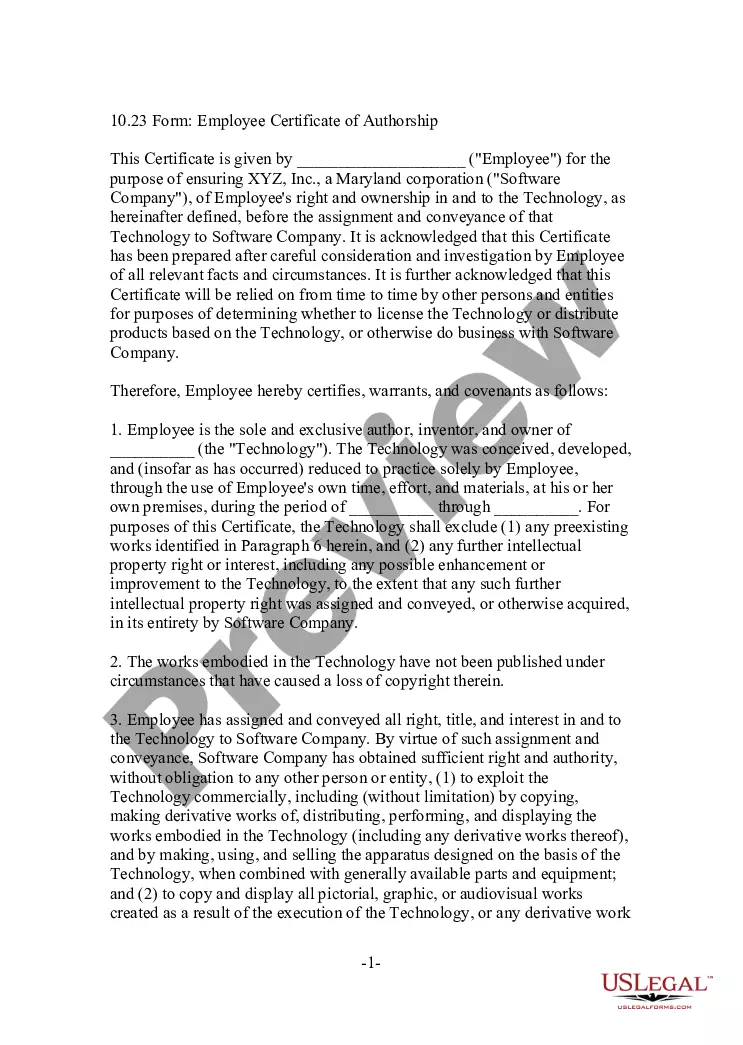
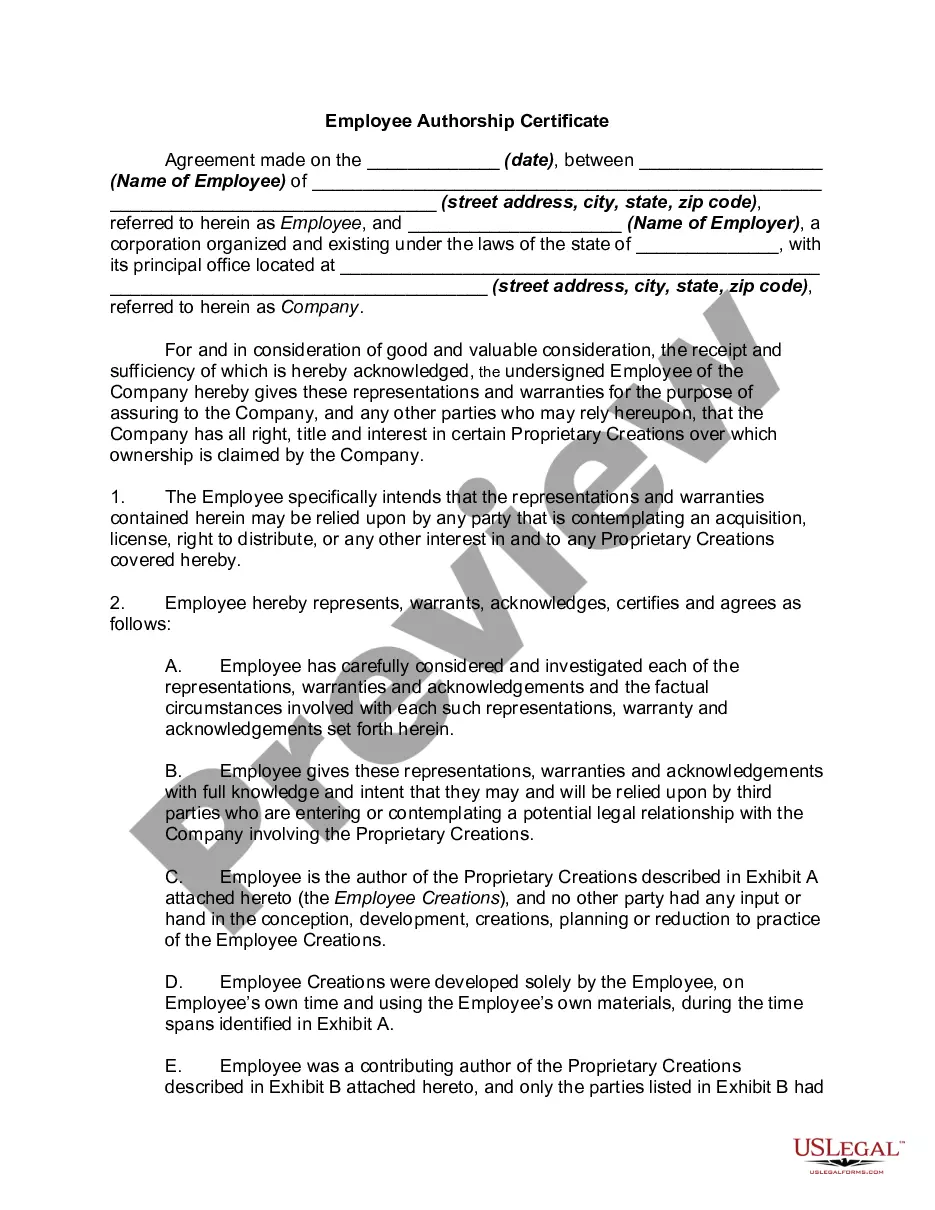
The Employee Certificate of Authorship is a legal document that helps establish an employee's rights and ownership of technology developed during their employment. This certificate is particularly important for technology, internet, and computer-related businesses, providing clarity around intellectual property ownership before transferring rights to the employer. This form serves to protect both the employee and employer, ensuring that the technology's intellectual property is clearly defined and asserted.
Form components explained
- Identification of the employee and the technology in question.
- Declaration of the employee as the sole author and owner of the technology.
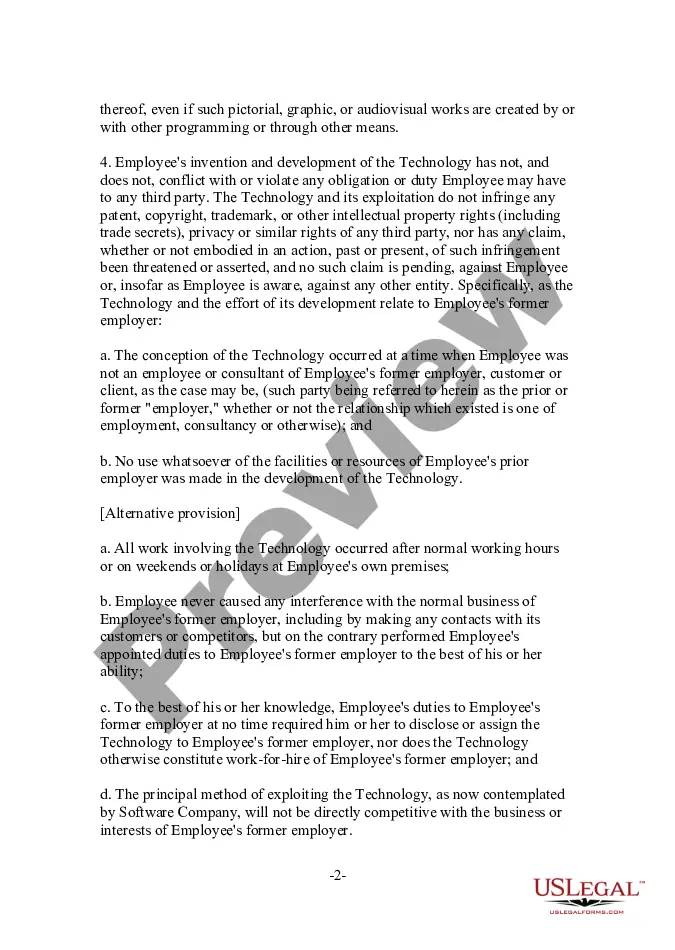
- Details on the time frame and resources used in the development of the technology.
- Warranties against conflicts with prior obligations to other employers or parties.
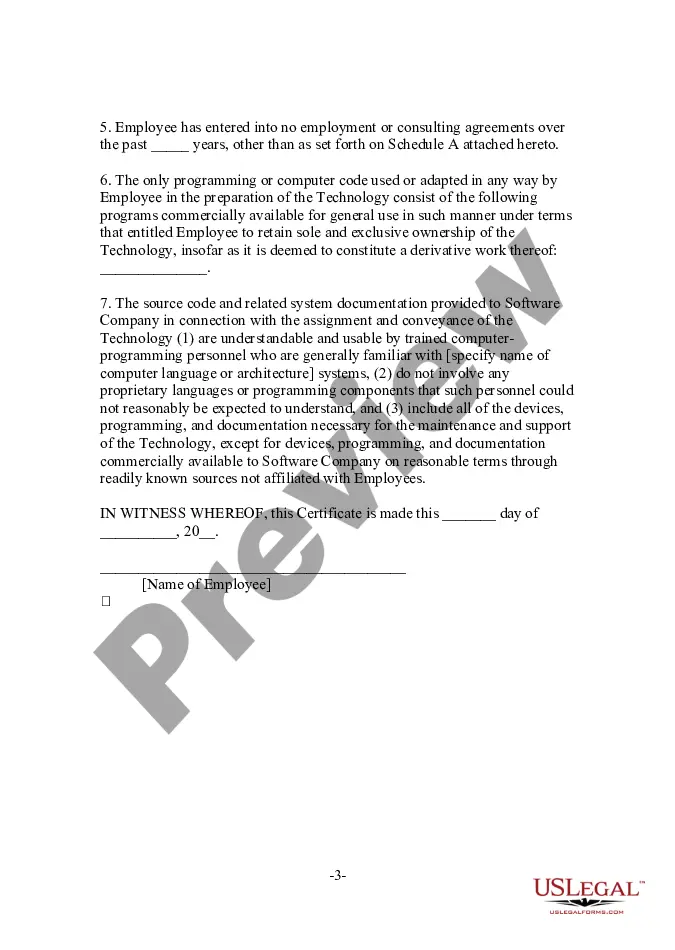
- Assignment of rights to the employer to commercially exploit the technology.
- Affirmation that the technology does not infringe on third-party rights.


When to use this document
This form should be used when an employee has developed technology or intellectual property while employed and the employer requires formal acknowledgment of rights and ownership. It is common in scenarios where the technology developed is intended for commercial use, such as software development, and arrangements are made for the employee to assign rights to the employer. This certificate protects both parties by documenting the ownership details and ensuring no infringement occurs.
Who can use this document
- Employees who have developed technology during their employment.
- Employers in the technology or software industries who want to clarify ownership rights.
- Contractors or freelancers producing intellectual property for a company.
- Startups seeking to establish clear terms around employee-created technologies.
How to complete this form
- Identify the employee and the specific technology being referenced.
- Specify the time period during which the technology was developed.
- Include any necessary acknowledgments regarding prior employment obligations.
- Detail the exclusive rights being assigned to the employer.
- Have the form signed and dated by the employee to make it legally binding.
Does this document require notarization?
This form does not typically require notarization unless specified by local law. It is recommended to check local legal requirements to ensure compliance.
Get your form ready online
Our built-in tools help you complete, sign, share, and store your documents in one place.
Make edits, fill in missing information, and update formatting in US Legal Forms—just like you would in MS Word.
Download a copy, print it, send it by email, or mail it via USPS—whatever works best for your next step.
Sign and collect signatures with our SignNow integration. Send to multiple recipients, set reminders, and more. Go Premium to unlock E-Sign.
If this form requires notarization, complete it online through a secure video call—no need to meet a notary in person or wait for an appointment.
We protect your documents and personal data by following strict security and privacy standards.

Make edits, fill in missing information, and update formatting in US Legal Forms—just like you would in MS Word.

Download a copy, print it, send it by email, or mail it via USPS—whatever works best for your next step.

Sign and collect signatures with our SignNow integration. Send to multiple recipients, set reminders, and more. Go Premium to unlock E-Sign.

If this form requires notarization, complete it online through a secure video call—no need to meet a notary in person or wait for an appointment.

We protect your documents and personal data by following strict security and privacy standards.
Typical mistakes to avoid
- Failing to specify the exact technology or intellectual property involved.
- Not clearly stating the development time frame or resources used.
- Overlooking conflicts with previous employer obligations.
- Submitting the form without proper signatures and dates.
Benefits of completing this form online
- Convenience of downloading and completing at your own pace.
- Ease of editing to customize the form for your specific situation.
- Access to reliable legal templates created by licensed attorneys.
Legal use & context
- This form serves as evidence of ownership and can help prevent disputes over intellectual property rights.
- Using this certificate properly can strengthen the companyâs position when negotiating licensing or distribution agreements.
- It helps clarify the rights of both the employee and employer regarding newly developed technology.
Looking for another form?

Form popularity
FAQ
: an authorization issued by school authorities for a child of school age to work at a job paying wages or salary.
> Step 1: Start Ms Word. > Step 2: Choose the Layout you Want for your Certificate. > Step 3: Select Page Color for your Certificate. > Step 4: Change the Page Border and its Layout. > Step 5: Insert WordArt. > Step 6: Insert WordArt Text. > Step 7: Insert a Picture or Logo. > Step 8: Format the Certificate.
Make your own certificates in Microsoft WordMicrosoft Word comes with a selection of certificate templates to make the process easy.
Create an account. Start by signing up to our free certificate maker to have access to professional certificate designs, templates and elements or simply make your own from scratch. Choose a template. Edit your design. Download it as a PDF.
Open Word and select New. In the Search text box, type Certificate to filter for certificate templates. Choose a template, then select Create. To add a custom border, select the Design tab and, in the Page Background group, choose Page Borders.
Thanks to Google Docs templates, you can quickly design an attractive certificate. If your budget is limited, choose a free Google Docs certificate template to get you started.
Log into Smilebox.com. Browse through our huge selection of employee award templates. Pick your favorite design. And customize it with your own text, photos and music. Share it with the team. Via email, text message or on social media. Reap the benefits.
Create a new folder in Google Drive. Create your certificate. Edit your certificate. Create your form. Edit your form. Modify your form's settings. Modify your form's responses settings. Set up your response sheet to use the autoCrat addon.
Word Templates WordTemplates.org has a collection of 11 gift certificate templates. Other than basic ones that can be used for any occasion, there are ones designed specifically for a cash sum, employee, and a restaurant gift certificate, all of unique designs and colors.