Nonemployee Director Checklist
What this document covers
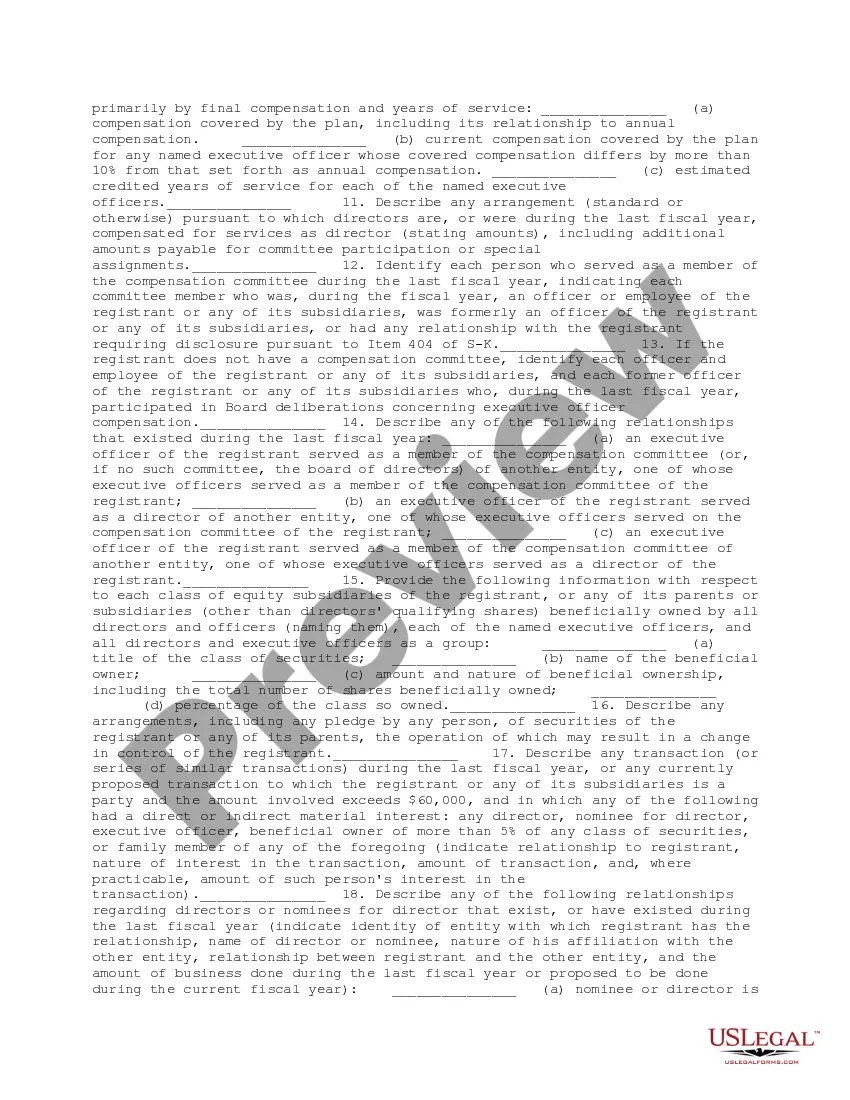
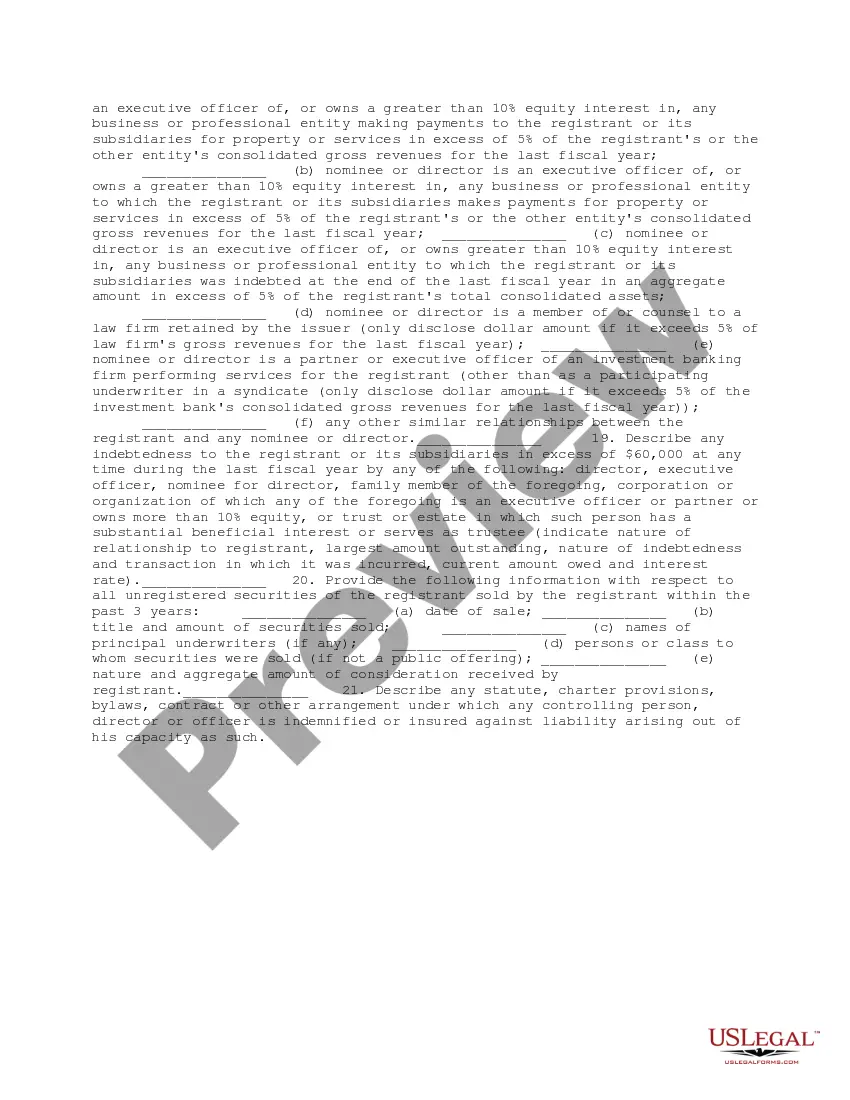
The Nonemployee Director Checklist is a due diligence document designed to gather essential information regarding nonemployee directors during business transactions. This form assists in identifying potential conflicts of interest and ensuring compliance with legal obligations, which sets it apart from general director forms. It is specifically tailored for situations where regulatory disclosures are required for individuals serving in nonemployee director roles.
Main sections of this form
- Disclosure of equity securities registration details.
- Information regarding pending legal proceedings.
- Disclosure of relationships between directors and executive officers.
- Details on compensation arrangements for directors.
- Listing of other directorships held by directors or nominees.
- Indebtedness of directors or nominees to the registrant.





Common use cases
This checklist is typically used during corporate transactions, such as mergers or public offerings, where it is crucial to evaluate the qualifications and relationships of nonemployee directors. It is also relevant during regulatory filings when disclosures about directors are mandated.
Who should use this form
- Corporations planning to register equity securities.
- Business entities conducting due diligence for mergers or acquisitions.
- Legal professionals preparing regulatory documents for disclosure.
- Compliance officers ensuring adherence to corporate governance regulations.
Completing this form step by step
- Gather information about all nonemployee directors, including name, age, and roles.
- Complete sections on equity securities by providing necessary financial disclosures.
- Include details about any pending legal matters involving the registrant or its subsidiaries.
- Disclose compensation arrangements for each director and any committee participation.
- Review for accuracy and ensure all required information is clearly documented.
Notarization guidance
This form does not typically require notarization unless specified by local law. However, ensure that all signatures are properly executed to maintain the validity of the document.
Get your form ready online
Our built-in tools help you complete, sign, share, and store your documents in one place.
Make edits, fill in missing information, and update formatting in US Legal Forms—just like you would in MS Word.
Download a copy, print it, send it by email, or mail it via USPS—whatever works best for your next step.
Sign and collect signatures with our SignNow integration. Send to multiple recipients, set reminders, and more. Go Premium to unlock E-Sign.
If this form requires notarization, complete it online through a secure video call—no need to meet a notary in person or wait for an appointment.
We protect your documents and personal data by following strict security and privacy standards.

Make edits, fill in missing information, and update formatting in US Legal Forms—just like you would in MS Word.

Download a copy, print it, send it by email, or mail it via USPS—whatever works best for your next step.

Sign and collect signatures with our SignNow integration. Send to multiple recipients, set reminders, and more. Go Premium to unlock E-Sign.

If this form requires notarization, complete it online through a secure video call—no need to meet a notary in person or wait for an appointment.

We protect your documents and personal data by following strict security and privacy standards.
Common mistakes
- Failing to disclose all required relationships can lead to compliance issues.
- Neglecting to provide complete financial information may result in regulatory scrutiny.
- Missing deadlines for disclosure can hinder business transactions.
Benefits of completing this form online
- Convenience of instant access to the form at any time.
- Editability allows for easy updates to the information required.
- Reliable templates drafted by licensed attorneys ensure legal compliance.
Legal use & context
- This form aids in maintaining transparency and trust during business transactions.
- Compliance with this checklist can mitigate risks associated with corporate governance.
- It helps protect against potential legal liabilities arising from nondisclosure.
Main things to remember
- The Nonemployee Director Checklist is essential for due diligence in business transactions.
- Accurate and complete disclosures are critical to avoiding compliance issues.
- Using this form can streamline the process of gathering necessary director information.
Looking for another form?







Form popularity
FAQ
Form W-9. The IRS requires contractors to fill out a Form W-9, request for Taxpayer Identification Number and Certification, which you should keep on file for at least four years after the hiring. This form is used to request the correct name and Taxpayer Identification Number, or TIN, of the worker or their entity.
The short answer is yes, you can fill out a 1099 by hand, but there's a little more to it than that. Handwriting your tax forms comes with a long list of rules from the IRS since handwritten forms need to be scanned by their machines.
Enter your information in the 'payer' section. Fill in your tax ID number. As a business owner, enter the contractor's tax ID number which is found on their form W-9. Fill out the account number you have assigned to the independent contractor. Enter the total amount you paid the independent contractor in box 7.
A W-9 form with the person's contact information and taxpayer ID number, A resume to verify the person's qualifications, and. A written contract showing the details of the agreement between you and the independent contractor.
First, enter the name of your business (under "FILER's name") and address; the name of the person to contact; and that person's email address, phone number, and fax number. Enter your employer ID number 200b(EIN) in box 1 or your Social Security number in box 2 if you don't have an EIN.
Those who need to send out a 1099-MISC can acquire a free fillable form by navigating the website of the IRS, which is located at www.irs.gov.
Submit Copy A to the IRS with Form 1096, which reports all 1099 forms issued to contractors and the total dollar amount of payments. Send Copy 1 to your state's department of revenue. Provide Copy B to the recipient (the contractor).
Enter your information in the 'payer' section. Fill in your tax ID number. As a business owner, enter the contractor's tax ID number which is found on their form W-9. Fill out the account number you have assigned to the independent contractor. Enter the total amount you paid the independent contractor in box 7.