Purchase Order Log
Overview of this form
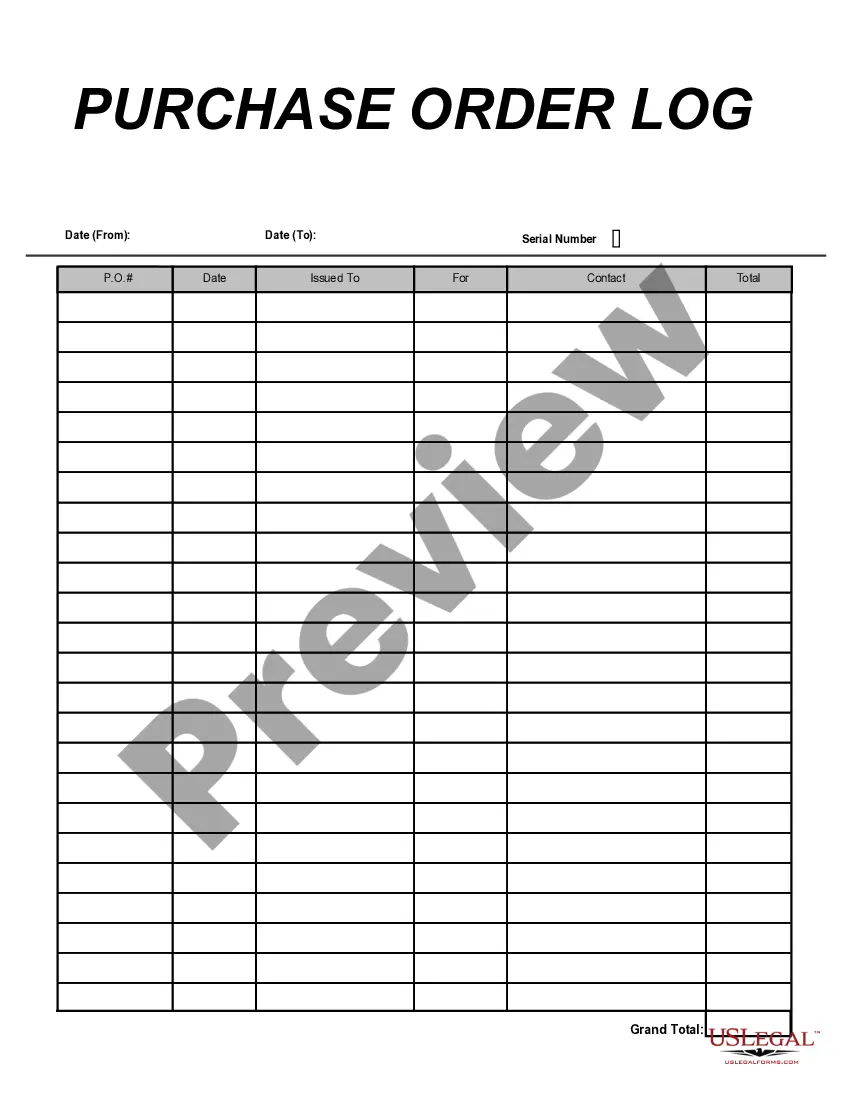
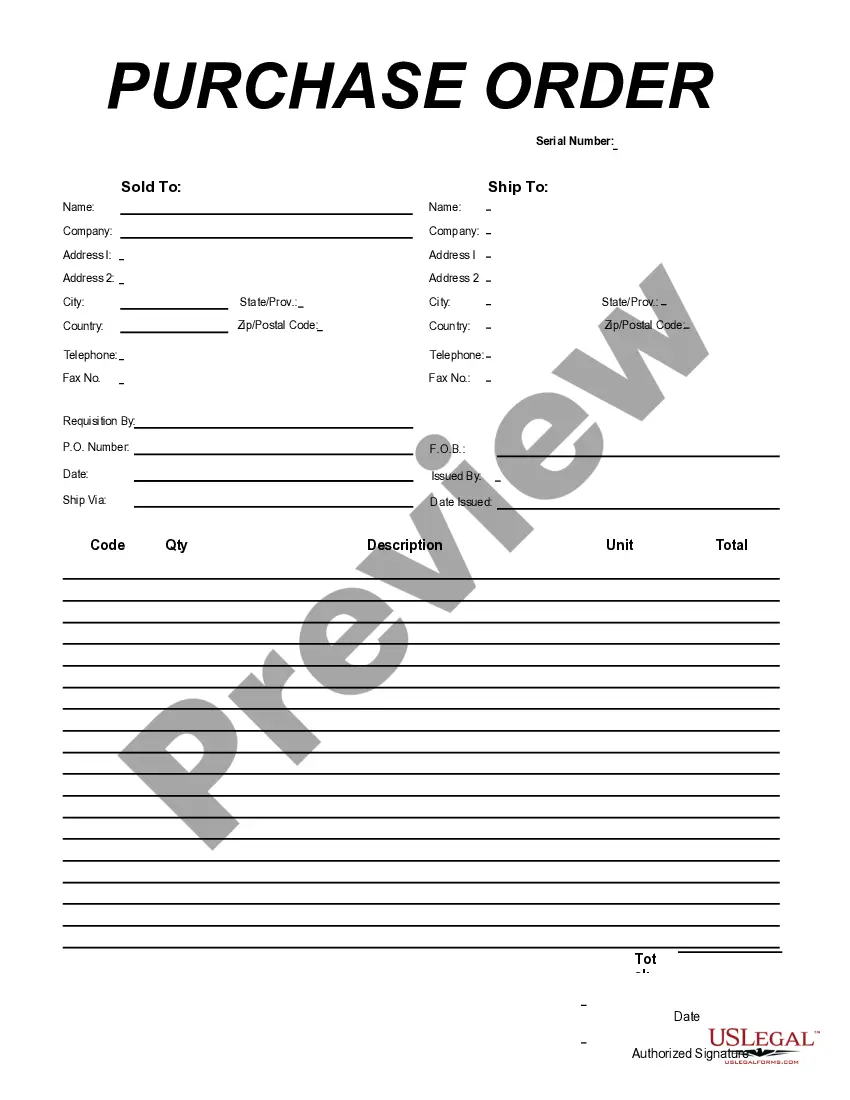
The Purchase Order Log is a document that allows purchasing officers to systematically track their purchase orders. This form serves a distinct purpose compared to other procurement forms by focusing specifically on logging the details of orders that have been created and printed, helping organizations maintain order history and financial accountability.
Main sections of this form
- Date (From): The starting date for the log period.
- Date (To): The ending date for the log period.
- Serial Number: A unique identifier for each purchase order.
- P.O. Date: The date the purchase order was issued.
- Issued To: Name of the supplier or vendor for the purchase.
- For: A brief description of the items or services purchased.
- Contact: Person to reach regarding the purchase order.
- Total: The total cost of the items or services.
- Grand Total: The cumulative amount including all relevant charges.



When this form is needed
This Purchase Order Log should be used whenever a purchasing officer creates and processes purchase orders. It is especially useful for tracking orders over specific periods, managing inventory, or ensuring compliance with budgeting guidelines. Utilizing this log helps streamline the purchasing process within an organization.
Intended users of this form
- Purchasing officers or managers in organizations.
- Financial departments handling procurement logistics.
- Any business or entity that requires tracking of purchase orders.
Instructions for completing this form
- Identify the period for which you are logging purchase orders by entering the start and end dates.
- Assign a unique serial number to each purchase order for easy reference.
- Enter the date each purchase order was issued.
- Fill in the name of the supplier or vendor for each purchase.
- Provide a brief description of the items or services received.
- Record the contact person associated with the purchase and the total costs accurately.
Notarization requirements for this form
This form does not typically require notarization to be legally valid. However, some jurisdictions or document types may still require it. US Legal Forms provides secure online notarization powered by Notarize, available 24/7 for added convenience.
Get your form ready online
Our built-in tools help you complete, sign, share, and store your documents in one place.
Make edits, fill in missing information, and update formatting in US Legal Forms—just like you would in MS Word.
Download a copy, print it, send it by email, or mail it via USPS—whatever works best for your next step.
Sign and collect signatures with our SignNow integration. Send to multiple recipients, set reminders, and more. Go Premium to unlock E-Sign.
If this form requires notarization, complete it online through a secure video call—no need to meet a notary in person or wait for an appointment.
We protect your documents and personal data by following strict security and privacy standards.

Make edits, fill in missing information, and update formatting in US Legal Forms—just like you would in MS Word.

Download a copy, print it, send it by email, or mail it via USPS—whatever works best for your next step.

Sign and collect signatures with our SignNow integration. Send to multiple recipients, set reminders, and more. Go Premium to unlock E-Sign.

If this form requires notarization, complete it online through a secure video call—no need to meet a notary in person or wait for an appointment.

We protect your documents and personal data by following strict security and privacy standards.
Avoid these common issues
- Missing dates for the purchase orders.
- Inaccurate total amounts leading to budget discrepancies.
- Not assigning a unique serial number for easy tracking.
Why use this form online
- Easy access and download from any device, allowing for immediate use.
- Editable fields to accommodate specific needs and situations.
- Reliable templates drafted by licensed attorneys to ensure compliance with legal standards.
Legal use & context
- The Purchase Order Log helps maintain accurate records for accounting purposes.
- Ensures transparency and accountability in the purchasing process.
- Useful for audits and financial reporting by providing a clear purchase history.
What to keep in mind
- The Purchase Order Log is essential for tracking orders efficiently.
- Proper completion is vital to prevent errors and miscommunication.
- This form can be customized for different business needs and requirements.
Looking for another form?

Form popularity
FAQ
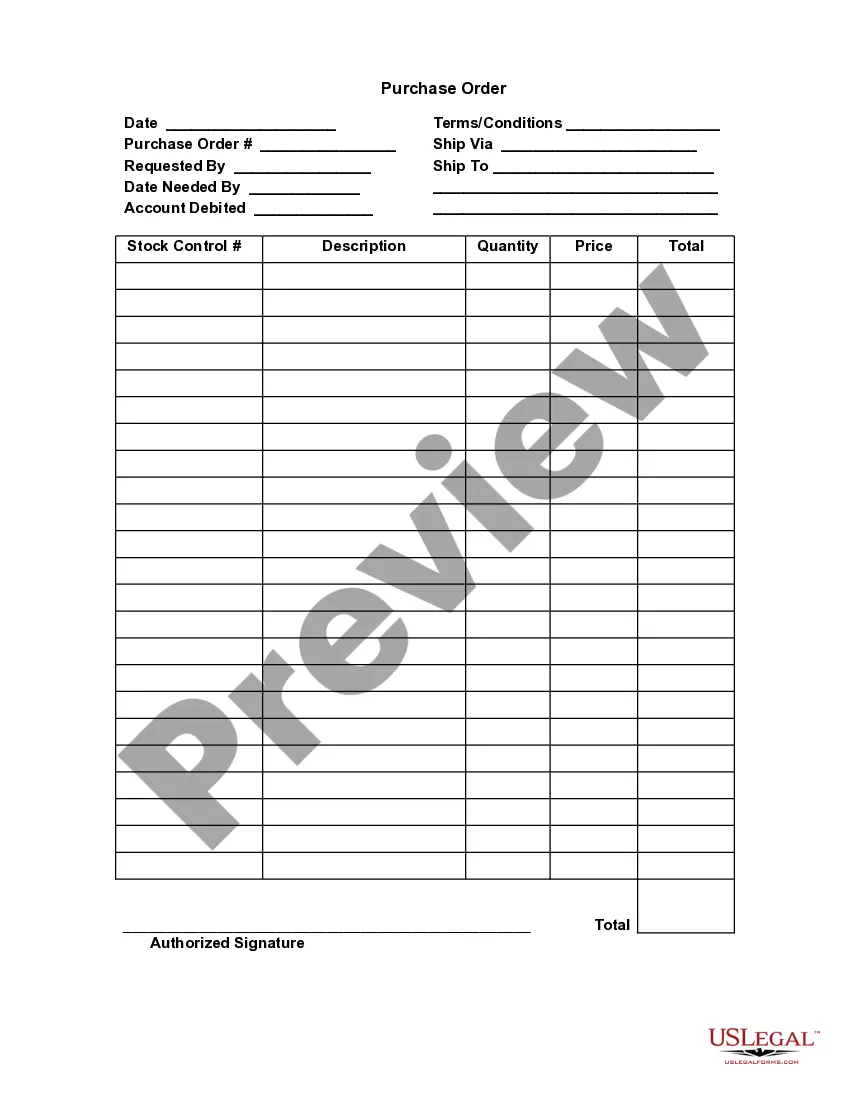
This purchase order (PO) template for Excel is a simple and budget-friendly solution for your business. If you need to create purchase orders, you may not need special software.
Use Excel's Sorting and Filtering feature to sort by date, PO number, vendor, etc. Customize the list of options that show up in the Status drop-down box. Set the status of an order to "Draft" to keep it from showing in the aging summary.
After selecting,Excel will create a readymade purchase order template which will look like this. Enter the details as indicated in the above image. Your invoice is ready to send.
A P.O. or Purchase Order number is a unique number assigned to a purchase order form. The purchase order details the products or services a business wishes to receive from a particular vendor (or supplier). The purchase order number will be referenced throughout the transaction process by both buyer and seller.
A purchase order (PO) is a commercial document and first official offer issued by a buyer to a seller indicating types, quantities, and agreed prices for products or services.The issue of a purchase order does not itself form a contract.
The PO Log (or purchase order log) is a document that tracks payment details on your production (i.e. who was paid, when, how, from what account and for what reason).
After selecting,Excel will create a readymade purchase order template which will look like this. Enter the details as indicated in the above image. Your invoice is ready to send.
Step 1 The department contacts the purchasing department. Step 2: The purchasing department fills out a PO. Step 3: Purchase Order Tracking is then sent to suppliers. Step 4: Department can now call suppliers to ask for current status.