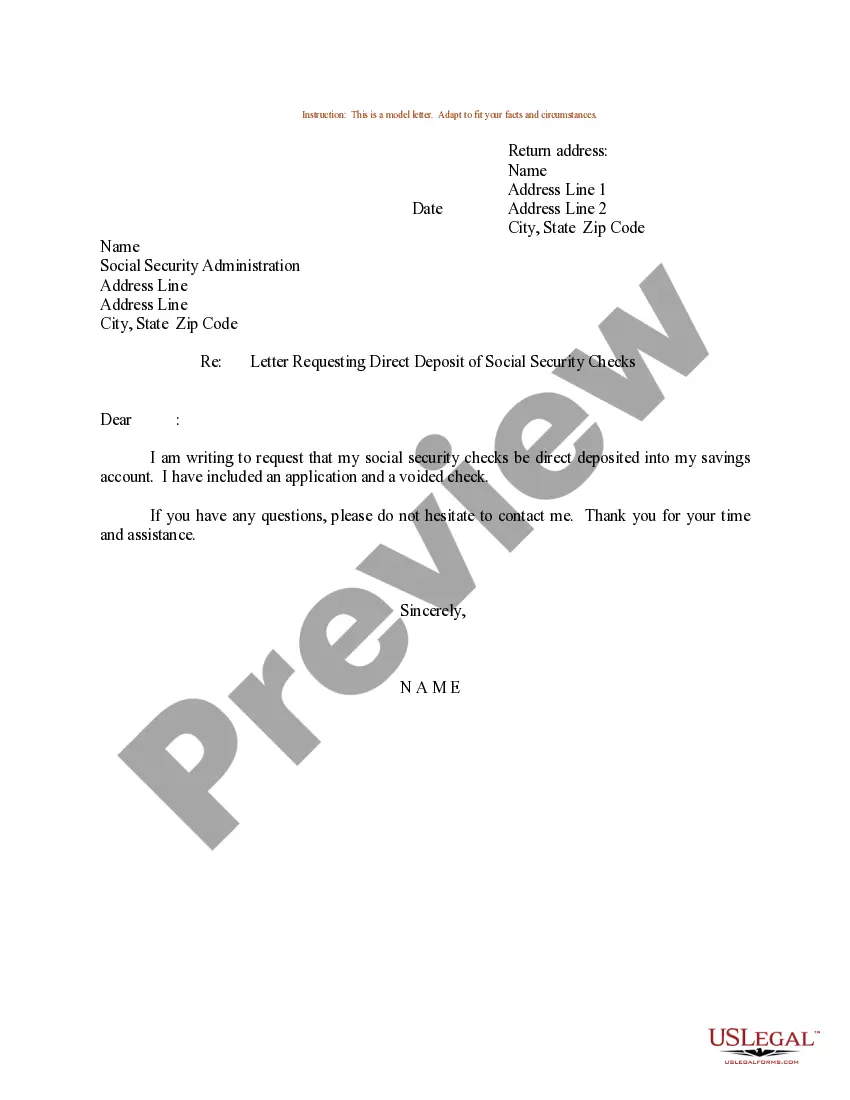
Sample Letter Requesting Direct Deposit of Social Security Checks
What this document covers
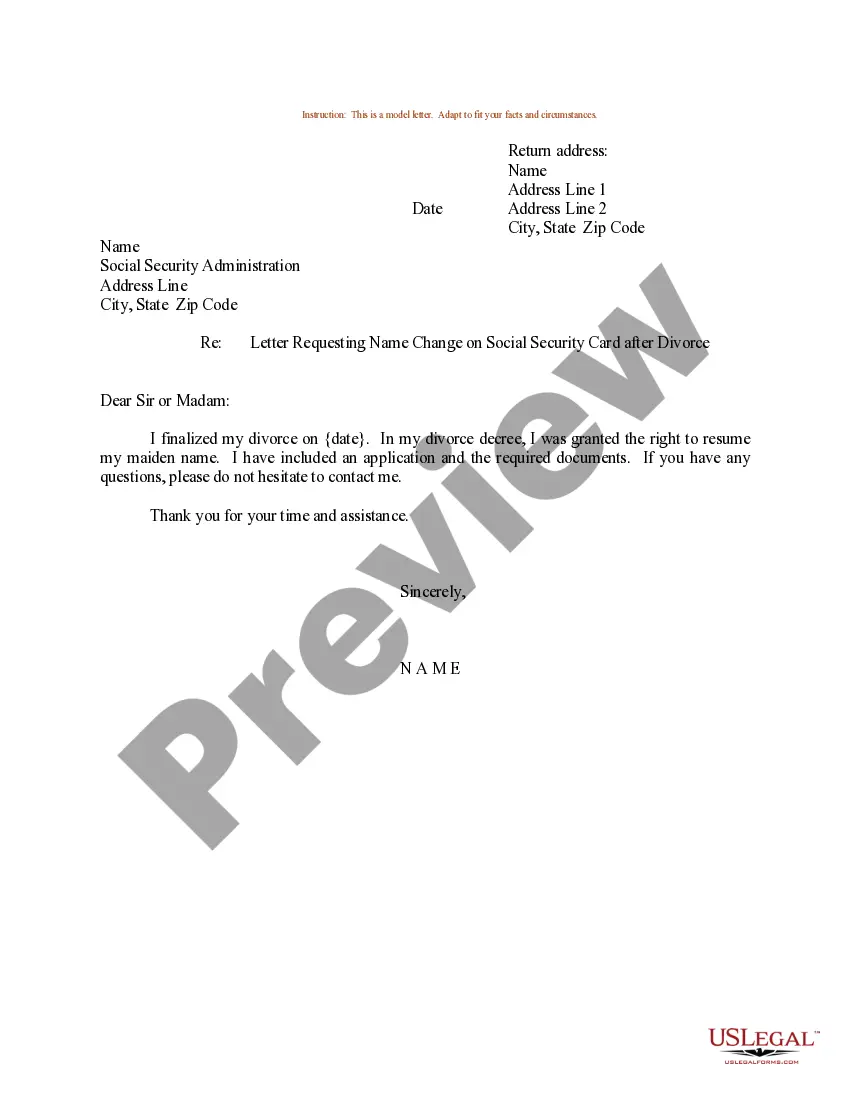
This Sample Letter Requesting Direct Deposit of Social Security Checks is a template designed to help individuals formally request the direct deposit of their Social Security payments into their bank accounts. This letter serves as a straightforward communication tool to ensure timely and secure payment transfer, differentiating it from more complex forms of correspondence related to social security issues.
Main sections of this form
- Return address: Your name and address where the letter originates.
- Date: The date you are sending the letter.
- Recipient address: Address of the Social Security Administration.
- Salutation: A polite greeting to the agency.
- Signature: Space for your name to authenticate the request.


Common use cases
This form should be used when you wish to change the payment method for your Social Security benefits from physical checks to direct deposit. It is especially helpful if you are moving to a new bank or if you want to streamline your payment process for convenience and security.
Who should use this form
Individuals who receive Social Security benefits and wish to initiate or change their direct deposit arrangements should use this form. This includes retirees, disabled individuals, and survivors who benefit from Social Security payments.
How to complete this form
- Identify the parties: Fill in your name and address as the sender.
- Specify the date: Add the date on which you are sending the letter.
- Enter recipient details: Fill in the address of the Social Security Administration.
- Add a courteous greeting: Start your letter with an appropriate salutation.
- Sign and date: Ensure that you include your name in the signature space to authenticate the request.
Does this form need to be notarized?
This form does not typically require notarization to be legally valid. However, some jurisdictions or document types may still require it. US Legal Forms provides secure online notarization powered by Notarize, available 24/7 for added convenience.
Get your form ready online
Our built-in tools help you complete, sign, share, and store your documents in one place.
Make edits, fill in missing information, and update formatting in US Legal Forms—just like you would in MS Word.
Download a copy, print it, send it by email, or mail it via USPS—whatever works best for your next step.
Sign and collect signatures with our SignNow integration. Send to multiple recipients, set reminders, and more. Go Premium to unlock E-Sign.
If this form requires notarization, complete it online through a secure video call—no need to meet a notary in person or wait for an appointment.
We protect your documents and personal data by following strict security and privacy standards.

Make edits, fill in missing information, and update formatting in US Legal Forms—just like you would in MS Word.

Download a copy, print it, send it by email, or mail it via USPS—whatever works best for your next step.

Sign and collect signatures with our SignNow integration. Send to multiple recipients, set reminders, and more. Go Premium to unlock E-Sign.

If this form requires notarization, complete it online through a secure video call—no need to meet a notary in person or wait for an appointment.

We protect your documents and personal data by following strict security and privacy standards.
Typical mistakes to avoid
- Forgetting to include the date on the letter.
- Omitting either your return address or the agency's address.
- Using an informal greeting instead of a courteous salutation.
- Neglecting to sign the letter before sending it.
- Providing incorrect or outdated information about the bank account.
Advantages of online completion
- Immediate access to a professionally drafted template without needing to start from scratch.
- Editable format allows you to customize the letter to fit your personal situation.
- Simple download process streamlines the completion and submission of your request.
- Ensured compliance with legal standards set by professionals.
Looking for another form?
Form popularity
FAQ
Social Security recipients and other Americans who do not normally file a tax return can expect their stimulus payments to be processed this weekend, the Treasury Department announced Tuesday. Many of the payments will be sent electronically and will be in bank accounts by April 7.
Quick It's easy to receive your benefit by Direct Deposit. You can sign up online at Go Direct®, by calling 1-800-333-1795, in person at your bank, savings and loan or credit union, or calling Social Security. Then, just relax. Your benefit will go automatically into your account every month.
Log in to your account. Sign in and Select the blue Benefits & Payment Details link on the right side of the screen. Scroll down and select the Update Direct Deposit button, and choose if you are the owner or co-owner of the bank account. Enter your bank account information and select Next.
It can take 30 to 60 days for direct deposit changes to take effect, regardless of the method you use to make those changes. If you've opened a new bank account, don't close your old one until you're certain your Social Security benefits are being deposited into your new account.
The answer is yes. Those who are collecting Social Security benefits for retirement, disability or Supplemental Security Income (SSI) will be eligible for the stimulus payments.
The tool is called the "Get May Payment" portal, and it can be found at irs.gov/coronavirus/get-my-payment. Social Security recipients can use the portal to track the status of their payment, even if they didn't file a tax return.
Social Security Administration (SS and SSI) Recipients who are already receiving Social Security and or Supplemental Security Income benefits through direct deposit may change their account or bank information by calling1 (800) SSA-1213 (1-800-772-1213).
There is a form online they can use to change the direct deposit account to which their Social Security benefits go. (SSI payments cannot be handled online.) They can download and print the form to sign up or change the bank where Social Security checks are deposited. Look for http://www.ssa.gov/deposit/1199a.pdf .
The IRS says it will automatically send Economic Impact Payments to people who didn't file a return but who receive Social Security retirement, survivor or disability benefits (SSDI), Railroad Retirement benefits, Supplemental Security Income (SSI) or Veterans Affairs benefits.