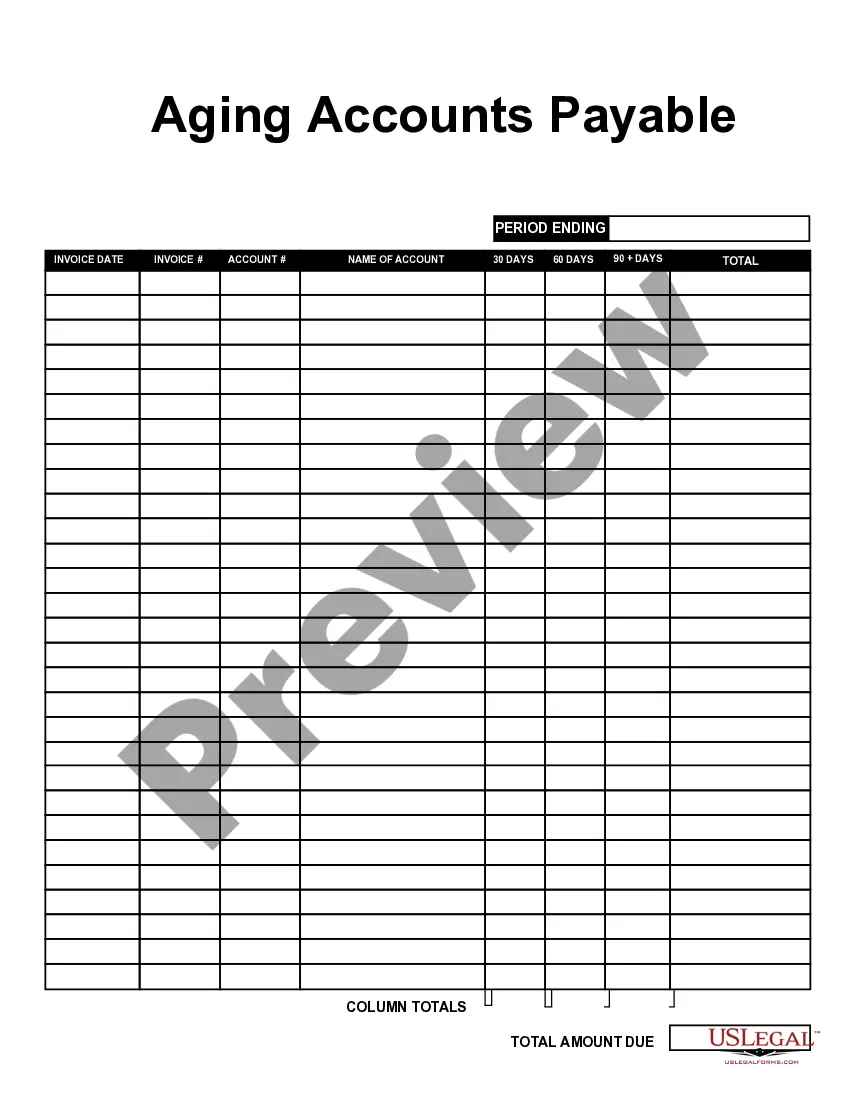
San Diego California Aging Accounts Payable
Description
Get your form ready online
Our built-in tools help you complete, sign, share, and store your documents in one place.
Make edits, fill in missing information, and update formatting in US Legal Forms—just like you would in MS Word.
Download a copy, print it, send it by email, or mail it via USPS—whatever works best for your next step.
Sign and collect signatures with our SignNow integration. Send to multiple recipients, set reminders, and more. Go Premium to unlock E-Sign.
If this form requires notarization, complete it online through a secure video call—no need to meet a notary in person or wait for an appointment.
We protect your documents and personal data by following strict security and privacy standards.

Make edits, fill in missing information, and update formatting in US Legal Forms—just like you would in MS Word.

Download a copy, print it, send it by email, or mail it via USPS—whatever works best for your next step.

Sign and collect signatures with our SignNow integration. Send to multiple recipients, set reminders, and more. Go Premium to unlock E-Sign.

If this form requires notarization, complete it online through a secure video call—no need to meet a notary in person or wait for an appointment.

We protect your documents and personal data by following strict security and privacy standards.
Looking for another form?






How to fill out Aging Accounts Payable?
Preparing documents for business or personal purposes is always a substantial responsibility.
When formulating a contract, a public service application, or a power of attorney, it is crucial to consider all federal and state laws relevant to the particular jurisdiction.
Nevertheless, smaller counties and even municipalities also have legislative processes that must be taken into account.
To find the one that meets your requirements, utilize the search tab in the header of the page.
- All these factors contribute to the stress and duration required to prepare San Diego Aging Accounts Payable without expert support.
- It is feasible to avoid unnecessary expenses on attorneys for drafting your paperwork and create a legally binding San Diego Aging Accounts Payable independently, utilizing the US Legal Forms online library.
- This is the largest online repository of state-specific legal templates that are professionally reviewed, ensuring their legitimacy when selecting a document for your county.
- Former subscribers merely need to Log In to their accounts to access and download the necessary form.
- If you do not yet have a subscription, follow the step-by-step guide below to acquire the San Diego Aging Accounts Payable.
- Examine the page you've accessed and verify if it contains the document you need.
- To facilitate this, utilize the form description and preview if these features are available.
Form popularity
FAQ
AP Aging Reports Go to Reports on the top menu. Choose Vendors and Payables. Select A/P Aging Detail. Tick the Customize Report tab. In the Dates field choose Custom. Enter the date for April in the From and To field. Tap OK.
To prepare accounts receivable aging report, sort the unpaid invoices of a business with the number of days outstanding. This report displays the amount of money owed to you by your customers for good and services purchased.
Simply put, accounts payable aging reports gives you an overview of what your business owes for supplies, inventory, and services. A quick glance at this report reveals the identities of your creditors, how much money is owed to each creditor and how long that money has been owed.
An accounts payable aging summary report shows the balances you owe to others. The report helps you organize and visualize the amounts you owe. Typically, an aging of accounts payable includes: Vendor names. How much you owe each vendor.
An accounts payable aging summary report shows the balances you owe to others. The report helps you organize and visualize the amounts you owe. Typically, an aging of accounts payable includes: Vendor names. How much you owe each vendor.
The aging accounts receivables are calculated by multiplying average accounts receivables by 360 days. Instead of multiplying it by 365 days, which are the number of days in a year, is done to avoid fractions in the calculations of aging accounts receivables. Then this is divided by the credit sales.
Here's how: Go to Reports and then select the Standard tab. Under the What you owe section, then pick Accounts payable aging detail. Click the Customize button. Select the Filter drop-down. Check the Due Date box and then choose Custom from the drop-down list. Enter the range of the specific date. Click Run report.
To prepare an accounts receivable aging report, you need to have the customer's name, outstanding balance amount, and aging schedules.