Business Startup Costs
Overview of this form
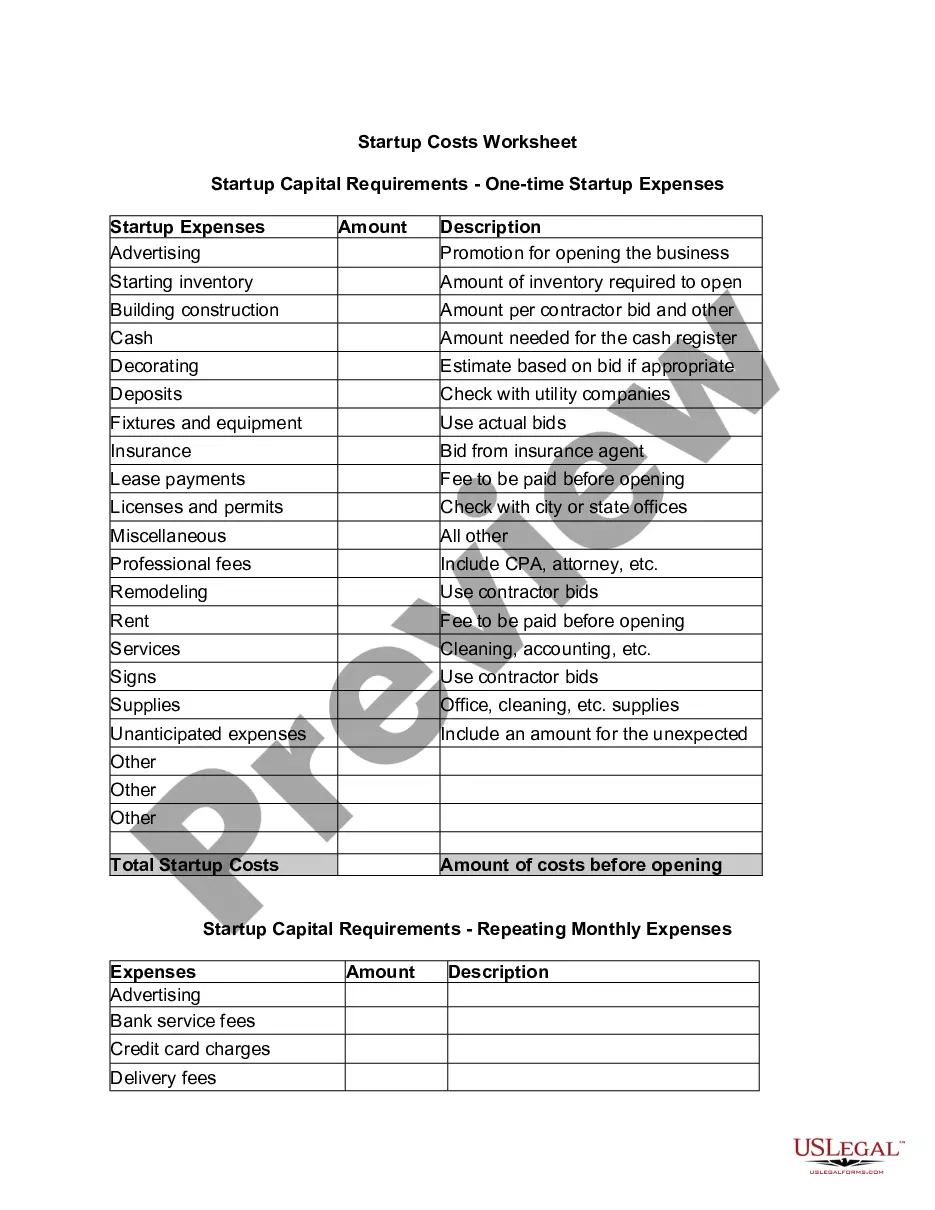
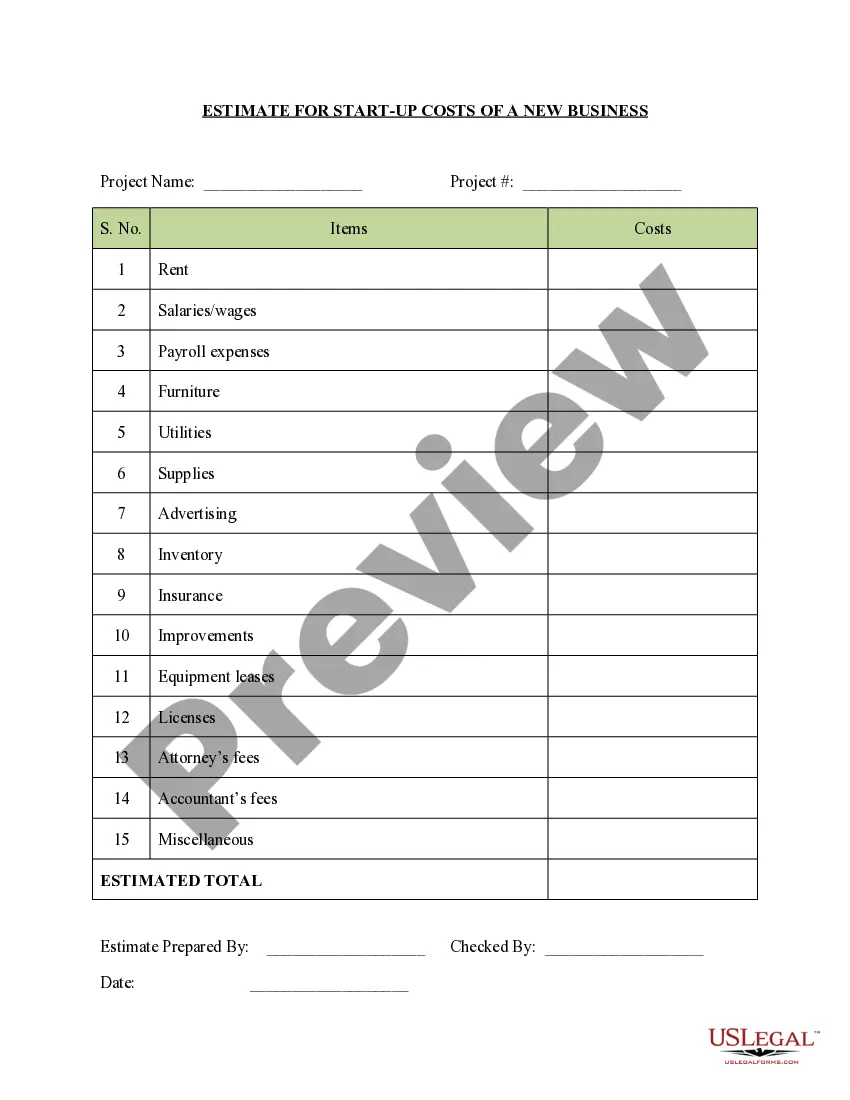
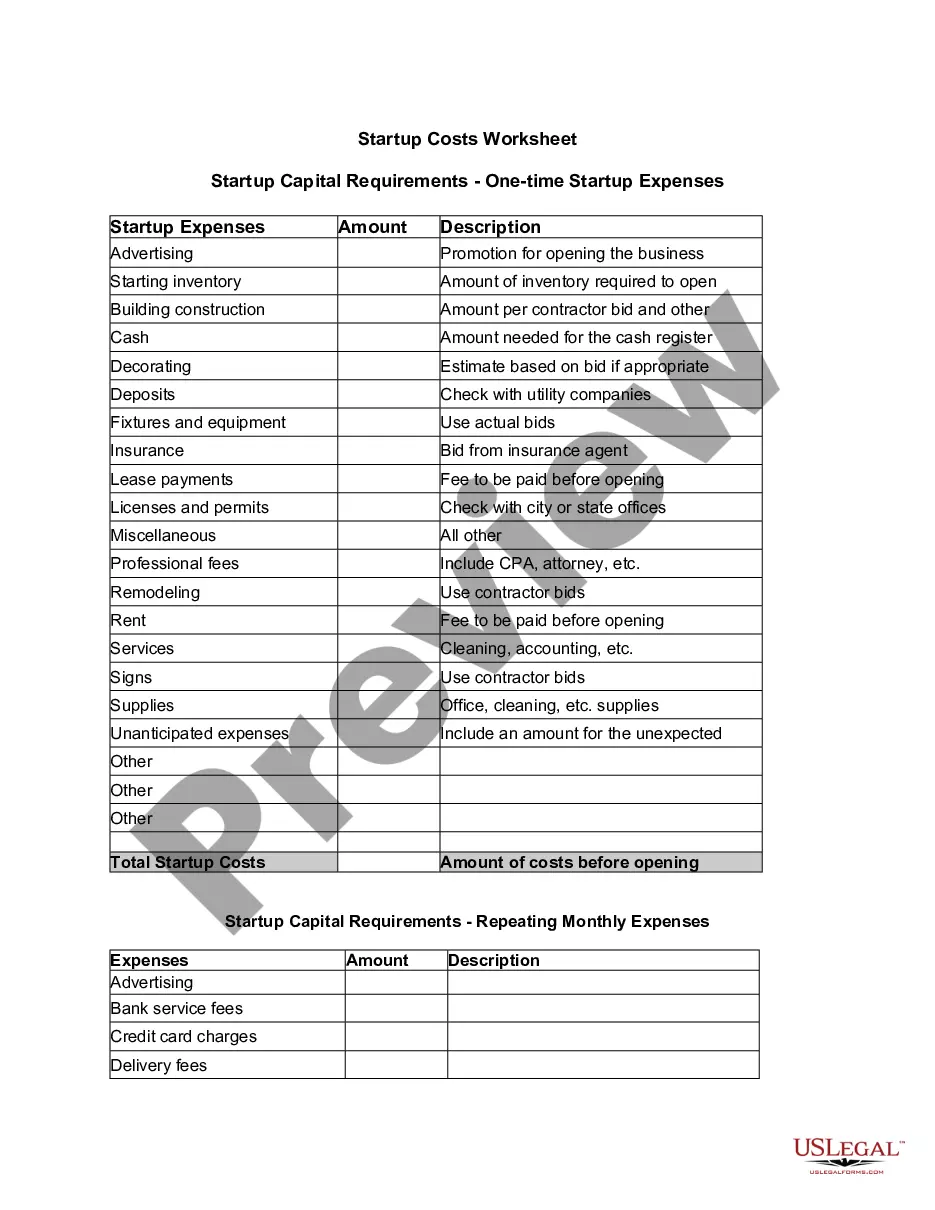
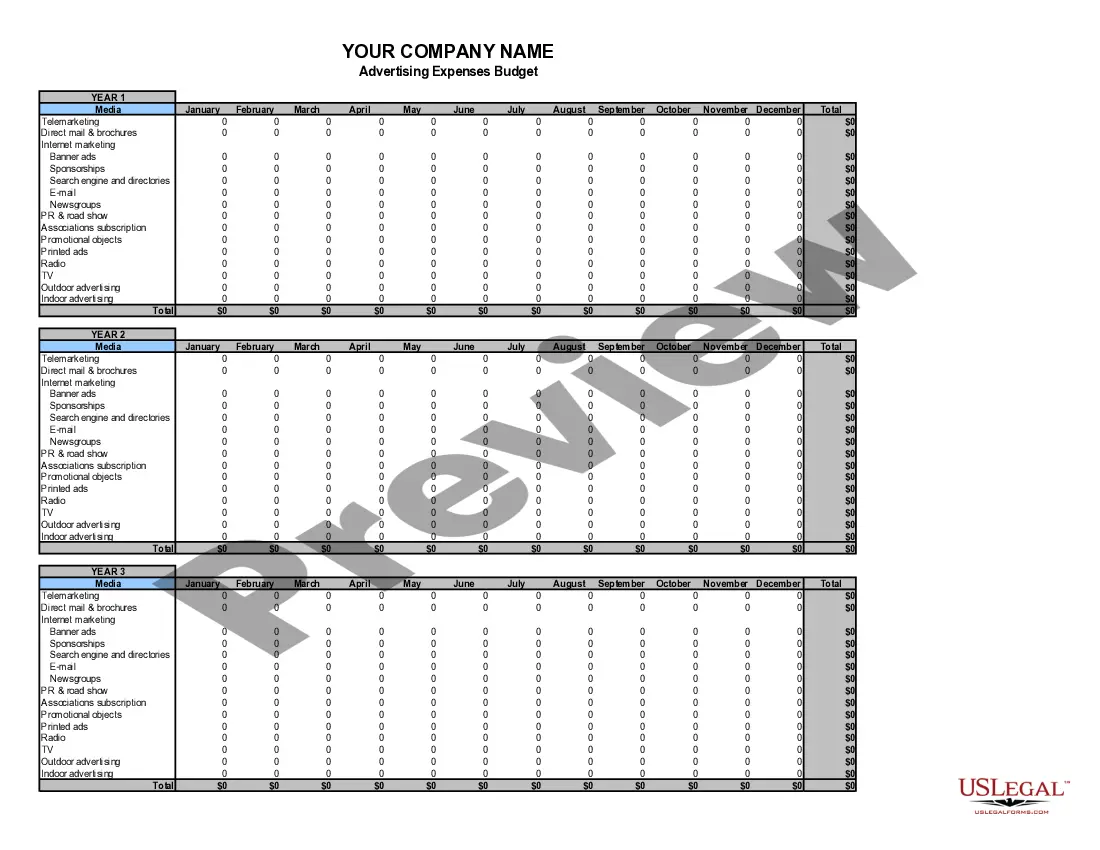
The Business Startup Costs form is a comprehensive Excel spreadsheet designed to help new business owners calculate and organize their startup expenses. Unlike generic budgeting templates, this tool includes itemized categories for both one-time and recurring monthly costs, making it essential for effective financial planning during the launch phase of your business.
Main sections of this form
- Startup Capital Requirements - One-time expenses: Lists all essential one-time costs necessary to commence business operations.
- Itemized categories: Categorizes expenses into specific sections such as advertising, inventory, lease payments, and professional fees.
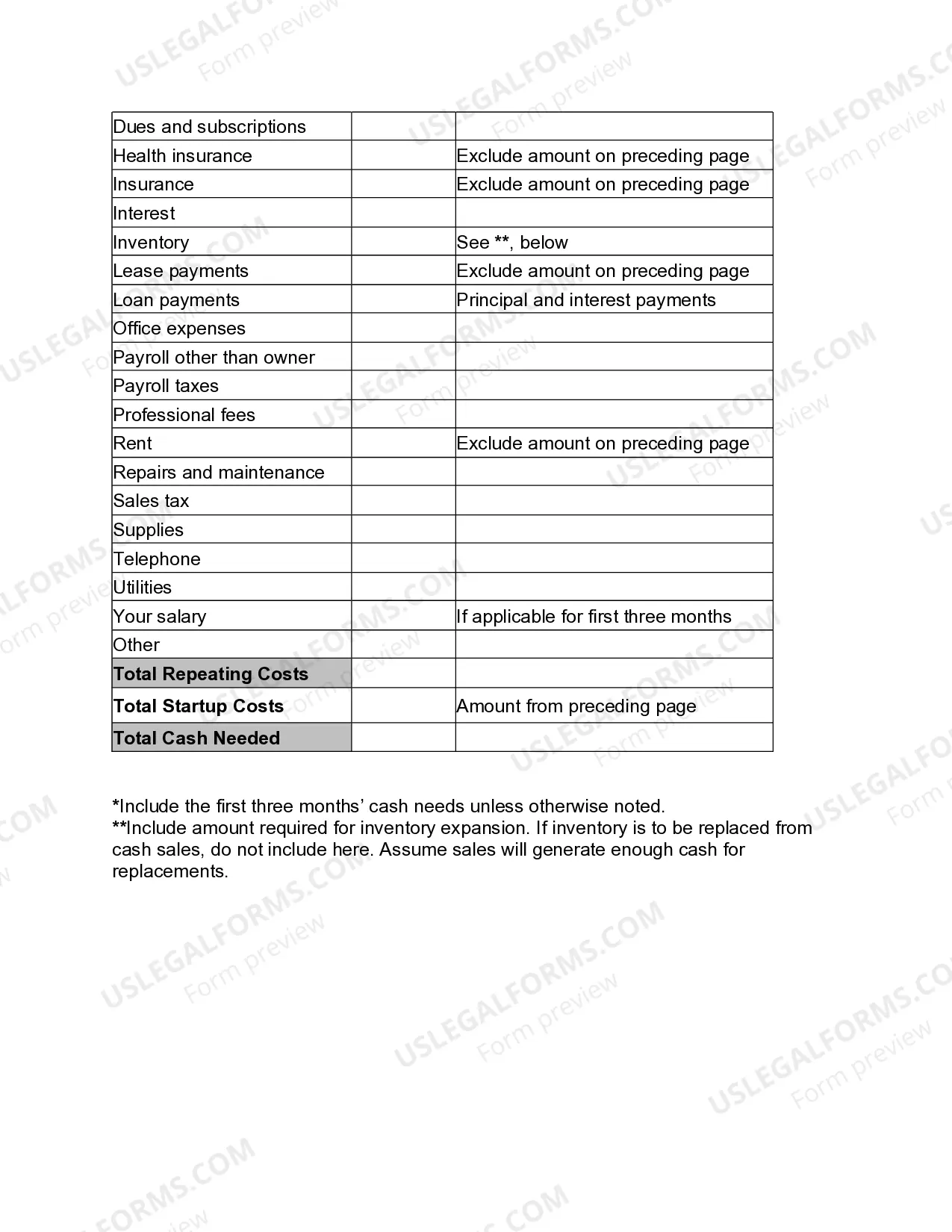
- Recurring monthly expenses: Details ongoing costs that need to be accounted for after the business opens, including rent, payroll, and utilities.
- Cash flow projections: Helps estimate total cash needed to sustain operations during the initial three months.
- Miscellaneous and unanticipated expenses: Provides space to account for unexpected costs and various other expenditures.
Situations where this form applies
This form is useful when starting a new business and can help ensure all potential startup costs are accounted for. It's especially beneficial when applying for loans or seeking investors, as it provides a clear overview of initial funding needs. Use this worksheet to assess whether you have sufficient resources to cover startup costs and to plan your finances effectively.
Who can use this document
The following individuals and groups should use this form:
- Entrepreneurs planning to launch a new business.
- Small business owners seeking to understand their startup financial needs.
- Investors and lenders reviewing financial plans.
- Business consultants supporting clients in the startup process.
How to prepare this document
Follow these steps to complete the Business Startup Costs form effectively:
- Identify all one-time startup expenses required to launch your business, such as advertising and inventory.
- Estimate the amounts for each identified expense and enter them into the appropriate fields of the spreadsheet.
- List recurring monthly expenses that you expect to incur, such as rent, utilities, and salaries.
- Ensure to include a section for miscellaneous and unanticipated expenses to cushion against unexpected costs.
- Calculate the total cash needed by combining one-time startup costs with the initial three months of recurring expenses.
Does this form need to be notarized?
In most cases, this form does not require notarization. However, some jurisdictions or signing circumstances might. US Legal Forms offers online notarization powered by Notarize, accessible 24/7 for a quick, remote process.
Get your form ready online
Our built-in tools help you complete, sign, share, and store your documents in one place.
Make edits, fill in missing information, and update formatting in US Legal Forms—just like you would in MS Word.
Download a copy, print it, send it by email, or mail it via USPS—whatever works best for your next step.
Sign and collect signatures with our SignNow integration. Send to multiple recipients, set reminders, and more. Go Premium to unlock E-Sign.
If this form requires notarization, complete it online through a secure video call—no need to meet a notary in person or wait for an appointment.
We protect your documents and personal data by following strict security and privacy standards.

Make edits, fill in missing information, and update formatting in US Legal Forms—just like you would in MS Word.

Download a copy, print it, send it by email, or mail it via USPS—whatever works best for your next step.

Sign and collect signatures with our SignNow integration. Send to multiple recipients, set reminders, and more. Go Premium to unlock E-Sign.

If this form requires notarization, complete it online through a secure video call—no need to meet a notary in person or wait for an appointment.

We protect your documents and personal data by following strict security and privacy standards.
Avoid these common issues
When using this form, avoid these common mistakes:
- Failing to include all necessary one-time and recurring expenses.
- Underestimating costs, especially for advertising and inventory.
- Forgetting to account for unforeseen expenses.
- Not updating the form as expenses change or more information becomes available.
Why complete this form online
Here are some advantages of using the Business Startup Costs form online:
- Convenience: Easily accessible and can be filled out from your computer or mobile device.
- Editability: Modify and update the document as your business plan evolves.
- Reliability: Based on attorney-drafted templates to ensure all necessary sections are included.
- The form serves as a foundational document in planning for new businesses.
- It helps demonstrate financial preparedness to potential investors or lenders.
- Though not a legally binding contract, it is crucial for sound business decision-making.
Summary of main points
Main points to remember about the Business Startup Costs form:
- This tool is crucial for budgeting and financial planning for new businesses.
- It includes both one-time and recurring expenses to give a full picture of startup costs.
- Using this form can help secure funding by clearly presenting financial needs.
Looking for another form?
Form popularity
FAQ
For each expense, enter the date and description. Use the dropdown menus to select payment type and category for each expense. For each expense, enter the total cost. Attach all necessary receipts to the document. Submit for review and approval!
1Open a blank Microsoft Excel spreadsheet.2Write down the necessary categories for your spreadsheet.3Type the date in the first column on the Excel spreadsheet.4Type a column for the "Payee" of the costs and expenses next to the "Date" column.5Add all additional categories in the following columns.How to Create Cost & Expense Sheets in Excel Techwalla\nwww.techwalla.com > articles > how-to-create-cost-expense-sheets-in-excel
Open Excel. Add headings for the columns in the top row your income worksheet. Format your columns. Select your expense worksheet and set it up for recording expense data. Format your expenses columns.
Open your income and expenses Excel worksheet. Select an empty cell beneath the last item in your "income" column. Type "Total Income" in this cell, then press the "Enter" key. Select the cell directly beneath the "Total Income" label. Type "=SUM(" into this empty cell.
Open Excel. Add headings for the columns in the top row your income worksheet. Format your columns. Select your expense worksheet and set it up for recording expense data. Format your expenses columns.
Click the cell that you want to use to calculate your total in the income column, select the list arrow, and then choose the Sum calculation. There are now totals for the income and the expenses.
Open Microsoft Excel 2010 and start a new workbook by choosing "File" and "New." In the "Available Templates" section, choose "Blank Workbook" to begin. Decide how many worksheets you want to use for your accounts. Create headings for each data item you plan to record in your worksheets.
Click the cell that you want to use to calculate your total in the income column, select the list arrow, and then choose the Sum calculation. There are now totals for the income and the expenses. When you have a new income or expense to add, click and drag the blue resize handle in the bottom-right corner of the table.
Customize a monthly budget template in Excel Step 2: Enter your budget data of income and expenses into the table, and calculate the total incomes of every month and every item: (1) Calculate total income per month: In Cell B7 enter =SUM(B4:B6), then drag the Fill Handle to apply this formula to Range C7:M7.